When it comes to the topic of time tracking, Buddy Punch and Clockify are frequent names that come up. Buddy Punch is an employee attendance platform that supports hourly workers’ scheduling, time-off tracking, and attendance management. While Clockify is a web-based time tracking software primarily designed for project-based work and productivity, helping businesses track time across billable hours, project budgets, tasks, clients, and reports.
In this Buddy Punch vs. Clockify comparison, we’ll examine how each platform performs across key areas, their distinguishing features, differences, overall functionality, and use cases to help you understand what each solution has to offer for your business needs.
Note: Product comparisons and verdicts presented in this article are only based on our personal research and hands-on testing of their console and app. Our stated assessments reflect only our own informed perspectives and opinions, and are intended to provide an objective evaluation of each product’s features, usability, and overall performance.
Buddy Punch vs. Clockify: A Quick Comparison
| Feature / Software | Buddy Punch | Clockify |
| Photo / Selfie Verification | ✅ | ❌ |
| GPS Tracking | ✅ | ✅ |
| Geofencing | ✅ | ❌ |
| Mobile App | ✅ | ✅ |
| Data Reporting | ✅ | ✅ |
| Manager review and approval | Limited | ✅ |
| Offline Mode | Limited. Only on the Buddy Punch mobile app. | ✅ Supported on desktop and mobile app. |
| Project Tracking and Billable Hours | ❌ | ✅ |
Comparing Key Features of Buddy Punch and Clockify
Clock-in Methods - Winner: Winner: It’s a tie
Buddy Punch’s clock-in methods are built to support diverse teams and setups where more than one method is required. It is built with Facial Recognition or Photo verification via Webcam Settings, Time Clock Kiosk, PIN, QR Code, Username or Password, Single Sign-On, Text-to-Punch, Group Punching, Duration entry, and IP Address Locks.
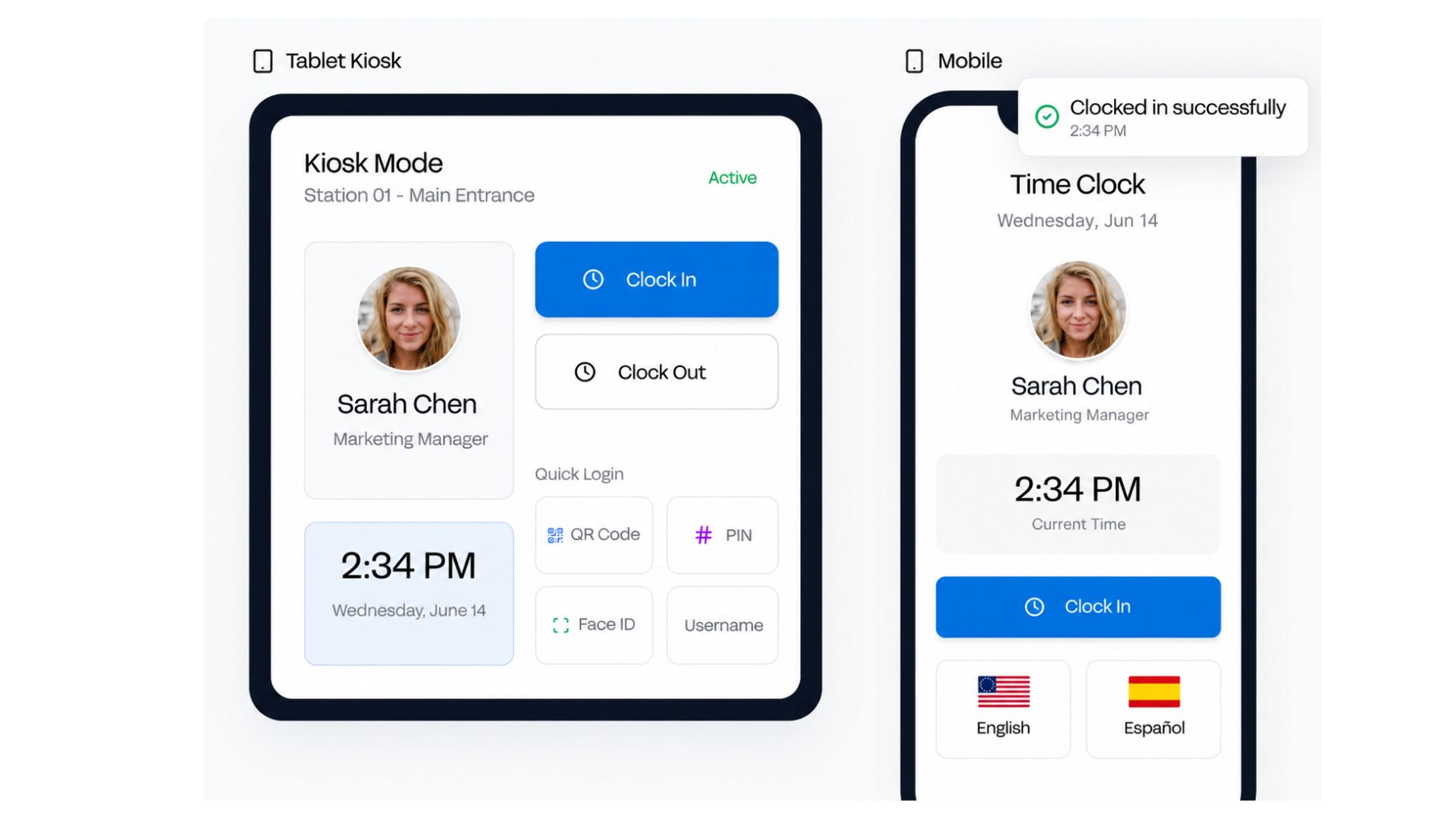
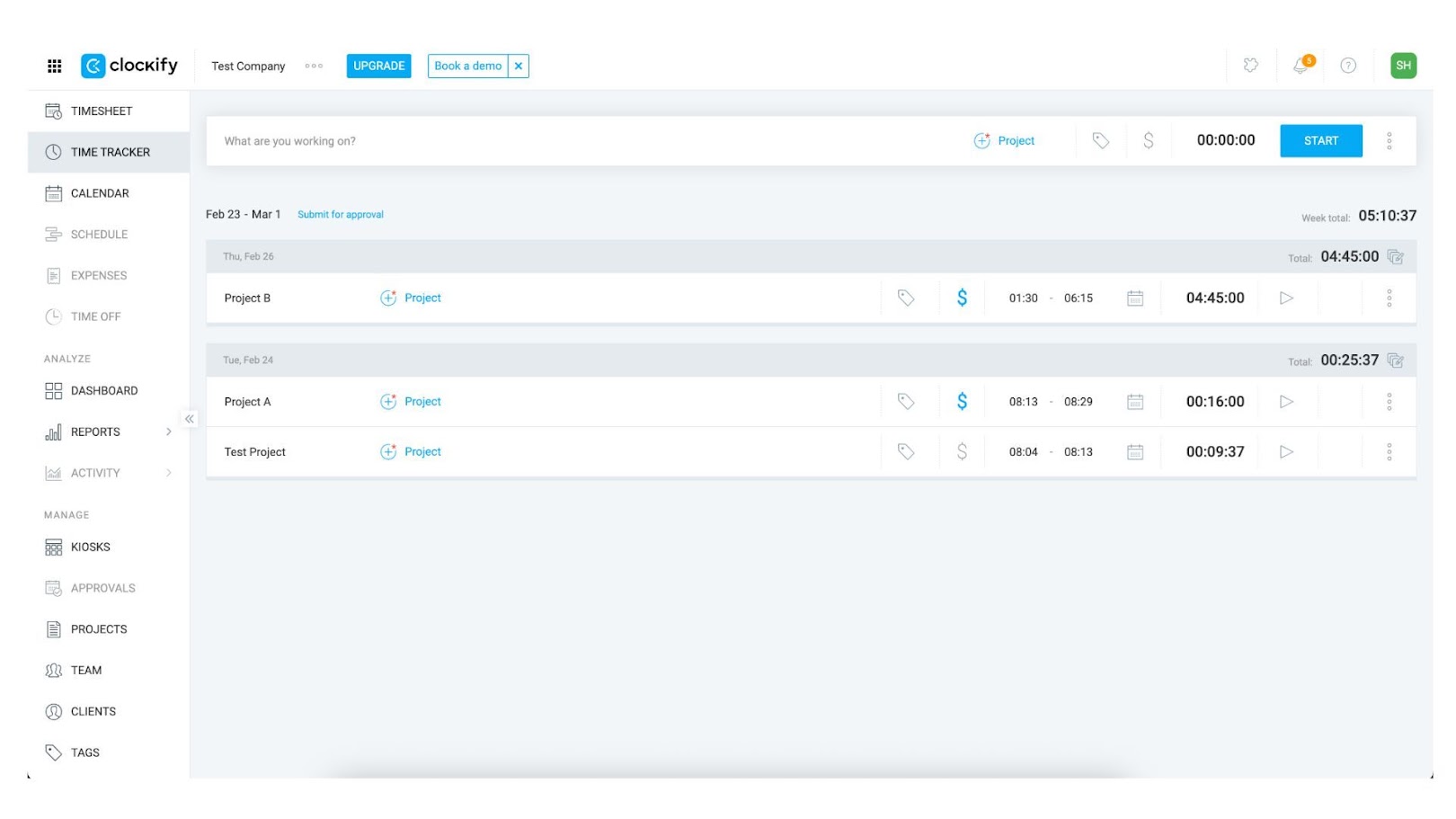
Clockify captures time using start-and-stop timers, project, client, and label-based time manual entries, and GPS location tracking that is supported by billable and non-billable time categorization and screenshot monitoring. The application is available for access on mobile, desktop, web, and shared kiosks.
Geofences and GPS Settings - Winner: Buddy Punch
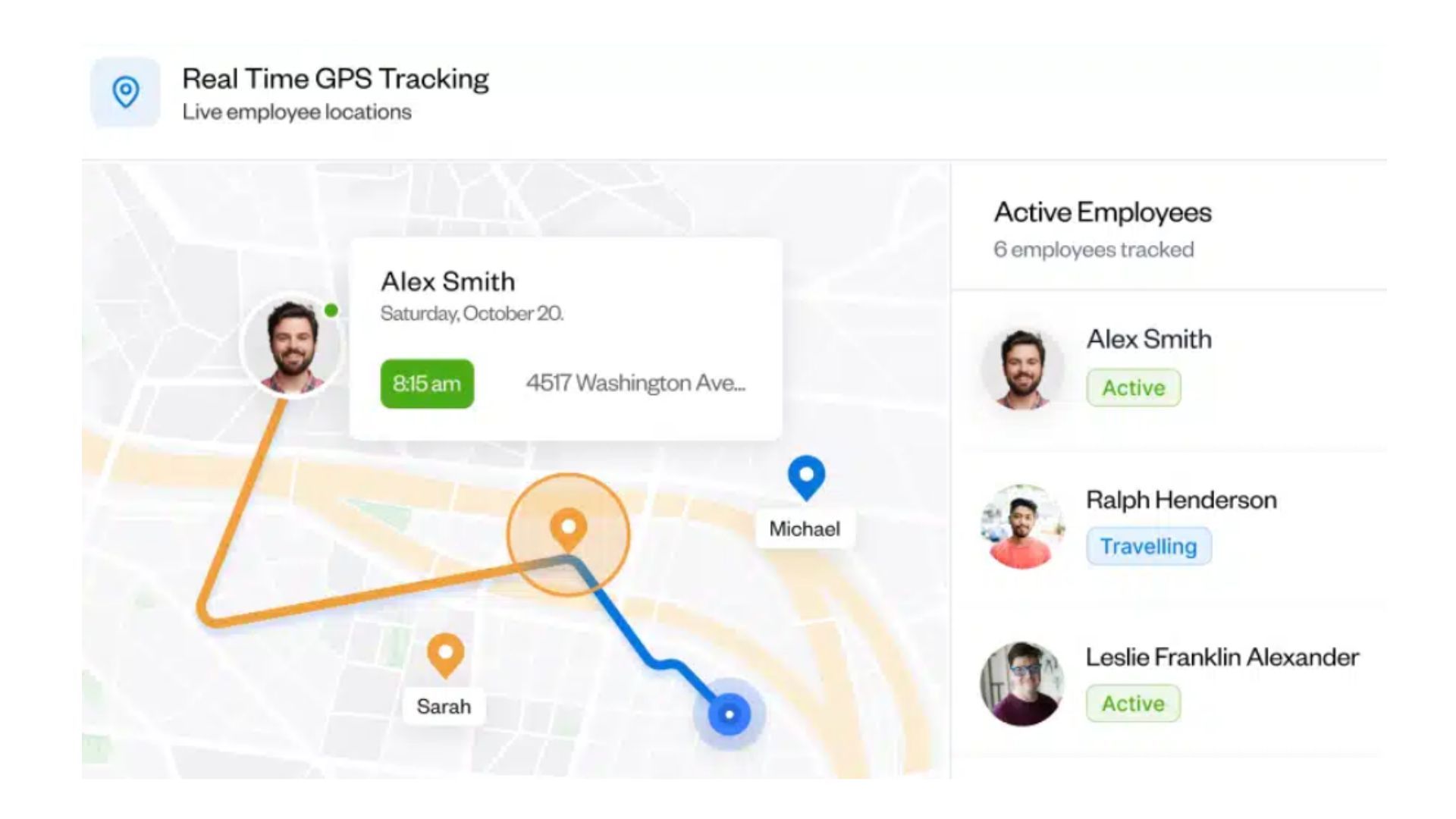
Buddy Punch enforces strict or alert-based geofences and live GPS mapping to block off-site clock-ins. Clockify logs GPS coordinates briefly, but it does not prevent employees from clocking in miles away from the worksite.
Mobile App Capabilities - Winner: It’s a tie
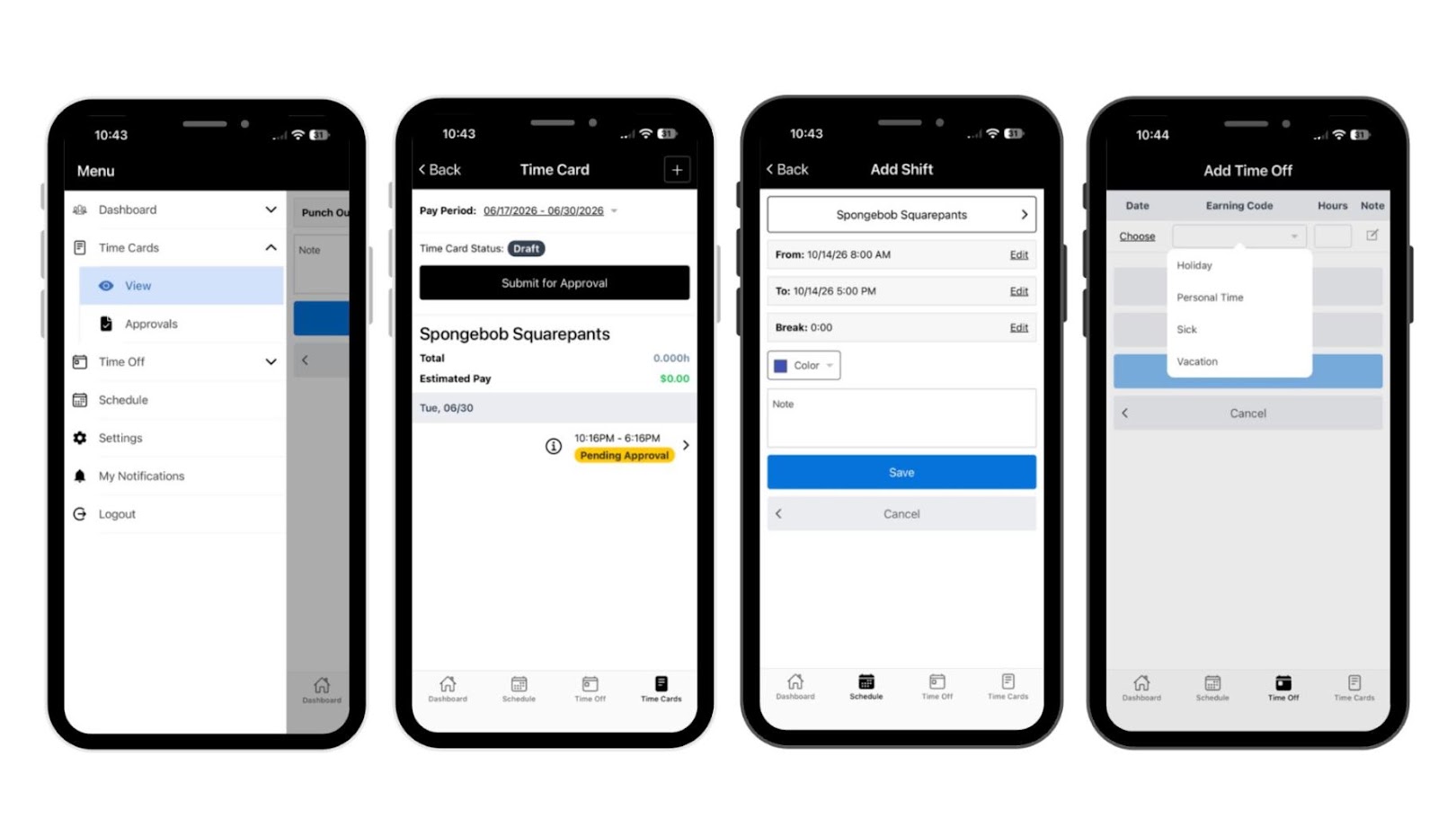
On the Buddy Punch mobile app, you can switch between different tasks, departments, or client codes while on the clock using job and project codes. You can also add schedules, punches, time entries, and time off to time cards, review and submit time cards for approval, and view today’s and upcoming schedules, real-time attendance, and time-off lists. The app allows you to submit time-off requests with details such as dates, earning codes, and hours, manage pending punch and time card approvals, and monitor live worker locations and daily travel trails using geofencing and a live map view. You can also configure location, department, and position settings, which can be tagged as active or billable, assigned to a payroll code, or linked to an employee. Furthermore, the app sends mobile alerts for upcoming shifts, late arrivals, missed punches, and approaching overtime.
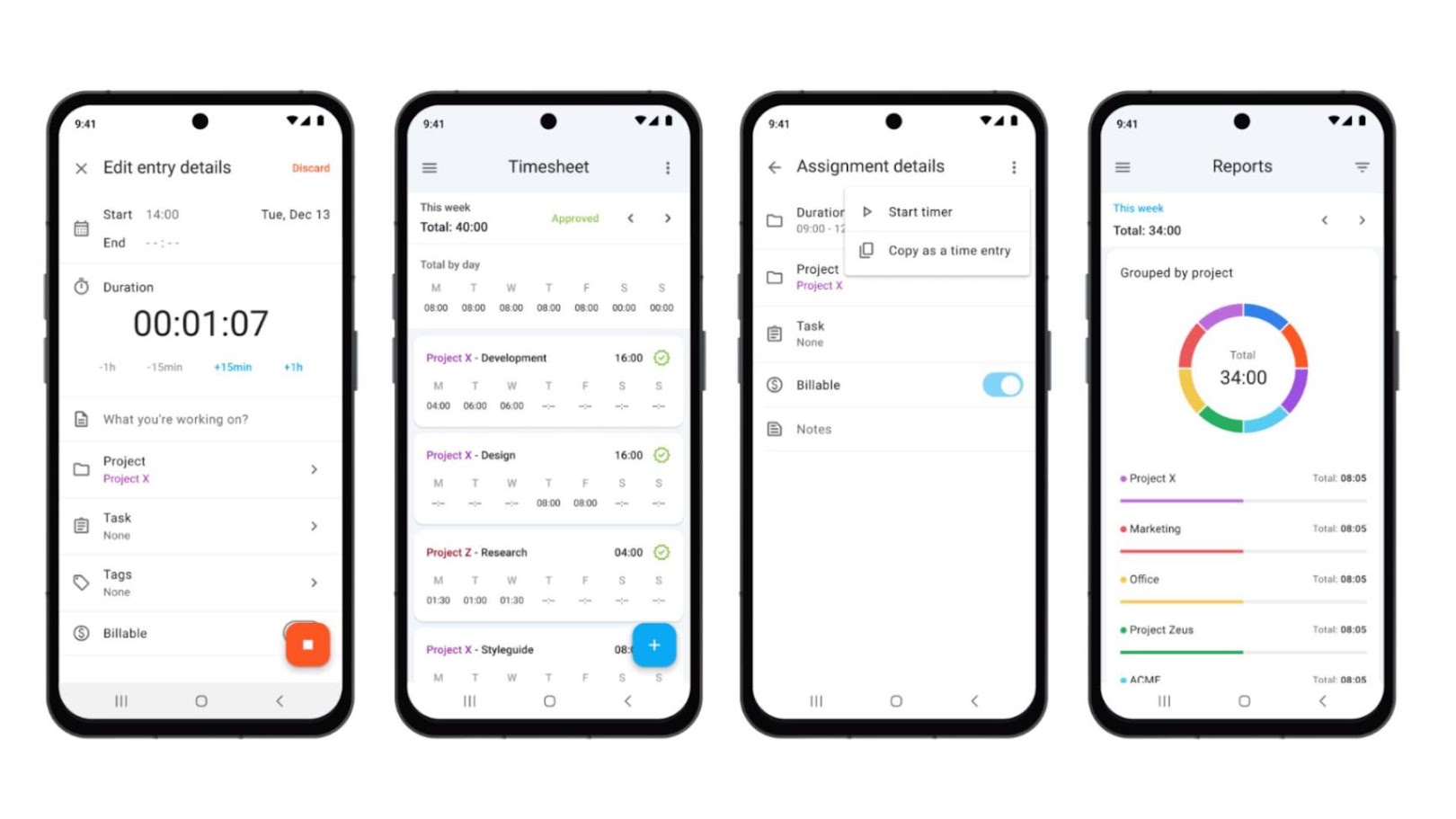
Clockify starts a work session with the Pomodoro clock that reflects on a weekly timesheet, letting you track work hours across projects. You can assign and log time entries to specific clients, projects, tasks, and custom tags through the live timer, time tracker list, or calendar view. The app also lets you mark hours as billable or non-billable based on project settings, view summaries of tracked project hours, and generate detailed work reports. Additionally, you can track time against a previous entry or create a new one using active widgets on your device’s home screen. Clockify also supports offline synchronization, automatically syncing time entries once your device reconnects to the internet.
Reporting - Winner: It’s a tie
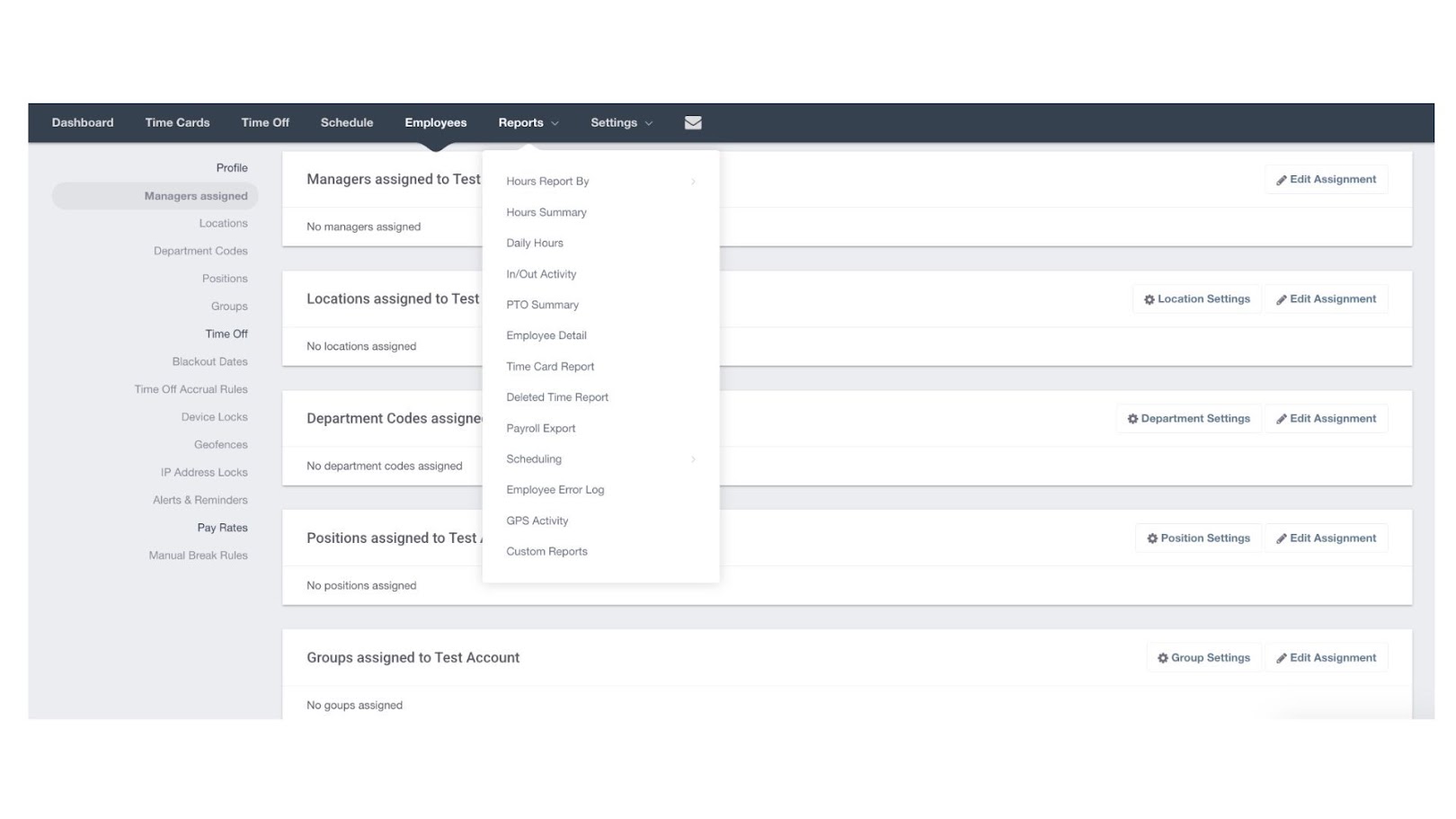
Buddy Punch only has a limited option of reports available specifically for hours worked, PTO, GPS activity, time card, and timesheet corrections. Custom reporting add-ons like Scheduled Reports, Employee Profile Details, Break Time Analysis, Detailed Time Card Reporting, Future PTO Insights, and Actual vs. Scheduled Hours are charged at USD 2.00 per user per month.
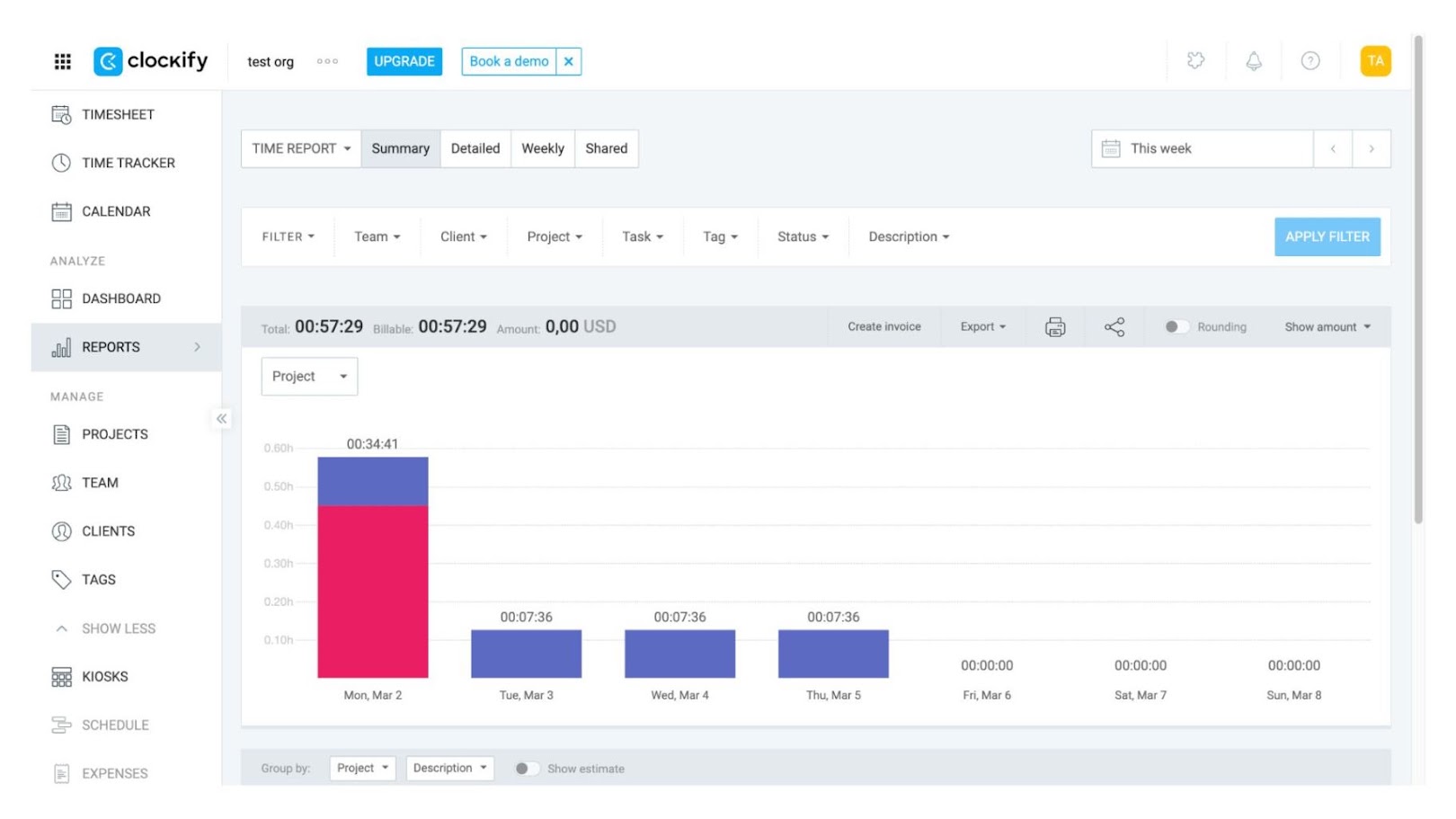
Clockify provides clear, easy-to-understand reports focused on tracked hours, projects, clients, productivity, and billable work. You can view breakdowns of hours by billable status or project, as well as review your personal or team time records. The platform also allows you to customize report breakdowns, group time entries by different dimensions, and create chart visualizations for easier data analysis. Additionally, you can compare estimated hours with actual tracked time and review earnings, costs, and profits for each breakdown.
Manager review and approval - Winner: Clockify
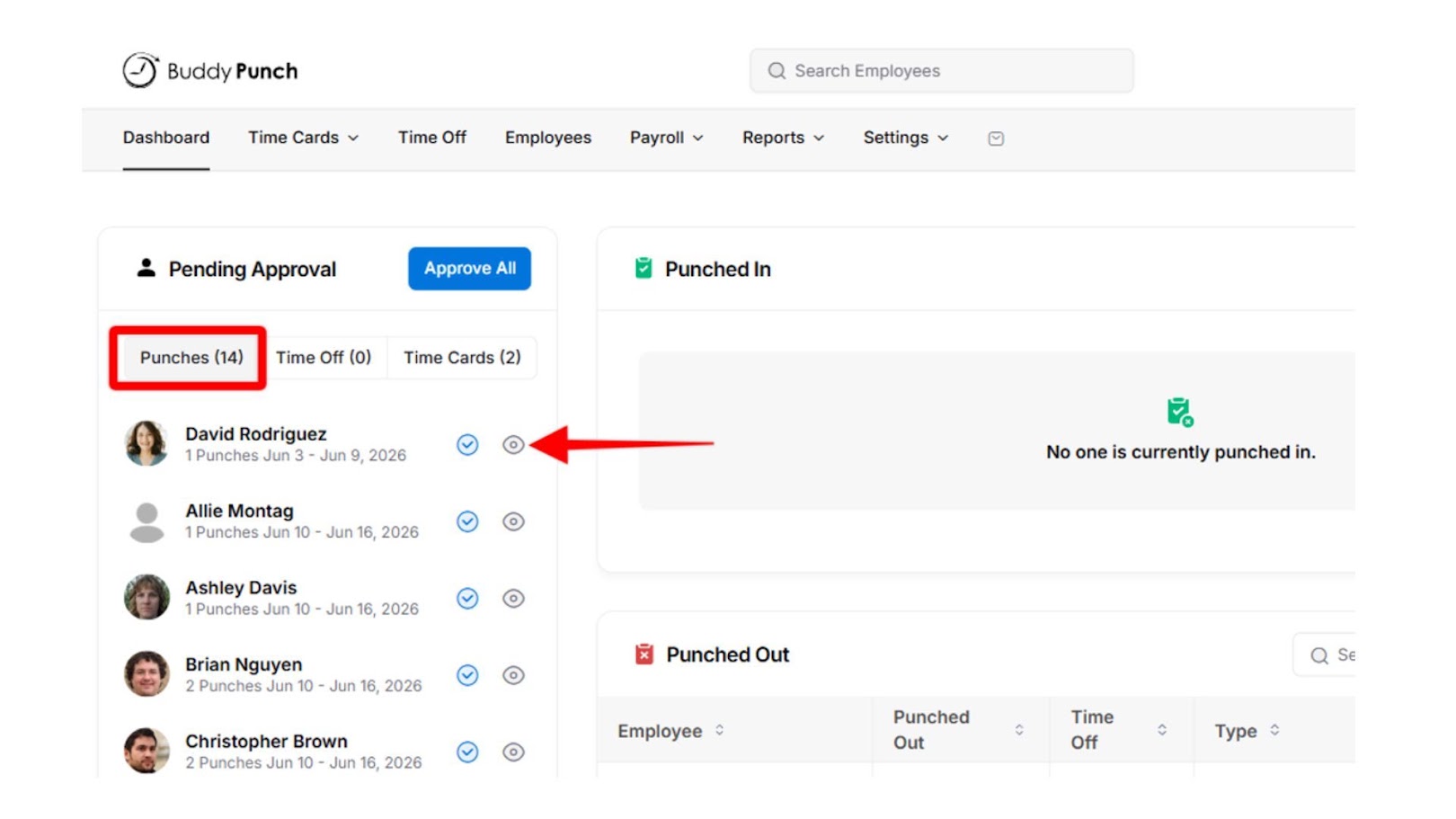
Buddy Punch lets you review, edit, approve, or reject employee punches and time cards through the web app or mobile dashboard. You can approve individual punch entries or use bulk approval options to process multiple pending punches and time cards. Employees can review their recorded work hours and submit their time cards for approval through their dashboard or time entry page.
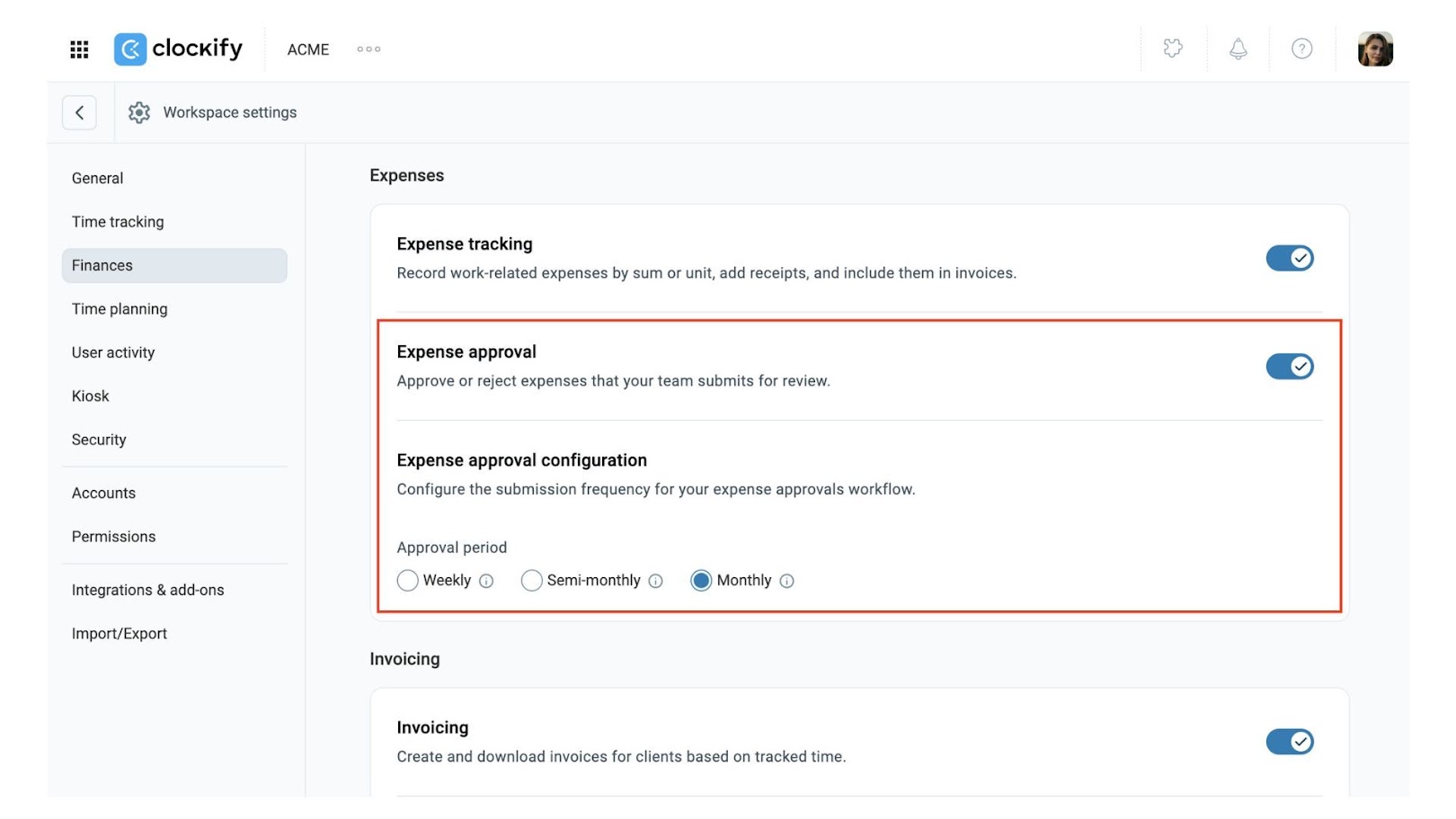
Clockify’s approval feature allows managers to review, edit, approve, or reject employee timesheets, expenses, and time-off requests before payroll processing. You can configure approval settings, review frequency, and approve entries according to their assigned permissions. The system also supports bulk approvals, rejection notes, withdrawal of approvals, and automated email notifications.
Buddy Punch vs. Clockify: What Sets Them Apart?
The biggest difference between Buddy Punch and Clockify is what they are designed to track and manage.
Buddy Punch
Focuses on employee attendance and timekeeping, with features for clock-ins, scheduling, time-off management, and overtime tracking. It also offers GPS verification, geofencing, and attendance reports.
Clockify
Emphasizes tracking time across projects, tasks, and clients, with support for billable hours, project budgets, invoicing, approvals, GPS tracking, expenses, and project-based reporting.
Buddy Punch and Clockify: Strengths and Limitations
Buddy Punch
Pros
- Flexible clock-in options
- Flexible scheduling options
- Geofenced punch locations
- Time-off request workflows
- Mandatory selfies
- Fast user adoption
- Simple employee scheduling
- Mobile app approvals
Cons
- Occasional app & GPS lag
- Limited face ID compatibility
- Limited customization options
- Limited shift flexibility
- Single default shift configuration
- Basic reporting features
- Limited workforce management
- Incomplete timezone coverage
- No offline mode
Clockify
Pros
- Free forever plan
- Project tracking
- Leave management
- Easy calendar editing
- Simple reporting interface
- Flexible workspace settings
- Calendar integrations
- Offline support
Cons
- Performance & sync glitches
- Browser-first experience
- Timer-dependent workflow
- No facial recognition
- Limited attendance verification
- Limited mobile functionality
- Admin/approval controls are restricted
- Project-focused platform
- Limited field support
Buddy Punch vs. Clockify: Customer Reviews and Ratings
Buddy Punch Reviews
Buddy Punch is commended for its user-friendly interface, easy clock-in and clock-out process, reliable time tracking, and convenient time-off management across desktop and mobile devices. Some mobile app reviewers find it difficult to understand the difference between time formats and decimal hours, making it harder to calculate remaining work hours. Additionally, the inability to edit time entries directly through the mobile app as an administrator is frustrating, highlighting opportunities to improve its mobile functionality.
As of November 3, 2026, Buddy Punch currently lists at 4.8/5 on both Capterra and G2, 5/5 on Apple App Store, and 4.5/5 on Google Play Store.
“Time tracking and payroll were the best features of using buddy punch for me while doing my remote position.” – Capterra reviewer ”
– Capterra reviewer
More of Buddy Punch on Capterra →
More of Buddy Punch on G2 →
“Good program but app does not let you edit as administrator which is frustrating. I have to go to the actual website and edit hours. It’s a pain when you’re at a jobsite with poor service and can’t load the page.”
– Google Play reviewer
More of Buddy Punch on Apple App Store →
More of Buddy Punch on Google Play Store →
Clockify Reviews
Clockify is noted for its ease of use, flexible project time tracking, and features suitable for freelancers and businesses. However, users feel it lacks broader project management tools like task management, progress tracking, and team collaboration. While the web version receives positive feedback, the Android app has reported synchronization problems, login difficulties, and unexpected logouts that negatively affect the user experience.
As of November 3, 2026, Clockify is currently rated at 4.8/5 on Capterra, 4.5/5 on G2, 4.7/5 on Apple App Store, and 4.5/5 on Google Play Store.
“I love how easy it is to use! It’s easy to assign time to projects. You can also have multiple projects going at once.”
– Capterra reviewer
More of Clockify on Capterra →
More of Clockify on G2 →
“The web version is great. Android app continues to have synchronization issues. With latest update, I can’t even login using Google account, and I get logged out randomly.”
– Google Play reviewer
Buddy Punch vs. Clockify: Pricing Plans Compared
Buddy Punch
Free Trial: Yes (14 days)
Starts at: 4.99 USD per user per month
Clockify
Free Trial: Yes (7 days)
Starts at: 5.49 USD per user per month
Is Fareclock a Better Alternative to Buddy Punch and Clockify?
While Buddy Punch and Clockify are solid options for standard time tracking, Fareclock addresses the gaps both platforms leave behind. Buddy Punch offers basic GPS monitoring and shift tracking for hourly workers, and Clockify excels at client billing and start-stop timers, yet both fall short on secure identity verification, mobile functionality, and advanced workforce management.
Fareclock, an all-in-one time clock software, combines all these key capabilities into a single, comprehensive platform. With its AI-powered facial recognition, mobile app editing and approvals, highly customizable settings, and complete offline synchronization, Fareclock delivers unmatched security, flexibility, and operational control without forcing you to compromise.
Advanced AI-Powered Facial Recognition
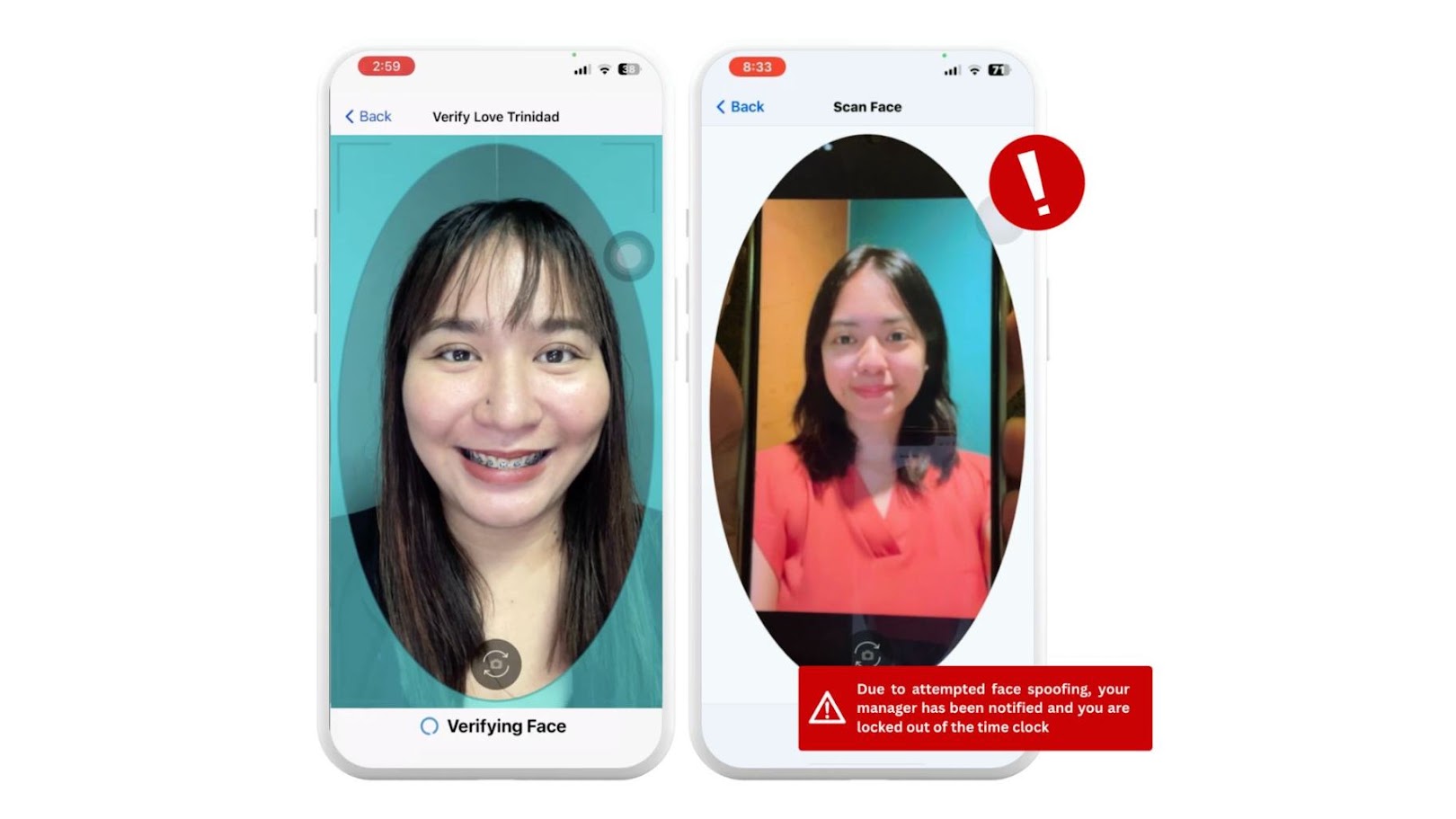
Fareclock uses its built-in AI facial verification tool to provide a secure, touchless clock-in experience that actively detects spoofing and eliminates buddy-punching on shared or standalone devices. Multiple detection strategies are used to analyze depth, eye movement, reflectivity, and background clues to identify and block fake images, video replays, and screen-based attempts. Automatic low-light detection brightens the display and illuminates the user’s face to improve recognition accuracy in poor lighting conditions, while adaptive face model updates help maintain reliable verification as users’ appearances gradually change due to aging, hairstyles, and other natural variations.
Mobile App Admin Editors and Approvals
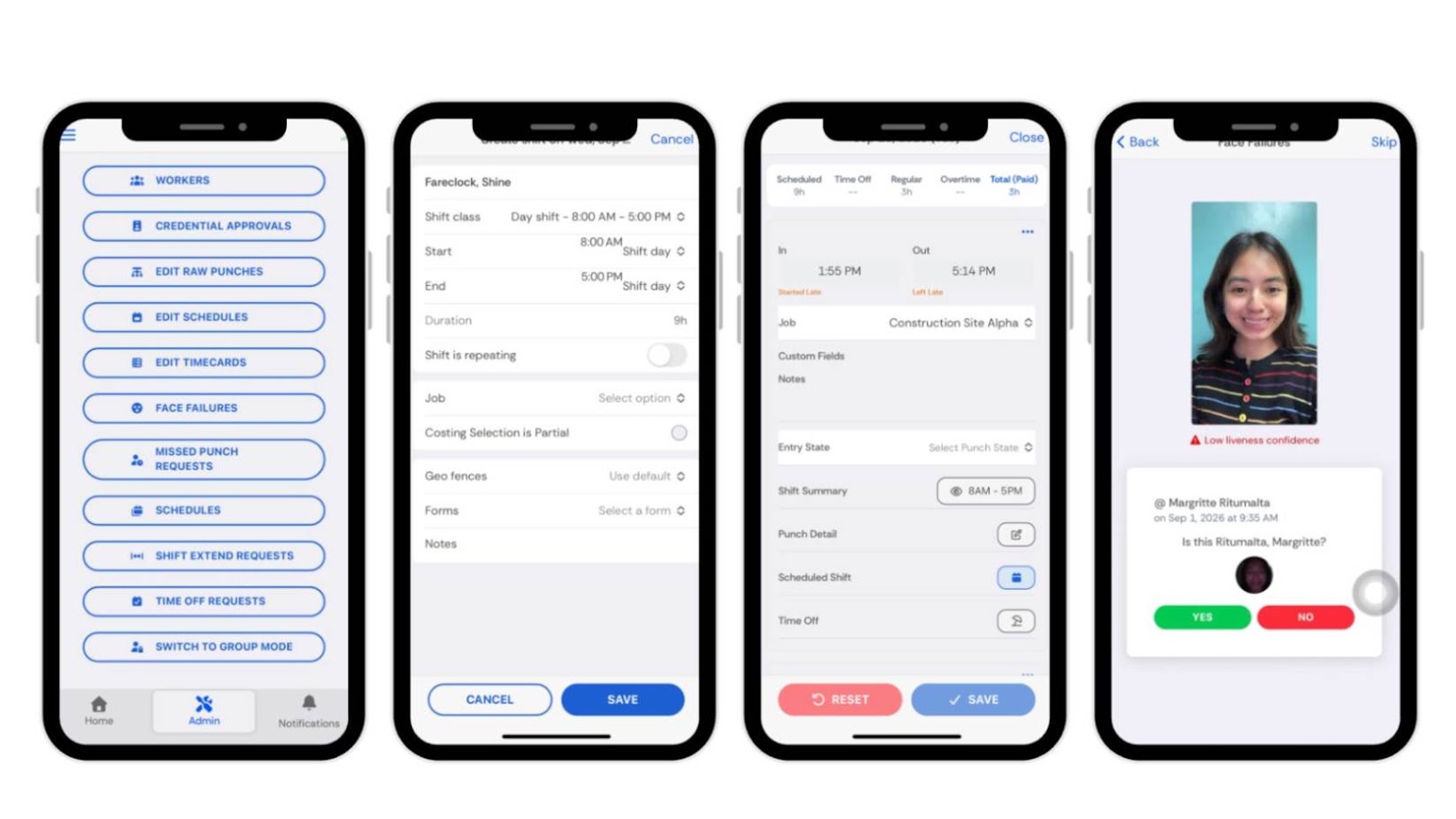
Fareclock’s mobile app offers tools to support time and attendance tracking and worker management. The app allows you to clock in and out with advanced AI-powered Facial Recognition, access company briefings, update personal credentials or documents, submit a request for extended shifts, file missed punches, request time off, fill out required forms, view pay slips, punch history, upcoming shifts, and total hours worked. Admins can also access individual profiles to enroll their face models, view schedules, and perform necessary approvals for missed punches, shift extensions, time off, credentials, and more.
What Should I Choose?
Shift Rounding and Grace Rules
Fareclock is supported by highly customizable rounding rules. Admins can set specific thresholds to automatically round clock-ins to the nearest 5 or 15 minutes, implement grace periods for minor lateness occurrences, and configure specific range tolerances for early arrivals.
Multiple Attendance Report Formats
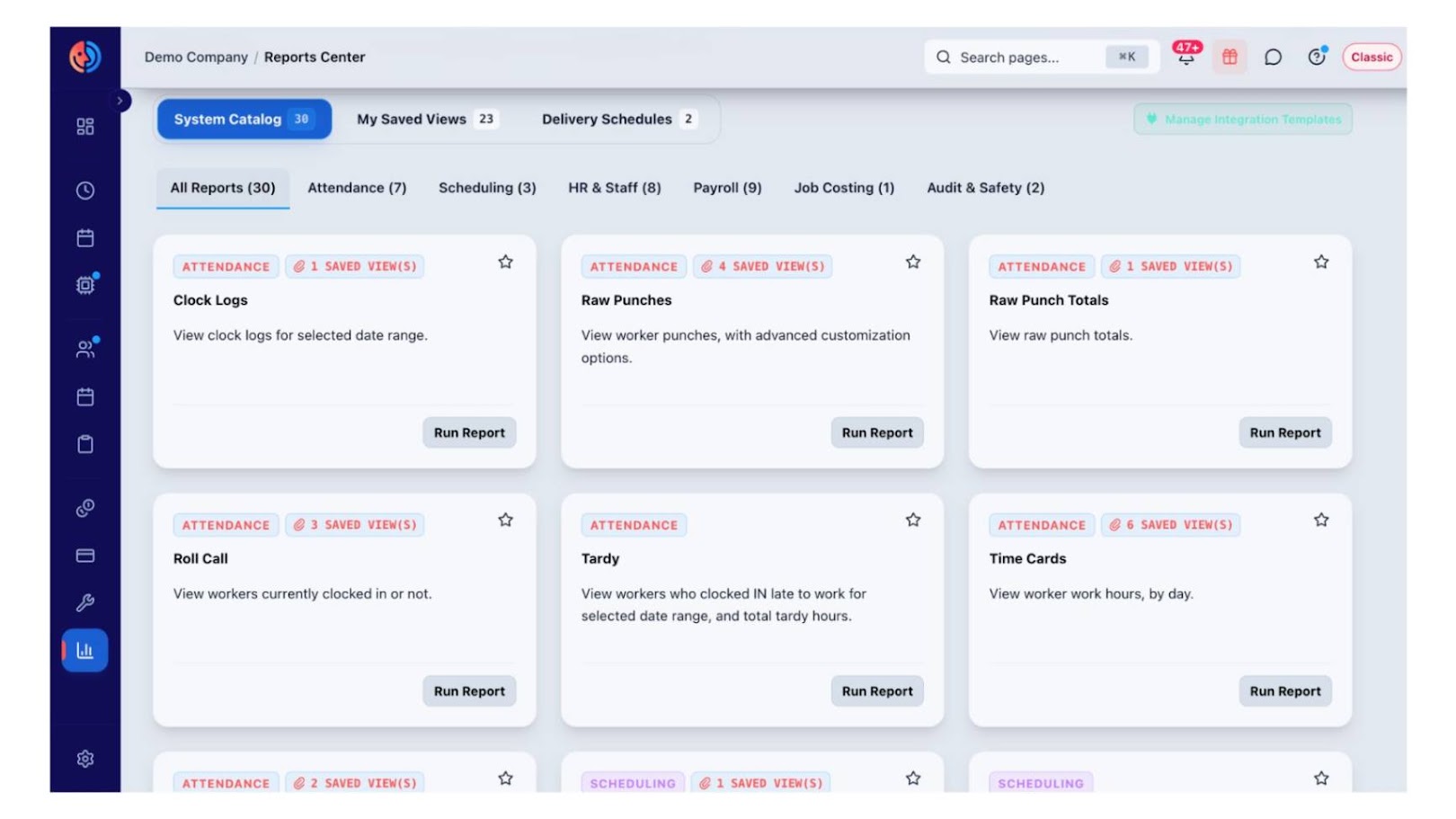
Fareclock has over 25+ structured report templates available for attendance, scheduling, time off, labor budget, compliance, payroll, with access to raw time logs for auditing and verification. Memorized Reports allow you to save a report with its selected filters, formatting, and settings so the same report can be quickly generated again, while Scheduled Reports automate scheduling reports to be delivered at predefined dates and times. Reports are also very customizable as you can fix, rearrange, organize the data columns according to your needs.
Workforce Compliance Tools
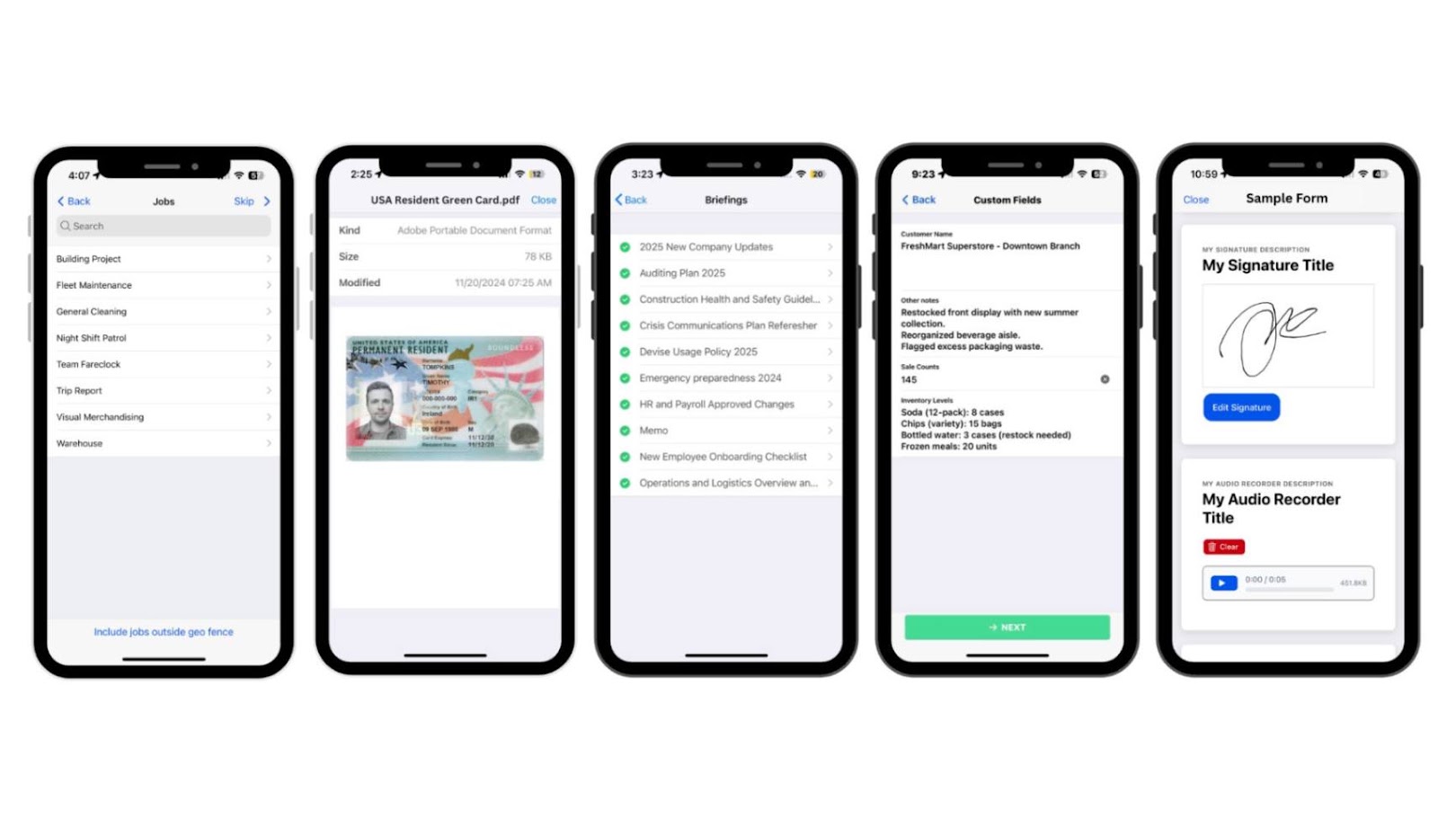
Fareclock is built with worker management tools like Forms, Custom Fields, Briefings, and Credentialing. For example, administrators can require employees to indicate their job, fill in custom fields, acknowledge briefings, and submit credentials as part of their clock-in. Digital forms can also be set up to capture job-related or compliance data in real time from your workers who are out in the field.
This comparison table evaluates key capabilities such as AI face recognition, GPS tracking, workforce management tools, and overall cost across Fareclock, Buddy Punch, and Clockify. to find the best fit for your team.
| Feature / Software | Fareclock | Buddy Punch | Clockify |
| AI-Powered Face Recognition | ✅ | ❌ | ❌ |
| GPS and Geofencing | ✅ | ✅ | Limited |
| Mobile App Approvals and Editors | ✅ | Limited | Limited |
| Customizable Settings | ✅ | Limited | ✅ |
| Attendance Reports | ✅ | ✅ | ✅ |
| Offline Synchronization | ✅ | Limited | ✅ |
| Workforce Management Tools | ✅ | Limited | Limited |
| Free Trial | Yes for 30 days | Yes for 14 days | Yes for 7 days |
| Starting Pricing (per user/month) | 1.65 USD | 4.99 USD | 5.49 USD |
Fareclock is praised for its intuitive, user-friendly interface, accurate geolocation, and efficient employee attendance tracking, helping HR teams eliminate manual work, minimize timekeeping errors, and manage records more effectively. Users appreciate its simple clock-in and clock-out process, real-time attendance visibility, and accessibility for employees with varying levels of technical experience. As of November 3, 2026, Fareclock is currently rated as 4.7 on Capterra and 4.9 on G2.
“My overall experience with Fareclock has been positive. The system is also easy to access and provides useful information that helps us review and verify employees’ time records more efficiently.”
– Capterra reviewer
More of Fareclock on Capterra →
More of Fareclock on G2 →
“Very easy to use and very accurate with the geolocation. Very easy to navigate. I had an easy time trying to clock in and out of my workspace. I recommend this app to anybody.”
– Google Play Store reviewer
Fareclock on Apple App Store : 5 / 5 Star Ratings
Fareclock on Google Play Store : 4.8 / 5 Star Ratings
Whether you’re in construction, manufacturing, healthcare, security, logistics, and field services, Fareclock is well suited to support your business’s time tracking, attendance, and workforce management!
Explore Fareclock’s features with a free trial and see how it fits your business.
FAQ
What is the main difference between Buddy Punch and Clockify?
Buddy Punch is better suited for hourly workforces and focuses on employee attendance management, shift scheduling, time-off tracking, and clock-in verification. While Clockify is ideal for freelancers, agencies, and project-based teams and primarily focuses on project-based time tracking, billable hours, client management, and productivity reporting.
Which is better for GPS tracking and geofencing: Buddy Punch or Clockify?
Buddy Punch is the stronger option for GPS tracking and geofencing because it can restrict or flag clock-ins based on predefined worksite boundaries. Clockify supports GPS location tracking on eligible plans, but it does not provide the same level of geofence-based clock-in enforcement.
Does Buddy Punch or Clockify offer facial recognition?
Neither Buddy Punch nor Clockify offers the advanced AI-powered facial recognition described for Fareclock. Buddy Punch supports photo or selfie verification, while Clockify does not offer facial recognition.
Which time tracking software is better for project tracking and billable hours?
Clockify is the better choice for project tracking and billable hours. It allows users to record time against specific clients, projects, and tasks, categorize hours as billable or non-billable, and generate reports to support client invoicing.
How much do Buddy Punch and Clockify cost?
Buddy Punch starts at $4.99 per user per month and offers a 14-day free trial. Clockify starts at $5.49 per user per month and offers a 7-day free trial. Clockify also provides a free plan. Pricing and plan features may change, so check each provider’s official website for the latest details.
Is Fareclock a better alternative to Buddy Punch and Clockify?
Yes, Fareclock may be a better alternative for businesses that need comprehensive employee attendance and workforce management features in one platform. It combines AI-powered facial recognition, GPS tracking, geofencing, mobile approvals, customizable attendance reports, scheduling, time-off management, and workforce compliance tools. Fareclock is particularly suitable for businesses managing hourly employees, field teams, and multiple job sites.