
Fareclock and Buddy Punch are two of the leading time tracking solutions for businesses across a wide range of industries, supporting on-site field teams and office-based setups alike. While both platforms offer robust time tracking capabilities, it’s worth noting that these two have their own differences, individual strengths, and ideal use cases.
In this article, we’ll compare the time tracking features of Fareclock and Buddy Punch to help you understand how they differ and guide you on which solution may be the better fit for your business.
Note: Product comparisons and verdicts presented in this article are only based on our personal research and hands-on testing of their console and app. Our stated assessments reflect only our own informed perspectives and opinions, and are intended to provide an objective evaluation of each product’s features, usability, and overall performance.
Quick feature comparison table
| Feature / Functionality |

|

|
| Time Cards Approval Workflow | ❌ | ✅ |
| Time Card Admin Override / Editing | ✅ | ✅ |
| Overtime Management | ✅ | ✅ |
| Time Off | ✅ | ✅ |
| Holiday Time Off Calendar | ✅ | ❌ |
| Reporting | ✅ | ✅ |
| Comprehensive Settings | ✅ | ❌ |
| Mobile App Experience | ✅ | ✅ |
| Schedule availability | ❌ | ✅ |
| Schedule Trades and Covers | ❌ | ✅ |
| Team Scheduling | ✅ | ❌ |
| Company Calendar | ❌ | ✅ |
Feature Comparison
Fareclock and Buddy Punch share common features. Though similar in function and purpose, there are differences in the way they execute these features:
Clock-in Methods - Winner:

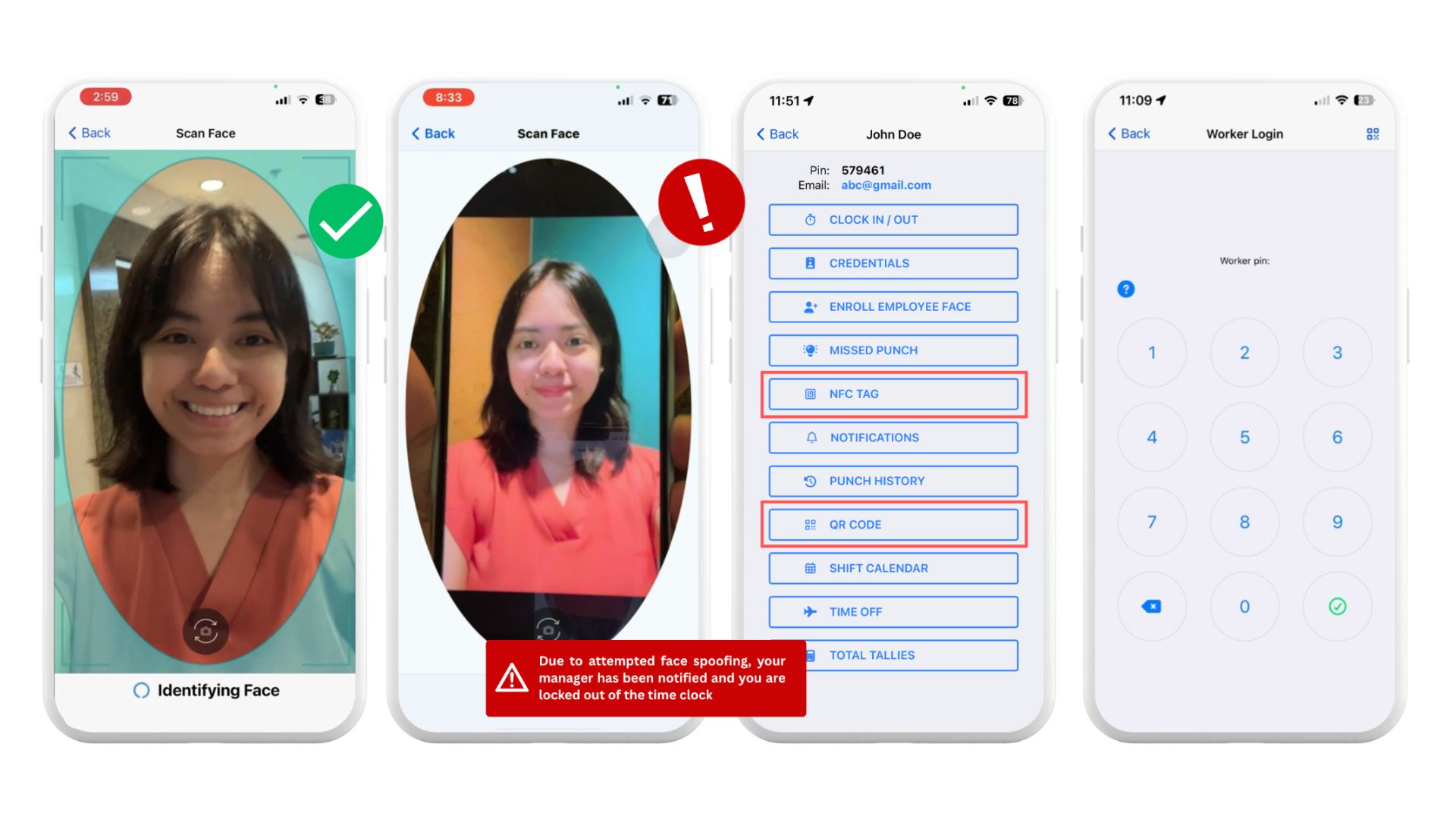
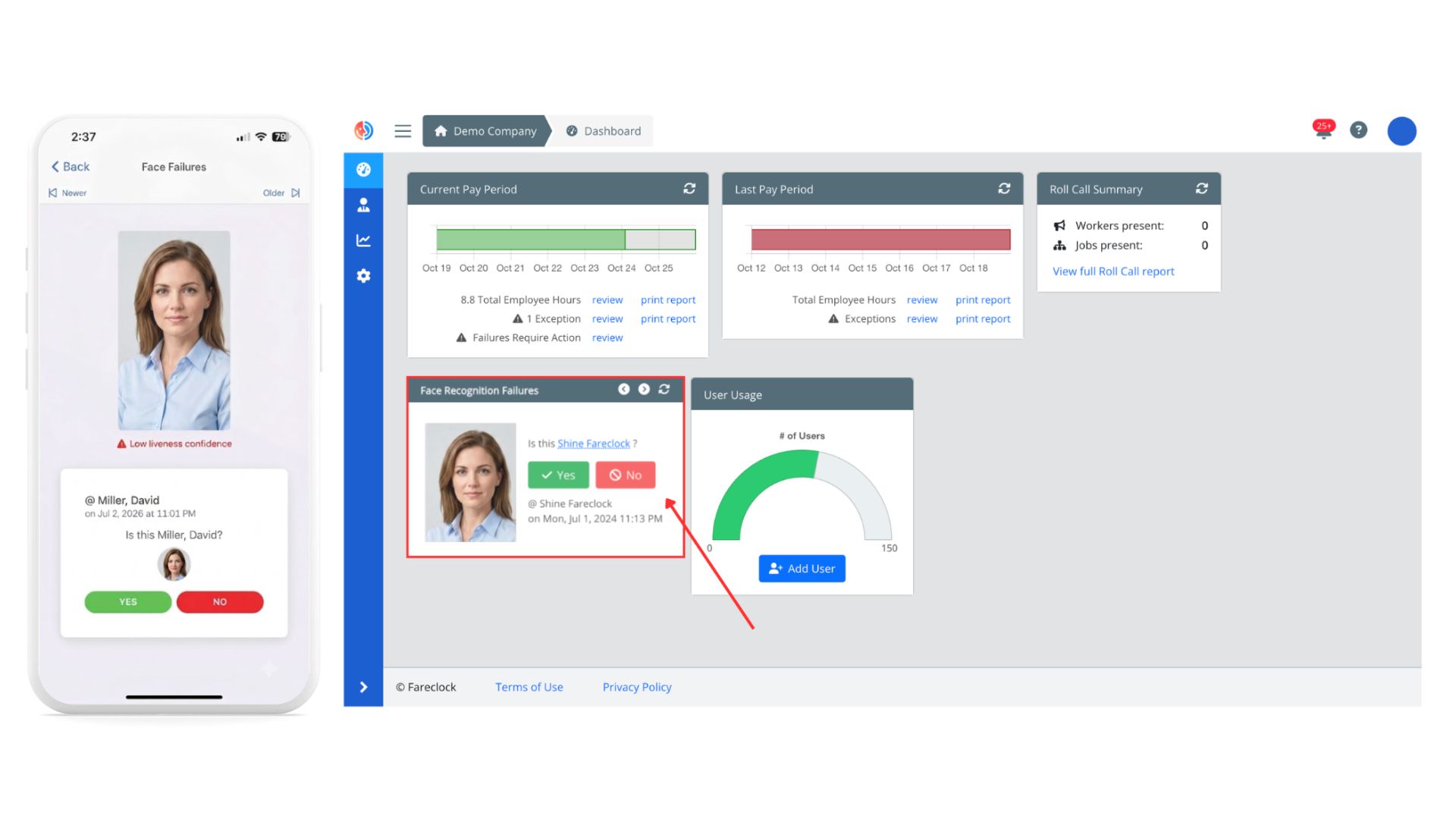
→ Fareclock allows workers to clock-in through Facial Recognition, PIN, NFC tag, and QR code. Fareclock’s liveliness detection is equipped with multiple strategies that analyze depth, eye movement, reflectivity, and background cues to block videos or screen tricks. To support this, a facial recognition failure approval workflow is available on the console and mobile app for faster worker verification. It also supports personal device and group time clock setup options and offline time tracking with automatic syncing.
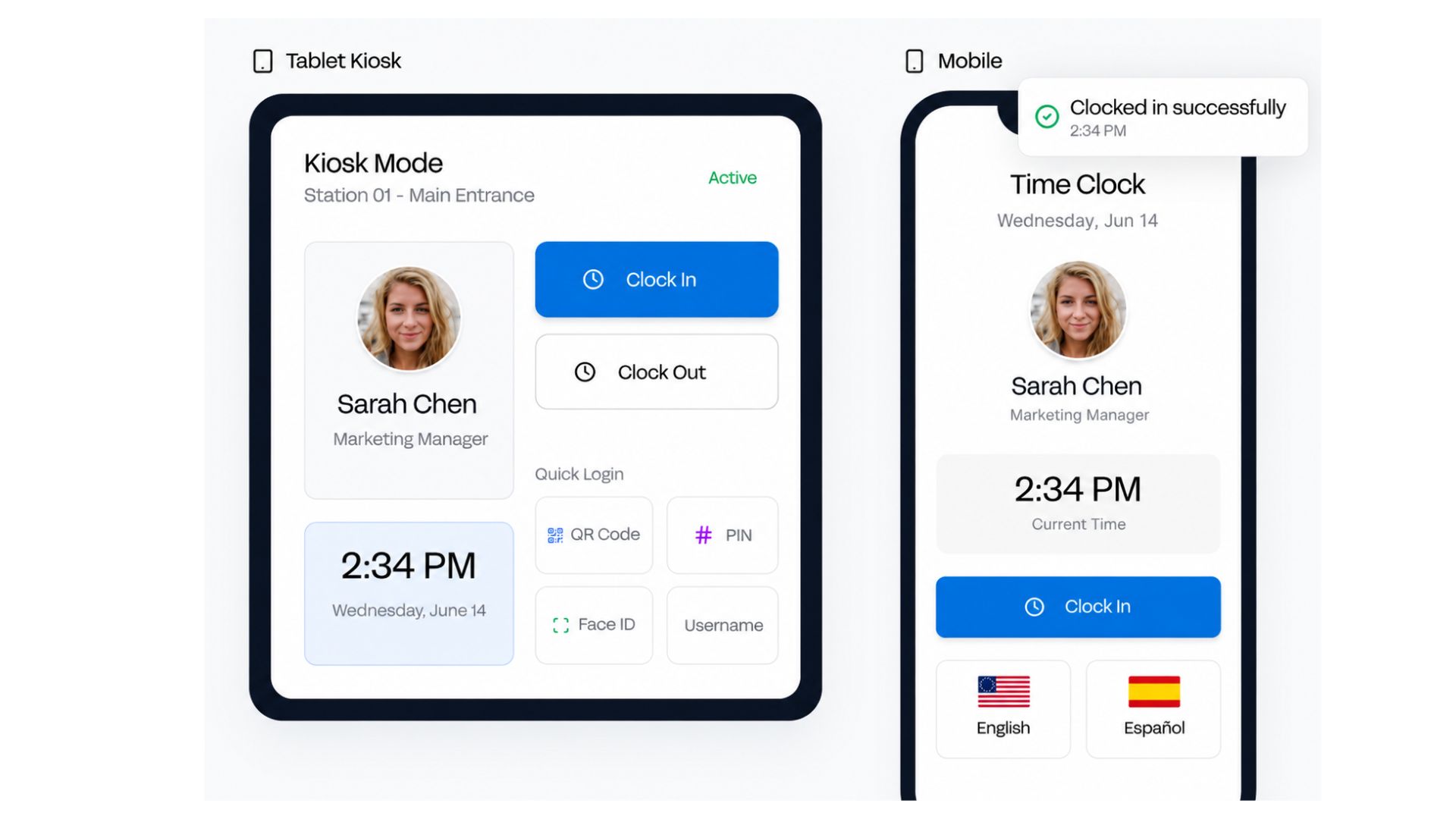
→ Buddy Punch is built with multiple clock-in options: Facial Recognition or Photo verification via Webcam Settings, Time Clock Kiosk, PIN, QR Code, Username or Password, Single Sign-On, Text-to-Punch, Group Punching, Duration entry, and IP Address Locks.
Buddy Punch’s clock-in methods are good if you’re managing a diverse team where more than one method is required to address the different setups of your team. However if you’re looking for a more secure way to authenticate and verify that the right workers are clocking into the right job site, then Fareclock is the better option.
Geofences and GPS Settings - Winner:
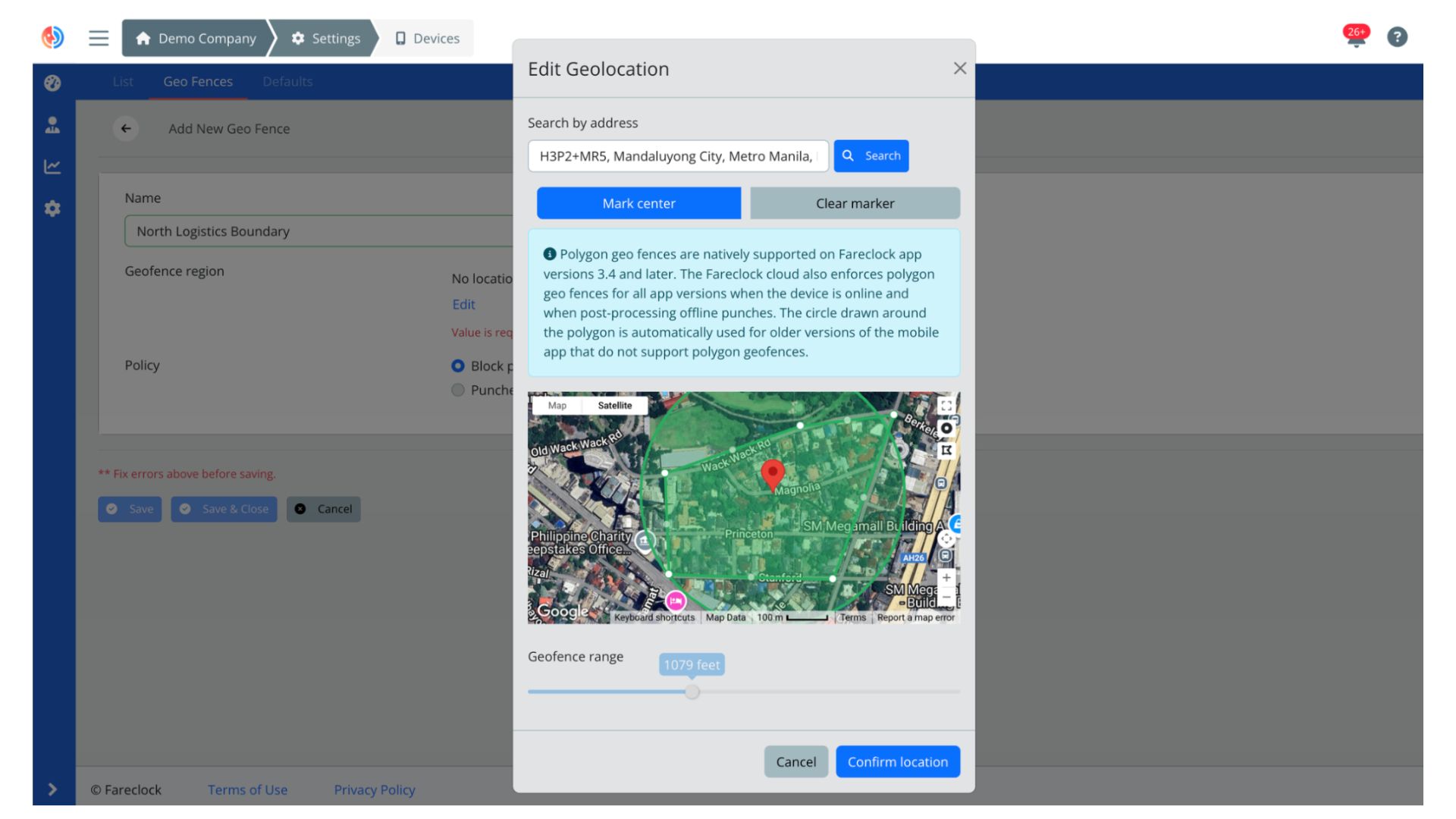
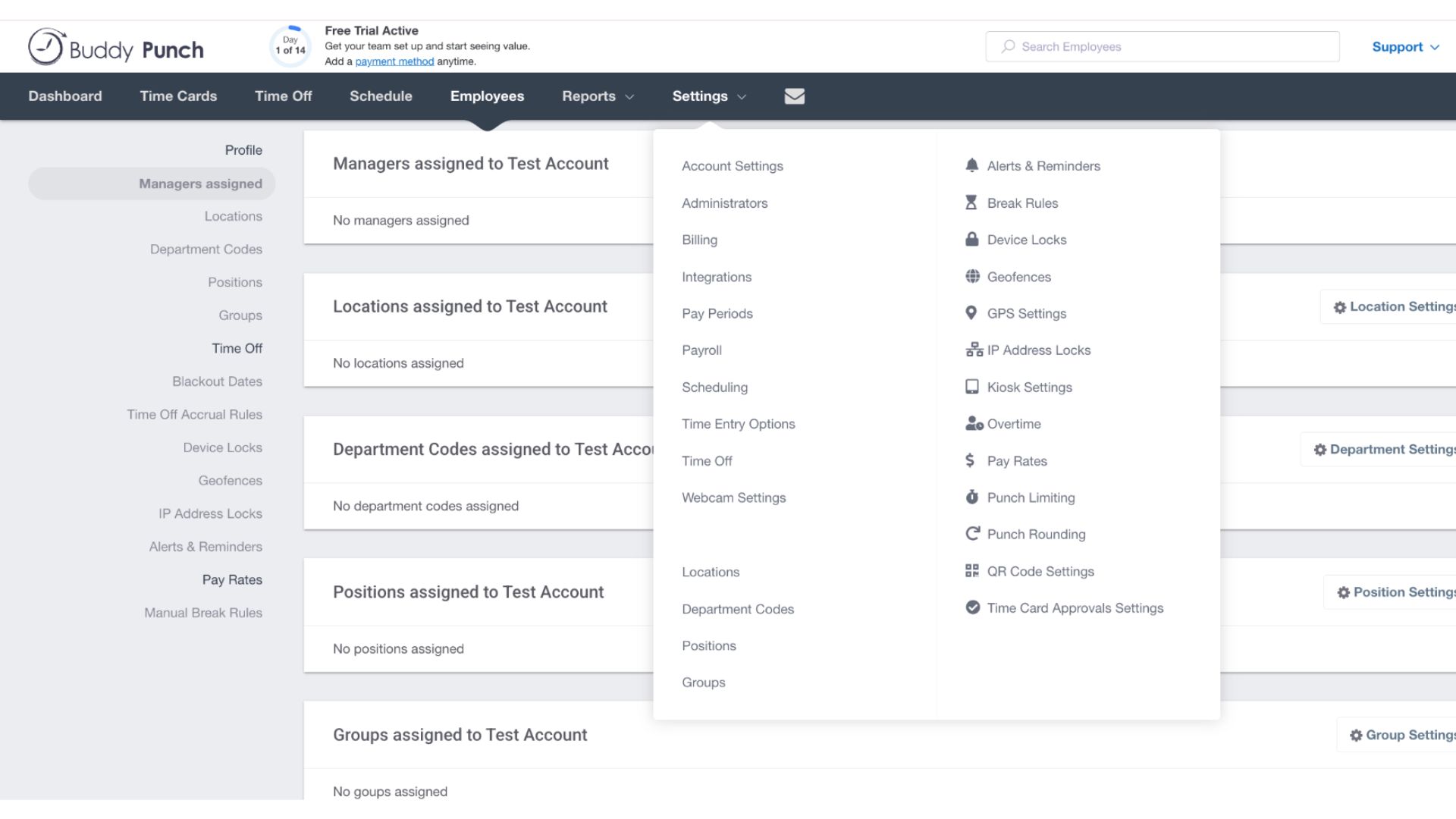
→ Fareclock and Buddy Punch can record the GPS location of your workers when they clock in and out, monitor live location tracks, and restrict clock-ins to approved locations with Geofencing.
However, what gives Fareclock an advantage on this is its configuration settings. You can create either a circle or polygon-shaped geofence set to your preferred radius, or enable which Geo Location Tracking Mode you prefer for your team: Live with Breadcrumbs & Geofences, Live with Geofences, or Clock IN & OUT with Geofences. This allows you to get very precise in terms of your geofencing and GPS settings.
Scheduling - Winner:
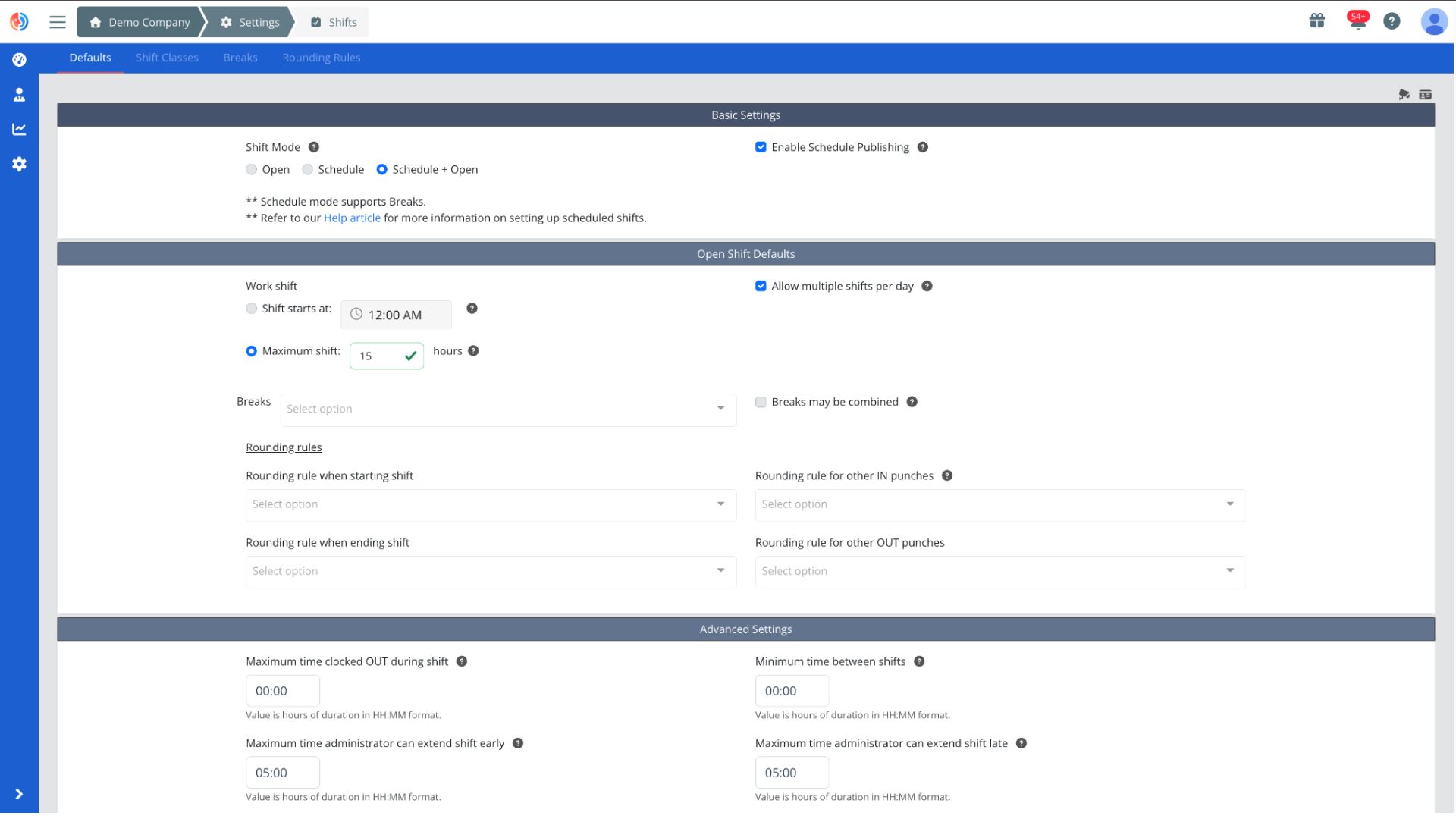
→ Fareclock is built with advanced configuration settings for shift classes, punch limiting, rounding rules, job costing, scheduling, break rules, and attendance policies. Open Shift settings allows employees to clock in and out without being assigned a predefined schedule, while Team Schedules enable administrators to create and manage schedules for specific teams that have been set up in the system.
→ Buddy Punch has an Availability feature so employees may be allowed to manage their own availability and view the availability of everyone from the same location, department, or position code they are assigned to. It also has the option to allow employees to request any active employee to cover for a shift or make a request to trade shifts with any schedule they can view.
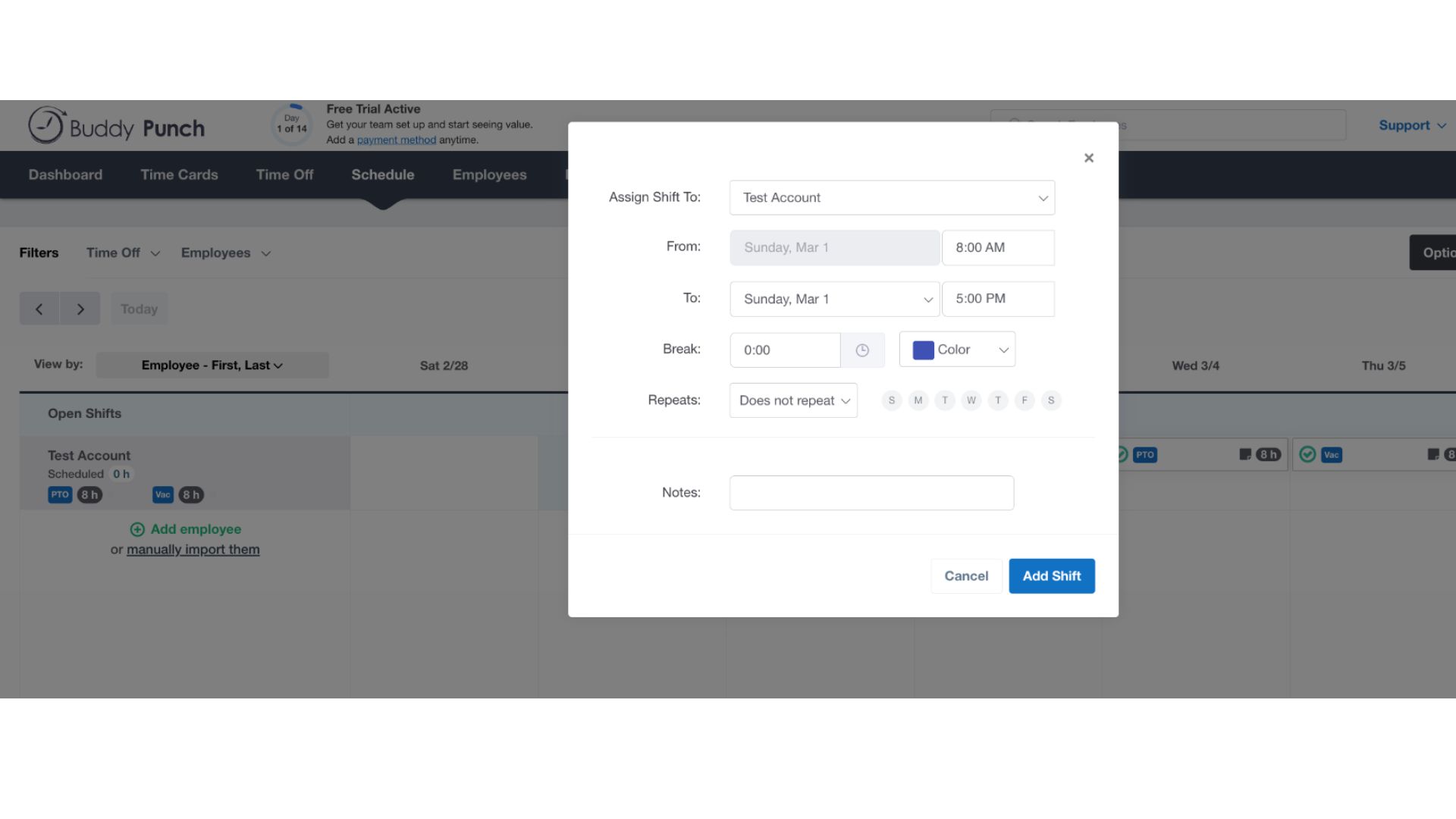
Both Fareclock and Buddy Punch allow you to set up recurring schedules and assign employees to different shifts, roles, or locations. In contrast to Fareclock’s advanced configurations and settings, Buddy Punch only has scheduling configurabilities that are limited to only punch controls such as punch limiting and punch rounding, time duration, custom overtime rules configuration, enable breaks (meal and rest), and shift frequency.
Time Off - Winner: It’s a tie
Both Fareclock and Buddy Punch allow employees to see their balances and submit mobile Time Off requests. Approved requests are automatically deducted from balances, added to timesheets, and displayed on upcoming schedules.
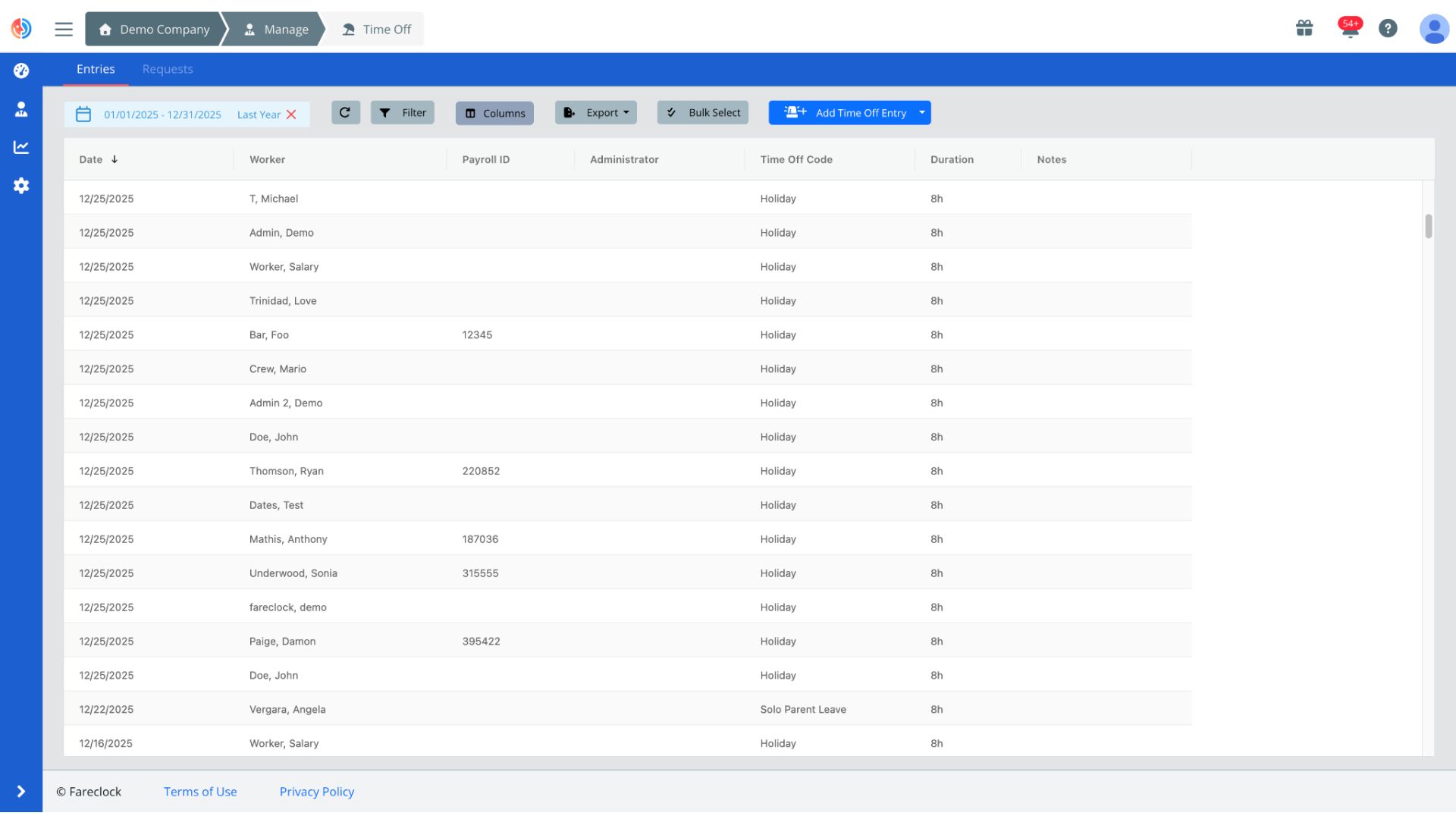
→ Fareclock’s advanced Time Off Policies are used to configure accrual, rollover and negative balance rules for each time off code. And its settings allow an administrator to set up a policy consisting of one or more entitlements. It also has a Holiday Calendar with automatic time-off conversion based on the policies set.
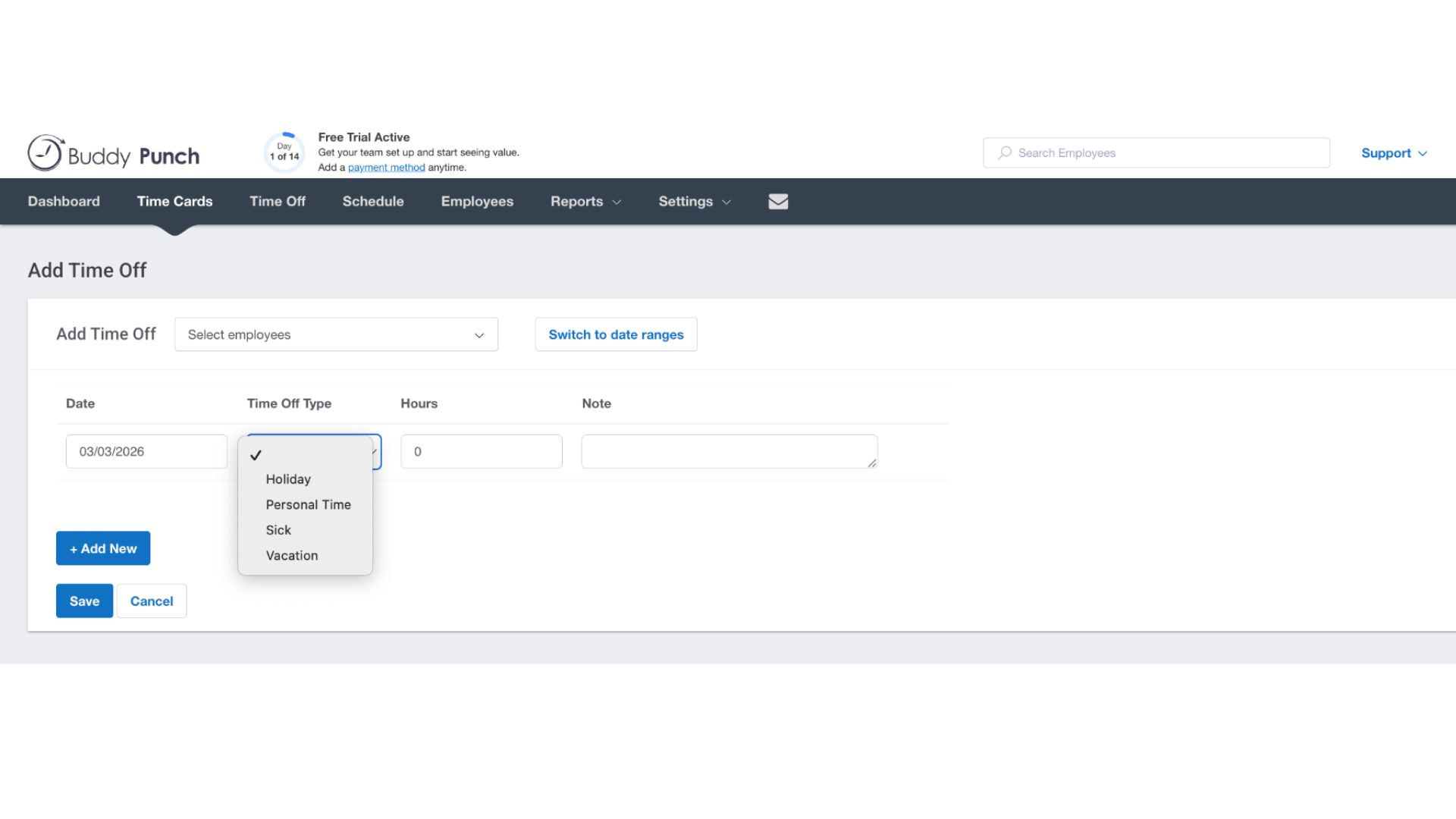
→ On the other hand, Buddy Punch has an option for time off blackout date that is a designated period where employers restrict employees from taking paid time off (PTO) or leave. These policies are implemented during critical operations or peak business seasons to ensure adequate staffing and avoid operational disruptions. They also have a Company Calendar for Time Off to coordinate schedules, track deadlines, and align team activities.
Reporting - Winner:
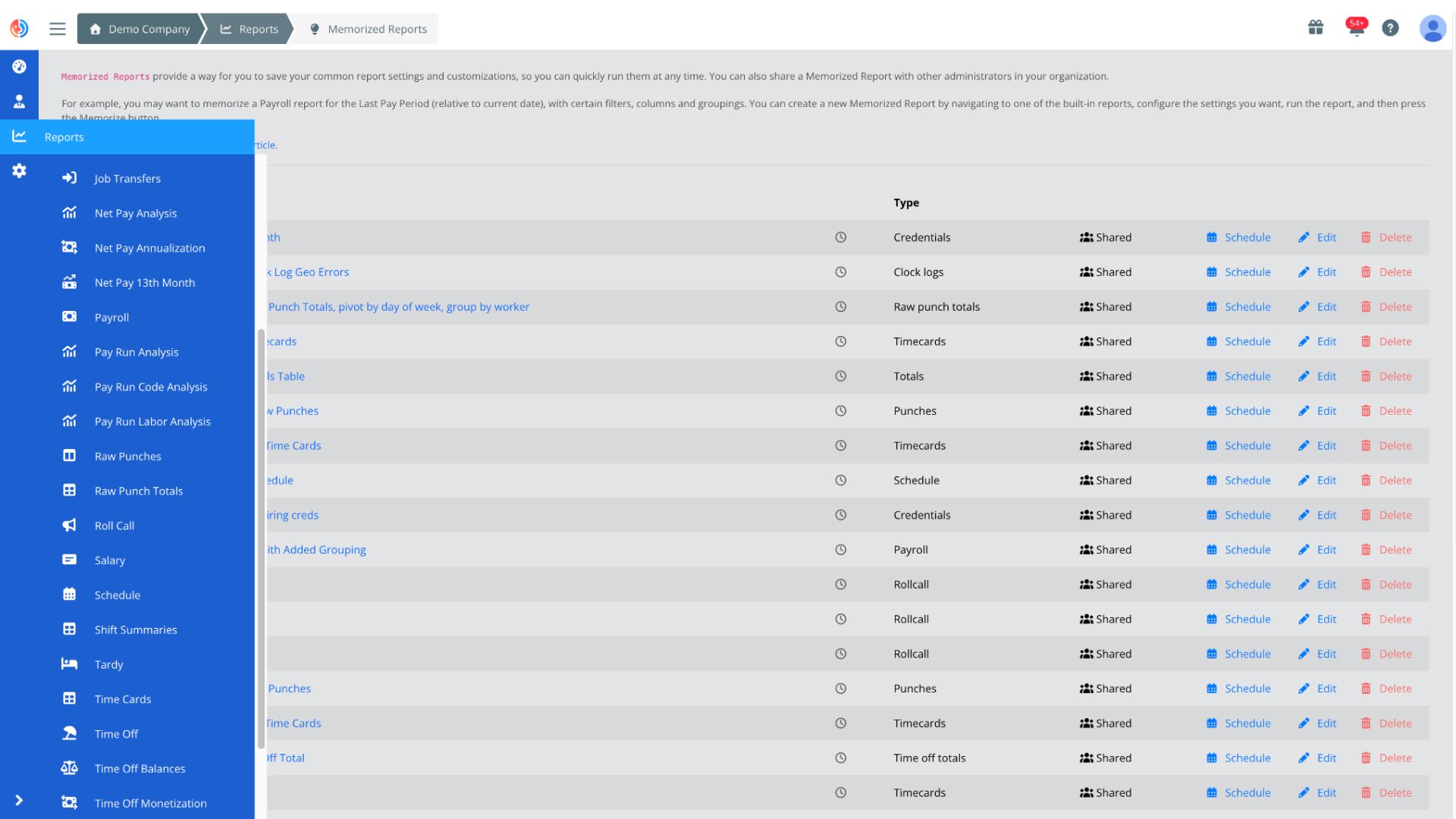
→ Fareclock has over 25+ structured report templates available for attendance, scheduling, time off, compliance, payroll, with access to raw time logs for auditing and verification. Memorized Reports allow you to save a report with its selected filters, formatting, and settings so the same report can be quickly generated again, while Scheduled Reports automate scheduling reports to be delivered at predefined dates and times. Reports are also very customizable as you can fix, rearrange, organize the data columns according to your needs.
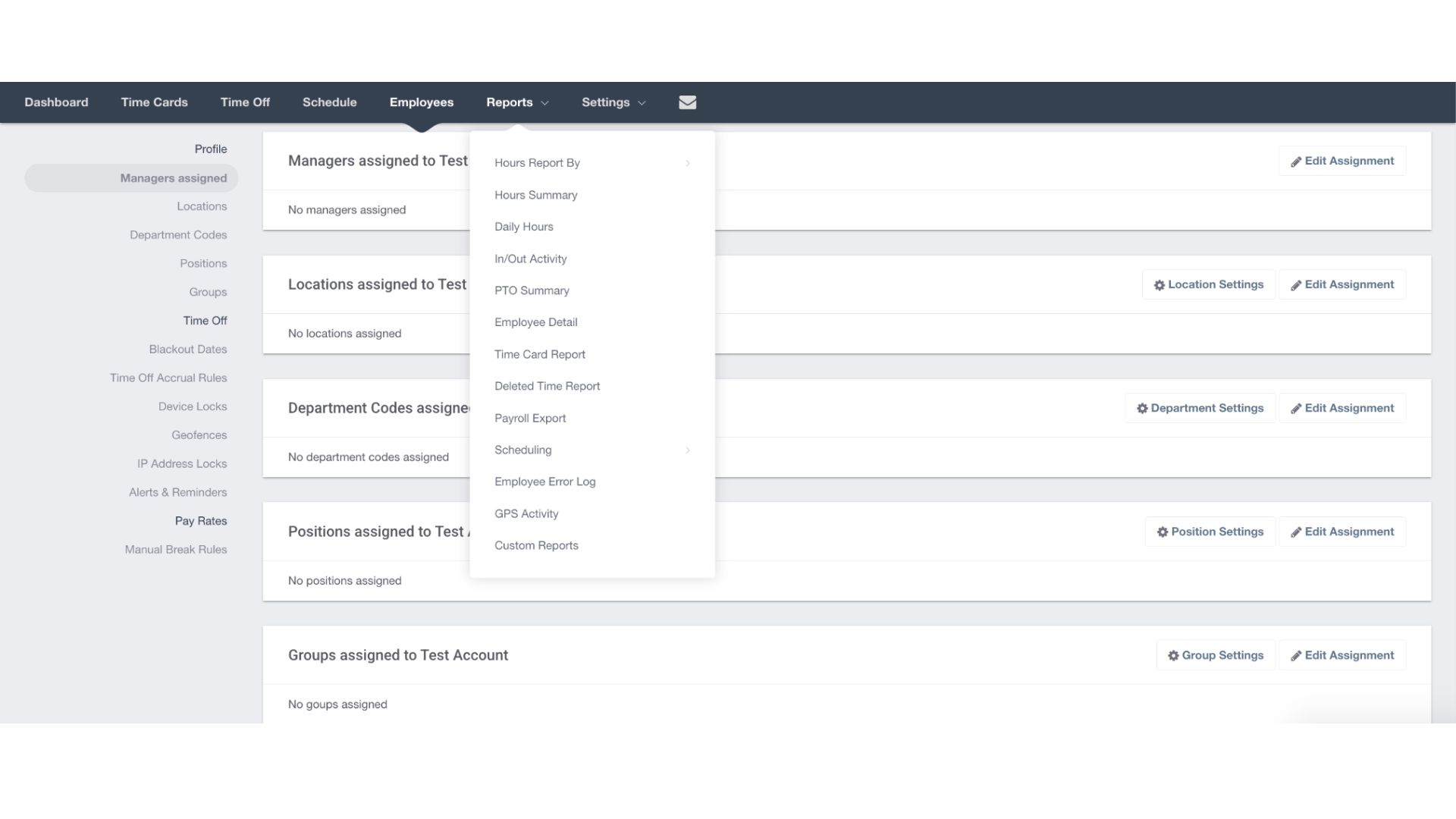
→ Buddy Punch only has a limited option of reports available specifically for hours worked, PTO, GPS activity, time card, and timesheet corrections. Custom reporting add-ons like Scheduled Reports, Employee Profile Details, Break Time Analysis, Detailed Time Card Reporting, Future PTO Insights, and Actual vs. Scheduled Hours are charged at USD 2.00 per user per month. Unlike Fareclock, there is no flexibility or customization available for data columns.
Notable Key Differences
The biggest difference between Fareclock and Buddy Punch comes down to depth versus simplicity.
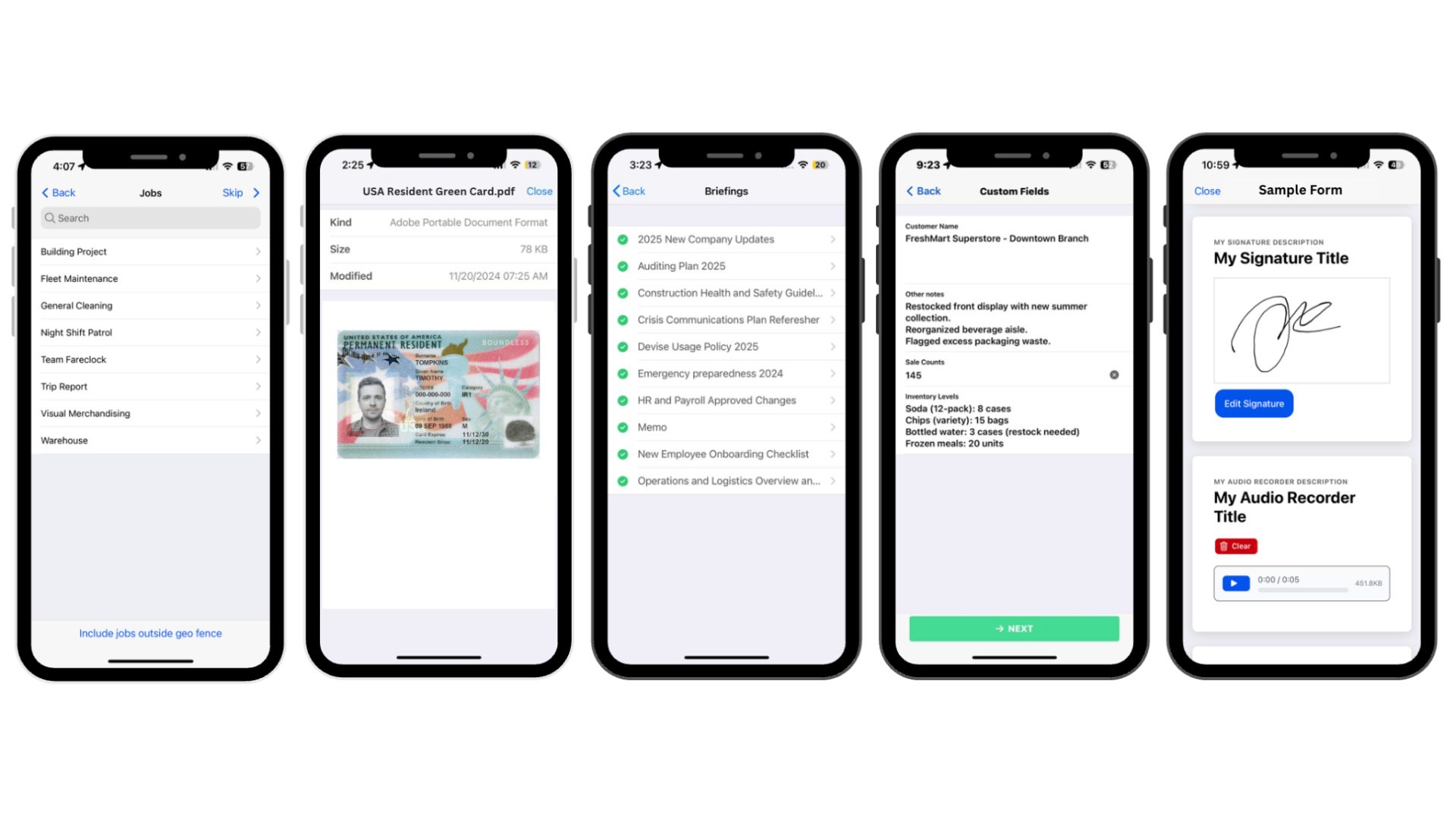
Fareclock provides greater workforce visibility, stronger security, advanced scheduling, live GPS tracking, detailed reporting, and highly configurable workforce management tools. These are supported by its unique functionalities like:
→ Requiring employees to indicate their job, fill-in custom fields, acknowledge briefings, and submit credentials as part of their clock-in.
→ Enabling digital forms to capture job-related or compliance data in real time from your workers out in the field.
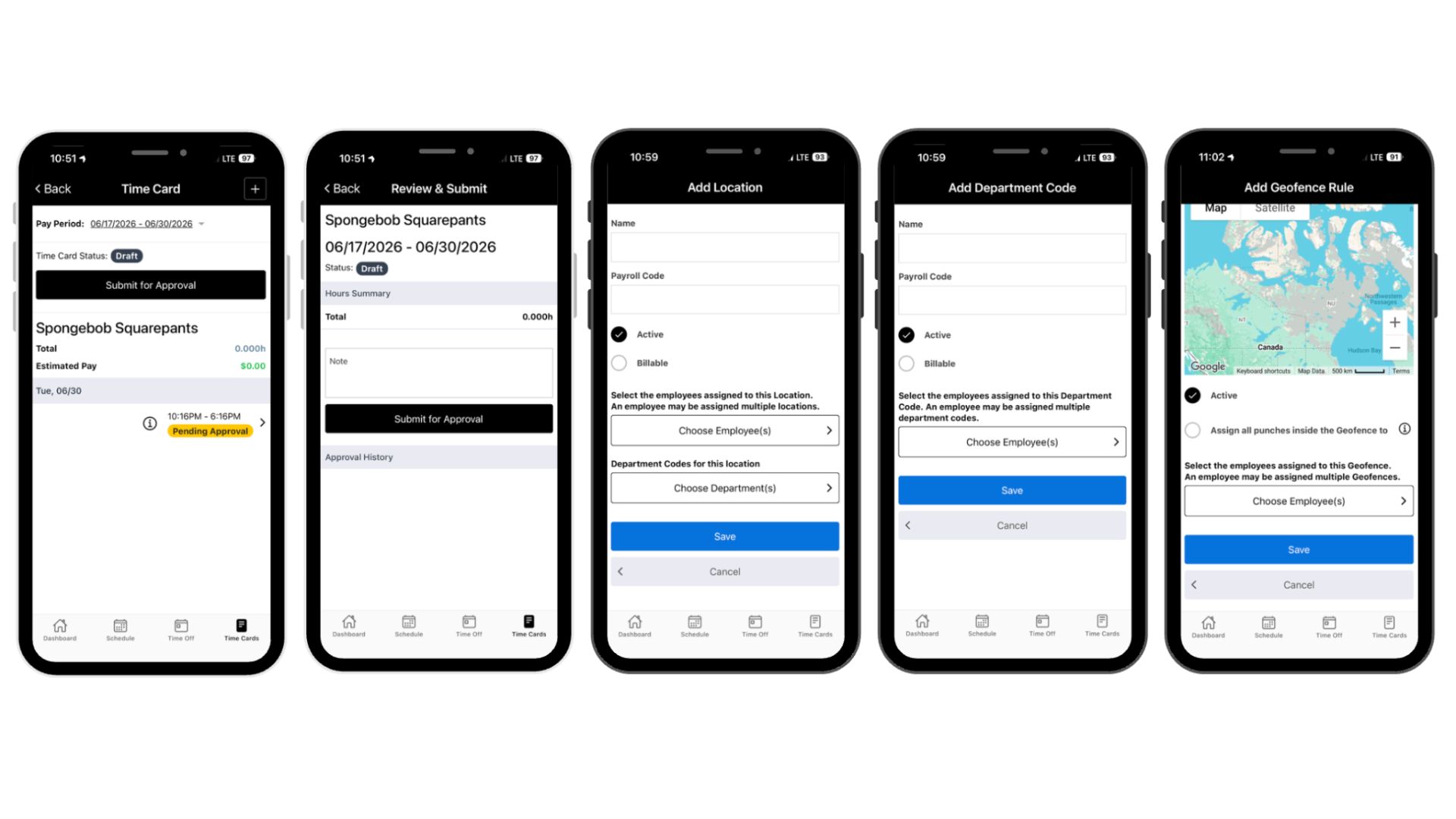
Buddy Punch offers an intuitive, easy-to-learn solution that covers the core essentials of employee time tracking, scheduling, and PTO management without the complexity of a full workforce management system.
→ Workers can submit their time card for admin approval.
→ Worker calendar is available to sync together approved shifts and time off entries into one singular view.
Pros and Cons
Both have its advantages and trade-offs — here are the main pros and cons of Fareclock and Buddy Punch.
Fareclock
Pros
- Strong fraud prevention
- Flexible scheduling options
- Detailed job costing
- Multiple clock-in methods
- Strong mobile admin control
- Automatic holiday handling
- Real-time worker tracking
- 28+ reporting options
Cons
- Limited analytics
Buddy Punch
Pros
- Fast user adoption
- Quick setup process
- Flexible clock-in options
- Simple employee scheduling
- Simple mobile app
- Mobile app approvals
- Clean, intuitive interface
Cons
- Limited shift flexibility
- Single default shift configuration
- Limited customization options
- Basic reporting features
- Basic attendance records only
- Limited workforce management
- Incomplete timezone coverage
Customer Testimonials
See what their customers have to say about them.
Buddy Punch
“This is an easy product to use for management and employees. All aspects for payroll are at your fingertips. We handle different projects, and Buddy Punch makes it easy to track the hours we’re using. Awesome product.”
– Glenda W.
“Most reviewers find ease of use valuable, highlighting straightforward setup, intuitive features, and minimal learning curve.”
– Anonymous
More of Buddy Punch on Capterra →
“Some users report bugs and issues, including app crashes, syncing delays, and inconsistent performance across devices.”
– Anonymous
“I enjoy Buddy Punch as it’s a convenient way to punch in, whether at my desk or on my phone. I like how I can see my schedule and request time off, which is quite helpful. Sometimes, my schedule changes, and I don’t quite remember my new schedule, so being able to check my schedule at home ensures that I’m on time for work. Buddy Punch makes these tasks easier for me. The setup was rather easy too.”
– Benjamin P.
More of Buddy Punch on G2 →
See what their customers have to say about them.
“You can choose whether to punch in or just enter your hours worked. I like that you have the option to copy the previous day and even the previous timecard. The interface is clean. You can edit anything until you submit. Any hours over 40 automatically appear under OT. You can enter in hours and minute instead of fractions of an hour. Not endless options. Access to past timecards.”
– Joanne C.
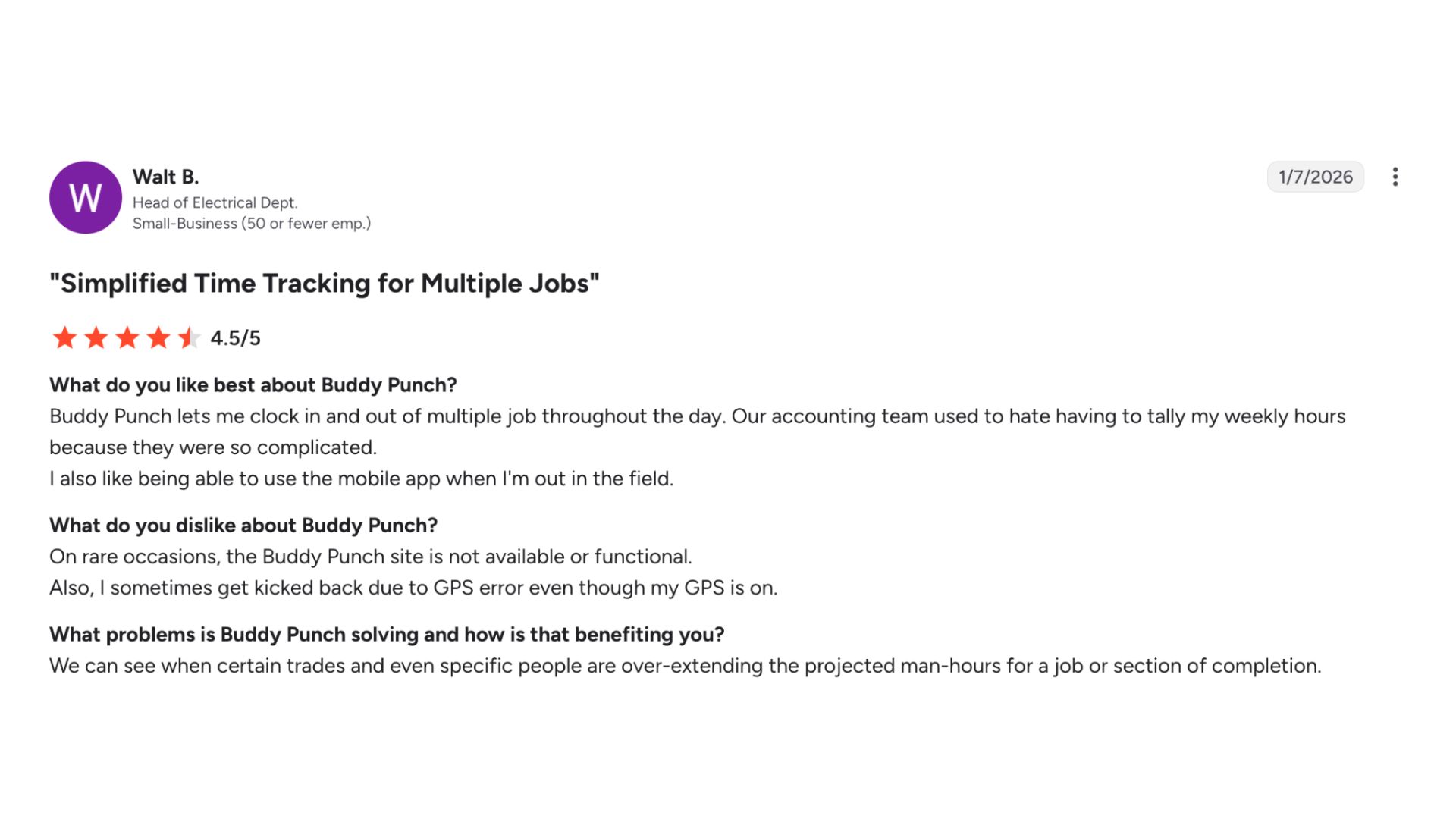
Buddy Punch on Apple App Store: 5 / 5 Star Ratings
Buddy Punch on Google Play Store: 4.8 / 5 Star Ratings
“Works good but you have to make sure it done loading before you close your screen out or it wont finish which ever action you were doing whether it be clocking in or out. Just make sure it finished before you turn your screen off.”
– Janine “Nine” Oehlbeck via Google Play Store
Fareclock
See what their customers have to say about them.
“Fareclock is easy to use with a smooth interface and solid backend support for seamless tracking ensuring all queries are taken cared of.”
– Julius Q.
“We have been using Fareclock since the start of 2026 and have been really happy with the platform. It offers excellent value for money and is extremely easy to use for both management and employees. The time tracking and clock in and out features work reliably across multiple projects and have made it much easier to manage our workforce. The built‑in employee management and CRM platform are well laid out and practical, and customer support has been responsive when needed. Overall, Fareclock has significantly improved how we track and manage our workers day to day.”
– Danny R.
More of Fareclock on Capterra →
“Amazing, technical support is top notch. There has never been a issue or concern that has not been fixed or resolved. They will make your experience feel one of a kind.”
– Anonymous
“Nice and very good, with accurate time and location.”
– Dexter T.
More of Fareclock on G2 →
“What I appreciate most about Fareclock is its clean, intuitive user interface and how simple it makes daily time tracking for our hourly employees. The design is logical, fast, and easy for anyone to understand—even for those who aren’t tech-savvy. It drastically reduced the confusion and errors we used to see with manual time cards or outdated punch systems. I also like how it gives our team real-time visibility into attendance, helping us recapture lost office hours and maintain accountability. The app has clearly been built with the end user in mind, balancing function with simplicity.”
– Anonymous
Fareclock on Apple App Store : 4.7 / 5 Star Ratings
Fareclock on Google Play Store : 4.7 / 5 Star Ratings
See what their customers have to say about them.
“Easy-to-use apps, & monitor of history and file leaves easier.”
– Jerob De Castro
Pricing
Free Trial: Yes (30 days)
Pricing starts at:
$1.65
per user per month
Check out their pricing →Free Trial: Yes (14 days)
Pricing starts at:
$4.49
per user per month
Check out their pricing →With pricing starting at $1.65 per user per month, Fareclock costs considerably less than Buddy Punch’s $4.49 per user per month while offering a broader feature set. Fareclock then provides a stronger return on investment if you’re a business looking to scale their workforce management without significantly increasing software costs.
What Should I Choose?
Both Fareclock and Buddy Punch are designed for different levels of workforce management.
Choose Fareclock if your business needs to prioritize and pair time tracking with significantly more depth and flexibility. Beyond accurate time tracking, it provides greater visibility, advanced scheduling controls, secure facial recognition with liveness detection, live GPS tracking with configurable geofences, detailed job costing, and over 25 reporting templates for payroll, compliance, and workforce analysis. These capabilities allow businesses to move beyond basic time tracking to capture more operational data and visibility into employee activities across multiple locations and job sites.
Choose Buddy Punch if your business’s primary goal is to use a simple, easy-to-use platform for tracking employee hours, managing schedules, and handling time-off requests without the complexity of a full workforce management system. Its intuitive interface, quick setup, and built-in approval workflows make it a practical solution for organizations with straightforward attendance tracking needs. However, if your business requires greater oversight of employee locations, work activities, and overall workforce operations, a more comprehensive workforce management solution like Fareclock would be a better fit.
Our Verdict
If your business requires greater oversight of employee locations, work activities, and overall workforce operations, then Fareclock is the stronger overall solution! The platform combines advanced workforce management features, flexible configuration options, enhanced security, and comprehensive reporting – all at a lower starting price!
While Buddy Punch excels in simplicity and ease of use, Fareclock is the smarter choice for businesses that expect greater long-term value for operational oversight, workforce visibility, and scalability support.
What Should I Choose?
Start your 30-day free trial to achieve first-hand experience in its secure time tracking, advanced scheduling, real-time workforce visibility, and powerful reporting!