

Choosing the right time clock software can have a significant impact on your business’s attendance management, payroll accuracy, workforce visibility, and overall operational efficiency. While both Fareclock and Clockify allow businesses to track employee work hours, they are designed with different goals in mind. Fareclock is a workforce management platform built around attendance tracking, employee scheduling, GPS verification, payroll preparation, compliance, and labor management. In contrast, Clockify is primarily a time tracking solution designed to help businesses monitor project hours, manage billable time, and improve team productivity.
In this Fareclock vs. Clockify comparison, we’ll examine how each platform performs across key areas, including clock-in methods, attendance management, workforce management features, scheduling, reporting, integrations, pricing, and overall functionality. Whether you’re managing office employees, field workers, remote teams, or project-based staff, this guide will help you understand the strengths of each platform and determine which time clock solution is the right fit for your business.
Note: Product comparisons and verdicts presented in this article are only based on our personal research and hands-on testing of their console and app. Our stated assessments reflect only our own informed perspectives and opinions, and are intended to provide an objective evaluation of each product’s features, usability, and overall performance.
Quick Feature Comparison: Fareclock vs. Clockify
| Feature | Fareclock | Clockify |
| Attendance Management & Verification | ✅ | Limited |
| Employee Time Tracking | ✅ | ✅ |
| Secure Clock-in Methods (Face, PIN, NFC, QR) | ✅ | ❌ |
| Mobile & Offline Time Tracking | ✅ | ✅ |
| GPS Tracking & Geofencing | ✅ | Basic |
| Live Location Tracking (Breadcrumbs) | ✅ | ❌ |
| Job Costing | ✅ | ✅ |
| Job transfers & labor tracking | ✅ | ❌ |
| Team Management | ✅ | ✅ |
| Employee Scheduling & Shift Management | ✅ | Basic |
| Leave & Time-off Management | ✅ | ✅ |
| Reporting & Analytics | ✅ | ✅ |
| Raw Punch Logs & Audit Trail | ✅ | ❌ |
| Digital Forms & Compliance | ✅ | ❌ |
| Payroll Preparation & Integrations | ✅ | Limited |
| Mobile Workforce Tools (Schedules, requests, overtime, missed punches) | ✅ | Limited |
| All-in-one Workforce Management | ✅ | Limited |
| Multi-location & Field Workforce Support | ✅ | Limited |
| Productivity Monitoring | ❌ | ✅ |
| Revenue & Billable Reporting | Limited | ✅ |

Feature Comparison
1. Attendance Verification & Security – Winner: Fareclock
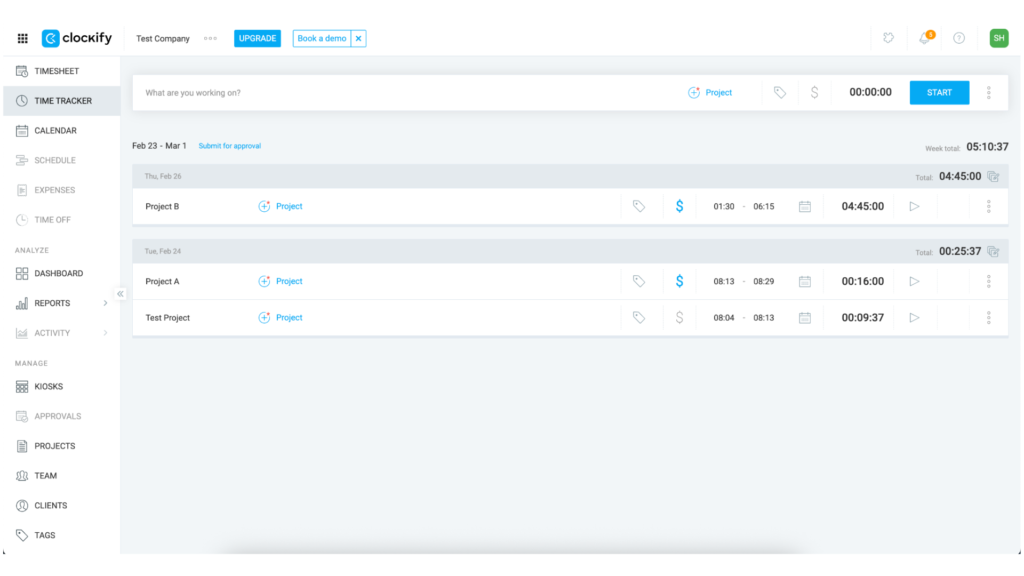
Clockify – Allows employees to track time using timers, manual entries, and basic GPS tracking. While it is effective for recording work hours, it focuses more on time tracking than verifying employee attendance.

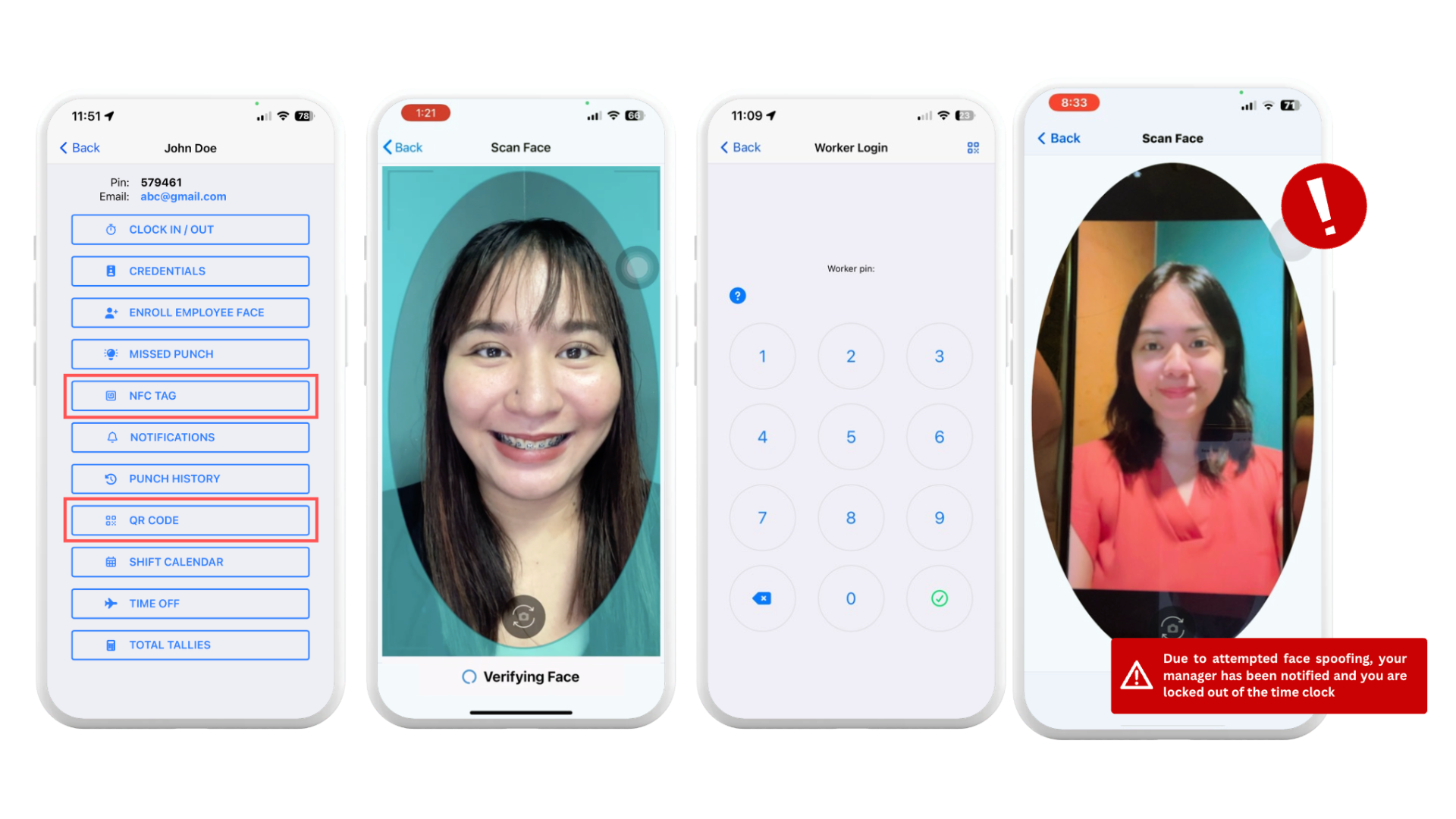
Fareclock – Offers multiple secure clock-in methods, including facial recognition with liveness detection, GPS verification, geofencing, PINs, NFC, QR codes, and shared kiosks. These features help prevent buddy punching and ensure employees are clocking in from approved locations.

2. Workforce Management – Winner: Fareclock
Clockify – Designed primarily for project-based time tracking. It helps businesses manage projects, clients, billable hours, and employee work hours but offers limited workforce management capabilities.
Fareclock – Combines attendance tracking with scheduling, payroll preparation, job costing, digital forms, compliance tracking, employee self-service, and workforce reporting, allowing businesses to manage daily operations from a single platform.
3. Project Tracking & Billable Hours – Winner: Clockify
Clockify – Excels at tracking time by project, client, and task while distinguishing between billable and non-billable hours. It also includes invoicing support and simple reports that make client billing straightforward.
Fareclock – Supports job costing through jobs, job phases, and cost codes, making it ideal for tracking labor costs and operational work rather than client billing.
4. Reporting & Workforce Insights – Winner: Fareclock
Clockify – Provides clean and easy-to-understand reports focused on tracked hours, projects, clients, productivity, and billable work.
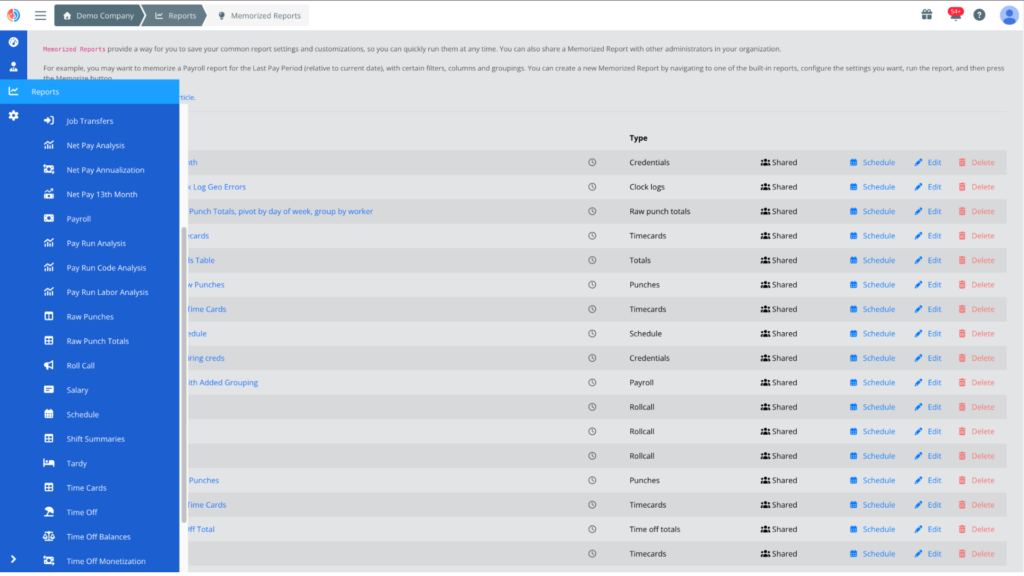
Fareclock – Delivers comprehensive attendance, scheduling, payroll, labor costing, compliance, productivity, and workforce reports. Administrators can also review raw punch logs, audit trails, and operational data.

Key Differences
The difference between Fareclock and Clockify lies in their product focus and feature set.
Fareclock
- Secure attendance verification with facial recognition
- Multiple clock-in methods (Face, PIN, NFC, QR Code, GPS)
- GPS tracking, geofencing, and live location breadcrumbs
- Advanced employee scheduling and shift management
- Payroll-ready timecards and overtime calculations
- Job costing with jobs, job phases, and cost codes
- Employee self-service for schedules, leave, and missed punches
- Digital forms, compliance tracking, and workforce documentation
- Raw punch logs and attendance audit trails
- Comprehensive workforce, payroll, and operational reporting
Clockify
- Project, client, and task-based time tracking
- Billable and non-billable hour tracking
Pros & Cons
Both have its advantages and trade-offs — here are the main pros and cons of Fareclock and Clockify.
Clockify
Pros
- Easy project time tracking
- Simple user interface
- Excellent billable tracking
- Calendar integrations
- Flexible reporting
Cons
- Limited attendance verification
- No facial recognition
- Basic workforce management
- Limited scheduling features
- Timer-dependent tracking
Fareclock
Pros
- Secure attendance verification
- Comprehensive workforce management
- Advanced job costing
- Flexible scheduling tools
- Detailed operational reporting
Cons
- Limited advanced analytics
- No built-in invoicing
Customer Testimonials
See what their customers have to say about them.
Clockify
“Extremely easy to use, ability to create unlimited clients and projects. Chrome web extension is always a click away.” – Amanda O.
“Most reviewers indicate project time tracking is seamless, allowing easy switching between projects, detailed reporting, and accurate billing, making it valuable for managing workloads and analyzing resource allocation.” – Anonymous
More of Clockify on Capterra →
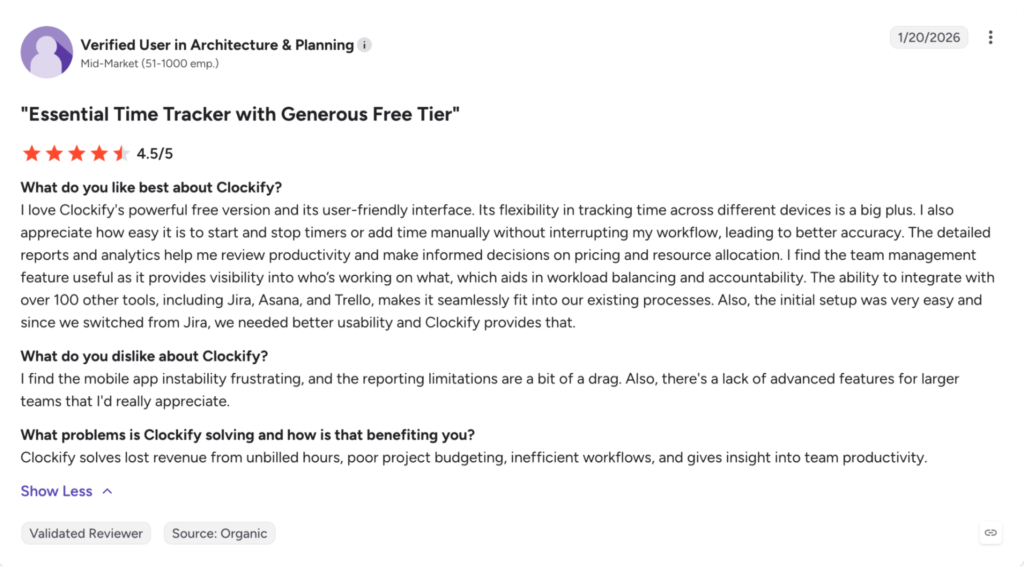
“Some reviewers feel mobile and desktop versions differ significantly, with the mobile app lacking features, experiencing sync issues, and being less intuitive or slower than the desktop version.” – Anonymous
“The ease of use and the many different options you can use it in terms of how you time track (eg the browser extension, manual additions, etc)” – Anonymous
More of Clockify on G2 →
“It is the time control and tracking tool that we use in the company, and in my area, I use it to keep track of the activities and times of my team both in the main office and in the remote offices.” – Alex H.

Clockify on Apple App Store : 4.6 / 5 Star Ratings
Clockify on Google Play Store : 4.2 / 5 Star Ratings
“Slow and confusing. Everything takes too many taps to accomplish, and every tap takes several seconds to register. Makes it soooo slow to do anything.” – Cassidy James via Google Play Store
Fareclock
“We chose Fareclock from other softwares for checking off all the boxes for our needs. It’s the easiest and most trouble-free system that we can access anywhere, and their customer service is top notch! As our company grows, we are confident that Fareclock will meet our needs and we will be utilizing more of the customizable features.” – Kirsten Elliot
More of Fareclock on Capterra →
“Quick and easy to use. The content is very clear and detailed. Top-notch customer service. With it, you can view the time worked by each employee in near real-time, as well as their accumulated weekly and monthly hours.” – Raynel L.
“We have been using Fareclock since the start of 2026 and have been really happy with the platform. It offers excellent value for money and is extremely easy to use for both management and employees. The time tracking and clock in and out features work reliably across multiple projects and have made it much easier to manage our workforce. The built-in employee management and CRM platform are well laid out and practical, and customer support has been responsive when needed. Overall, Fareclock has significantly improved how we track and manage our workers day to day.” – Danny R.
More of Fareclock on G2 →
“My overall experience with Fareclock has been very positive. I am happy and fully satisfied with the service they provide. The platform is reliable, user-friendly, and has made our processes more efficient. Their support team is also responsive and helpful whenever assistance is needed. Kudos to the Fareclock team for delivering excellent service!” – Charee Mae
Fareclock on Apple App Store : 4.7 / 5 Star Ratings
Fareclock on Google Play Store : 4.7 / 5 Star Ratings
“This is a great app to use for employees that need to clock in and out without having to go to an office!” – Christopher Thibodeaux
Pricing
Clockify
Pricing starts at: 5.49 USD per user per month
Free Trial: Yes (7 days)
Fareclock
Pricing starts at: 1.65 USD per user per month
Free Trial: Yes (30 days)
Use Cases
While Clockify and Fareclock both help businesses track employee work hours, they are built for different types of organizations. Clockify focuses on project-based time tracking and client billing, while Fareclock is designed as a complete workforce management solution that connects attendance with scheduling, payroll, compliance, and workforce operations.
Clockify is best for:
- Project-based time tracking: Clockify is ideal for businesses that need to track time by project, client, and task. It allows teams to categorize work, monitor billable and non-billable hours, and generate reports for client invoicing.
- Freelancers and agencies: Clockify is well suited for freelancers, consultants, and agencies that primarily bill clients based on hours worked. Its timer-based tracking and simple reporting make it easy to monitor project profitability.
- Simple time tracking: Businesses looking for a straightforward time tracking solution without advanced attendance management or workforce administration will appreciate Clockify’s clean interface and ease of use.
Fareclock is best for:
- Attendance and workforce management: Fareclock is designed for organizations that need more than time tracking. It combines attendance management with scheduling, payroll preparation, leave management, compliance, and workforce reporting in a single platform.
- Field and shift-based workforces: Fareclock is ideal for businesses managing employees across multiple job sites or shifts. Features such as facial recognition, GPS verification, geofencing, shared kiosks, and job transfers help ensure accurate attendance and workforce visibility.
- Labor costing and operational management: Fareclock is a strong choice for organizations that need to connect attendance records with jobs, job phases, cost codes, digital forms, compliance documents, and payroll-ready timesheets, making it well suited for industries such as construction, manufacturing, healthcare, security, logistics, and field services.
Our Verdict: Though Clockify is a strong option for tracking project hours and managing client work, Fareclock is the stronger and better choice for businesses that need a more complete solution to support day-to-day operations and employee management.
Free Trial
Explore Fareclock’s features with a free trial and see how it fits your business.