Jibble vs. Connecteam: Features, Pricing, and Key Differences
Choosing the right workforce management software can make a significant difference in how businesses track employee hours, manage attendance, coordinate schedules, and oversee daily operations. Jibble and Connecteam offer a range of tools designed to help businesses manage their teams, but they differ in their features, workflows, and administrative capabilities. In this article, we compare Jibble and Connecteam side by side, examining their time tracking and attendance features, employee verification methods, GPS tracking, scheduling, task management, communication tools, reporting, integrations, mobile apps, and pricing. We also explore the advantages and limitations of each platform to help businesses understand what each solution offers and where it may be most suitable. Rather than focusing on feature lists alone, this comparison considers how the two platforms work in practice, including their ease of use, accessibility, and usefulness for different workforce requirements. Whether you manage office employees, remote teams, or field workers, this guide will help you evaluate the available options and determine which platform better aligns with your operational needs. Note: Product comparisons and verdicts presented in this article are based only on our personal research and hands-on testing of their console and app. Our assessments reflect our own informed perspectives and opinions and are intended to provide an objective evaluation of each product’s features, usability, and overall performance.Jibble vs. Connecteam: At-a-glance Comparison
Both Jibble and Connecteam offer time tracking and workforce management features; however, they differ in their core strengths. The table below highlights where each stands out and which capabilities are included.| Feature | Jibble | Connecteam |
| Time Tracking | ✅ | ✅ |
| Biometric Verification | ✅ | ⚠️ |
| GPS and Geofencing | ✅ | ⚠️ |
| Screenshot Monitoring | ✅ | ⚠️ |
| Offline Tracking | ✅ | ⚠️ |
| Employee Scheduling | ✅ | ✅ |
| Timesheet Approvals | ✅ | ✅ |
| Team Communication | ⚠️ | ✅ |
| Reporting | ✅ | ⚠️ |
Legend: ✅ Available · ⚠️ Requires verification or may depend on the plan.
Jibble vs. Connecteam Feature Comparison
Time Tracking and Offline Clock-Ins - Winner: Jibble
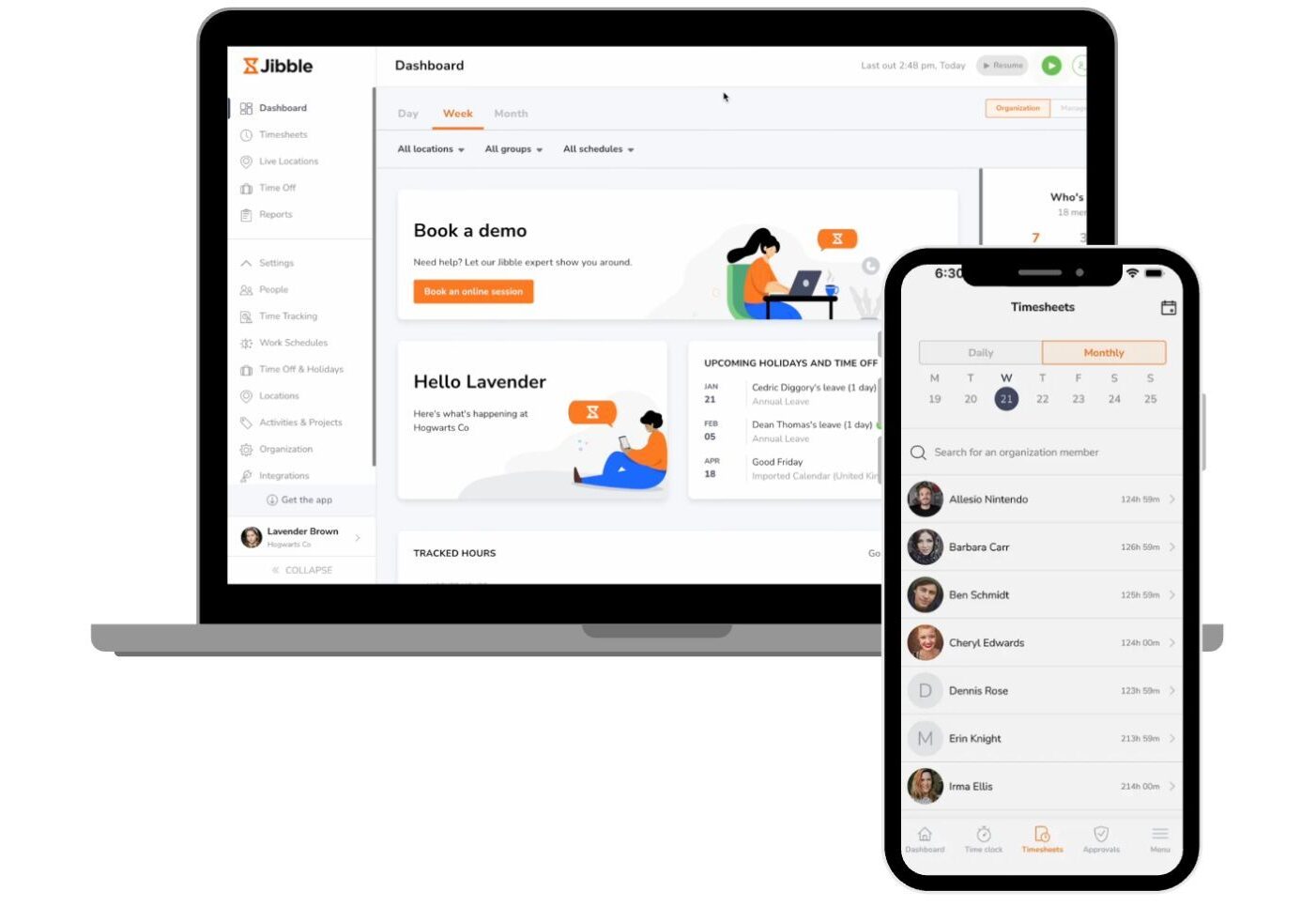
Both platforms let employees clock in and out from mobile, web, or a shared kiosk, with hours flowing straight into timesheets. Connecteam adds useful controls like blocking early clock-ins and auto clock-outs at the end of a shift. Jibble pulls ahead with full offline tracking that syncs automatically once the device reconnects.
Biometric Employee Verification - Winner: Jibble
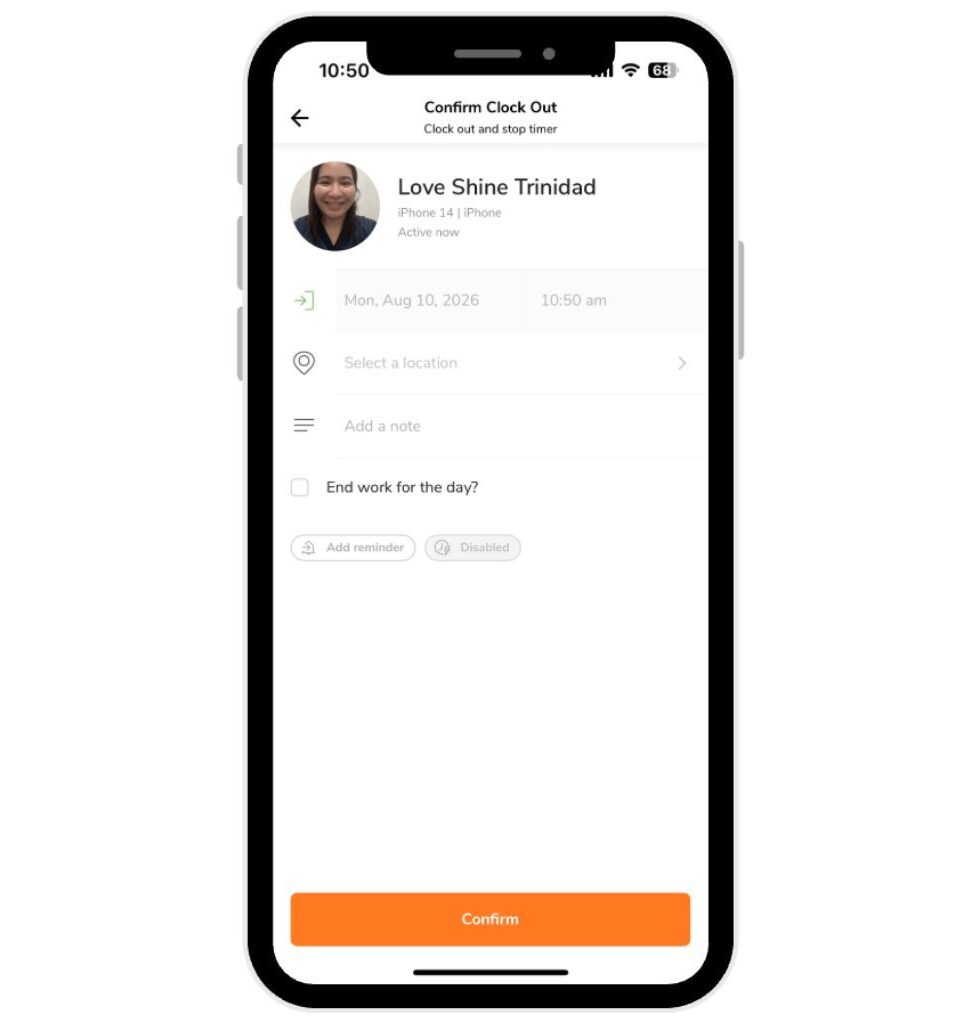
Both tools use facial recognition to prevent buddy punching. Connecteam offers it mainly through its kiosk app, relying on GPS and geofencing for verification on personal devices. Jibble builds facial recognition into every clock-in on both mobile and kiosk, with spoofing prevention included.
GPS Tracking and Geofencing - Winner: Tie
Both platforms stamp every clock-in with GPS location and restrict clock-ins to approved work sites. Connecteam stands out with job-based geofences for teams moving between scheduled sites, while Jibble offers live location tracking and automatic clock-ins that work offline. Either one will cover most businesses’ location verification needs.
Team Communication - Winner: Connecteam
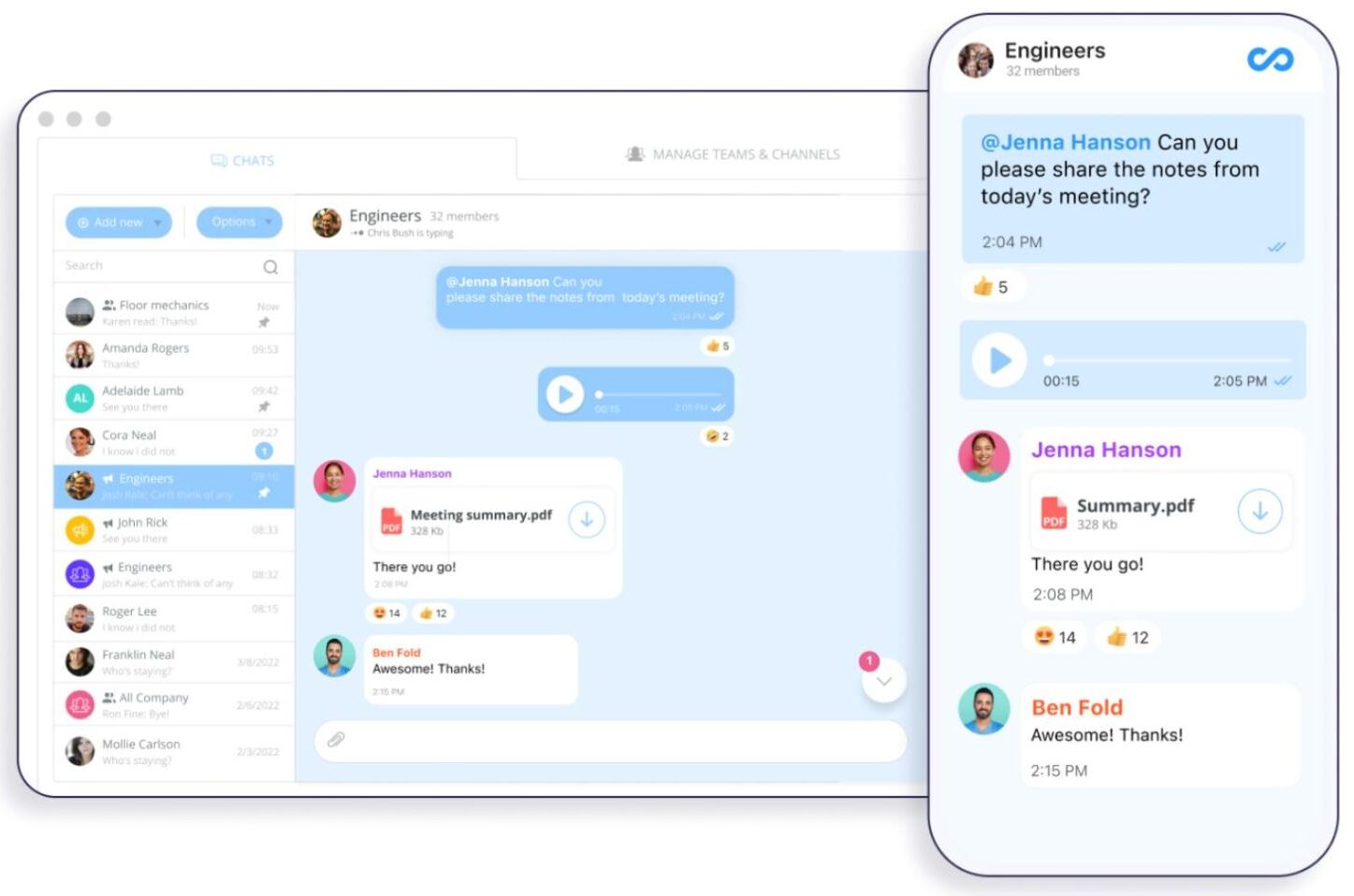
Connecteam includes built-in chat, company updates, and a knowledge base in the same app employees use to clock in. Jibble focuses on time and attendance and relies on integrations like Slack or Microsoft Teams for messaging. For teams that want everything in one app, Connecteam is the better fit.
Main Differences Between Jibble and Connecteam
Jibble
- Multi-device time tracking
- AI facial recognition
- Automatic geofence clock-ins
- Screenshot and activity monitoring
- Offline tracking with sync
- Payroll-ready timesheet reports
Connecteam
- Job-based GPS geofencing
- Kiosk face recognition
- Shift scheduling controls
- Built-in timesheet approvals
- Team chat and updates
- Task management and forms
Jibble and Connecteam: Strengths and Limitations
Jibble
Pros
- Free plan for unlimited users
- AI facial recognition on every clock-in
- Reliable offline tracking with sync
- Automatic geofence clock-ins
- Screenshot and activity monitoring
Cons
- No built-in team chat
- Limited operations tools beyond time tracking
- Advanced features require paid plans
- Monitoring may raise privacy concerns
Connecteam
Pros
- Free for up to 10 users
- All-in-one app for deskless teams
- Built-in chat and company updates
- Job-based geofencing for field teams
- Scheduling, tasks, and forms included
Cons
- Face recognition limited to kiosk
- No screenshot or activity monitoring
- Features split across separate paid hubs
- More setup for smaller teams
Jibble vs. Connecteam: User Reviews, Ratings, and Feedback
Jibble Customer Reviews
The reviewers describe Jibble as user-friendly, comprehensive, and well thought out, especially praising its mobile app, real-time tracking, and responsive customer service. Many users find it effective for keeping accurate attendance records and improving team organization.
Some users have reported concerns with buggy timesheet editing, desktop app login issues, limited customization, and a short 14-day trial. As of November 3, 2026, Jibble is rated as 4.8/5 on Capterra, 4.5/5 on G2, 4.6/5 on the Google Play Store, and 4.8/5 on the Apple App Store.
Read more Jibble reviews on Capterra →
Read more Jibble reviews on G2 →
“With the exception of a few minor kinks, it’s very user friendly and good interface. Editing time sheets can be a little buggy sometimes. The screenshot monitor is only available on the desktop app, which can act up.”
– Apple App Store reviewer
Read more Jibble reviews on the Apple App Store →
Read more Jibble reviews on the Google Play Store →
Connecteam Customer Reviews
The reviewers describe Connecteam as a reliable all-in-one platform for managing field and remote teams, especially praising its task assignment, attendance tracking, and real-time communication. Long-time users find it valuable for coordinating employees spread across different locations.
Some users have reported concerns with a steep learning curve, extra configuration for specific workflows, occasional bugs, and limited flexibility for complex employee management needs. As of November 3, 2026, Connecteam is rated as 4.6/5 on Capterra, 4.6/5 on G2, 4.9/5 on the Google Play Store, and 4.9/5 on the Apple App Store.
“This is the platform that always helps us in managing our overall staff and other employees that work on fields in different parts of the country and in remote areas.”
– G2 reviewer
Read more Connecteam reviews on Capterra →
Read more Connecteam reviews on G2 →
“It’s super buggy all the time. Employees constantly have to delete and reinstall to get things working properly.”
– Apple App Store reviewer
Read more Connecteam reviews on the Apple App Store →
Read more Connecteam reviews on the Google Play Store →
Jibble vs. Connecteam Pricing Plans and Free Trial Options
Jibble
Pricing starts at: Not fully disclosed
Free Trial: Limited
Connecteam
Pricing starts at: Free for up to 10 users; paid plans from $29 per month for up to 30 users
Free Trial: Yes (14 days)
Which Teams Should Choose Jibble or Connecteam?
Jibble
Jibble may be a good fit for office, remote, and hybrid teams that need strict attendance verification and visibility into employee productivity. Its AI facial recognition, offline tracking, automatic geofence clock-ins, and screenshot and activity monitoring make it useful for businesses that want accurate records of when, where, and how employees work.
Choose Jibble if your priority is reliable time and attendance with strong identity verification and productivity monitoring. Its generous free plan, project and activity tracking, and payroll-ready reports are particularly useful for budget-conscious teams that mainly need dependable time tracking.
Connecteam
Connecteam may be a better fit for businesses managing deskless, frontline, and multi-site teams in industries like construction, cleaning, retail, and hospitality. Its job-based GPS geofencing, shift scheduling, built-in chat, task management, and forms make it suitable for businesses that need to coordinate daily operations alongside attendance.
Choose Connecteam if you want time tracking, scheduling, and team communication in one employee app. It is designed to keep field and frontline workers connected while giving managers tools for task assignment, company updates, timesheet approvals, and day-to-day operations.
Fareclock vs. Jibble vs. Connecteam Final Verdict
Jibble stands out for identity verification and productivity monitoring, while Connecteam shines as an all-in-one app for coordinating frontline teams. Both, however, leave gaps for businesses that need strong verification, location tracking, and job-site operations in a single platform. Fareclock, an all-in-one time clock software, brings these together for field, mobile, and multi-location workforces at a straightforward per-user price.
Fareclock Core Features That Fill the Gaps
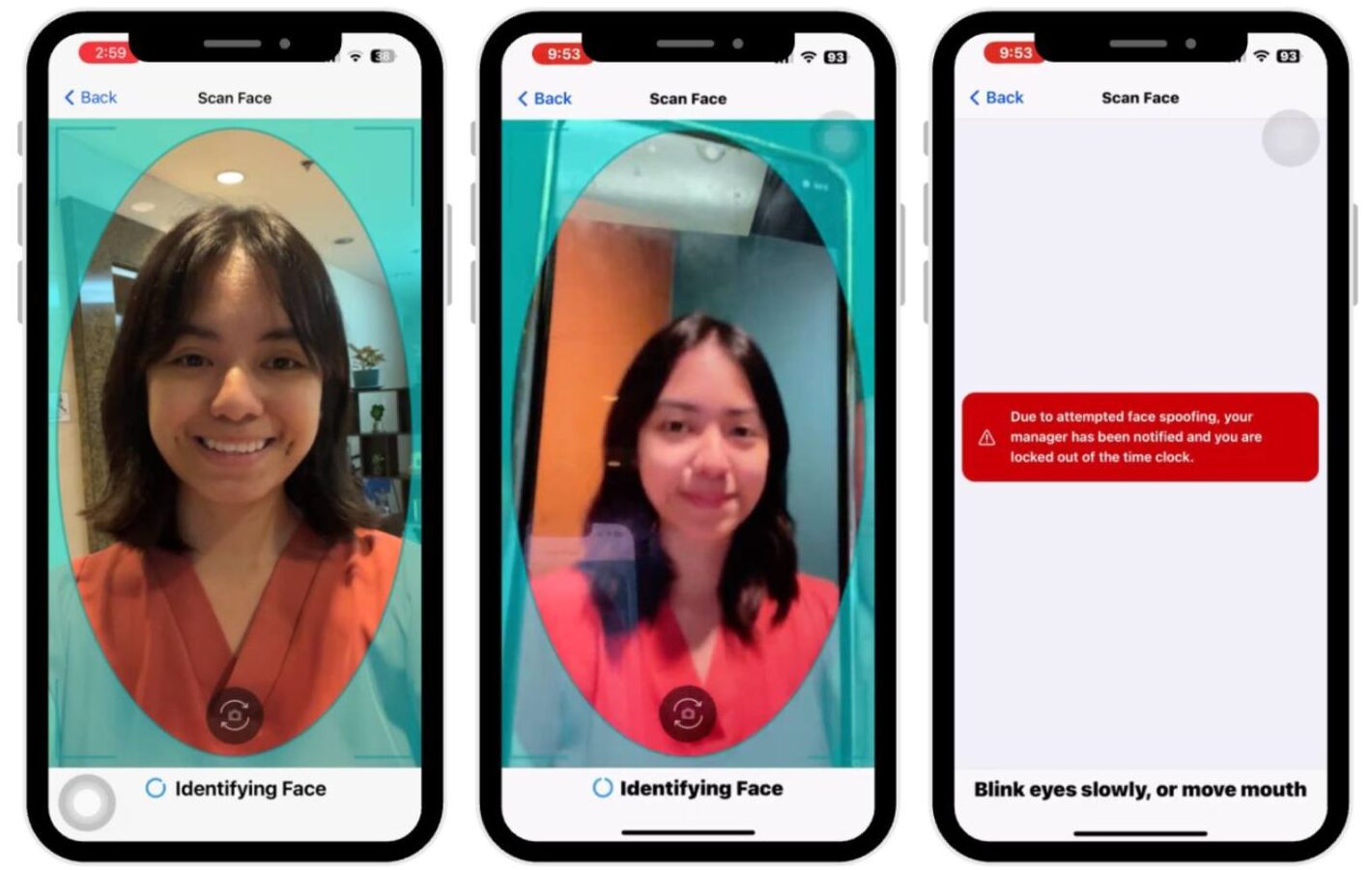
Facial recognition with liveness detection
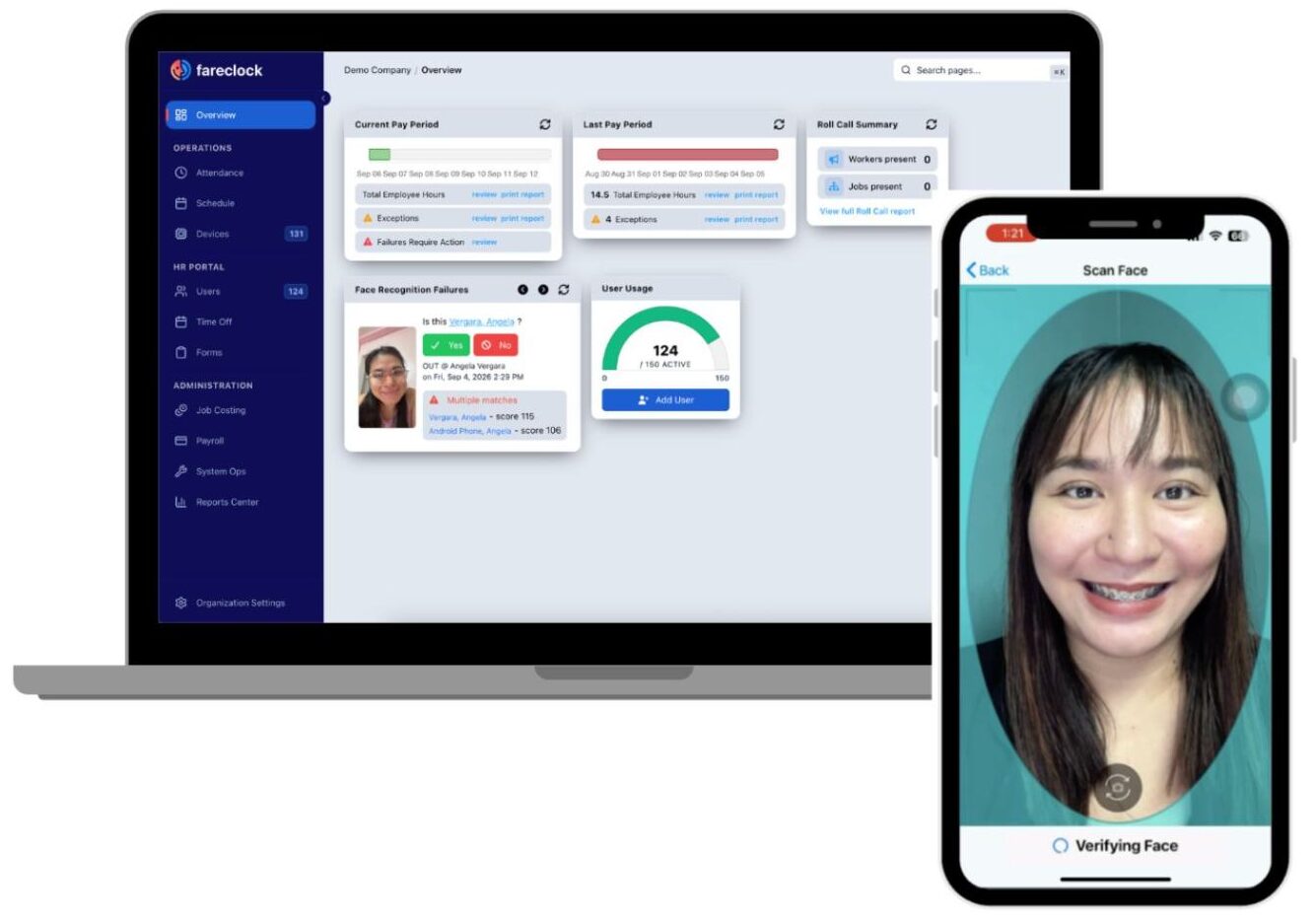
Fareclock verifies every clock-in with facial recognition backed by liveness detection, which confirms that a real person is in front of the camera rather than a photo or video. This helps prevent buddy punching and time theft, two of the most common causes of inaccurate payroll.
Unlike Connecteam, where face recognition is mainly limited to its kiosk app, Fareclock makes identity verification a core part of its attendance process. Employees can also clock in using PIN, NFC, or QR code, giving businesses flexibility across different work setups.
This makes it easy to match the clock-in method to each location, whether it is a shared kiosk at a job site or an employee’s own device. Managers get confidence that the hours recorded belong to the right person. For businesses with high employee turnover or large hourly workforces, this level of verification can save significant time and money.
GPS, geofencing, and breadcrumb tracking
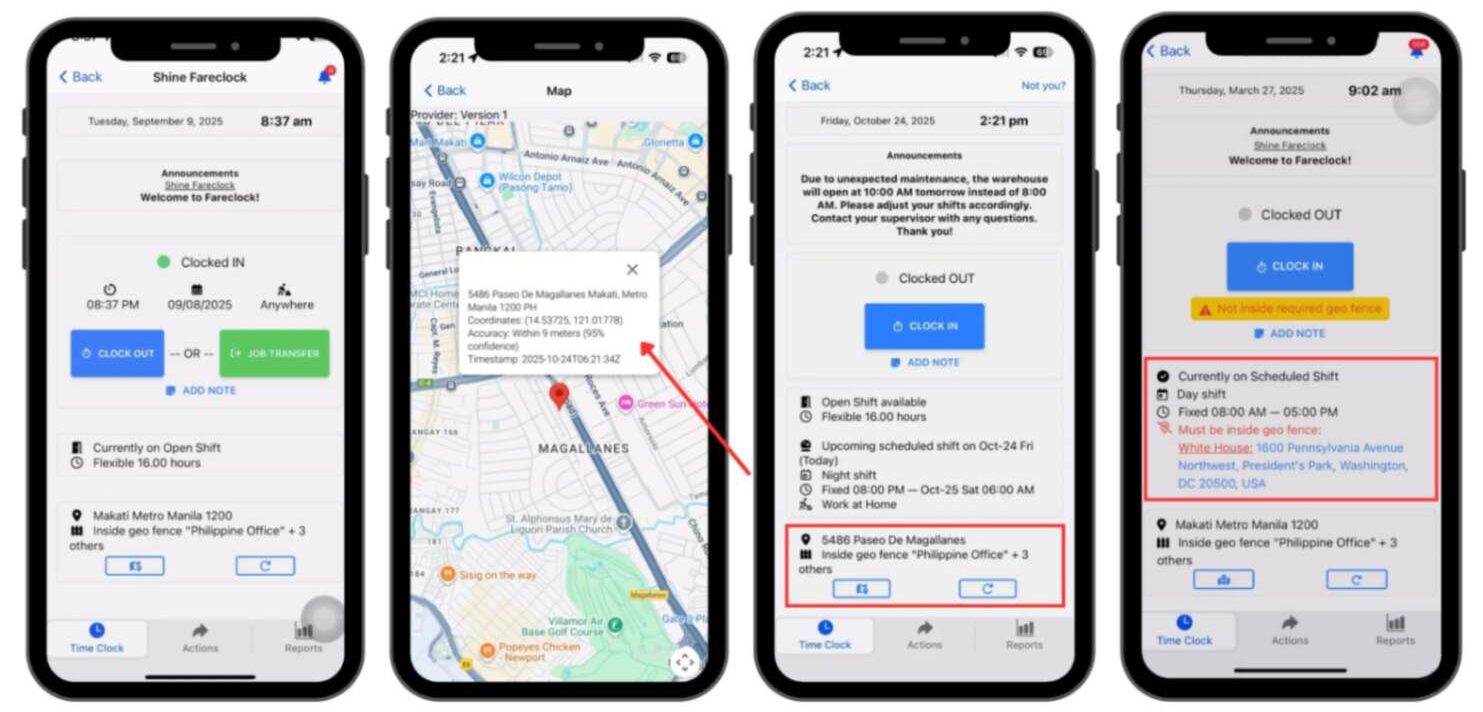
Fareclock records GPS location at clock-in and clock-out and uses geofencing to make sure employees are at approved work sites. It goes a step further with breadcrumb tracking, which shows the routes employees take during their shifts.
This gives managers a clearer picture of field activity than a single location stamp can provide. It is especially useful for mobile teams, such as delivery drivers, service technicians, and crews moving between job sites. Businesses can use this data to confirm site visits, resolve disputes over hours, and improve route planning.
While both Jibble and Connecteam offer GPS and geofencing, Fareclock’s breadcrumb tracking adds an extra layer of visibility for field operations. The result is more accurate attendance records and greater accountability across multiple locations.
Offline time tracking with sync
Field and remote employees often work in areas with weak or no internet connection, which can disrupt attendance tracking. Fareclock solves this by allowing employees to keep clocking in and out even while offline.
All entries are stored securely on the device and synced automatically once the connection is restored. This means no missed punches, no manual corrections, and no lost hours on timesheets.
Like Jibble, Fareclock treats offline tracking as a core feature rather than an afterthought. This is particularly valuable for industries like construction, agriculture, and field services, where job sites are often remote. Businesses can trust that their attendance data stays complete no matter where their teams work.
Job costing with jobs, phases, and cost codes
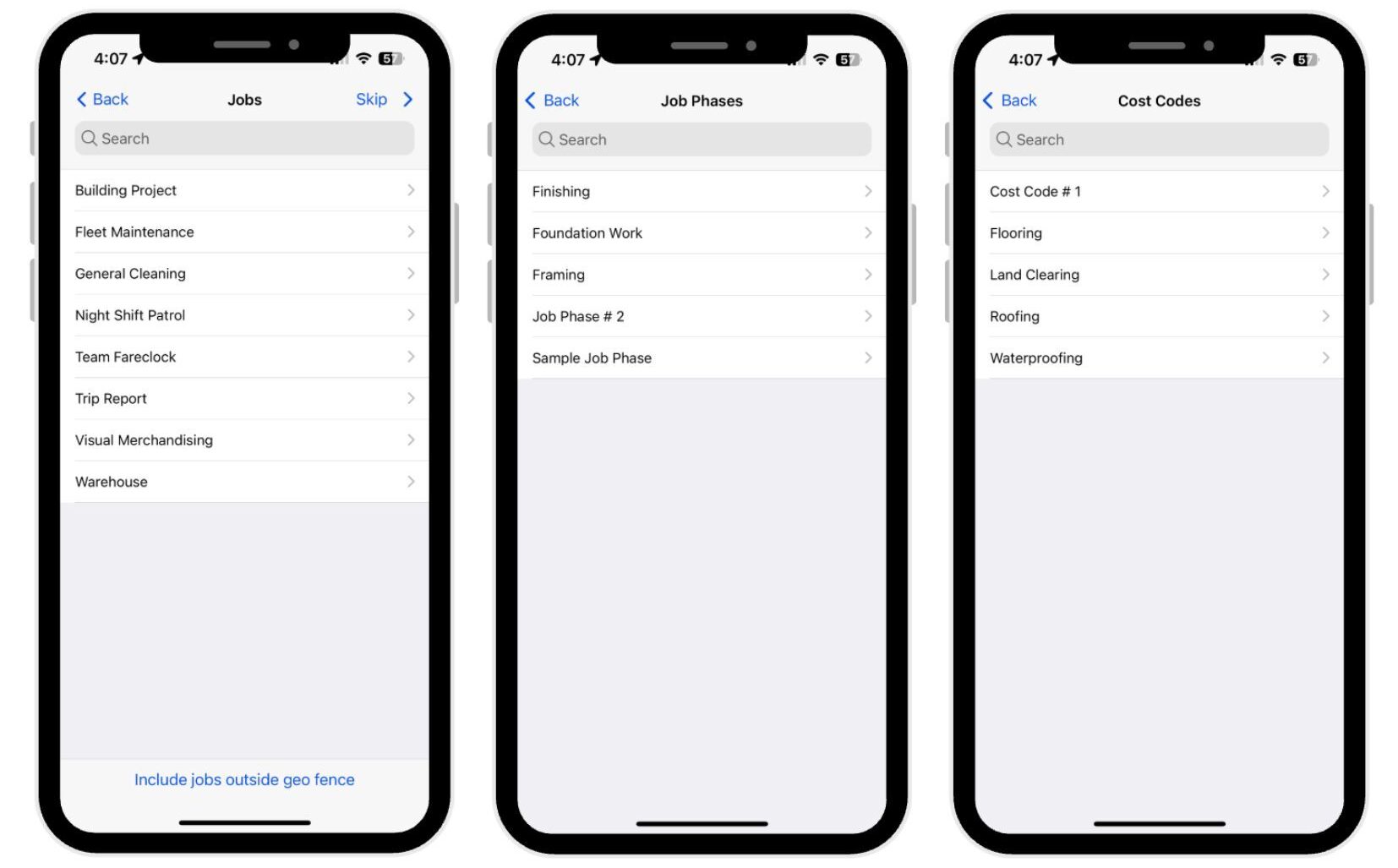
Fareclock links employee hours directly to jobs, phases, and cost codes, giving businesses a clear view of where labor costs are going. This helps project-based companies track how much each job actually costs compared to their estimates.
Where Jibble offers limited operations tools beyond time tracking, Fareclock connects attendance data to real business decisions. Managers can spot jobs that are running over budget and adjust staffing before costs get out of hand.
The data also makes it easier to create more accurate bids and estimates for future projects. For contractors and other project-based businesses, this removes the need for a separate job costing tool. It turns everyday time tracking into useful financial insight.
Scheduling, forms, credentials, and compliance in one platform
Fareclock brings employee scheduling, digital forms, credential tracking, and compliance tools together with time and attendance. Managers can build schedules, collect forms from the field, and keep track of employee certifications and licenses in one place. This reduces the need to juggle multiple apps and spreadsheets to manage daily operations. Unlike Connecteam, where features are split across separately priced hubs, Fareclock offers these tools under one simple per-user price. This makes costs easier to predict as a business grows. Credential tracking also helps businesses stay compliant by ensuring only qualified employees are assigned to certain jobs. Together, these tools give businesses a complete workforce management system without added complexity.Fareclock vs. Jibble vs. Connecteam Feature Comparison Chart
The table below highlights where Fareclock, Jibble, and Connecteam stand out and which capabilities may require plan-specific verification.| Feature | Fareclock | Jibble | Connecteam |
| Face Recognition | ✅ | ✅ | ⚠️ |
| GPS and Geofencing | ✅ | ✅ | ✅ |
| Offline Tracking | ✅ | ✅ | ⚠️ |
| Employee Scheduling | ✅ | ✅ | ✅ |
| Job Costing With Cost Codes | ✅ | ❌ | ⚠️ |
Legend: ✅ Available · ⚠️ Requires verification or may depend on the plan · ❌ Not available
Fareclock Customer Reviews and Ratings
Reviewers describe Fareclock as convenient, reliable, and easy to use for both managers and employees, especially praising its attendance monitoring, clock-in and clock-out features, and value for money. HR teams find it helpful for organizing timekeeping records and cutting down on manual attendance tracking, while businesses managing multiple projects appreciate its built-in employee management tools and responsive customer support.
Some users hope future updates will continue to improve the app’s speed and stability. Current ratings include 4.7/5 on Capterra, 4.9/5 on G2, 4.8/5 on the Google Play Store, and 5/5 on the Apple App Store.
“As an HR, I find it convenient and helpful for monitoring employee attendance and managing timekeeping records. It makes the process more organized and reduces the time spent on manual attendance tracking.
– Capterra reviewer
Read more Fareclock reviews on Capterra →
Read more Fareclock reviews on G2 →
3: Fareclock Pricing and Free Trial
Pricing starts at: 1.65 USD per user per month
Free Trial: Yes (30 days)
Try Fareclock free for 30 days, no credit card required, or schedule a demo to see how it fits your team.
FAQ
Does Jibble or Connecteam offer better offline time tracking?
Jibble offers better offline time tracking. Employees can clock in and out without an internet connection, with time entries automatically syncing once connectivity is restored. Connecteam offers time tracking features, but its offline capabilities are more limited.
Which is better for employee scheduling?
Connecteam provides a more comprehensive solution for shift scheduling. It combines it with built-in team communication, task management, and timesheet approvals. Jibble is better suited to businesses that primarily need scheduling alongside accurate time tracking and attendance management.
Is Jibble or Connecteam better for construction teams?
Both platforms can support construction teams, but the better choice depends on operational needs. Jibble is a good fit for contractors who prioritize accurate attendance records, facial recognition, GPS tracking, and offline clock-ins at job sites. Connecteam is better for coordinating field crews through shift scheduling, job-based geofencing, task management, and team communication.
Which is better for field workers, Jibble or Connecteam?
Connecteam may be better for field workers who need shift scheduling, task management, team communication, and job-based geofencing in one app. Jibble is a strong option for teams that prioritize accurate time tracking, facial recognition, and offline clock-ins. Businesses managing mobile crews across multiple job sites may also consider Fareclock for its GPS tracking, breadcrumb tracking, and job costing features.
Do Jibble and Connecteam offer employee productivity monitoring?
Jibble offers screenshot and activity monitoring through its desktop app on supported plans. Connecteam focuses more on workforce coordination, including time tracking, scheduling, tasks, and communication, rather than screenshot monitoring.
What is the difference between Jibble and Connecteam’s free plans?
Jibble offers a free plan for unlimited users, making it attractive for businesses that need time tracking and attendance management without per-user costs. Connecteam’s free plan supports up to 10 users and includes access to its workforce management tools. Businesses with larger teams may find Jibble’s free plan more cost-effective, while smaller teams may prefer Connecteam’s broader range of operational features.
Is Fareclock a good alternative to Jibble and Connecteam?
Yes. Fareclock combines the strengths of both platforms, offering face recognition with liveness detection and offline tracking like Jibble, along with scheduling and workforce management tools like Connecteam. It also adds breadcrumb tracking and job costing with cost codes, making it a strong choice for field, mobile, and multi-location teams.
How does Fareclock prevent buddy punching and time theft?
Fareclock verifies every clock-in with face recognition backed by liveness detection, which confirms a real person is present rather than a photo or video. It also uses GPS and geofencing to make sure employees clock in only from approved work sites. Employees can also clock in using PIN, NFC, or QR code.