
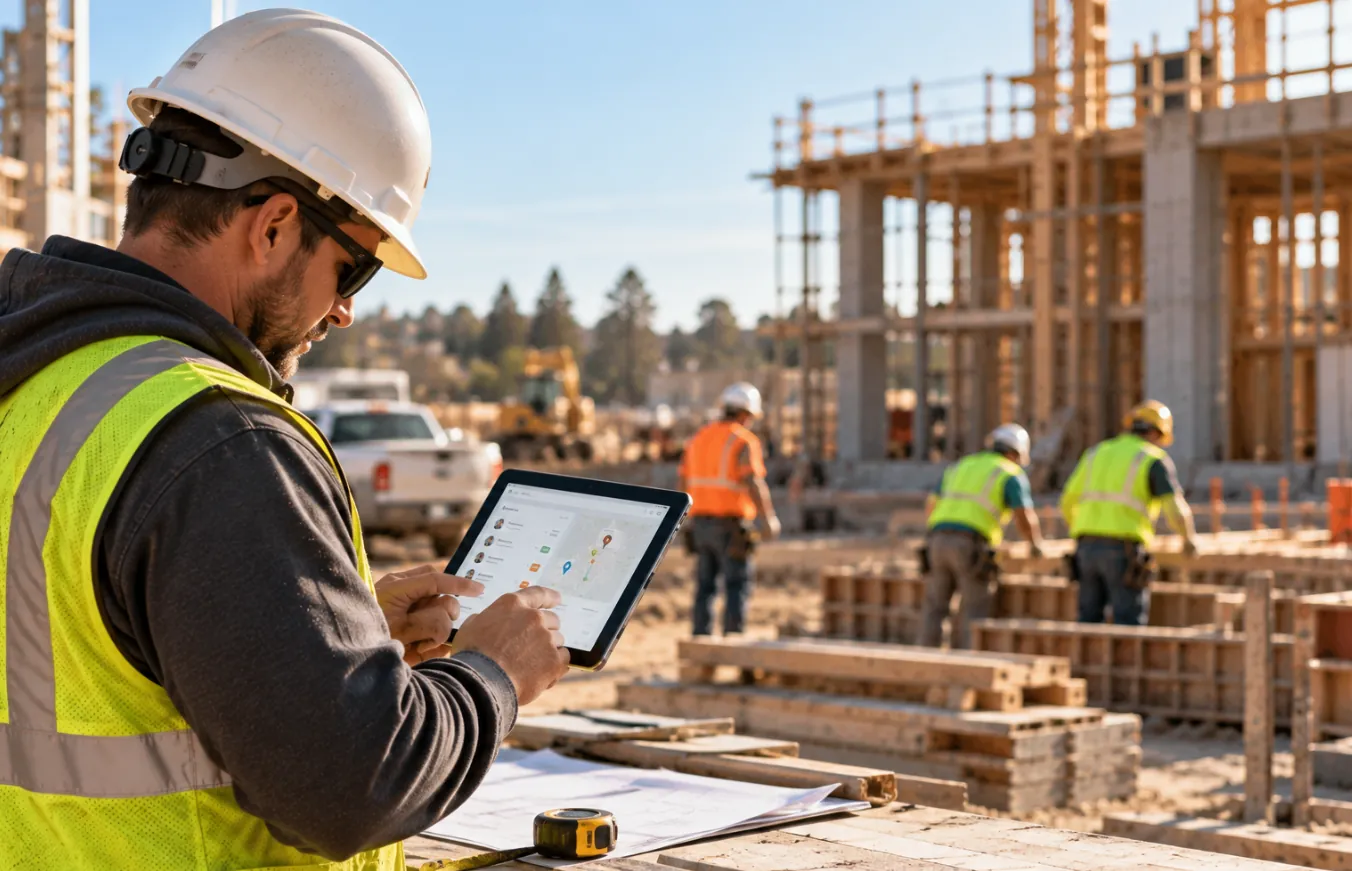
Paper Timesheets and Manual Reporting
Crews record their hours on paper, usually at the end of each shift or week, and someone in the office enters the data into payroll. Paper is inexpensive and requires little training, but it provides limited visibility into where and when hours were recorded. It can work for a small crew on one site or as a backup when digital systems are unavailable.
Spreadsheet-Based Labor Tracking
Excel or Google Sheets give small teams a familiar way to collect hours and share updates. However, someone still has to enter, check, and organize the data. As the number of workers and job sites grows, duplicate files and manual corrections can become harder to manage. Spreadsheets are generally better suited to smaller operations.
Mobile Construction Time Tracking Apps
Workers clock in from their phones, select a job or cost code, and send the data to the office. Look for offline access, easy job switching, and payroll integration if crews regularly work in areas with poor connectivity. Mobile apps can be a practical option for growing crews that need time records without paper forms.
GPS and Geofencing Time Clocks
GPS records a worker’s location when they clock in or out. Geofencing adds a virtual boundary around a job site and can block or flag punches made outside it. This can help reduce off-site clock-ins, but GPS accuracy can vary, particularly around structures and other obstructions. Geofencing also confirms where a phone is, not necessarily who is holding it.
Construction Time Tracking Software
Dedicated construction time tracking software brings timekeeping, job costing, attendance, overtime, approvals, and payroll data into one system. It can support multiple job sites and help connect each worker’s hours to the right project, phase, or cost code. This is generally the most useful option for contractors managing several sites or more complex pay and reporting requirements.
How Can Construction Companies Improve Multi-Site Crew Hour Tracking?
A good tracking process should make it easier for crews to record hours accurately without creating extra work for foremen. These steps can help:
- Standardize job and cost codes. Use the same codes in the field, payroll, and accounting. Keep the list simple enough for crews to use consistently.
- Choose a clock-in method that works on site. Look for fast clock-ins, offline support, and options for workers without smartphones, such as shared kiosks or devices.
- Combine location and identity verification. GPS and geofencing can confirm that a punch happened at the right site, while PINs, photos, or facial recognition can help verify who made the punch.
- Review exceptions regularly. Flag missed punches, off-site clock-ins, unusual hours, and other exceptions before payroll. Weekly reviews give managers a chance to catch problems while the information is still fresh.
- Set overtime and travel rules before rollout. Make sure the system reflects your state requirements, contracts, and rules for paid travel between job sites.
- Make the process clear to crews. Explain what information is being collected, why it is needed, and how workers should clock in, change jobs, or report an error.
- Set recordkeeping rules. Keep time and payroll records for the required period and check whether prevailing wage or other project requirements call for longer retention.
How Fareclock Helps Construction Companies Track Crew Hours Across Multiple Job Sites
Construction companies managing crews across multiple job sites need more than basic clock-in and clock-out records. They need to verify who is working, where employees are clocking in, which project their hours belong to, and whether recorded time matches scheduled work. As construction time clock software, Fareclock combines facial recognition, GPS and geofencing, job costing, mobile time tracking, attendance monitoring, and timecard reporting to help manage these requirements.
Verify Employee Identity and Job-Site Location
Our employee time clock software uses AI-powered facial recognition with liveness detection to help construction companies verify that the worker clocking in is the enrolled employee. Its anti-spoofing technology helps detect attempts using photos, videos, or screens, while low-light and adaptive face features help maintain recognition accuracy in different conditions. Learn more about our facial recognition time clock software.

GPS-Based Location Tracking
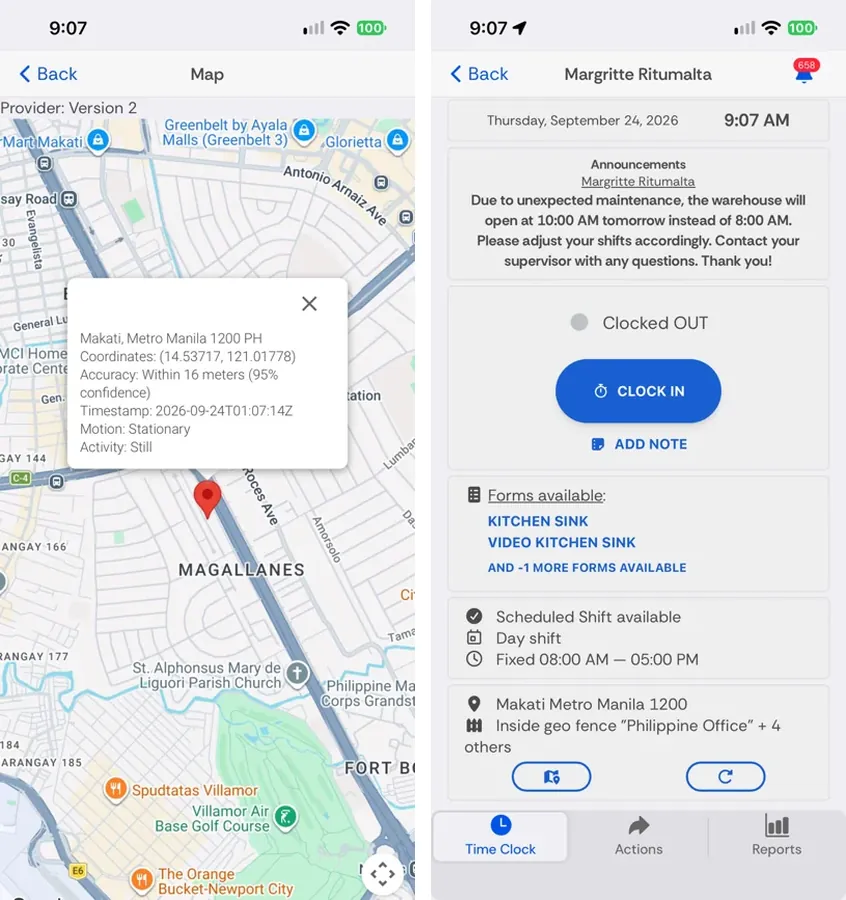
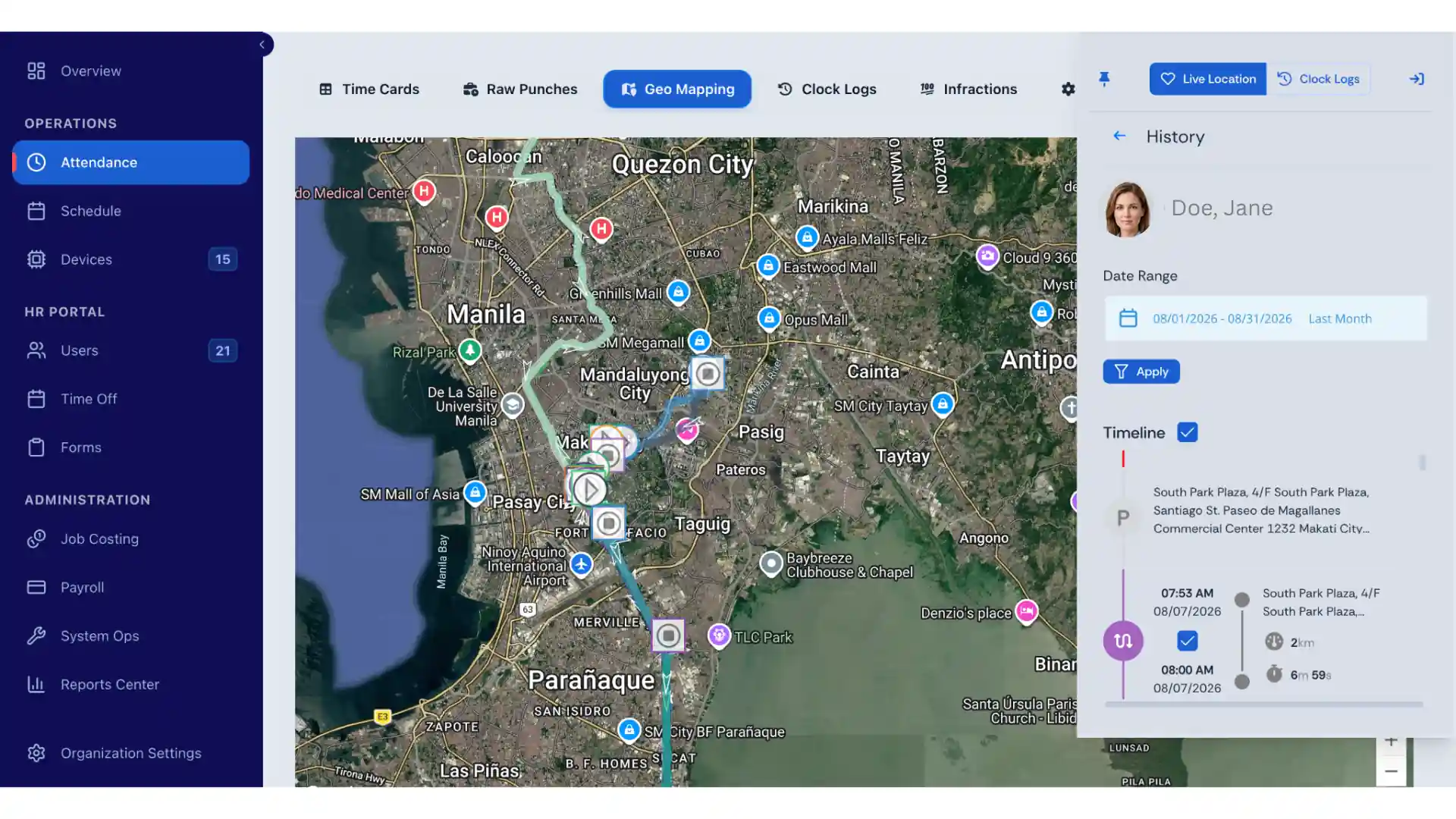
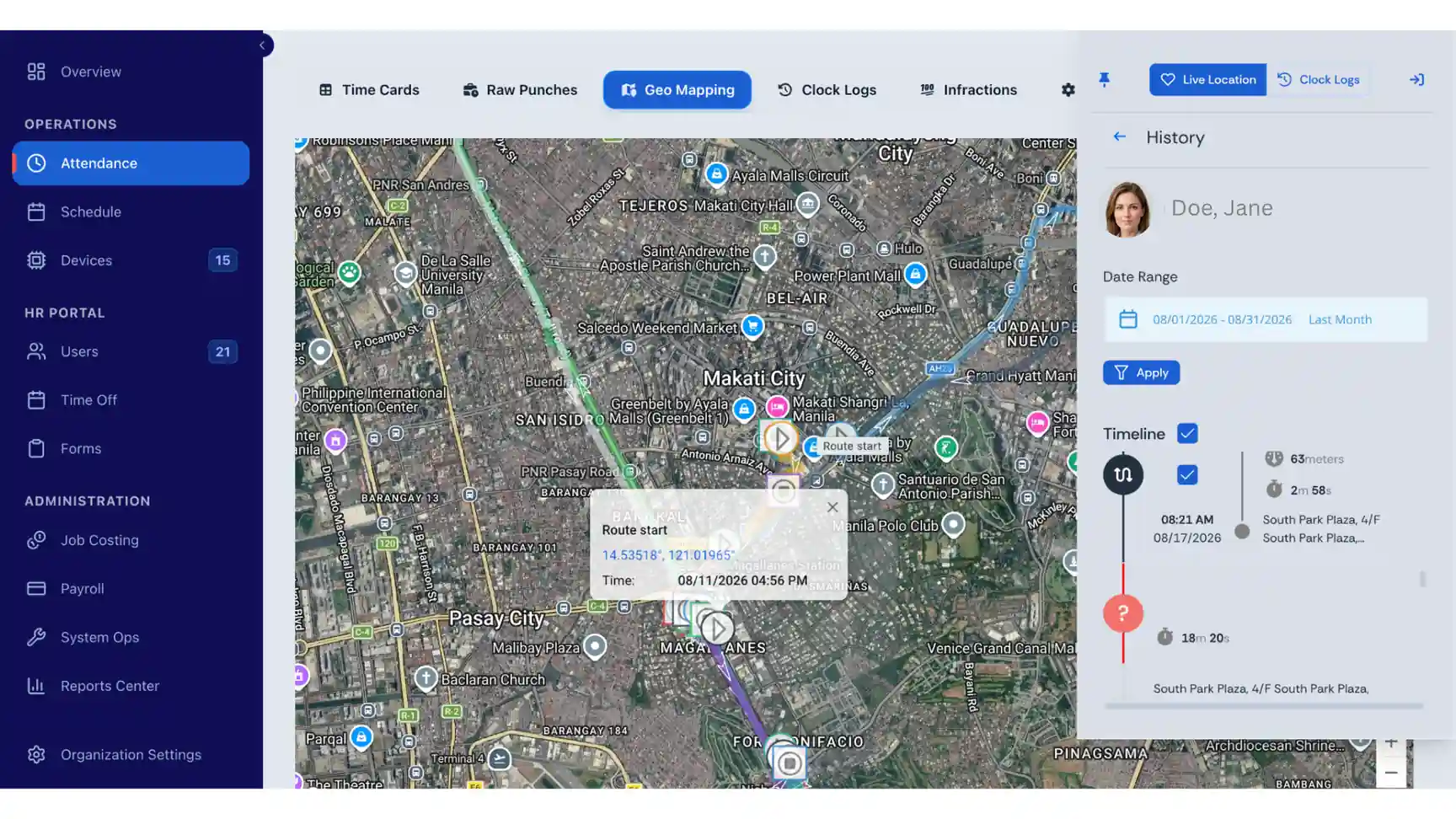
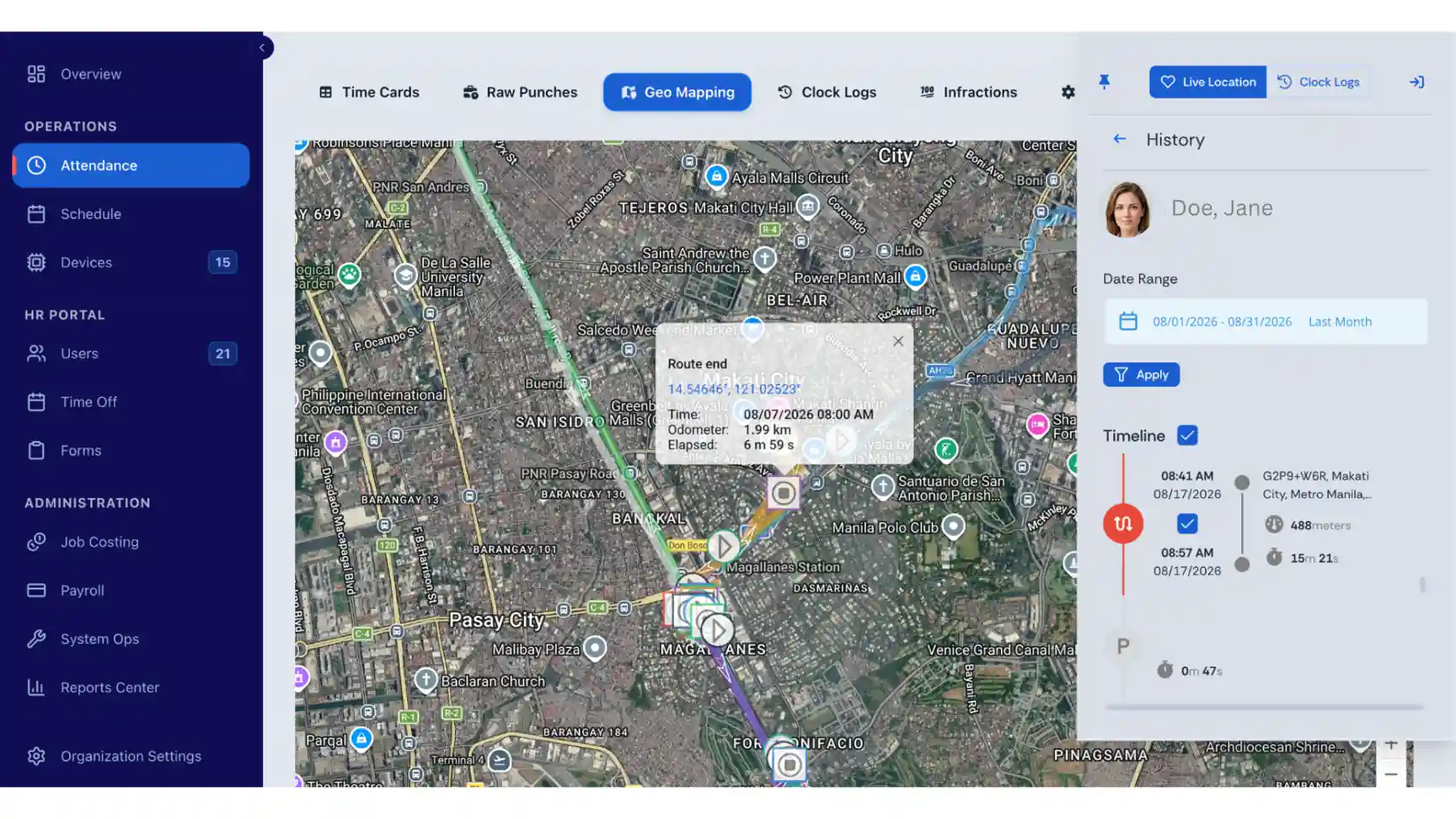
Fareclock uses GPS-based attendance to help construction companies match the worker punches with their device location. Foremen can review the location of construction workers connected to a clock-in or clock-out and configure how location tracking works. Depending on their needs, administrators can enable tracking continuously or only around IN and OUT punches.
When enabled, Fareclock also supports live location tracking and breadcrumb history. This allows administrators to review construction worker routes, including route start and end times, latitude and longitude points, distance traveled, and elapsed time.
Geofencing for Job-Site Punches
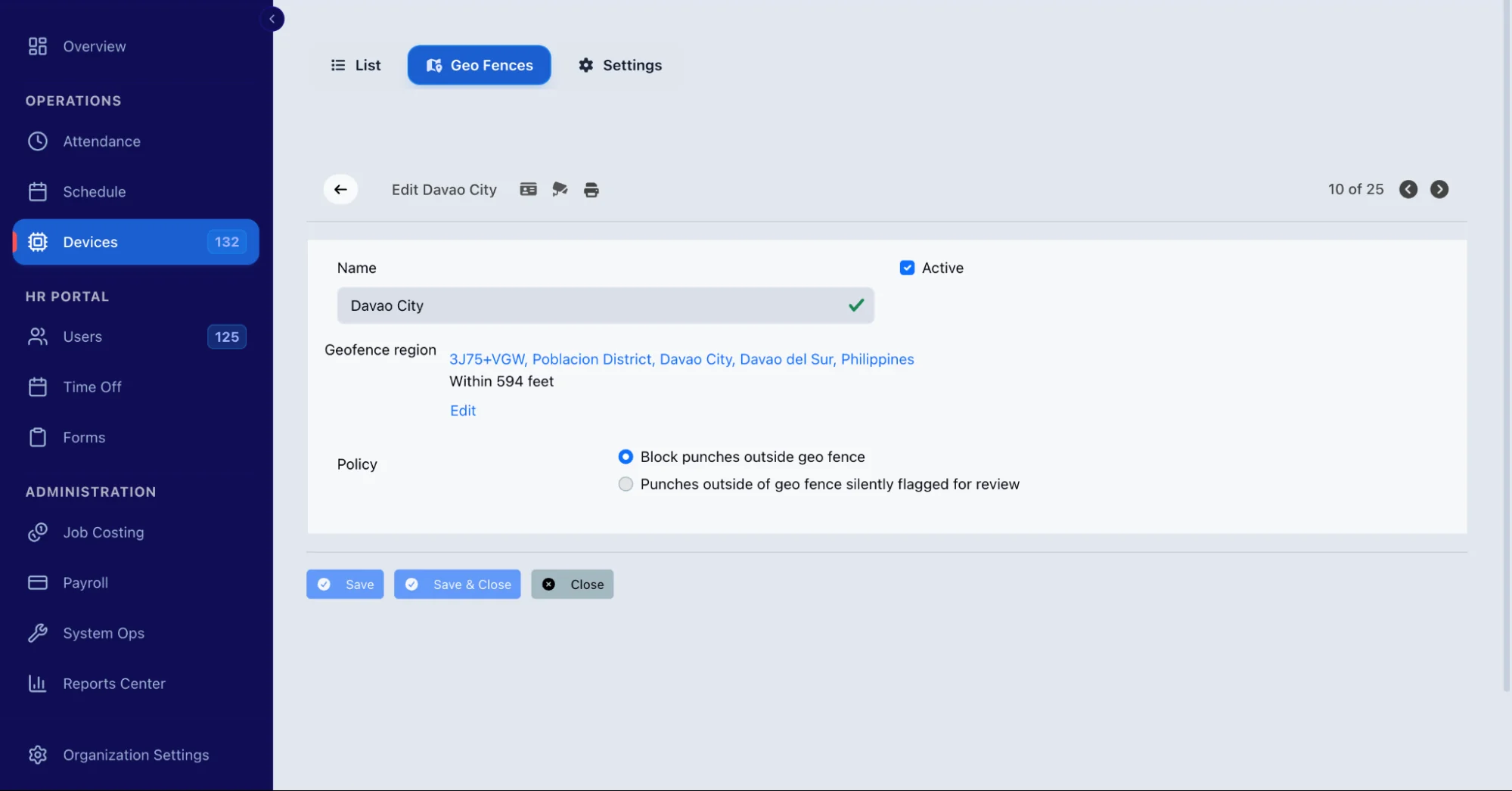
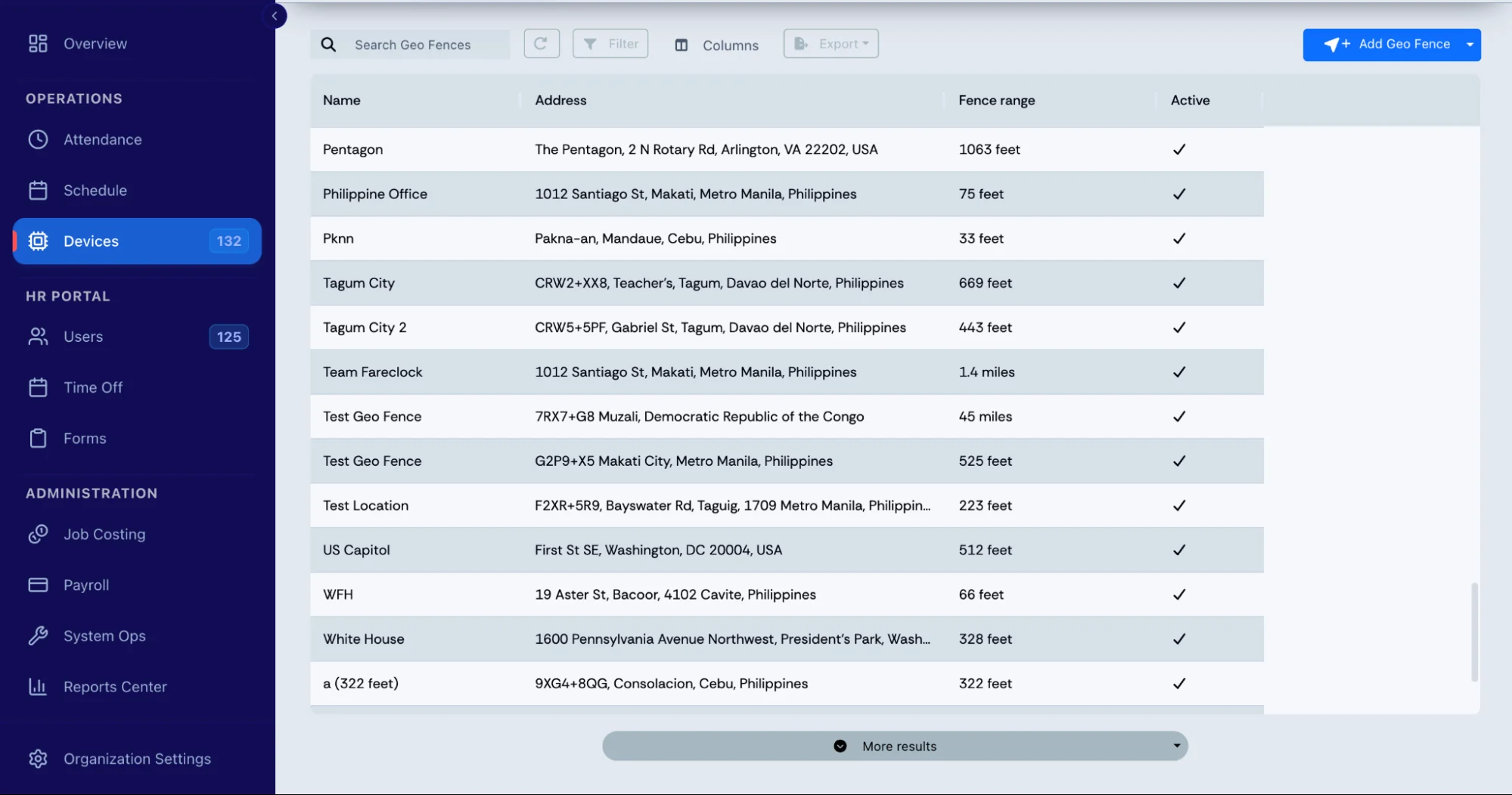
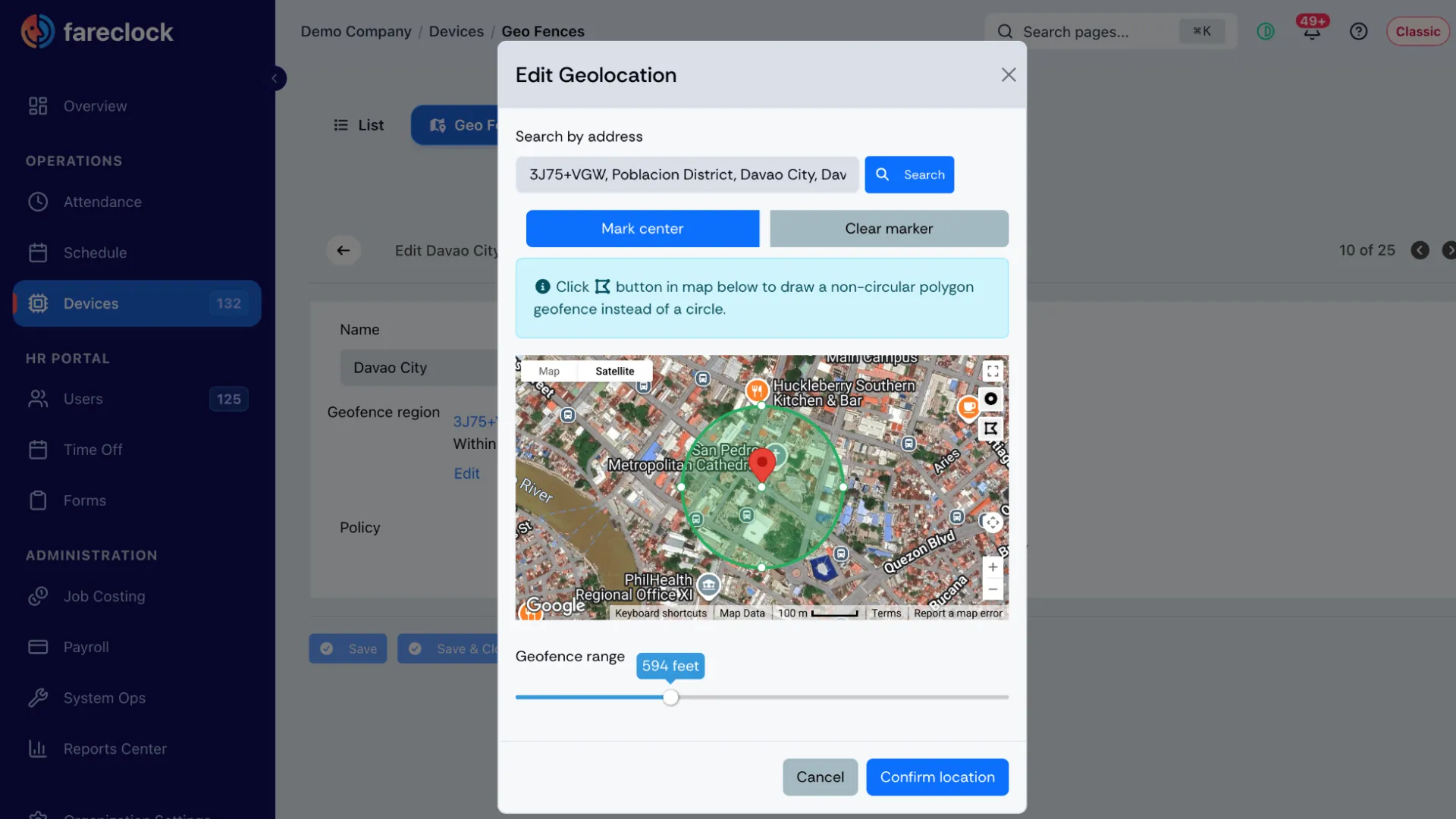
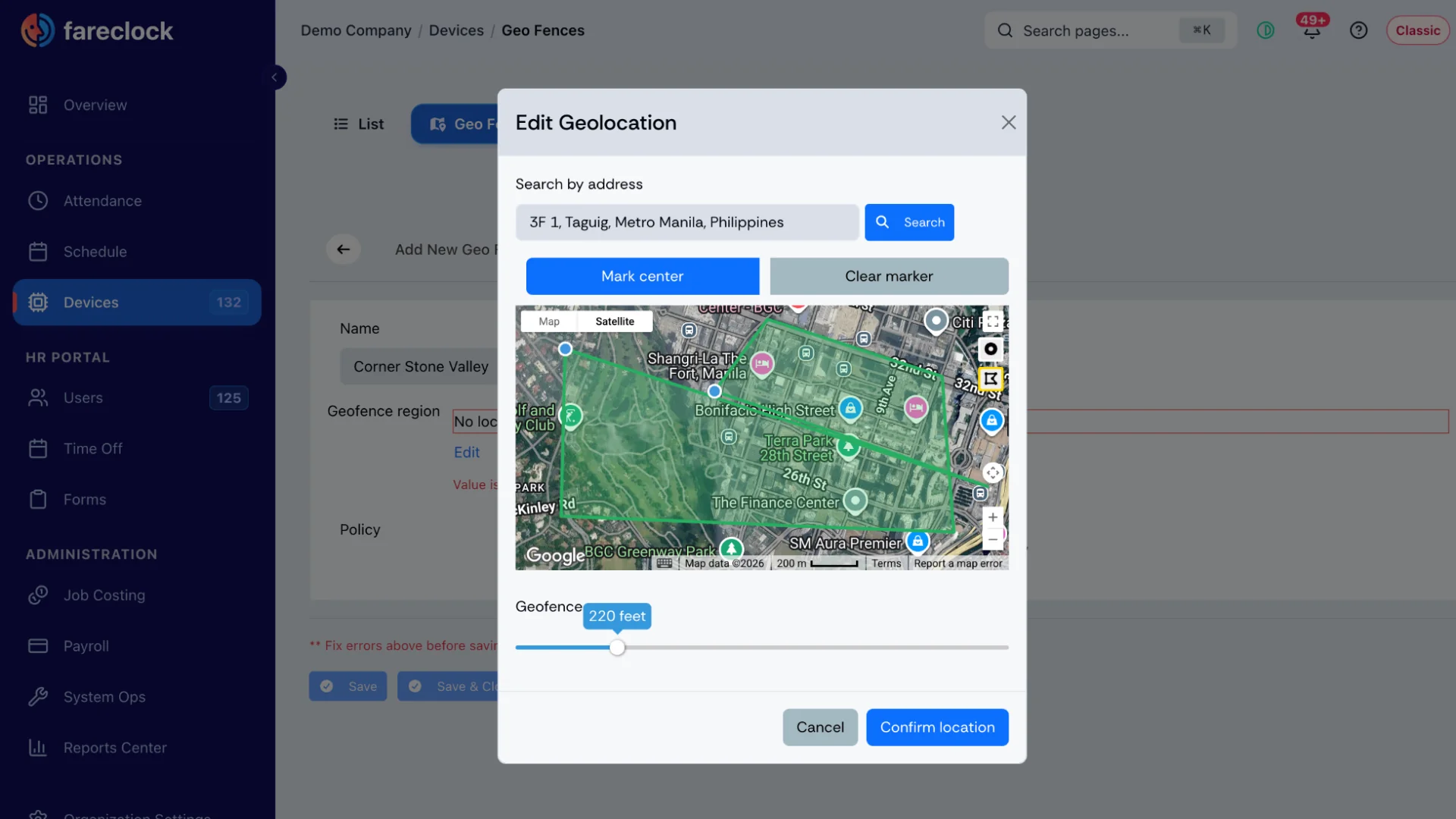
Fareclock is a time clock software with geofencing that helps companies control or flag clock-ins based on a worker’s location. Administrators can create geofences around job sites using either circular or polygon-shaped areas and configure them to enforce location requirements for employee punches.
This helps ensure that crews clock in and out from the appropriate job site and gives managers another way to identify punches that occur outside the designated work area.
Track Workers Across Multiple Job Sites
Fareclock provides real-time attendance visibility and site assignments. This allows foremen to see who is currently working at different locations and assign workers to specific construction sites or work areas through scheduled shifts.
Connect Hours to Jobs and Cost Codes
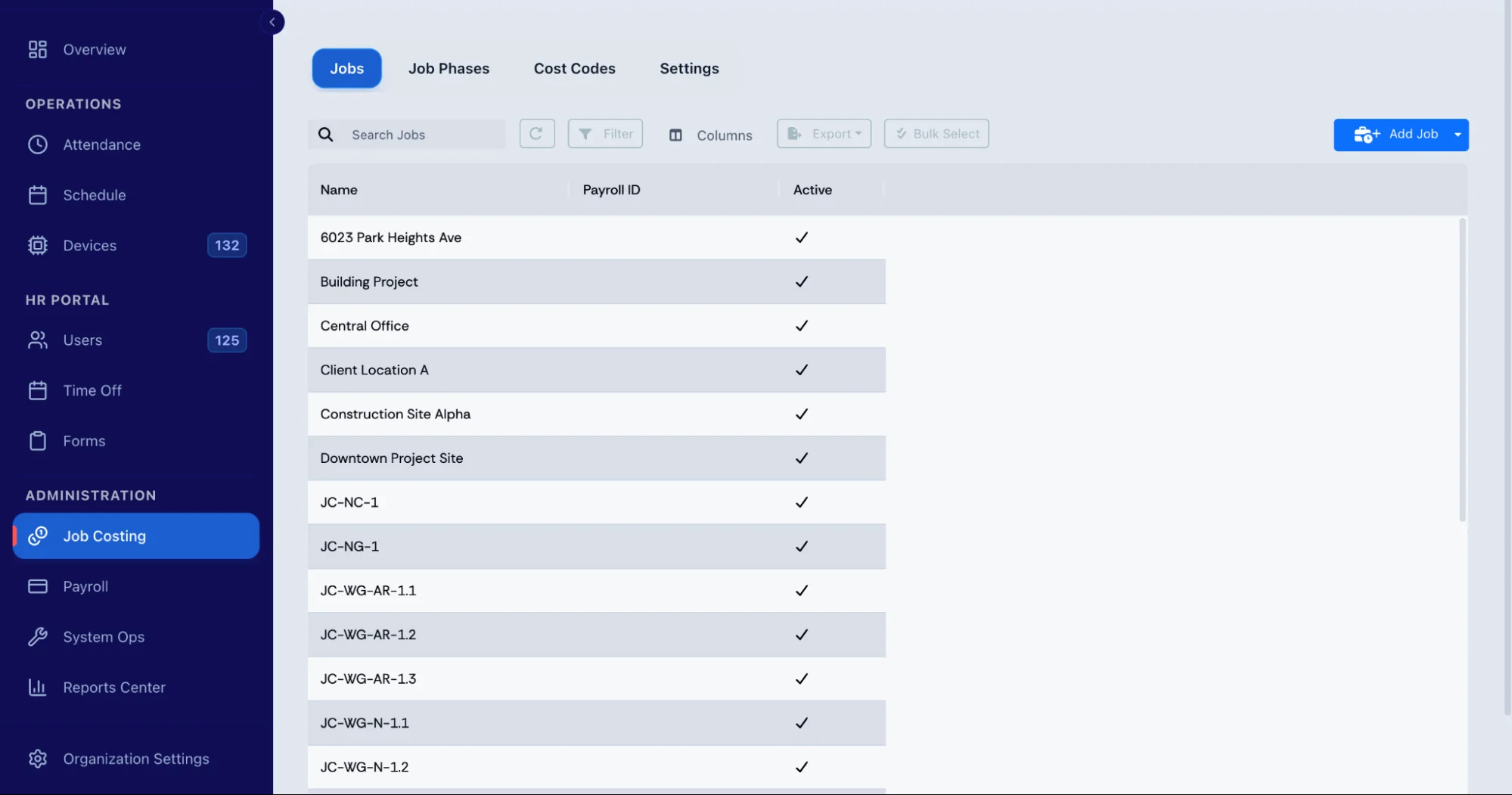
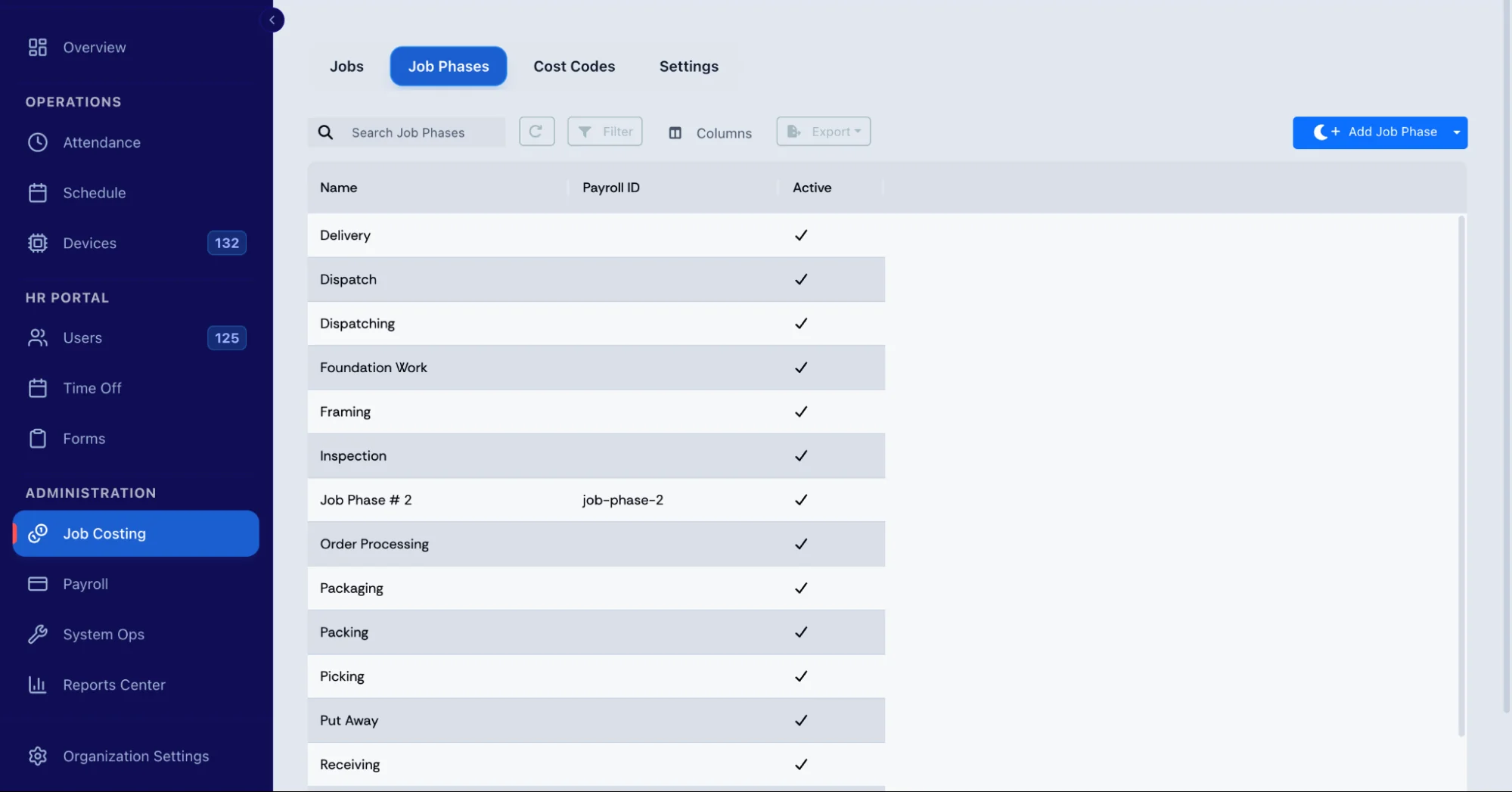
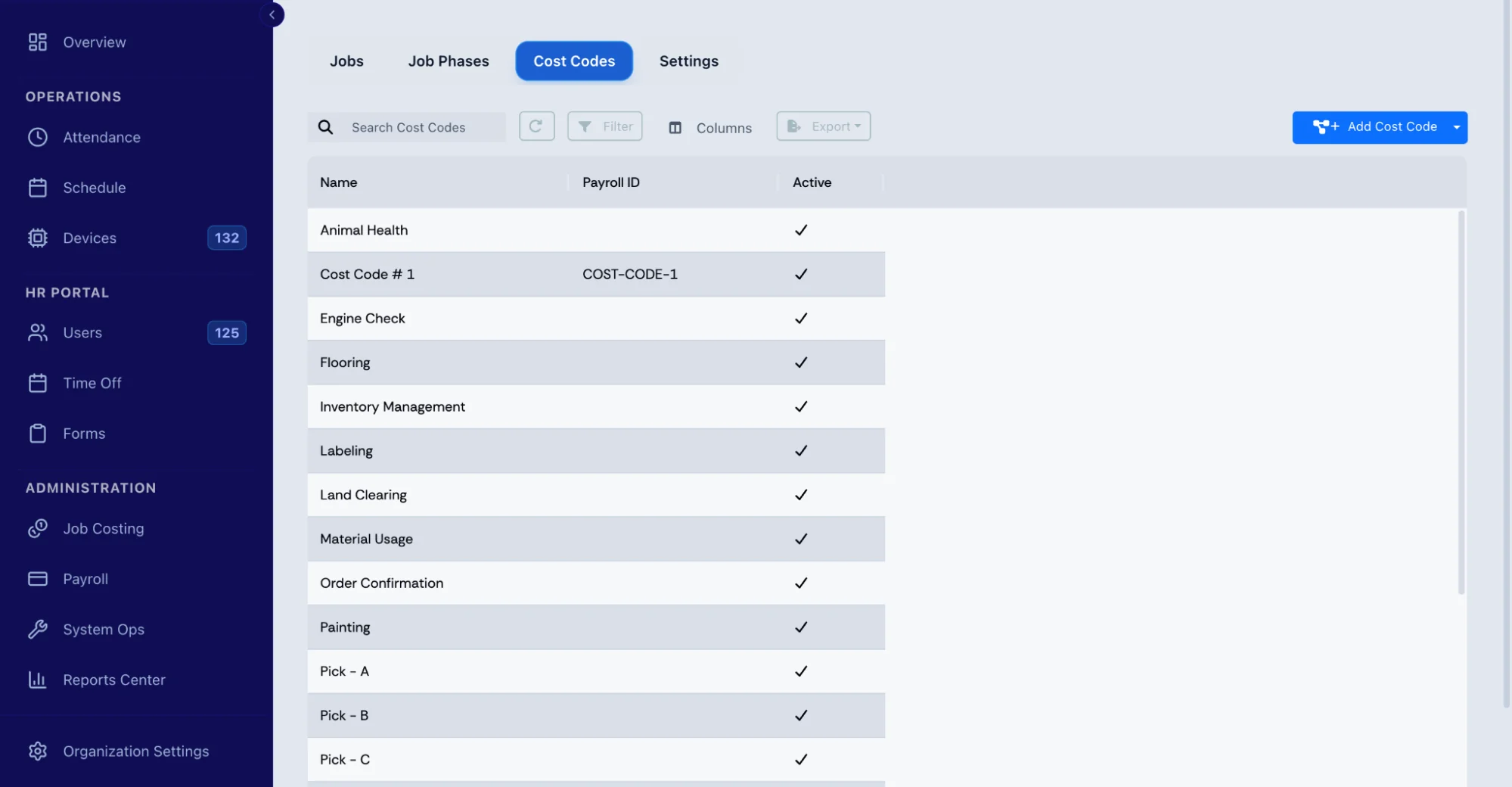
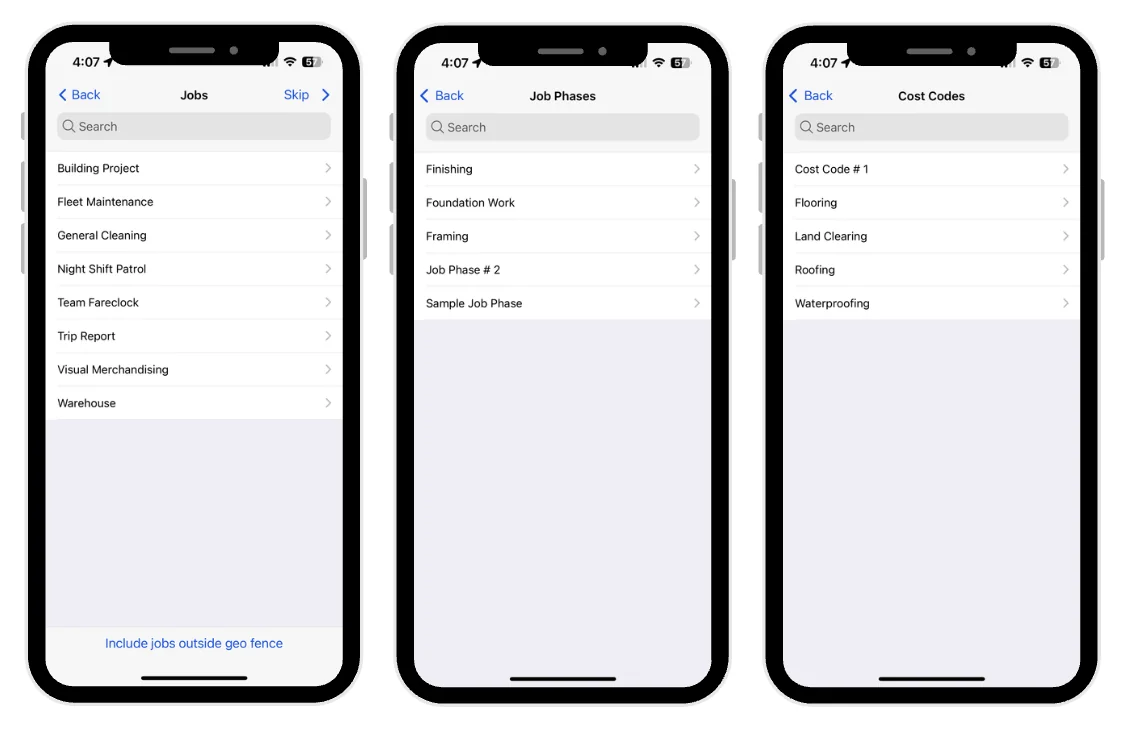
Tracking total hours is only part of construction timekeeping. Fareclock’s job costing module organizes labor time by Jobs, Job Phases, and Cost Codes.
Workers can select their assigned Job, Phase, and Cost Code when clocking in from the mobile app, or administrators can assign these details when creating shifts. This helps connect recorded hours with the project and type of work being performed.
Keep Time Records Accurate Even Without Connectivity
Construction sites can have unreliable internet or mobile service. Fareclock supports offline clock-ins and clock-outs, with recorded data synchronizing when connectivity returns.
Administrators can then review timecards containing clock-in and clock-out times, missed or incomplete punches, total hours, scheduled shifts, assigned geofences, and jobs. Timecard data can also be reviewed and edited when corrections are required.
Review Detailed Punches, Overtime, and Location Issues
Fareclock’s Raw Punches feature gives administrators a detailed view of recorded punches, including worker name, job, assigned shift, clock-in and clock-out times, IN and OUT addresses, raw hours, and shift hours.
For additional hours, workers can request shift extensions through the mobile app when the feature is enabled. Administrators can approve or deny requests and configure limits such as the maximum extension duration. Fareclock can also provide notifications related to worker geolocation errors.
By bringing identity verification, location tracking, site assignments, job costing, offline mobile timekeeping, attendance visibility, and detailed reporting together, Fareclock gives construction managers a centralized way to track crew hours across multiple job sites.
Start a 30-day free trial or schedule a demo.
FAQ
How do construction companies track worker hours?
Common methods include paper timesheets, spreadsheets, mobile apps, GPS and geofenced time clocks, and construction time tracking software. The right approach depends on the size of the crew, number of job sites, and payroll requirements.
What is the best way to track construction workers across multiple job sites?
A mobile or kiosk time clock with GPS or geofencing, job and cost code tracking, and payroll integration can help keep hours tied to the right site and project. Offline support is also useful for sites with unreliable connectivity.
How can companies verify that workers are clocking in from the correct job site?
GPS and geofencing can verify where a clock-in happens. Identity verification, such as a PIN or facial recognition, can provide an additional check on who is clocking in.
How do construction companies assign worker hours when crews work on multiple projects?
Workers can switch jobs or cost codes during a shift, with each period assigned to the appropriate project. Travel between job sites during the workday should also be recorded according to the applicable pay rules.
How do contractors track overtime when employees work across multiple locations?
Combine the hours worked at every site when calculating overtime. Federal rules generally require overtime at one and one-half times the regular rate for hours over 40 in a workweek for covered nonexempt employees, while some states, contracts, or other applicable requirements may have additional rules.