

It’s Thursday afternoon, and payroll runs tomorrow. Two crews still haven’t turned in their timesheets, a foreman hasn’t approved his team’s hours, and someone has just spotted 14 hours assigned to the wrong job code. Now your payroll team has to track down the missing sheets, get the hours approved, and figure out where those 14 hours actually belong.
This is what makes manual timesheets so difficult in construction. Most mistakes are not intentional. A missed punch, wrong job code, or late timesheet is enough to create extra work and throw off payroll.
In this article, we’ll cover the most common manual timesheet mistakes in construction, what they can cost your projects, and how to reduce them.
Why Do Accurate Timesheets Matter in Construction Projects?
Labor typically makes up 30% to 50% of construction project costs, while net margins often fall between 3% and 7%. With margins that tight, a few incorrect hours per worker each week can quickly add up and reduce the profit on a project.
And those errors can affect more than the amount workers are paid. Labor hours are also used to track project costs, prepare client invoices, and build future estimates. If the hours recorded for a crew are wrong, the project may appear more or less profitable than it actually is.
Accurate records also matter for compliance. Under 29 CFR Part 516, covered employers must keep records of hours worked by non-exempt employees, including hours worked each workday and workweek.
If those records are incomplete or unreliable, it can also become harder for an employer to defend its position in a wage dispute.
What Are the Most Common Manual Timesheet Mistakes in Construction?
Manual timesheets leave room for errors at every stage, from recording hours to assigning them to the right worker, job, or cost code. Here are the most common mistakes construction teams encounter.
1. Recording the Wrong Clock-In or Clock-Out Time
Workers or foremen may record start and finish times from memory, especially when timesheets are completed at the end of a shift. This can lead to rounded hours, incorrect entries, or missed time. Buddy punching, where one worker records time for another, can create another source of inaccurate hours.
2. Forgetting to Record Breaks
Breaks are easy to miss when workers fill out timesheets after the fact. A missing lunch or rest break can make the recorded hours inaccurate and leave payroll teams with extra work when they need to verify what actually happened.
3. Missing or Late Timesheet Entries
Timesheets that arrive late can hold up payroll and require supervisors or payroll staff to chase missing information. When hours are estimated instead of confirmed, those estimates can also affect payroll and job costing.
4. Entering Hours for the Wrong Job Site
A crew may start the day at one job site and move to another before the shift ends. If the entire day is recorded against the first site, the labor costs for the second project will be understated.
5. Assigning Hours to the Wrong Project or Cost Code
Workers may write down the wrong project or cost code, particularly when they move between jobs or tasks. Those hours then end up attached to the wrong part of the project, making labor costs harder to track accurately.
6. Recording the Wrong Worker or Crew
Handwritten names can be difficult to read or may be entered incorrectly when information moves from the job site to the office. As a result, hours can be assigned to the wrong employee or crew and require corrections before payroll is finalized.
7. Duplicate or Overlapping Time Entries
The same hours can be recorded twice when a worker moves between crews or projects and both teams submit their own timesheets. These overlaps can be difficult to spot when payroll staff are reviewing multiple paper records.
8. Failing to Record Overtime Correctly
Overtime can be missed when workers record the wrong number of hours or when supervisors fail to identify hours that cross an overtime threshold. Construction payroll can also involve different state rules, union agreements, or prevailing wage requirements, making accurate records especially important.
9. Changing Timesheets Without Proper Documentation
Your supervisor may correct a time entry without noting who made the change, when it was made, or why. Without a clear record of the correction, it can be difficult to verify the original entry or explain the change later.
10. Losing or Damaging Paper Timesheets
Paper timesheets can be left at a job site, damaged by rain, or misplaced before they reach the office. When that happens, someone may have to track down the missing record or ask the worker or foreman to reconstruct the hours.
These mistakes may seem small individually, but they can add up across multiple workers, pay periods, and job sites. Employee time clock software can reduce many of these problems by recording hours electronically and giving supervisors better visibility into time, attendance, and job assignments.
How Do Manual Timesheet Mistakes Affect Construction Projects?
A timesheet error rarely stays on the timesheet. Once inaccurate hours make their way into payroll, job costing, or project records, they can affect decisions throughout the project.
- Increase Labor Costs: Small errors can add up across a large workforce. Even a small percentage of inaccurate hours can become a significant cost when applied to a large payroll.
- Distort Project Cost Estimates: If actual labor hours are wrong, contractors may use inaccurate figures when estimating similar work on future projects.
- Delay Payroll Processing: Missing entries and approval delays can leave payroll teams waiting for information or following up with supervisors before payroll can be finalized.
- Make Job Costing Less Accurate: Hours assigned to the wrong project, phase, or cost code can make one job appear more expensive while understating the cost of another.
- Make Labor Overruns Harder to Identify: Inaccurate or delayed time records can hide labor variances until they become more difficult to correct.
- Create Disputes Over Hours Worked: Without clear records, it can be harder to resolve disagreements with workers or clients over the hours recorded, paid, or billed.
Why Are Manual Timesheets More Difficult to Manage Across Multiple Job Sites?
Take a contractor with 40 field workers spread across five active job sites. A single payroll run can involve a dozen sites, several pay rates, prevailing wage rules, union fringe benefits, and certified payroll deadlines.
Workers move between sites in the middle of a shift, temporary labor turns over, and cost codes change as phases progress. Nobody has a single view of who is working where. Drive time between sites rarely gets recorded cleanly, and uncompensated travel time was one of the most common violations in Construction Dive’s reporting. Foremen are also expected to run the crew, handle materials, and keep the paperwork straight at the same time.
How Can Construction Companies Prevent Manual Timesheet Mistakes?
A few changes to the timekeeping process can prevent many common errors:
- Record time as it happens. Capture clock-in, clock-out, and break times when they occur instead of reconstructing them at the end of the day.
- Reduce manual data entry. Limit the number of times hours have to be copied between paper timesheets, spreadsheets, payroll, and accounting systems.
- Review instead of rebuild. Give supervisors timesheets to review and approve rather than asking them to create the records from memory.
- Check records before payroll. Look for missing hours, incorrect job or cost codes, overtime issues, and other unusual entries before payroll is finalized.
- Keep a record of changes. When a time entry needs to be corrected, keep the original record and document who made the change and why.
- Use location data to flag unusual punches. Geofencing can help identify clock-ins outside an assigned job site so supervisors can review them before approving the hours.
These steps can make manual timekeeping more reliable, but they still depend on people following the process at every job site. Time and attendance software for construction can automate many of these checks while giving supervisors a clearer view of worker hours and attendance.
When Should Construction Companies Replace Manual Timesheets With Time Tracking Software?
Manual timesheets can work for a small crew and a straightforward payroll process. As the workforce or number of job sites grows, keeping the same process in place can become harder to manage.
It may be worth considering time tracking software if:
- Payroll staff regularly chase missing timesheets or approvals.
- Hours are often assigned to the wrong jobs or cost codes.
- Workers move between multiple job sites during the same shift.
- Overtime calculations involve different state, union, or prevailing wage requirements.
- Managers spend too much time correcting or verifying time records.
- You need a clearer view of attendance and labor hours across job sites.
- You’ve dealt with a wage claim, audit, or billing dispute involving time records.
If several of these sound familiar, an employee clocking software such as Fareclock can help move time tracking out of paper and into a digital workflow. Workers can record their hours from supported devices, while supervisors can review attendance, job assignments, and timecards before payroll.
The next section looks at how Fareclock handles these tasks and the features construction companies can use to replace manual timesheets.
How Fareclock Helps Prevent Manual Timesheet Mistakes
Manual timesheets create problems because workers and supervisors have to record, transfer, check, and correct information at several points in the process. Fareclock’s construction time tracking moves those steps into a digital workflow, from the initial punch and job assignment through timecard review and payroll preparation.
Record Worker Hours Digitally
Workers can clock in and out from their phones, supported devices, or a shared kiosk at the job site. Fareclock supports several clock-in methods, including facial recognition, PINs, NFC tags, and QR codes, so companies can choose the option that fits each site.
Facial recognition adds another layer of identity verification. Fareclock uses liveness detection and multiple checks, including eye movement, depth, reflectivity, and background clues, to help prevent someone from clocking in with a photo, video, or screen.
Workers can also record their time when internet or cell service is unavailable. Fareclock’s offline time tracking stores the punches on the device and syncs them automatically when the connection returns.
| Clock-in method | What verifies the worker? | Protection against buddy punching |
|---|---|---|
| Paper timesheet | Nothing beyond the written entry | No |
| Basic photo capture | A stored photo | Limited |
| Facial recognition with liveness detection | The worker's face and live presence | Helps prevent photo, video, and screen-based attempts |
Track Workers Across Job Sites
Managing several job sites makes it harder to know where workers are supposed to be and where their hours were recorded. Fareclock lets companies assign workers to locations and use the Roll Call view to see who is currently working and where they are assigned.
Workers can also transfer between jobs when their work location changes, keeping the time record connected to the correct assignment instead of relying on a new paper sheet.
For companies that enable live location tracking, Fareclock can provide a route timeline with breadcrumb history, including location points, distance, and elapsed time.
Verify Job-Site Attendance With GPS and Geofencing
GPS records the device location associated with a punch, giving supervisors another way to check where a worker clocked in or out. Fareclock’s geofence time tracking lets companies create geofences around job sites using circular or polygon-shaped boundaries.
A geofence can help restrict or flag punches outside the assigned work area. Companies can set a custom radius for each location, while GPS accuracy can still vary depending on the worker’s device and surrounding conditions. Unusual punches can therefore be reviewed before the time is approved.
Assign Hours to Jobs and Cost Codes
Recording the right number of hours is only part of accurate job costing. Those hours also need to be connected to the right project and type of work.
Fareclock’s time tracking software with job costing module organizes labor by Job, Job Phase, and Cost Code. Workers can select these details when clocking in, while managers can assign them through scheduled shifts.
This gives project managers a clearer record of where labor was spent and makes it easier to compare hours and labor costs across projects and cost categories.
Review and Approve Time Records
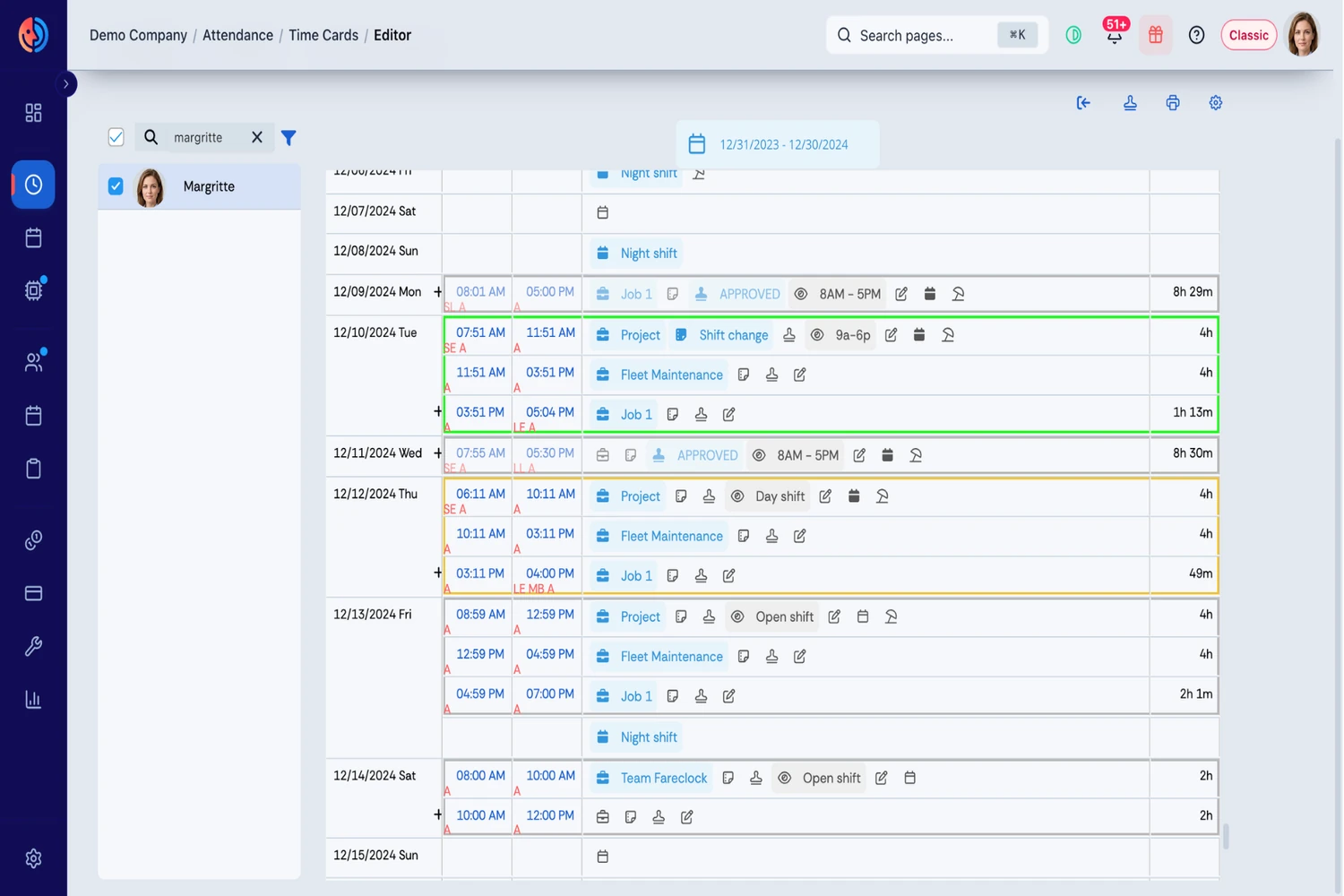
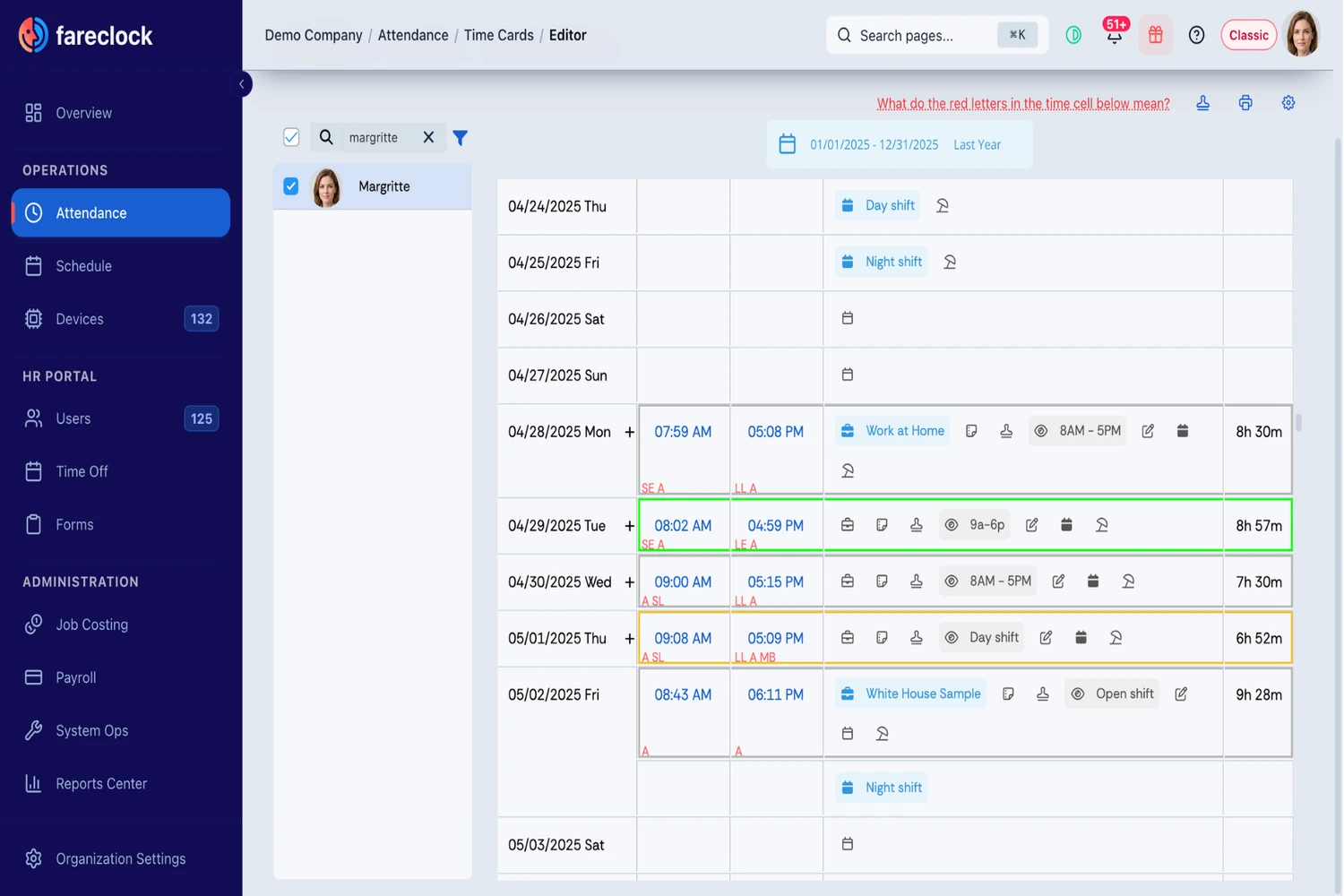
Before payroll, supervisors can check worker time cards in the Fareclock Admin Console for incorrect punches, missed breaks, overtime issues, and inaccurate job assignments across a selected pay period.
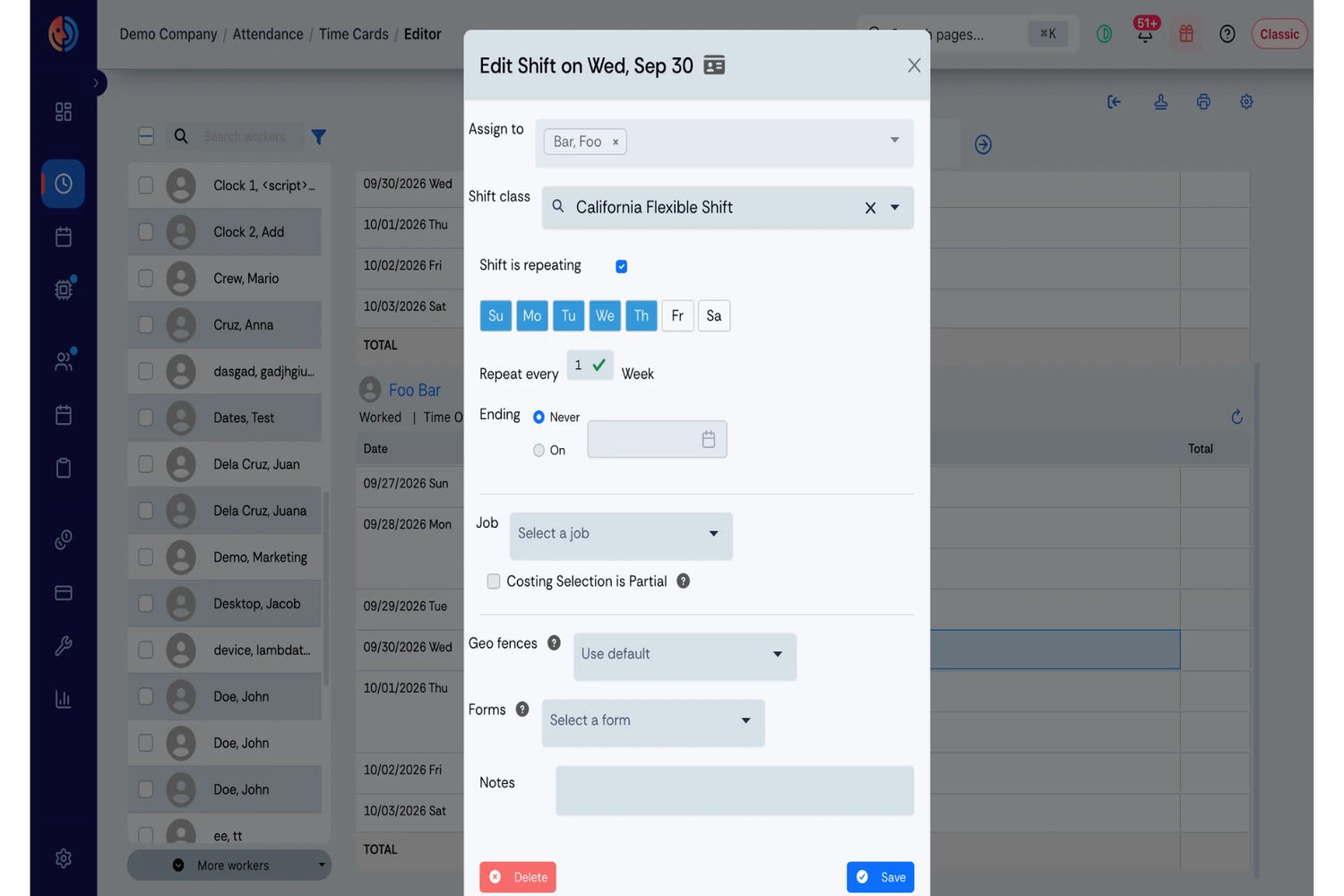
Instead of correcting records one by one, managers can edit multiple shifts or time cards at once, copy punches or shift details between workers, update punch states, and apply changes using bulk saving or auto-save. They can also correct Job, Job Phase, Cost Code, Custom Fields, Notes, Time Off, and Shift Summaries, as well as edit schedules and employee profiles.
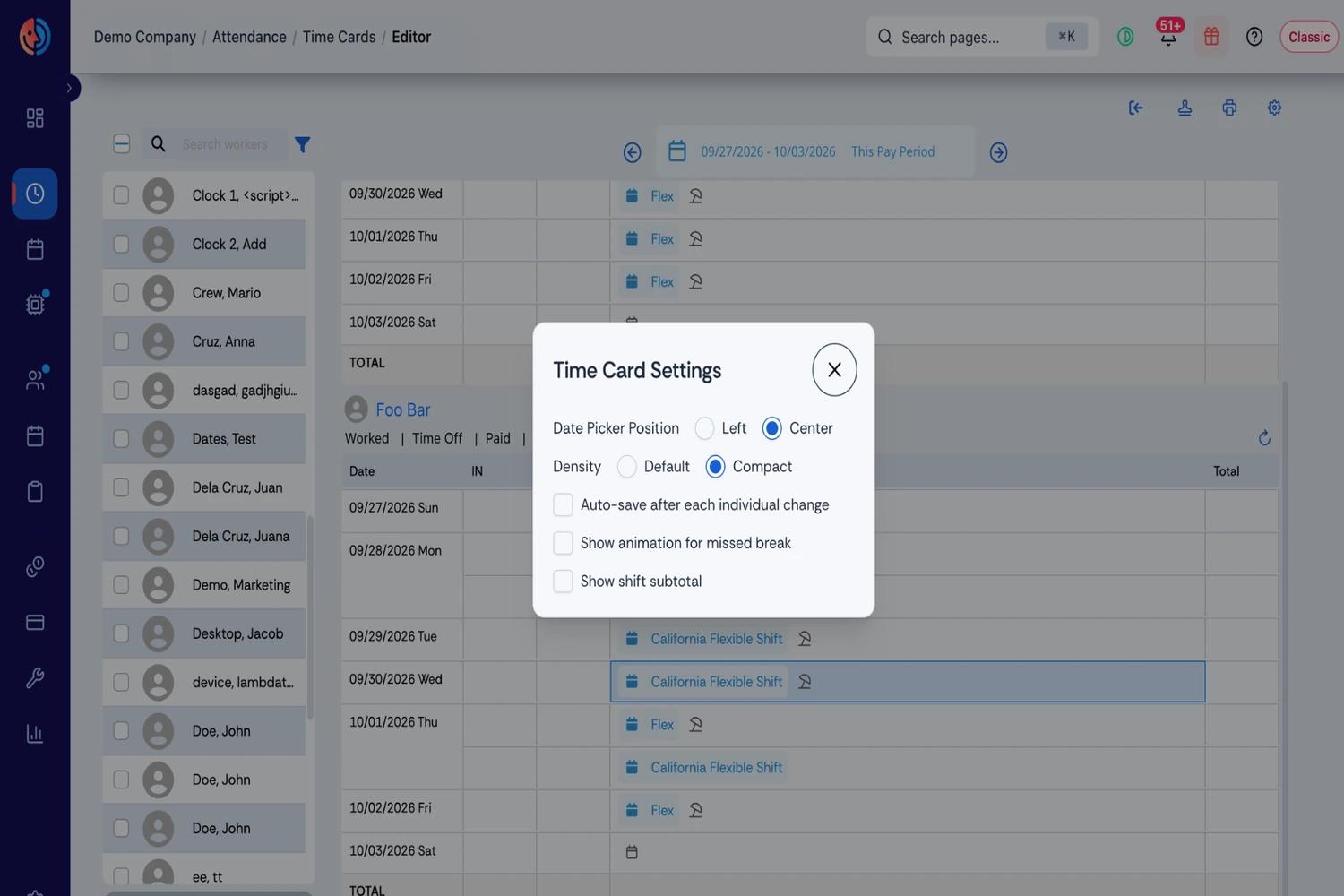
Visual alerts, including a red bouncing coffee mug for missed breaks, help highlight entries that need attention. Date picker settings and a compact layout simplify reviewing records across desktop and mobile devices. Once corrections are complete, time cards can be printed or saved as PDFs.
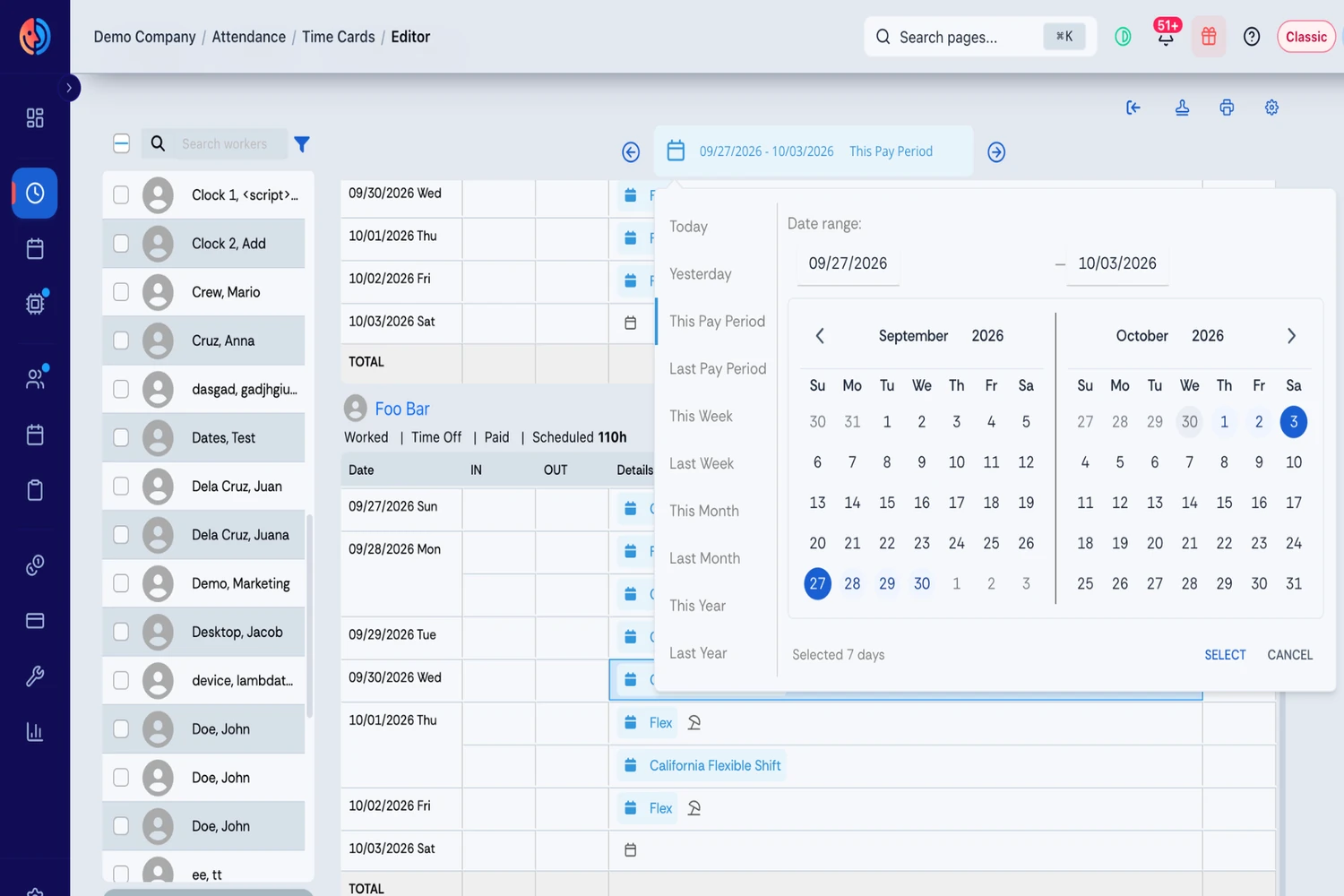
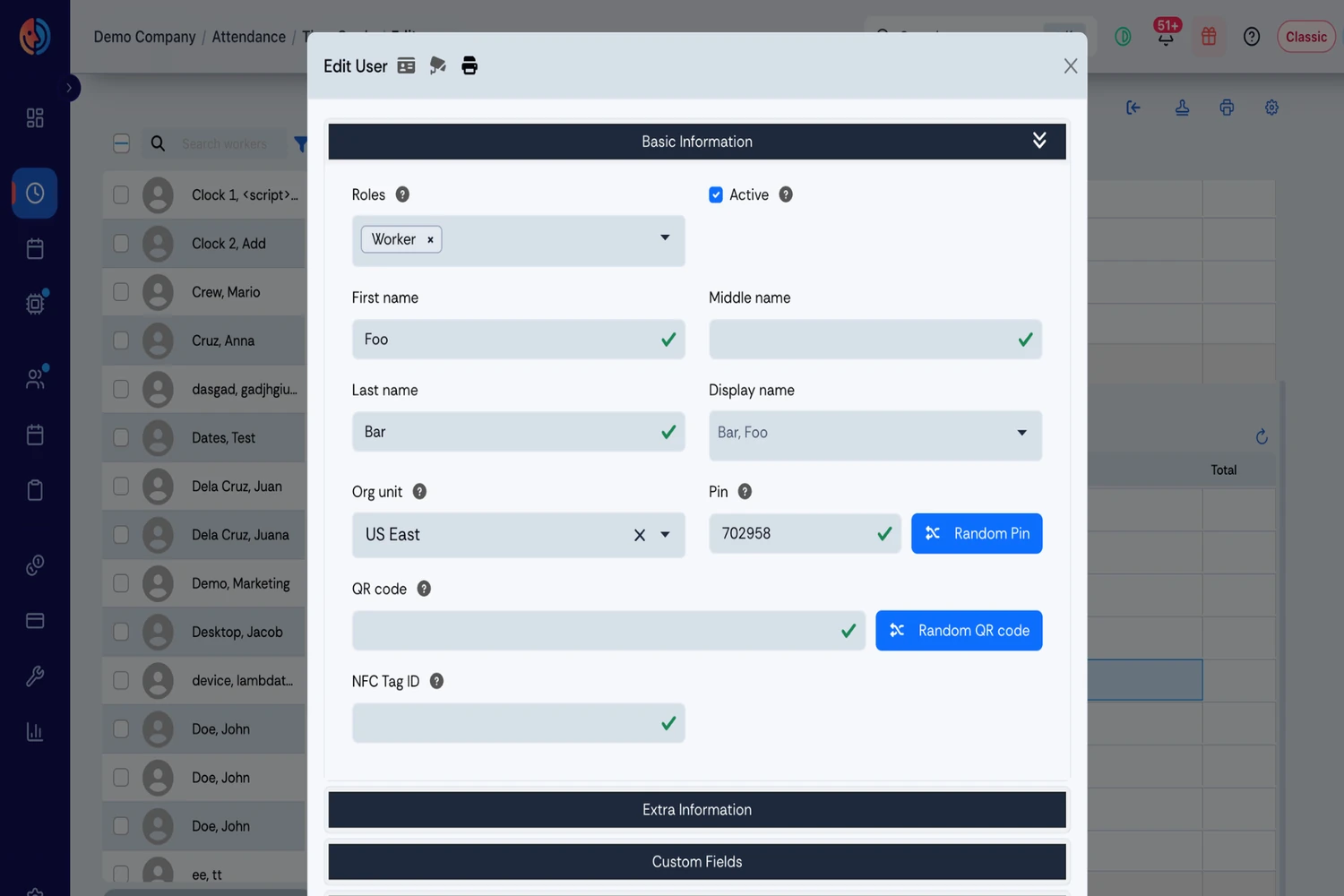
For step-by-step instructions, see Fareclock’s Editing Time Cards: A Comprehensive Guide or watch the Time Cards User Guide to learn how to manage and update employee time records.
Prepare Accurate Hours for Payroll
Once timecards have been reviewed and approved, Fareclock provides payroll reports and export options so payroll teams do not have to retype every hour from a paper record or spreadsheet. QuickBooks payroll exports are supported, with other integration options available depending on the company’s setup.
The result is a digital workflow that connects the initial punch with attendance verification, location data, job costing, timecard review, and payroll preparation. For companies moving away from paper, this removes several manual steps. For companies already using separate timekeeping tools, it can also bring more of these functions into the same construction-focused system.
Ready to simplify construction timekeeping? Start your free Fareclock trial and see how it works for your crews.
FAQ
What are the most common manual timesheet mistakes in construction?
Common mistakes include incorrect clock-in or clock-out times, missed breaks, late entries, wrong job or cost codes, overtime errors, duplicate entries, and lost or damaged timesheets.
Why do construction companies still use manual timesheets?
Paper timesheets are familiar, inexpensive to start, and require little setup. They can still work for smaller crews with straightforward timekeeping needs.
How do manual timesheet errors affect construction projects?
They can lead to inaccurate labor costs, delayed payroll, incorrect job costing, and disputes over hours worked or billed. The impact can grow quickly across larger crews and multiple pay periods.
How can construction companies reduce timesheet errors?
Record hours as they happen, reduce manual data entry, have supervisors review records before payroll, and check for missing hours, incorrect job assignments, and overtime issues.
How do manual timesheets affect construction job costing?
When hours are rounded, recorded from memory, or assigned to the wrong job or cost code, labor costs can be attributed to the wrong project or phase. This makes it harder to track actual project costs.
How do you track workers who move between construction sites?
Use separate job locations and transfer workers between assignments as they move between sites. GPS and geofencing can also help verify where punches were recorded.
Are paper timesheets accurate for construction workers?
They can be accurate when workers and supervisors record and review them carefully, but paper records rely heavily on accurate entry, handwriting, and manual handling. That creates more opportunities for errors.
When should a construction company switch to digital timesheets?
Consider switching when payroll regularly chases missing records, workers move between multiple sites, managers spend significant time correcting timesheets, or job and attendance data is difficult to track.
Can digital time tracking prevent construction timesheet errors?
It can reduce many common errors by recording time electronically and, depending on the system, verifying worker identity, location, job assignments, and other details. Supervisors still need to review unusual or incomplete records.
Can GPS time tracking reduce timesheet mistakes?
GPS can help verify where a punch was recorded and identify punches outside an assigned work area. Location accuracy can vary by device and conditions, so unusual records should still be reviewed.