On a typical work day, cleaning businesses and their crew have a lot to pack into their schedules. Those assigned at the central office need to schedule jobs, assign cleaners to locations, track supplies, and process payroll. Teams or solo cleaners have to travel between multiple client sites per day that either start early in the day or later beyond operating hours. While supervisors and team leads have to oversee multiple crews, perform quality checks, and handle last-minute changes like absences or urgent jobs.
This kind of daily setup brings a lot of operational friction for both the upper management team and the crew. Which is why many cleaning businesses look for attendance and workforce management solutions like Fareclock to support them in achieving better control and visibility over its team.
Watch on YouTube | Fareclock: The Ideal Timekeeping Tool for Cleaning Companies
Early Morning: Fareclock for Attendance Capture
- Multiple clock-in methods like face verification, PIN, NFC Tag, and QR code are available for workers to clock-in through their personal devices when they arrive on the job site.
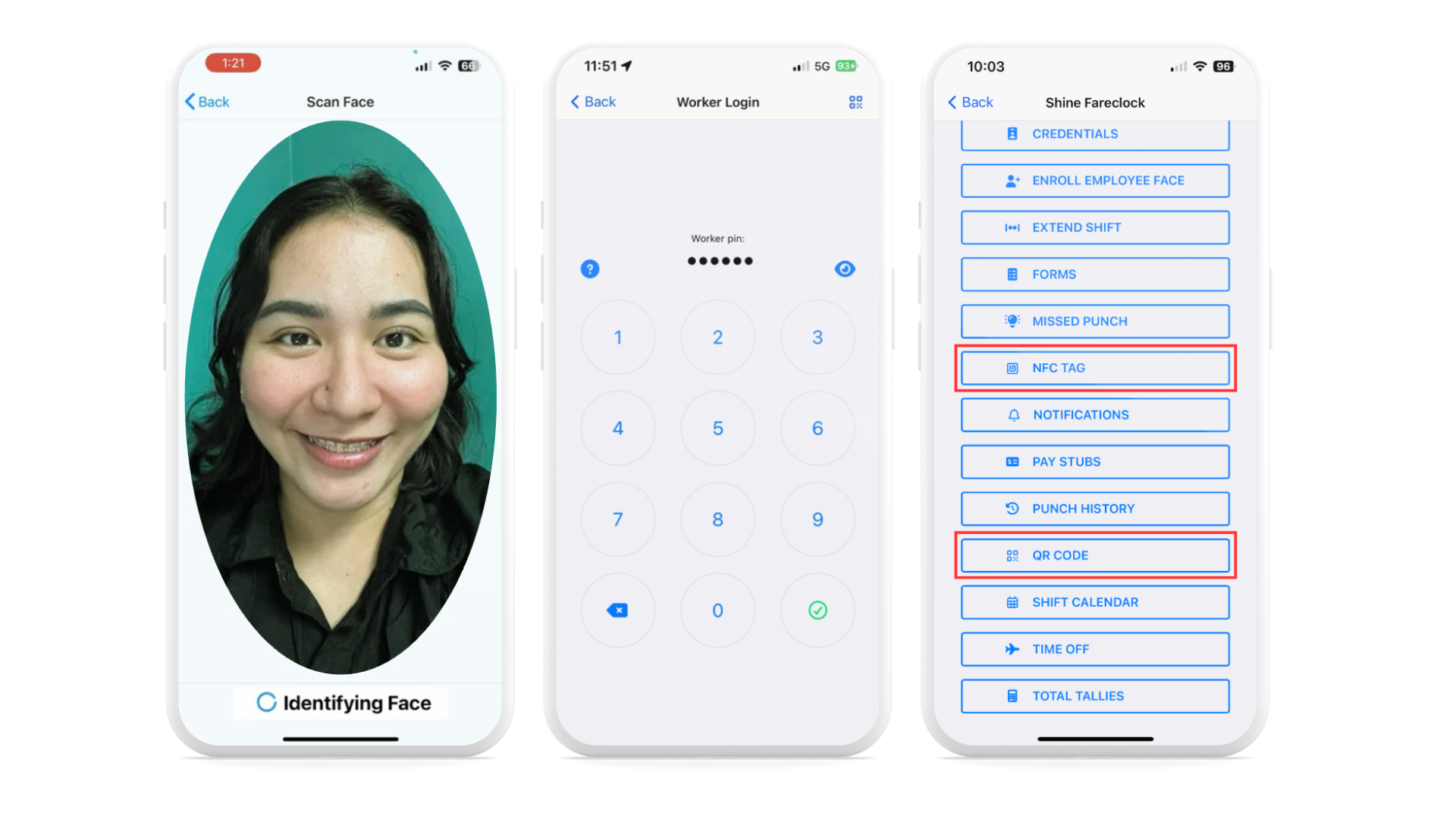
Watch on YouTube | Clocking In and Out
2. Attendance capture is supported by Geofencing and GPS verification to ensure your cleaning crew is physically clocking in at the right job location.
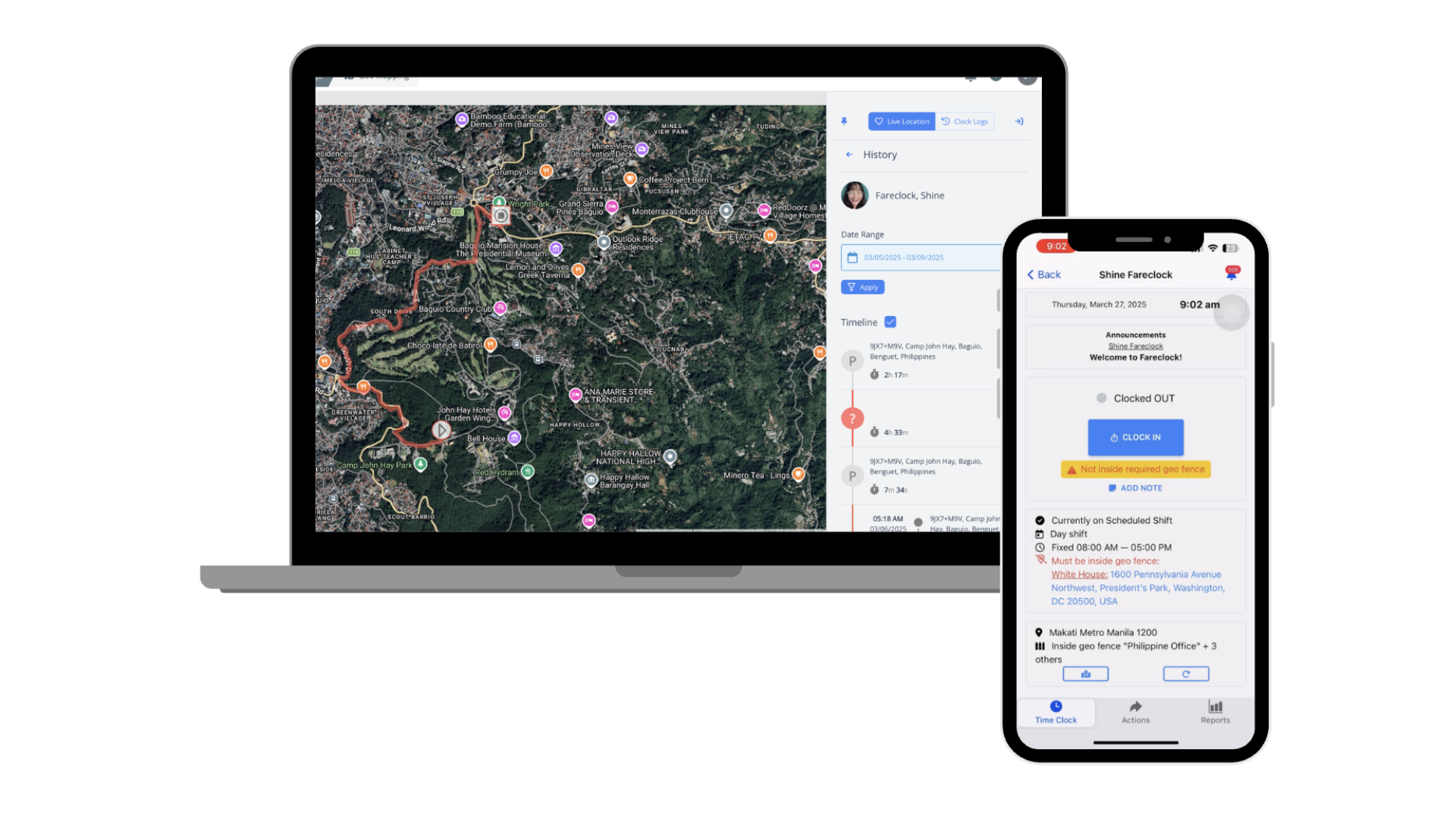
Watch on YouTube | Geo Fencing & Background Geo Tracking
3. Customizable scheduling with job assignment so your teams are informed of their upcoming shifts and next cleaning jobs.
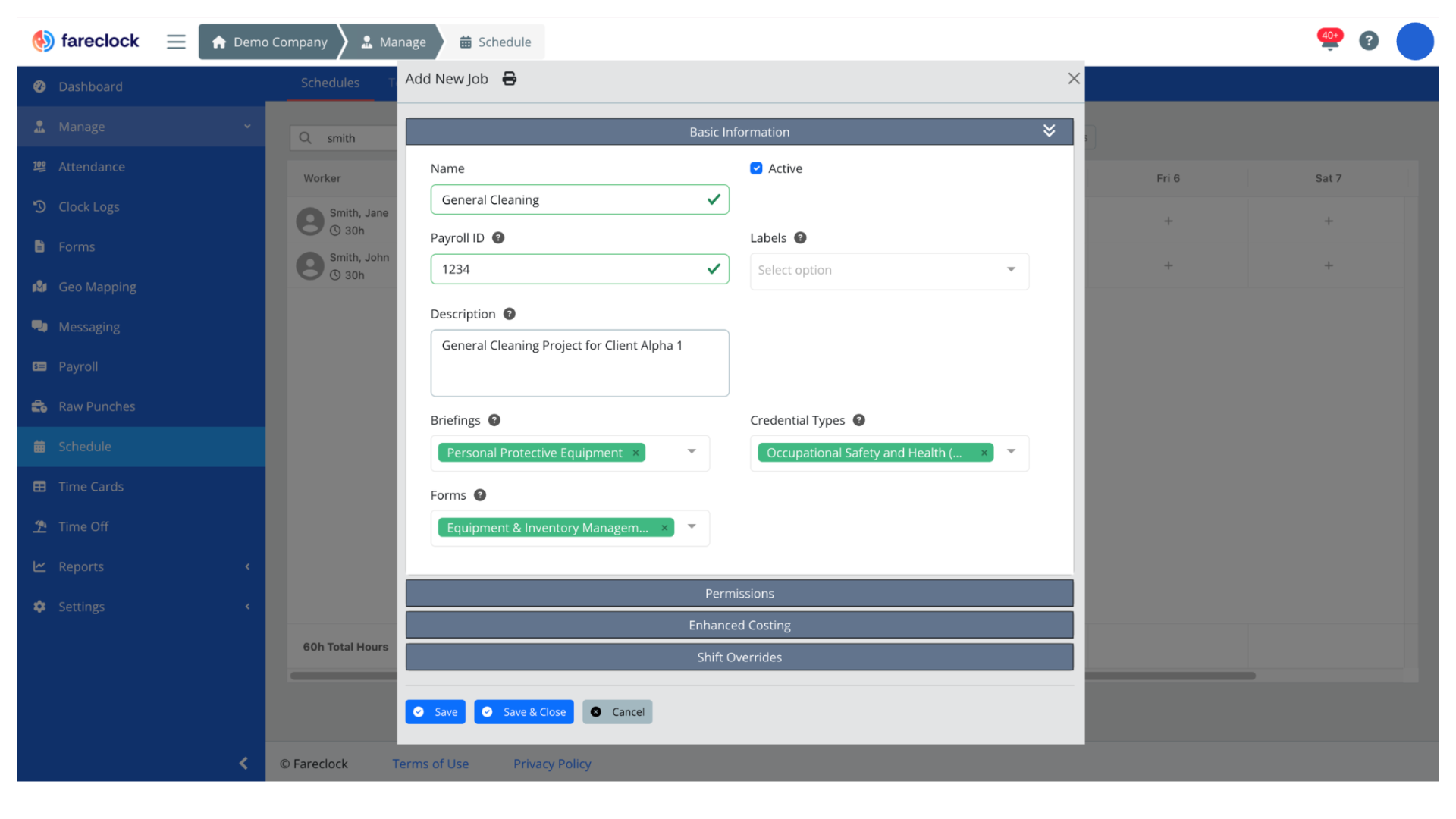
Watch on YouTube | Scheduling
During the Day: Fareclock for Movement Across Multiple Jobs and Sites
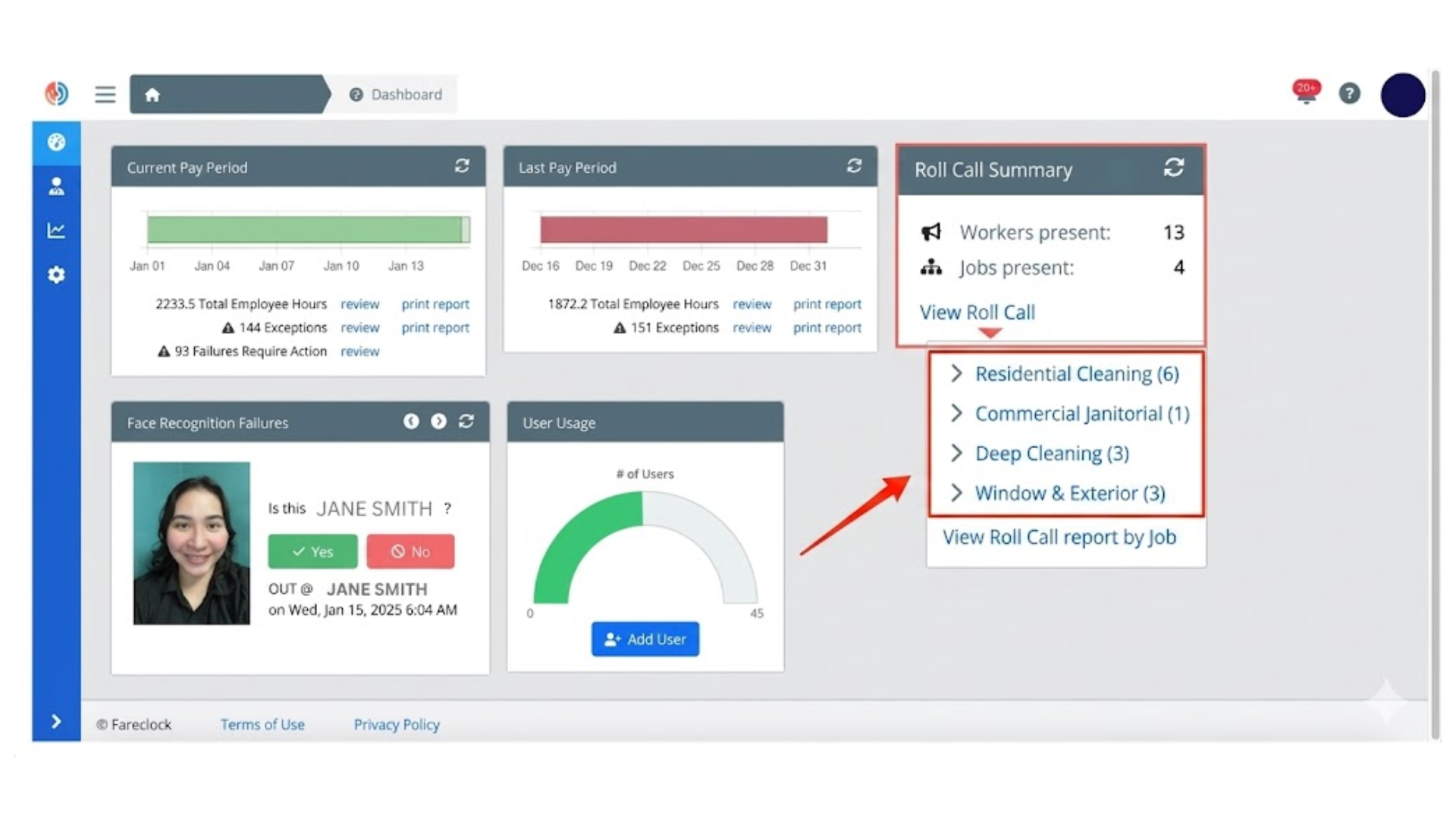
- Achieve clear visibility on who is clocked in for every job using the Roll Call Summary report on the dashboard.
2. Fareclock supports job-coded tracking where attendance entries are tied to specific cleaning jobs. The system also supports Job Transfer so cleaners can travel between multiple client sites per day.
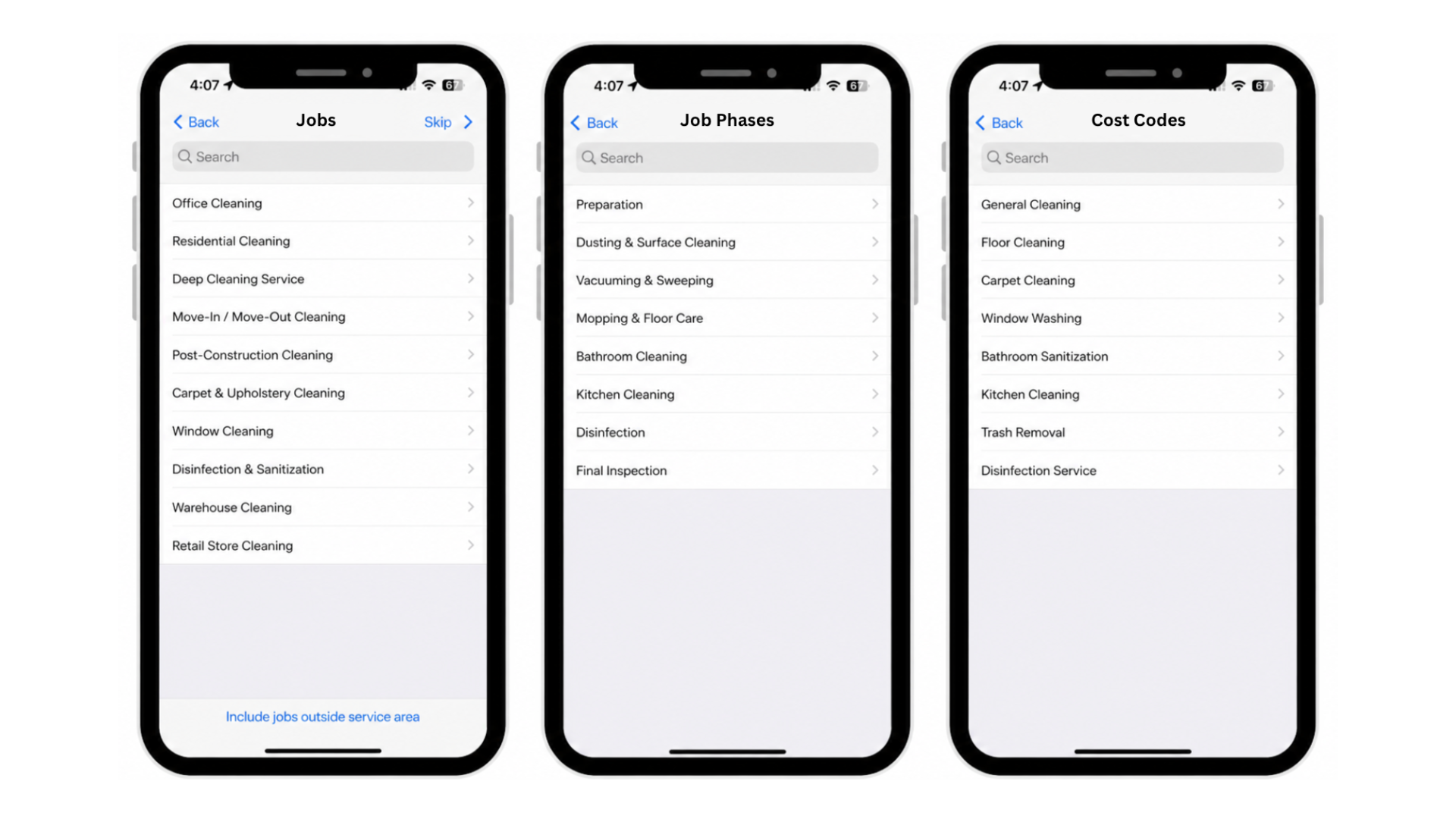
Watch on YouTube | Set Up Costing Feature
Watch on YouTube | Job Transfer
3. Set-up shift breaks for your team to ensure compliance with labor regulations and maintain accurate, consistent scheduling across all work shifts.
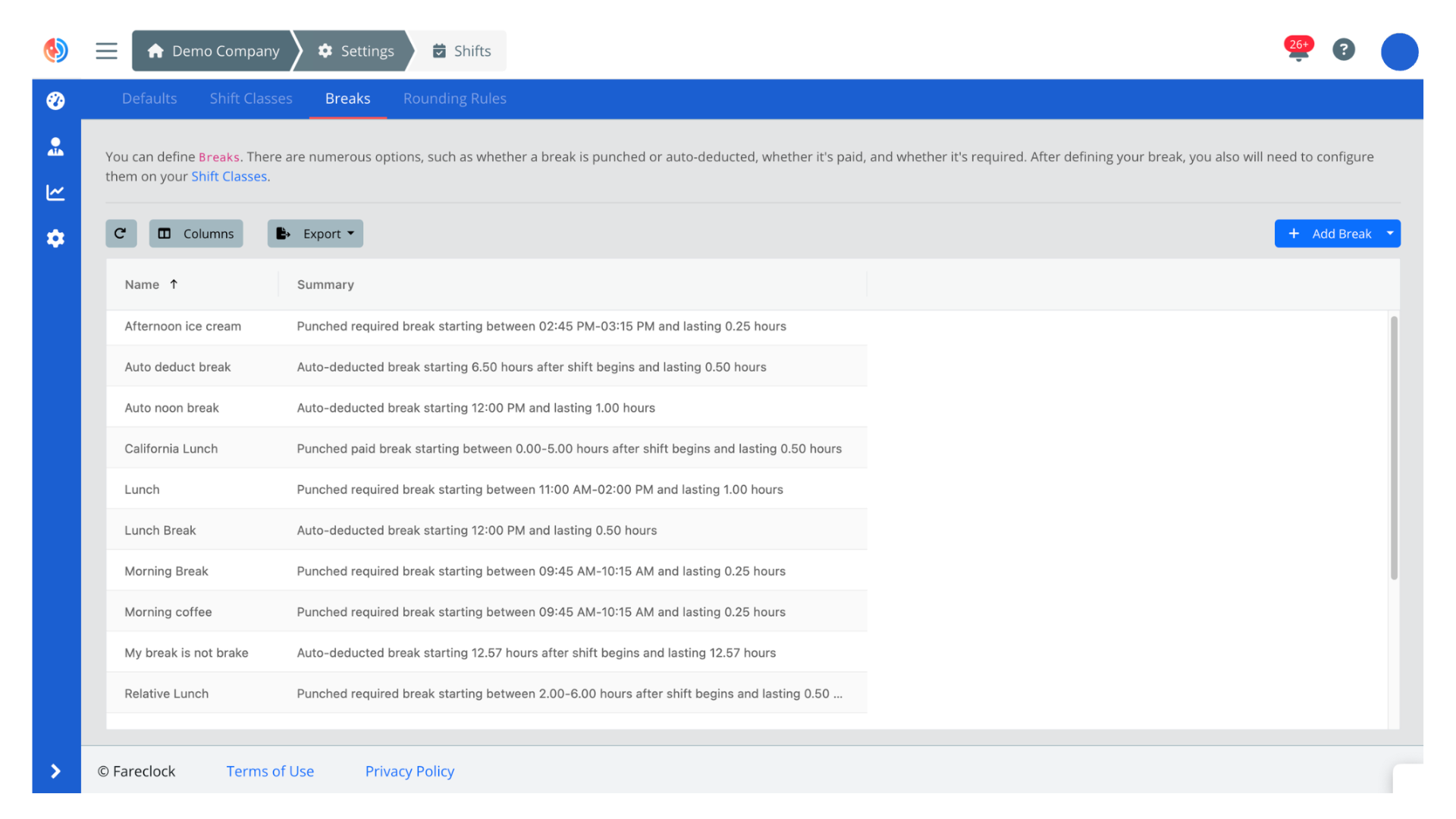
Watch on YouTube | Breaks
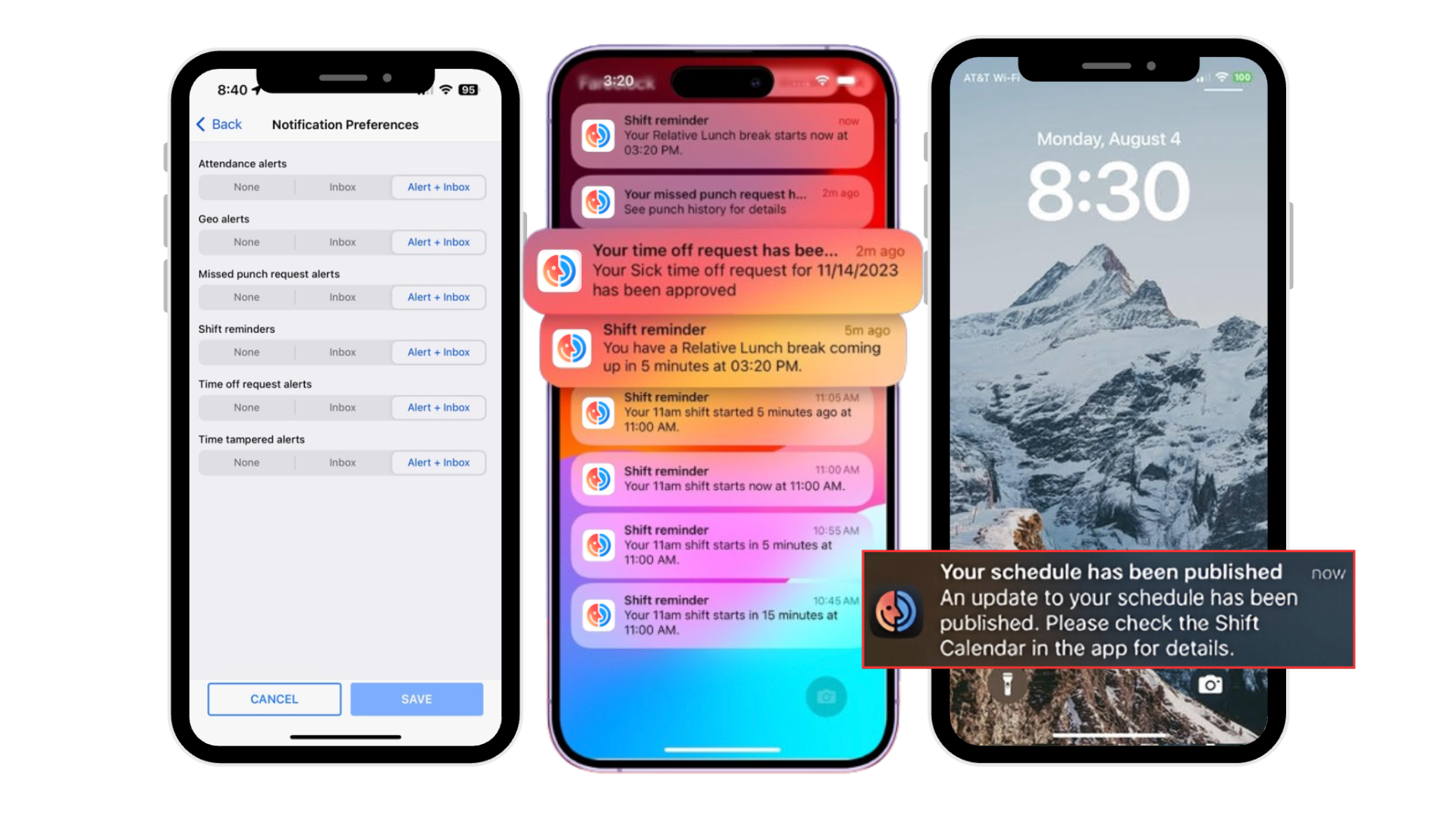
4. Workers receive push notifications or in-app alerts for any updates to avoid relying on other third-party messaging apps.
End of Day: Fareclock for Attendance Report Completion
- Workers can upload their proof of work done, submit task completion documents, or fill-in shift updates using Fareclock’s Custom Fields or Digital Forms feature.
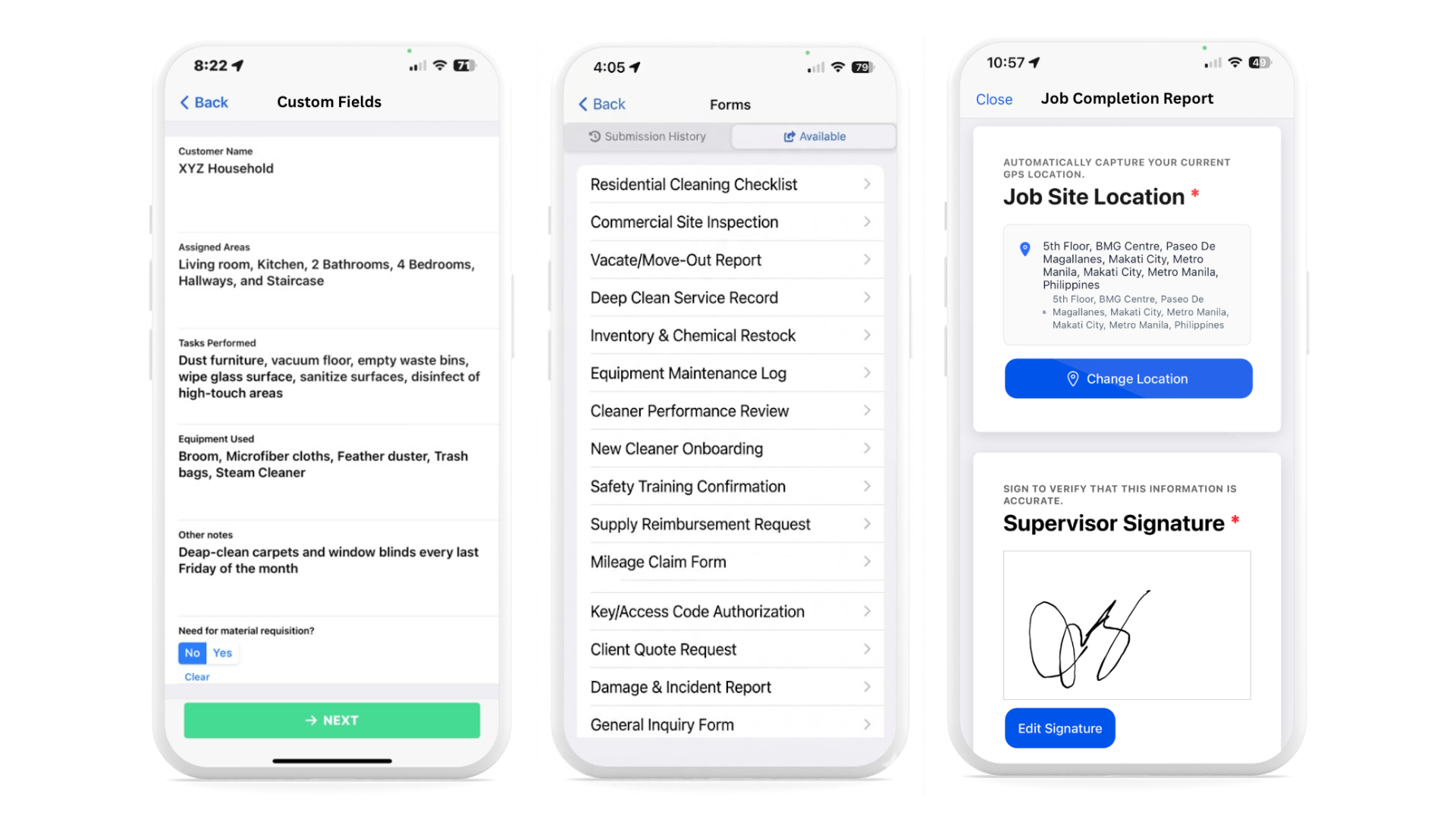
Watch on YouTube | Custom Fields
Watch on YouTube | Forms
2. Review the actual attendance logs of your workers at the end of the day on the Fareclock Time Card Editor
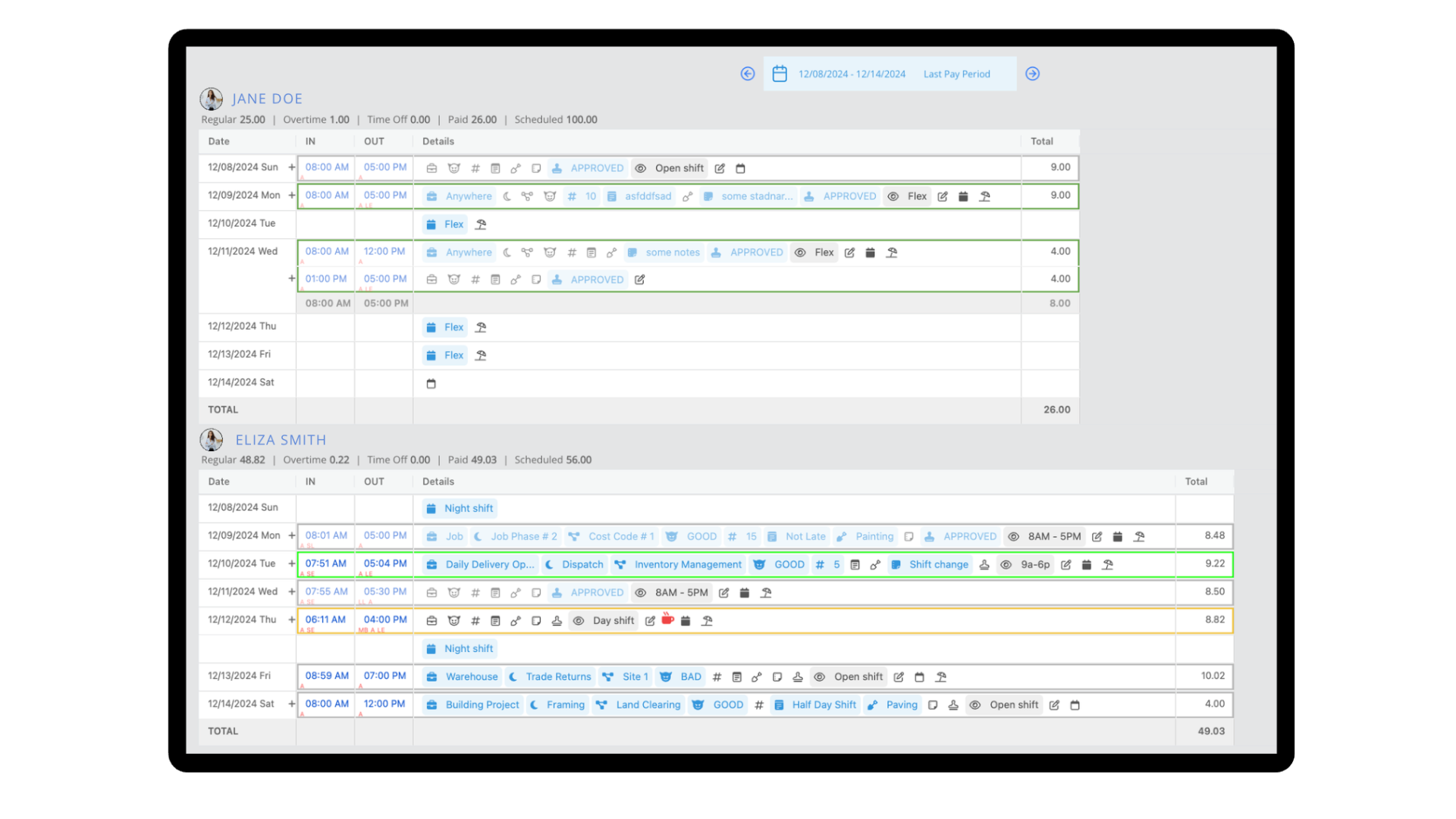
Watch on YouTube | Time Cards
3. Workers can use the Fareclock mobile application to check their total work hours, submit missed punches, or file for any time-off requests.
Watch on YouTube | Walkthrough of the Fareclock Mobile Application
Key Takeaway: Fareclock for Cleaning Businesses
Cleaning companies turn to tools like Fareclock when manual tracking becomes unreliable, teams operate across multiple sites, or client contracts require proof of service.
Fareclock is not just one tool, rather it stacks multiple functions into one system: GPS-based clock-ins to confirm on-site presence, mobile time tracking to replace paper logs, automated timesheets for faster payroll processing, job-site tagging to verify service locations, and real-time roll call summaries for better oversight. Together, these features help improve attendance accuracy, solve supervision gaps, simplify admin overhead, and strengthen data security and verification.
Contact Fareclock or Start your Free Trial today to see how Fareclock can improve your cleaning business’s efficiency!