For companies and businesses across the globe – construction, retail, healthcare, hospitality, and more – a poorly managed timekeeping process will only cost them money, time, and effort. This is why it is crucial for businesses to consider investing in the right timekeeping platform like Fareclock that is set out to bring accuracy, accountability, and clarity into team operations.
Here are the five (5) must-have Fareclock features that every business, enterprise, or organization must adopt to achieve high efficiency and excellence in its workforce operations.
Feature 1: Facial Recognition for Secure Clock-ins
Leverage Fareclock’s robust facial recognition technology that is built with anti-spoofing measures that automatically detects attempts of using photos, videos, or other spoofing methods, blocking dishonest and fraudulent clock-ins before they happen. This eliminates buddy punching, prevents time theft, and enhances security without adding another layer of complexity for workers and administrators.
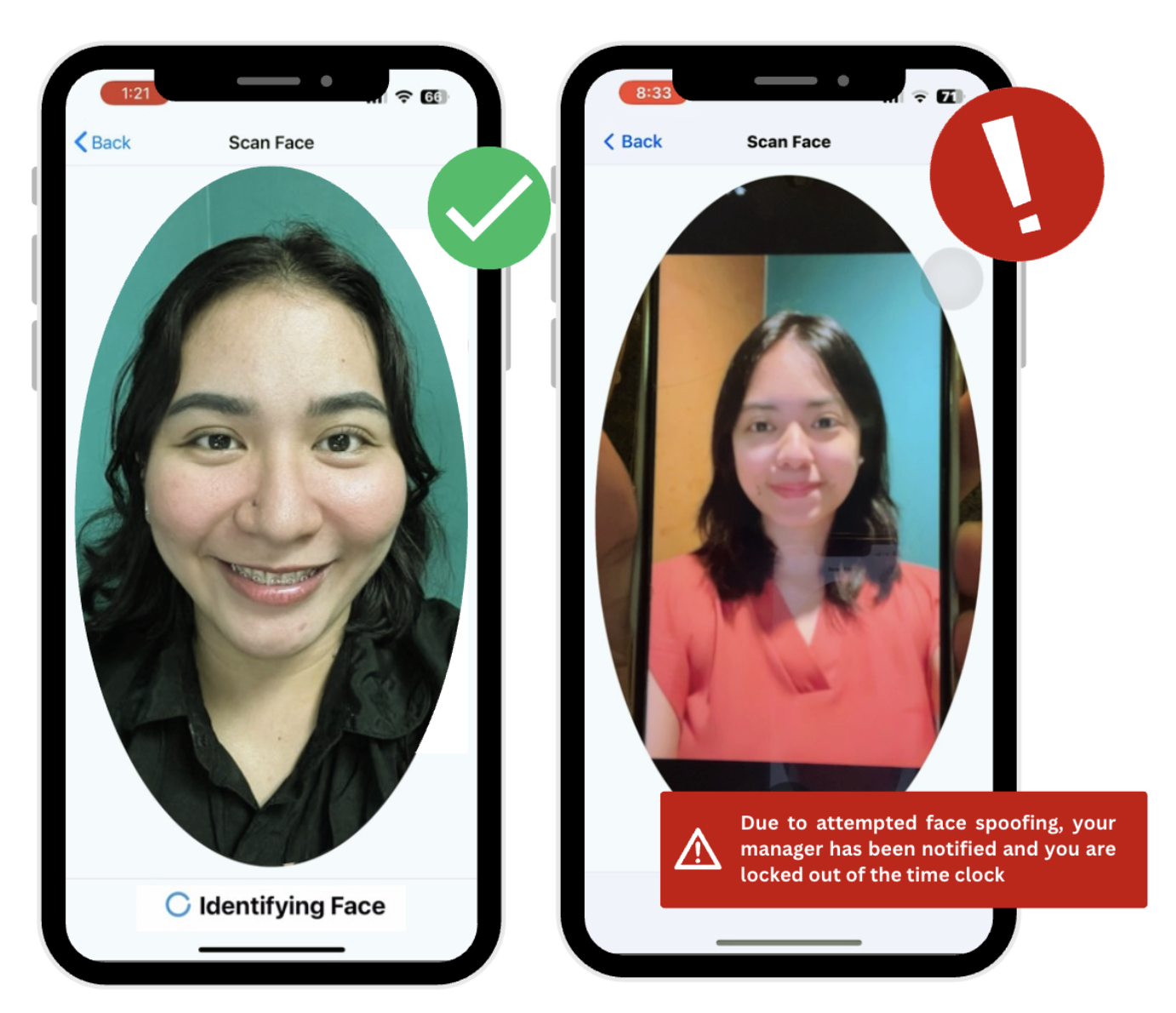
Feature Preview: Facial Recognition Technology on the Fareclock App
How to Use This Fareclock Feature: Workers simply need to look at their personal mobile device, tablet, or kiosk. Make sure they position themselves and the device around good lighting spots for ultra-fast recognition and instant verification. Failed facial scans or mismatches are flagged for review for administrators through the Facial Recognition Failure Window on the organization dashboard.
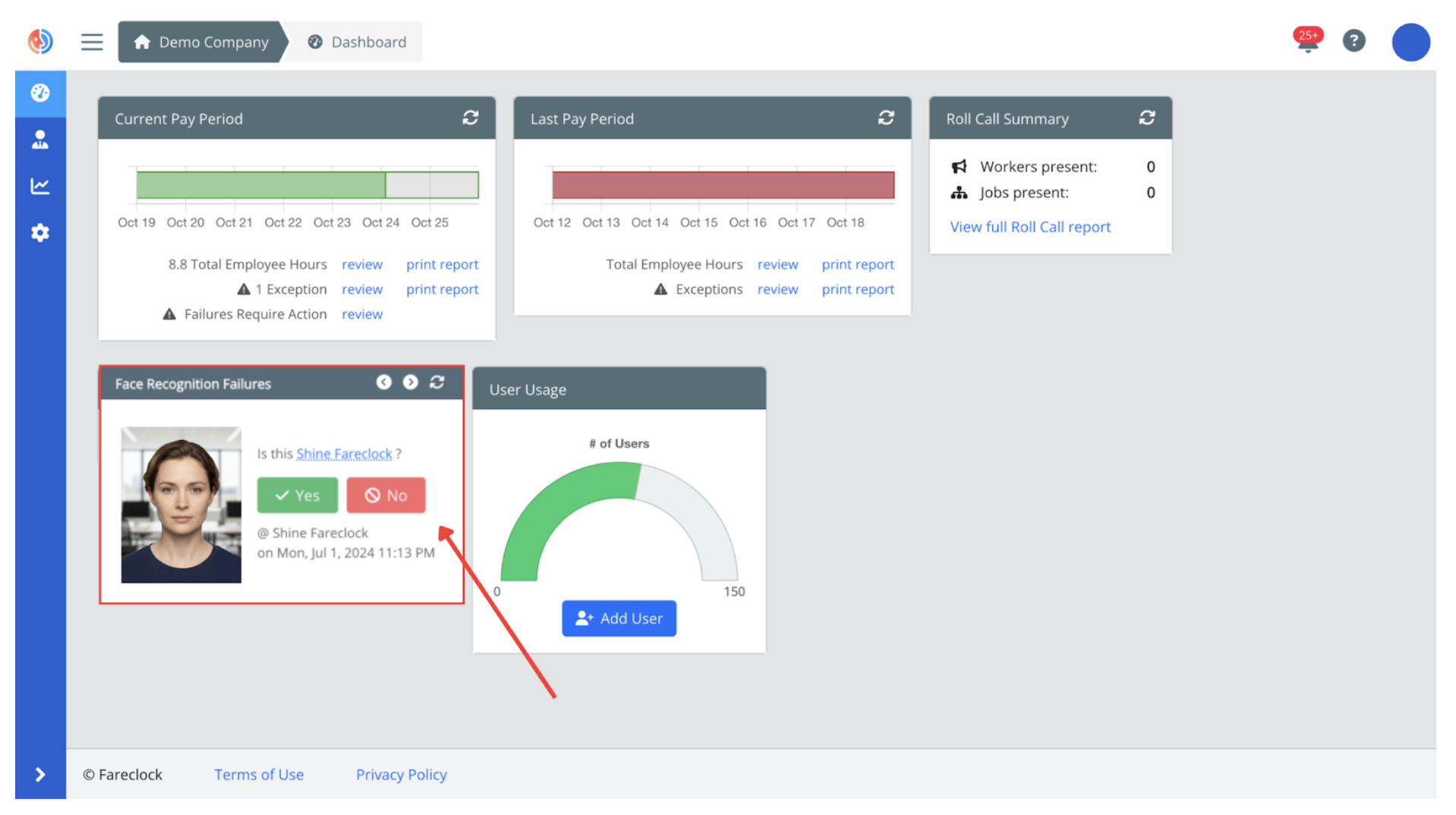
Feature Preview: Facial Recognition Failure Window on the Organization Dashboard
- Three Methods of Face Model Enrollment
- Facial Recognition Feature Walkthrough
- Face Recognition Demo Feature Video
Feature 2: GPS Tracking & Geo Fencing
Administrators can set up virtual boundaries or geo fences around job sites to validate worker clock-ins and assign specific job site locations to teams or individual employees. Ideal for multi-site setups or mobile teams, this feature allows real-time GPS check-ins and ensures workers are on-site when recording attendance, avoiding disputes and providing transparent location records.
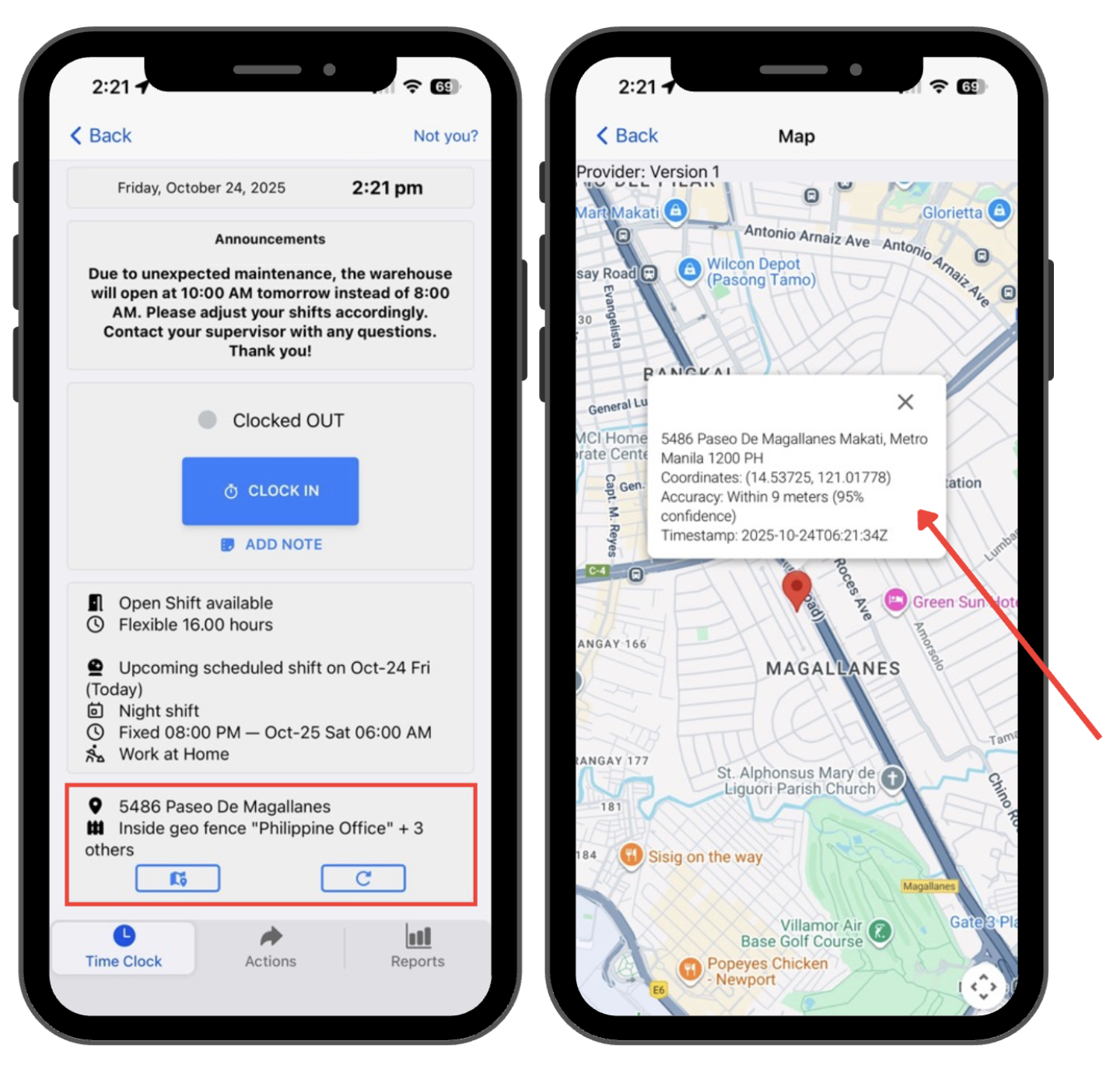
Feature Preview: GPS-Enabled Attendance Logs on Worker Punches
How to Use This Fareclock Feature: Administrators can use varying geo-fence sizes to suit different environments (utilize smaller or tighter geo fences for indoor offices and larger geofences for outdoor construction sites) or set a polygon- or circle-shaped geofence. Managers or supervisors can also receive alerts for off-site punches or location anomalies that require immediate attention.
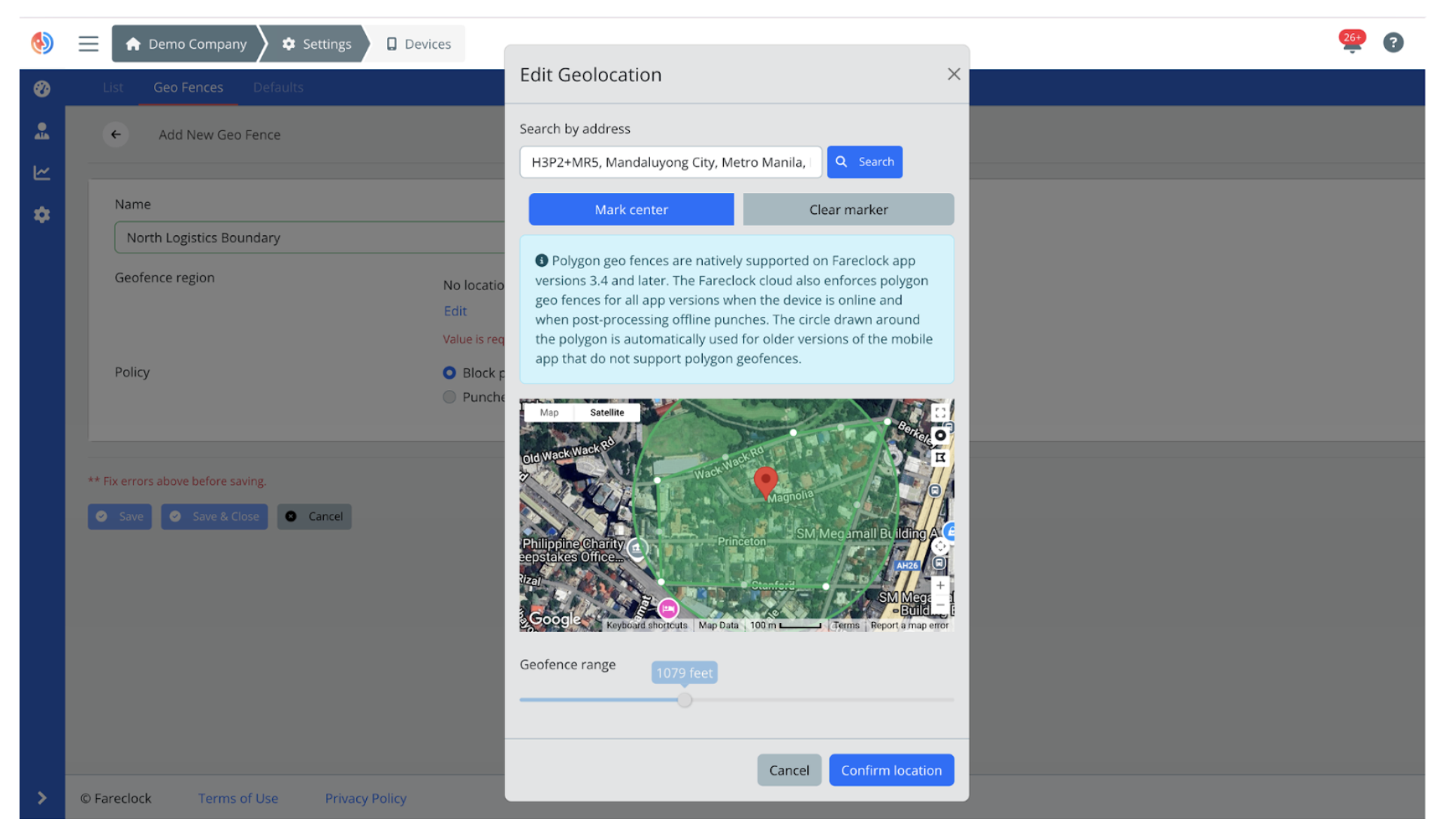
Feature Preview: Edit Geo Fence on the Organization Console
- User Guide on Setting Up Geo Fences
- Setup Live Geo Location Tracking
- Geo Fencing & Background Geo Tracking Feature Walkthrough
Feature 3: Dynamic Scheduling
Create, assign, and modify worker or team schedules with Fareclock’s drag-and-drop scheduling simplicity to ensure every shift is fully covered. With advanced settings and live attendance visibility, managers and supervisors reduce scheduling conflicts to avoid last-minute no shows, absences, and staffing concerns.
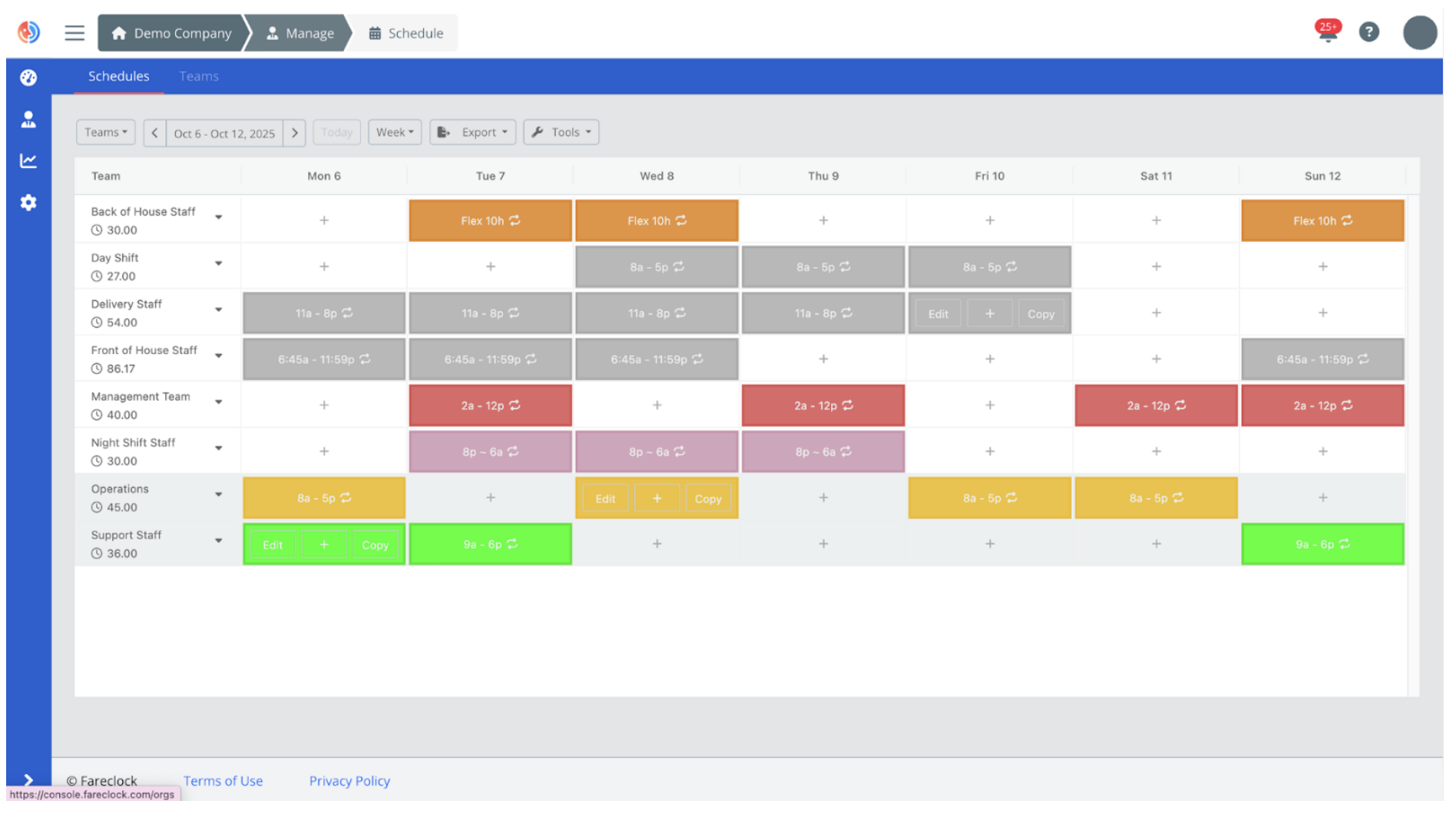
Feature Preview: Manage Team Schedule on the Organization Console
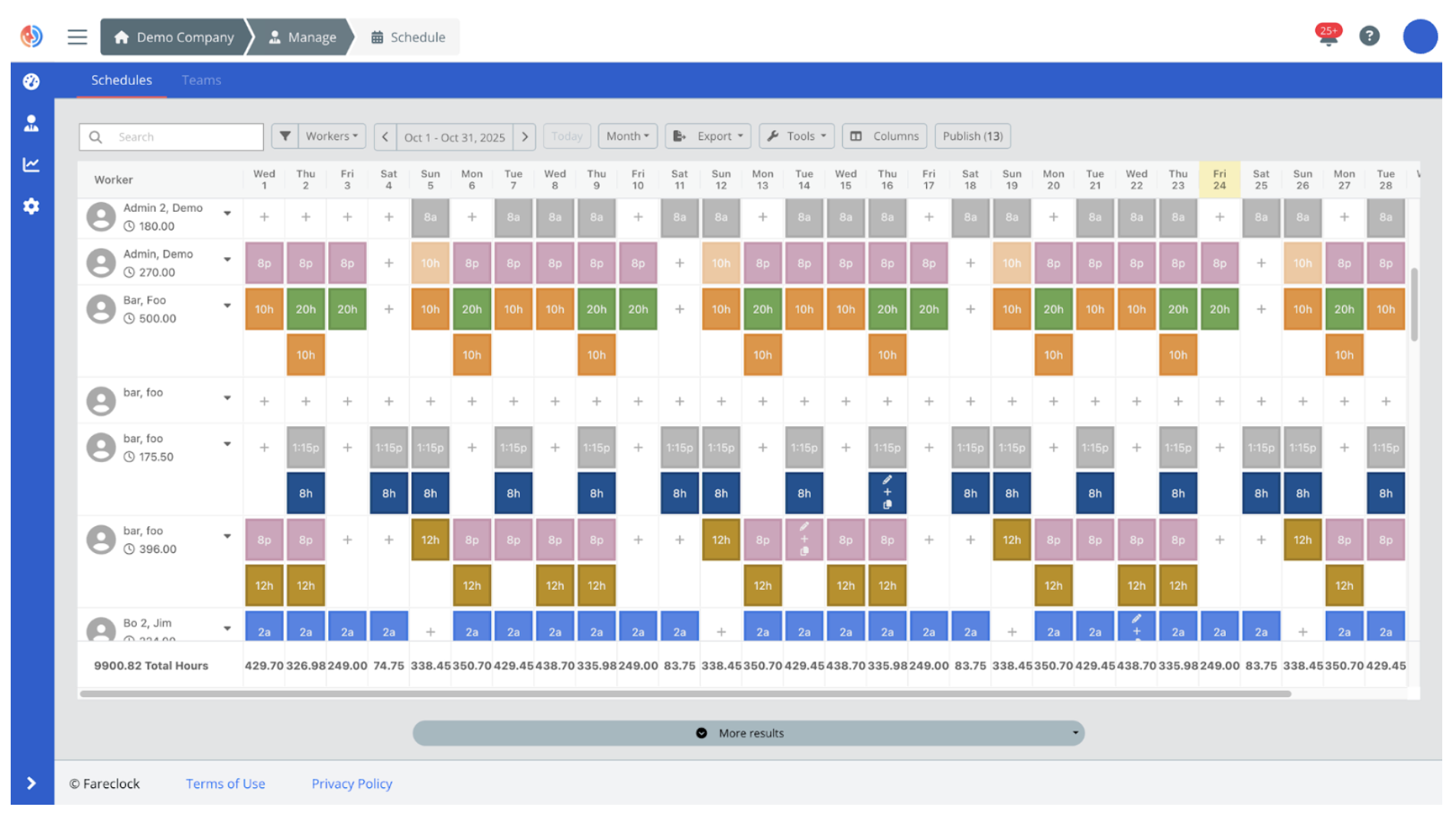
Feature Preview: Manage Worker Schedule on the Organization Console
How to Use This Fareclock Feature: Managers can set up schedules, breaks, rules, and use recurring shift templates using Fareclock’s scheduling interface. They can also set up automated reminders or alerts to notify employees regarding upcoming shifts or changes in schedule.
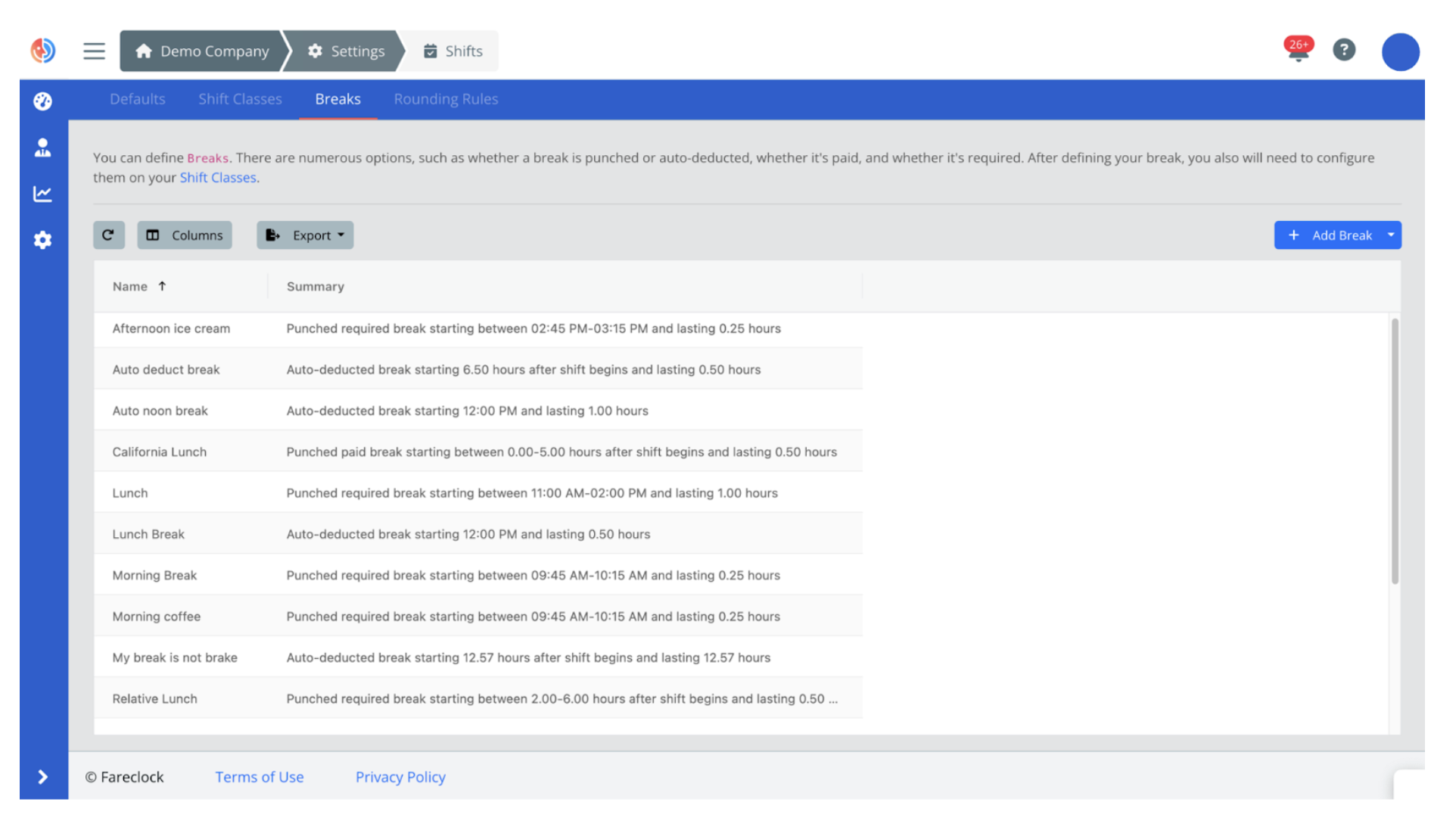
Feature Preview: Set Up Shift Breaks on the Organization Console
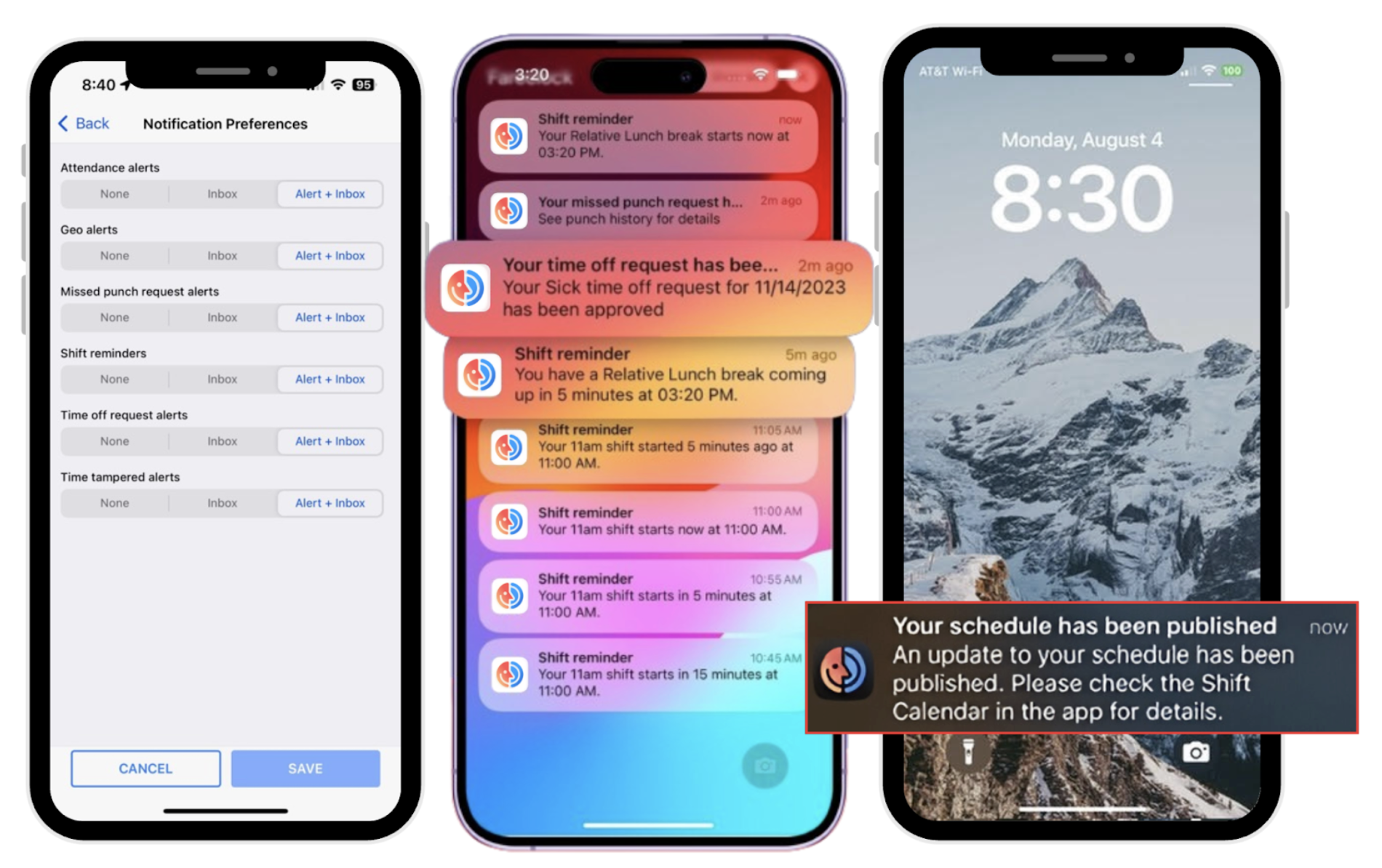
Feature Preview: Automated Alerts and Reminders or Push Notifications
Feature 4: Automated Payroll & Reporting
Speed up your payroll cycles and cut back on manual spreadsheet work by automating calculations for regular hours, shift differentials like night or overnight shifts, or variable shifts.
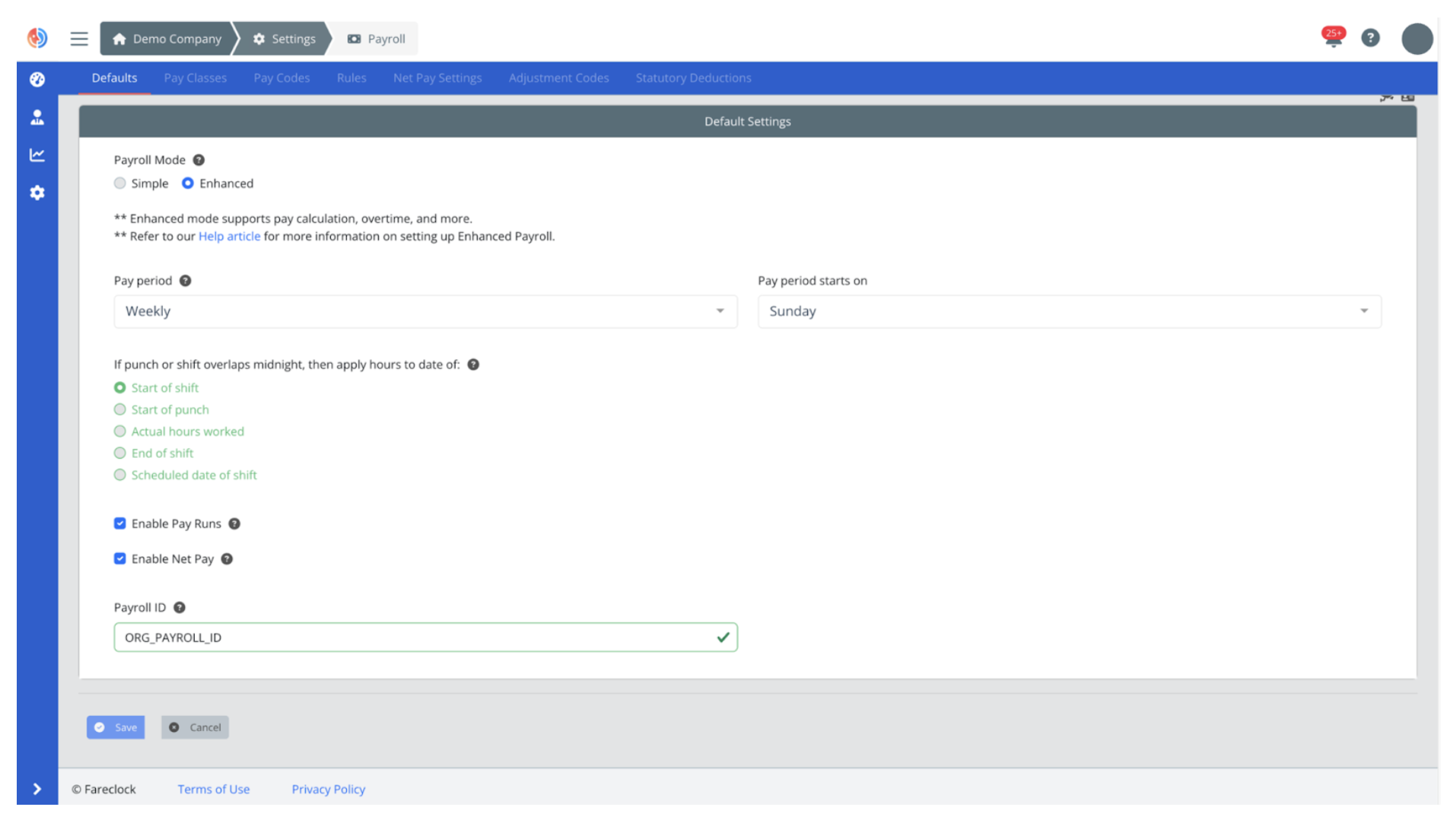
Feature Preview: Payroll Advanced Settings
How to Use This Fareclock Feature: Setup and customize pay adjustments, statutory deductions, rules, pay codes, and assign pay classes for a faster, more efficient way of processing payroll. Preview payroll before exporting to generate detailed reports, payroll summaries, and worker pay slips.
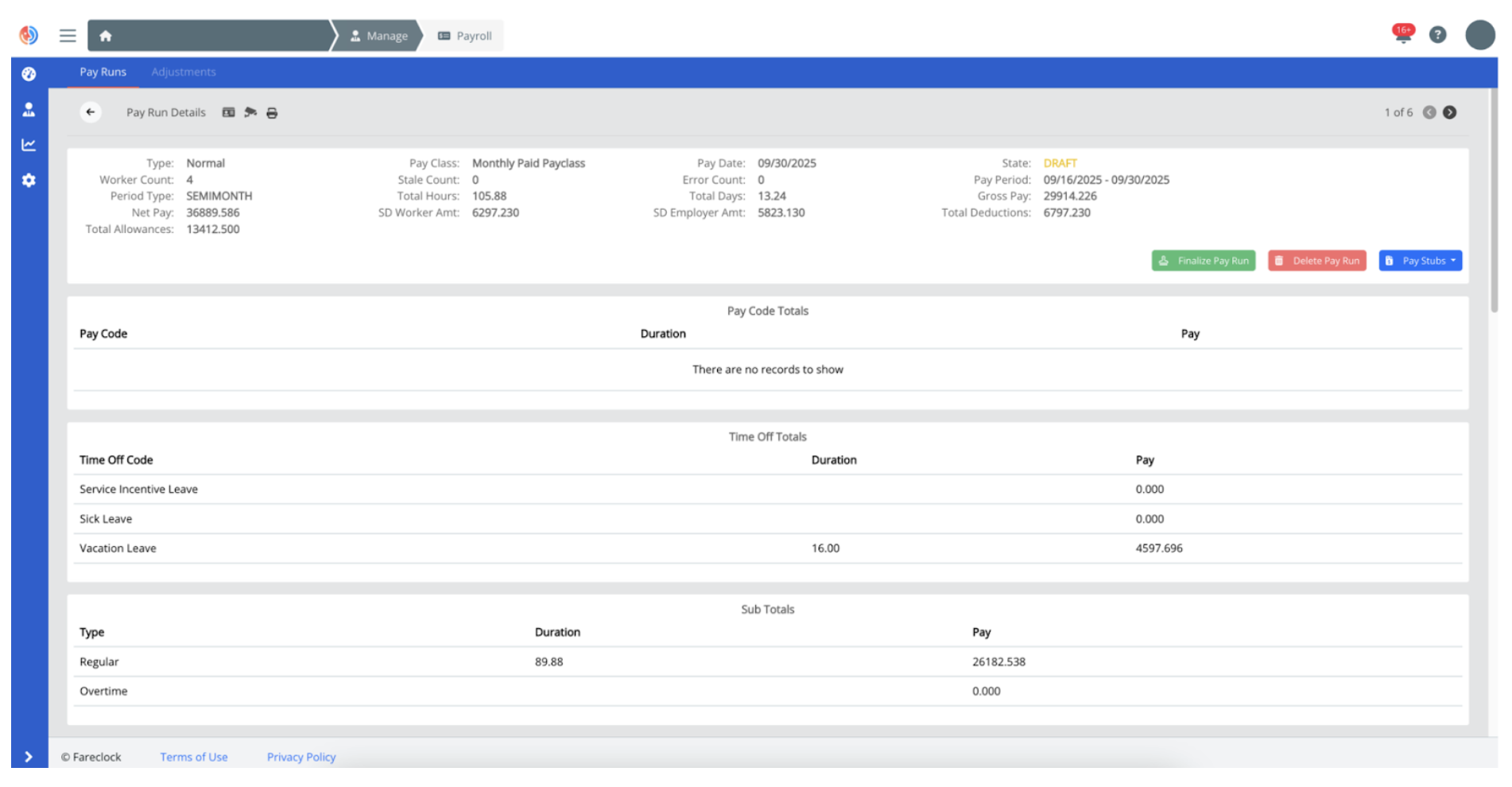
Feature Preview: Manage Pay Runs on the Organization Console
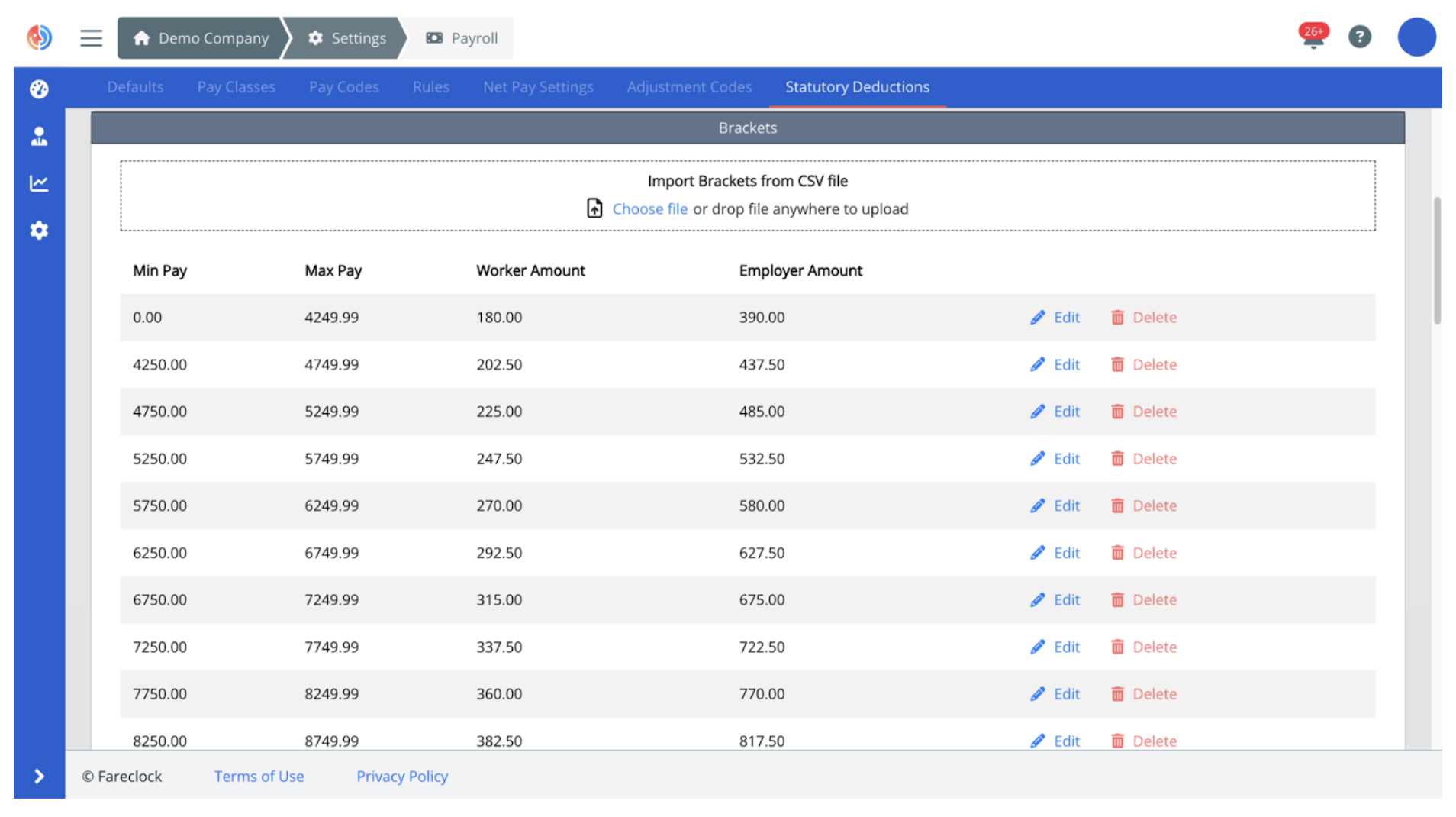
Feature Preview: Set Up Statutory Deductions on the Organization Console
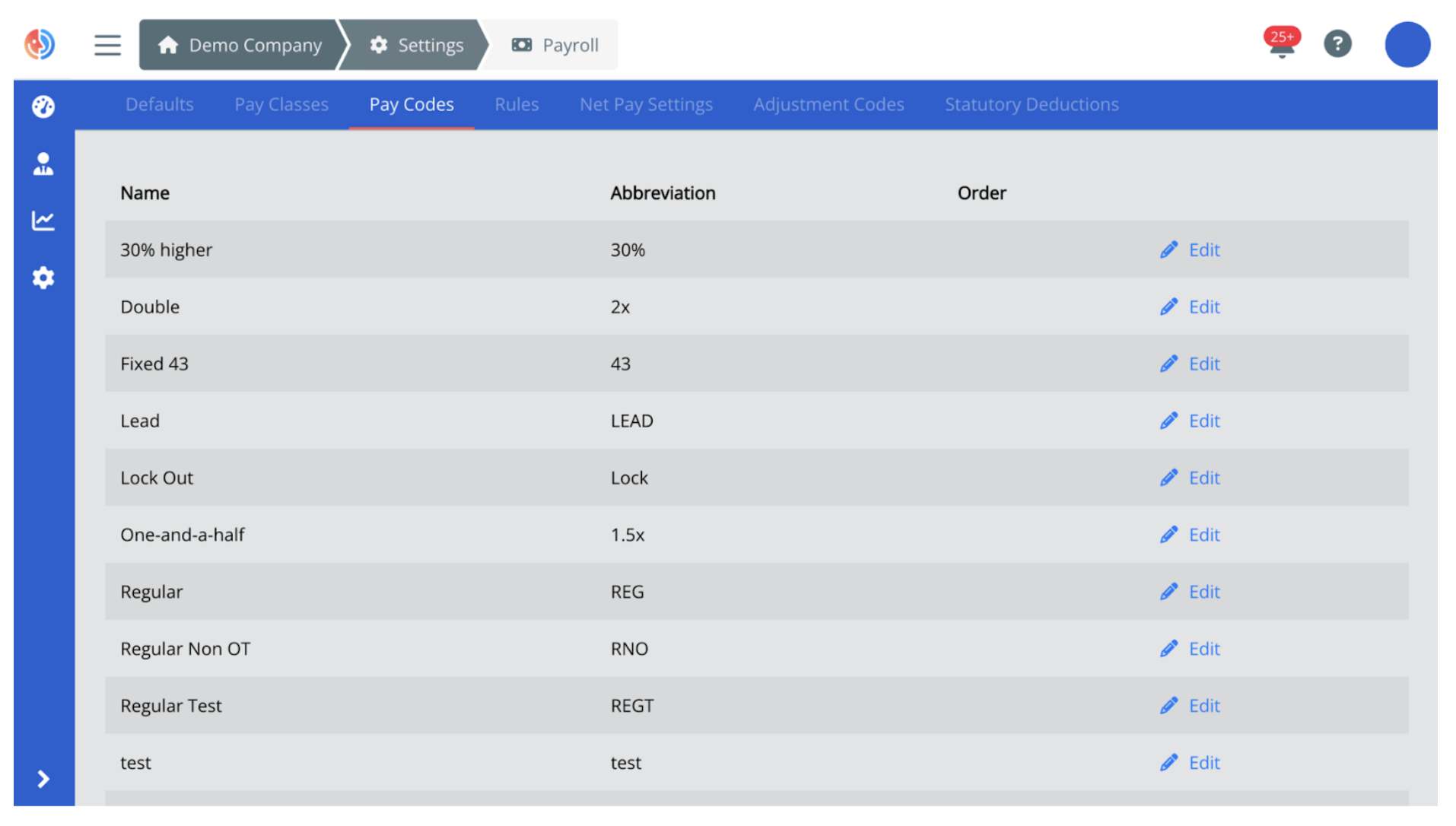
Feature Preview: Configure Pay Codes on the Organization Console
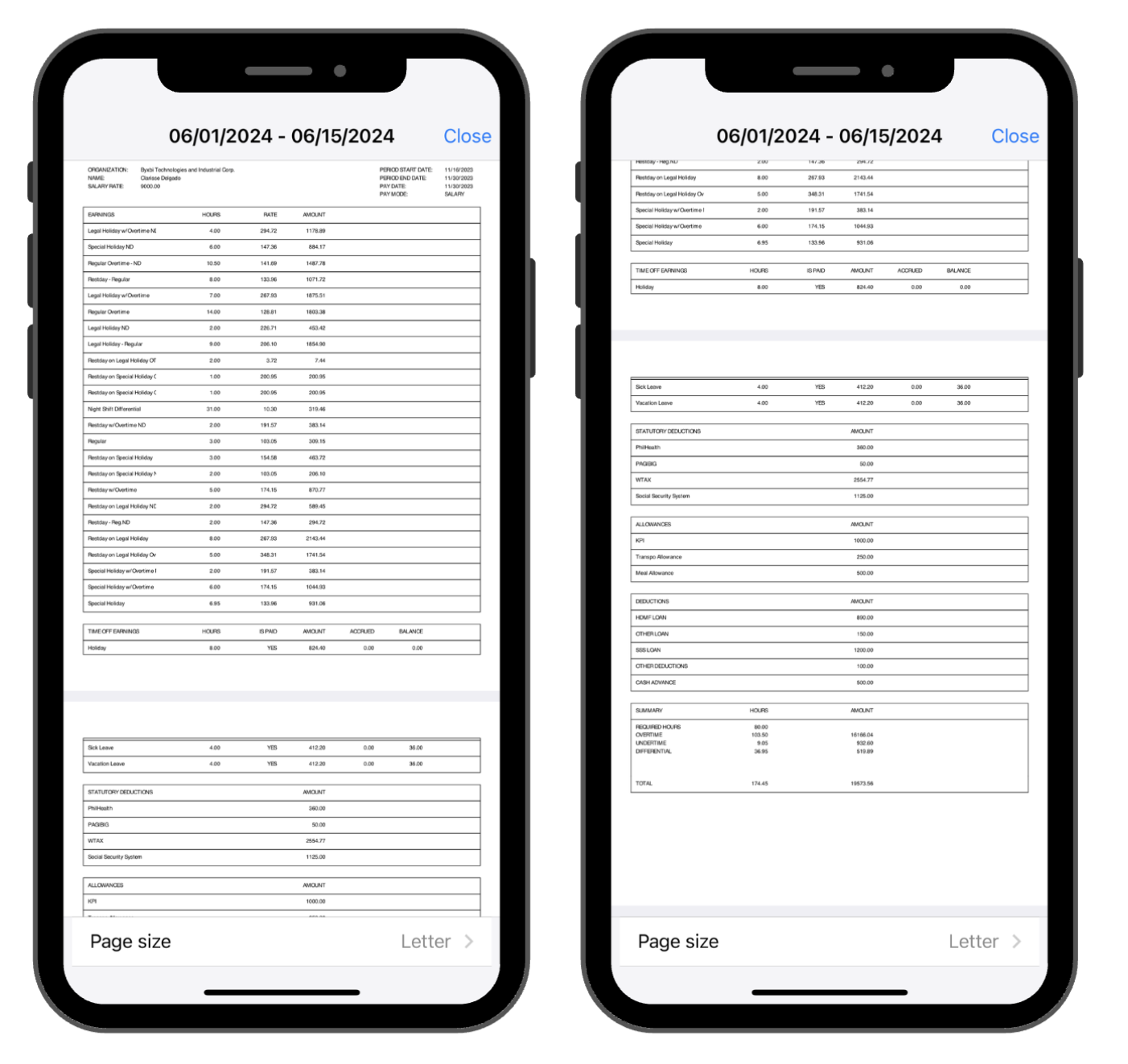
Feature Preview: Worker Pay Stub Viewing on Fareclock App
Feature 5: Digital Forms & Data Collection
Centralize data collection and reporting with digital forms that can be customized to suit your business’s requirements and eliminate paperwork.
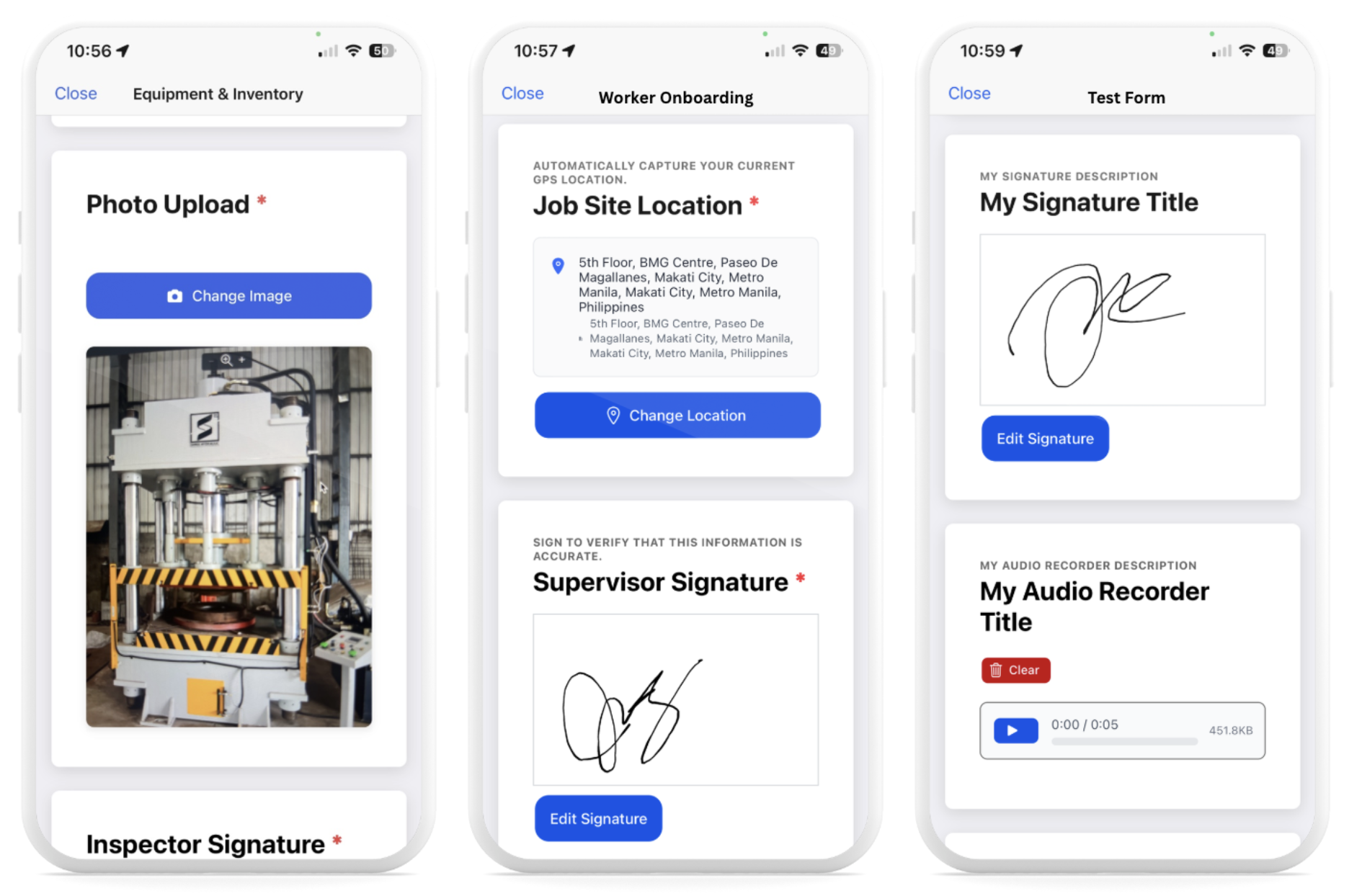
Feature Preview: Forms Feature on Fareclock App
How to Use This Fareclock Feature: Create and customize forms for recurring tasks such as daily inspections, vehicle logs, equipment management, or expense reports to collect real-time data from your workers. Your team can access these forms directly from the mobile app where they can fill-in and submit with text details, photos, files, recordings, or signatures. Admins can review responses and insights instantly in the organization console.
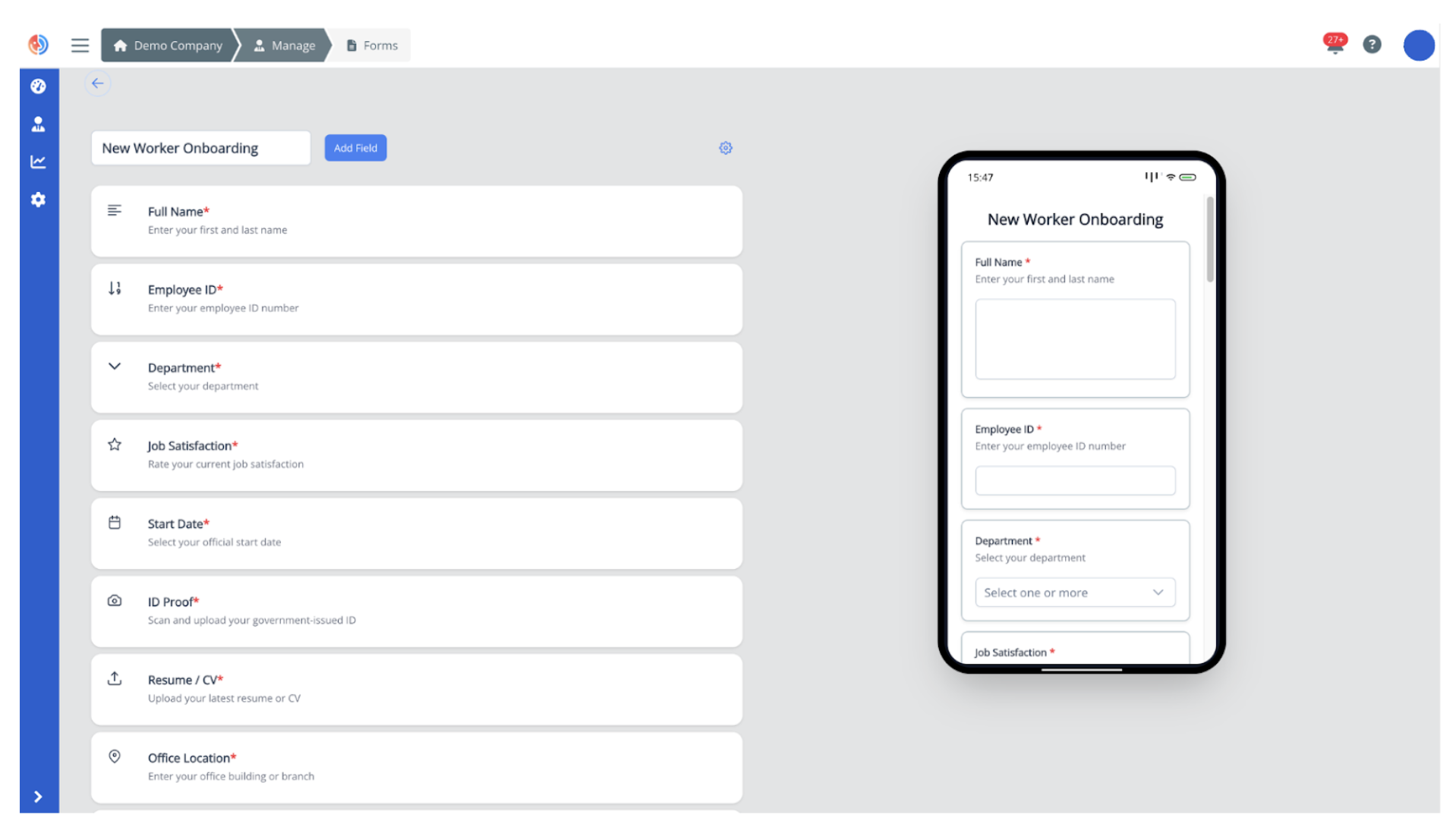
Feature Preview: Forms Builder on the Organization Console
Elevate Your Timekeeping Process with Fareclock
Fareclock brings together the essential features every business needs. With advanced functionalities working seamlessly together, businesses and organizations achieve accurate time tracking, eliminate costly errors, and create a highly efficient workplace.
Ready to streamline your operations and level up your workforce management? Start your free trial today or get in touch with Fareclock to discover how its comprehensive set of tools can transform the way your team works.