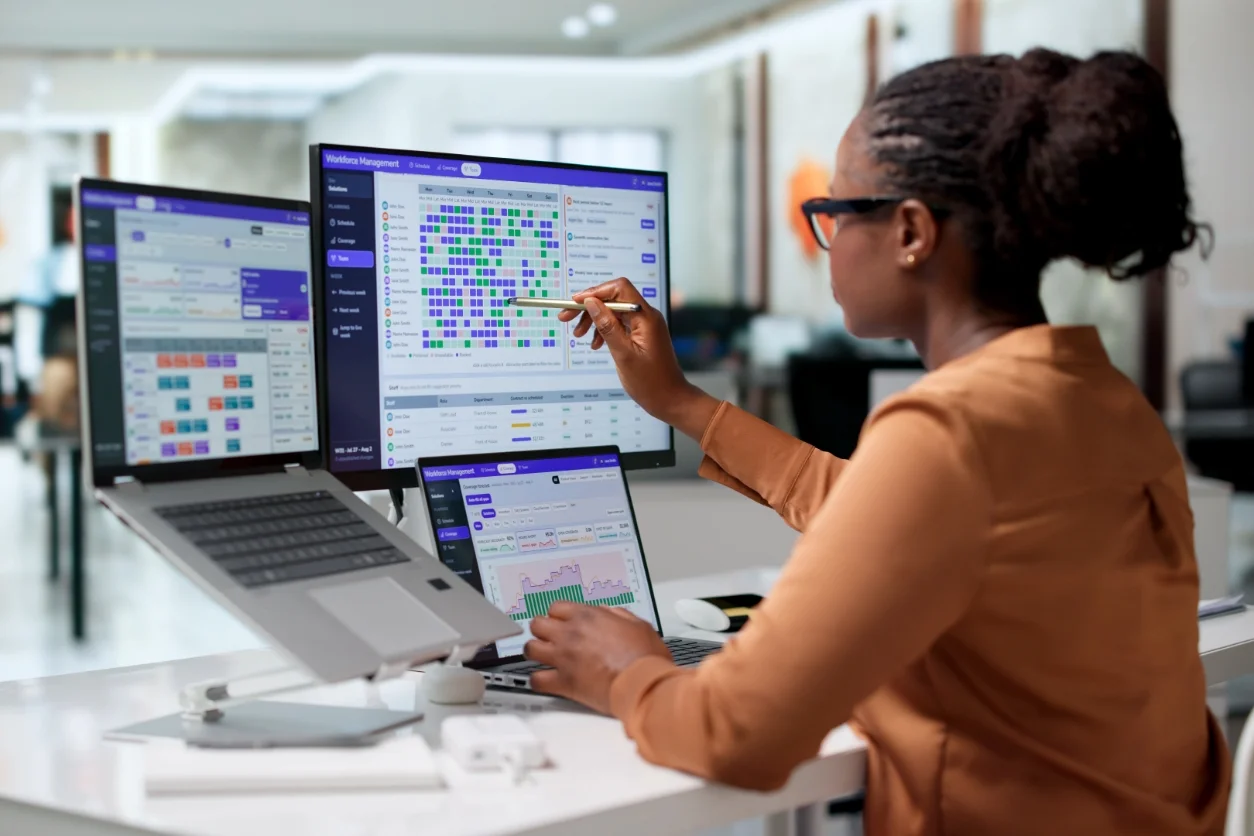
If you’re comparing attendance tracking software, Fareclock and ClockShark are two names that come up often, but they aren’t really built for the same kind of business. Fareclock is a workforce management platform centered on attendance tracking, with features like employee scheduling, GPS verification, payroll preparation, and labor compliance. It’s built for businesses that need close control over attendance, from confirming where employees are clocking in to keeping clean records for payroll. ClockShark, on the other hand, is a time tracking and scheduling tool made specifically for construction and field service companies, with more emphasis on job costing and managing crews across multiple job sites than on general attendance oversight.
In this comparison, we’ll look at how each platform’s desktop console and mobile app handle attendance tracking, including clock-in methods, GPS and location verification, real-time monitoring, and ease of use for both employees and administrators. Whether you’re managing an office team, a field crew, or a mix of both, this should give you a clearer sense of which platform actually fits how your business operates.
Note: Product comparisons and verdicts presented in this article are only based on our personal research and hands-on testing of their console and app. Our stated assessments reflect only our own informed perspectives and opinions, and are intended to provide an objective evaluation of each product’s features, usability, and overall performance.
Quick Feature Comparison: Fareclock vs. ClockShark
| Feature / Functionality |  |
 |
|---|---|---|
| Multiple Clock-In Methods (Face, PIN, NFC, QR) | ✅ | ❌ |
| GPS / Geo-Fencing | ✅ | ✅ |
| Offline Time Tracking | ✅ | ❌ |
| Job Costing | ✅ | Limited |
| Crew Management Tools | ✅ | ✅ |
| Mobile App Controls | ✅ | Limited |
| Real-Time Notifications | ✅ | ❌ |
| Field Documentation (Forms/Notes/Photos) | ✅ | ✅ |
| Compliance Tracking | ✅ | ❌ |
| Time-Off / Request Features | ✅ | ❌ |
| Reporting | ✅ | Basic |
Feature Comparison
1. Clock-In Methods & Verification - Winner:

ClockShark offers standard clock-in and clock-out functionality with break tracking, giving field workers a simple way to log their hours. It’s straightforward, but it doesn’t include facial recognition or other advanced verification methods to confirm who’s actually clocking in.
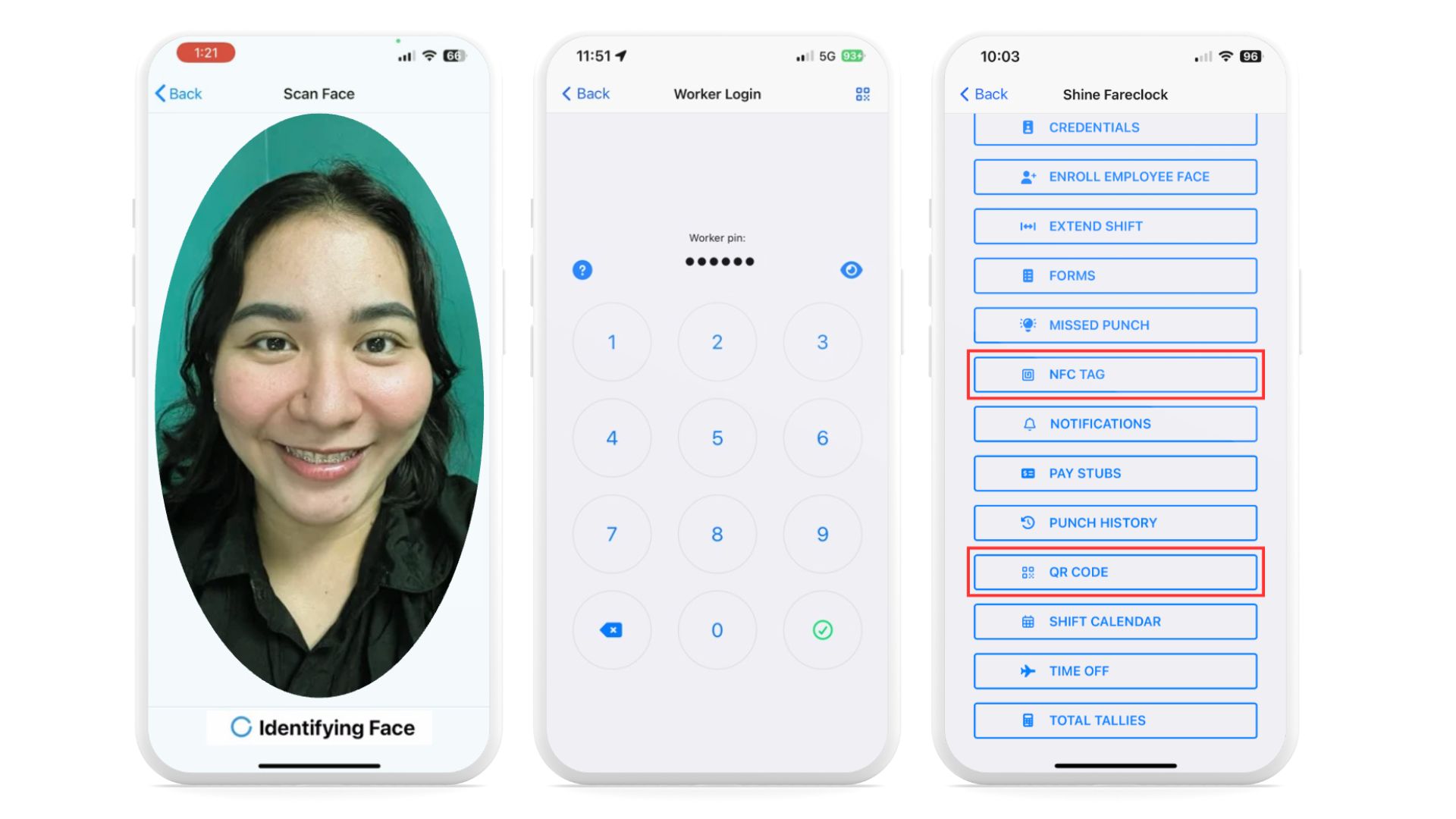
Fareclock provides multiple secure clock-in methods, including facial recognition with liveness detection, PIN, NFC, and QR code options. These layered verification methods make it harder for buddy punching to slip through, which gives businesses more confidence in their attendance records.
2. GPS & Location Tracking - Winner: Tie
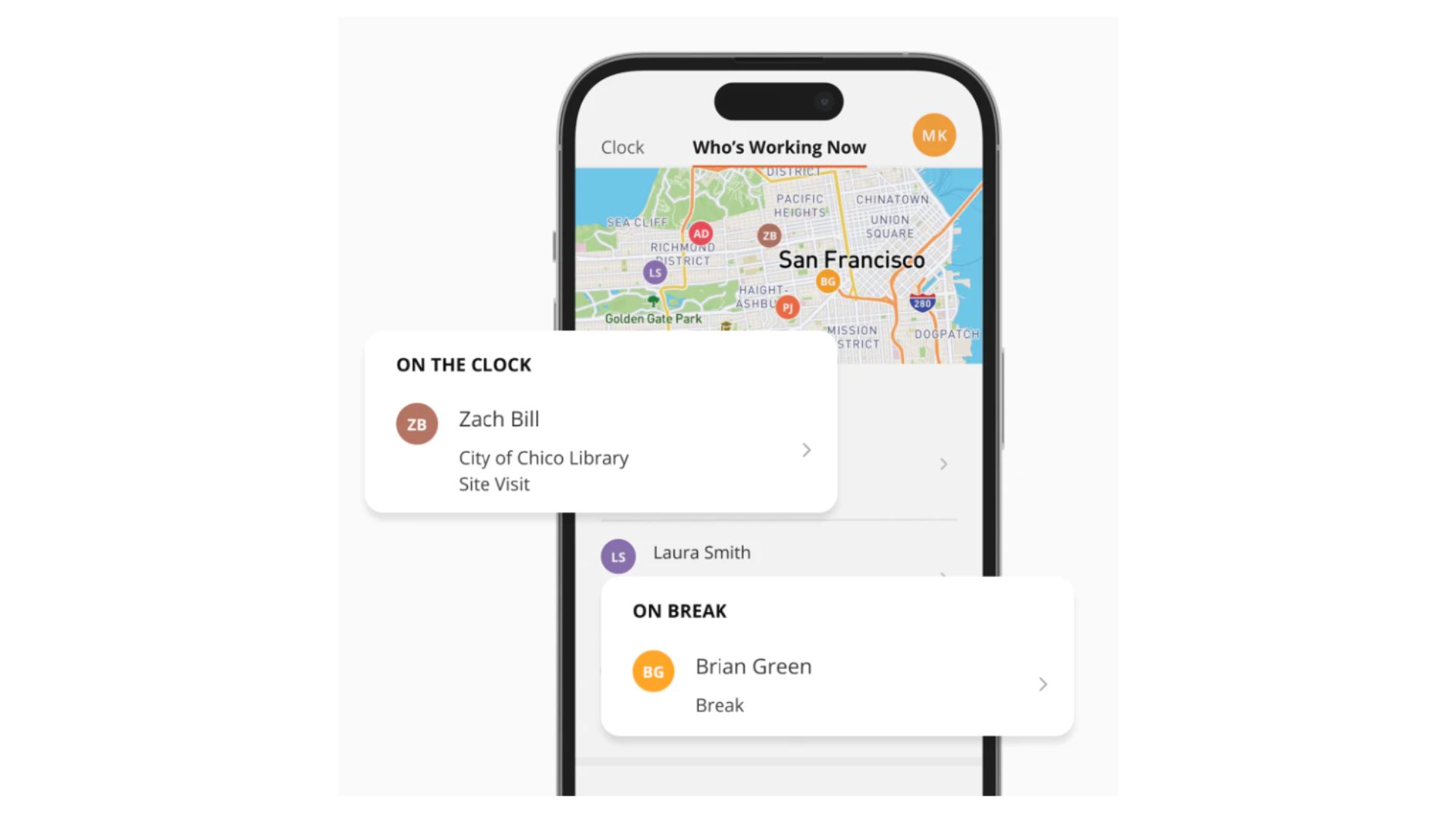
ClockShark includes a map view with GPS tracking, letting managers see where crews are in real time throughout the day. It’s a solid tool for keeping tabs on field teams across job sites.
Fareclock uses geo-fencing to restrict clock-ins to approved job site locations, which helps confirm employees are actually where they’re supposed to be before their shift starts. Both platforms handle location tracking well, just through slightly different approaches.
3. Job Costing - Winner:
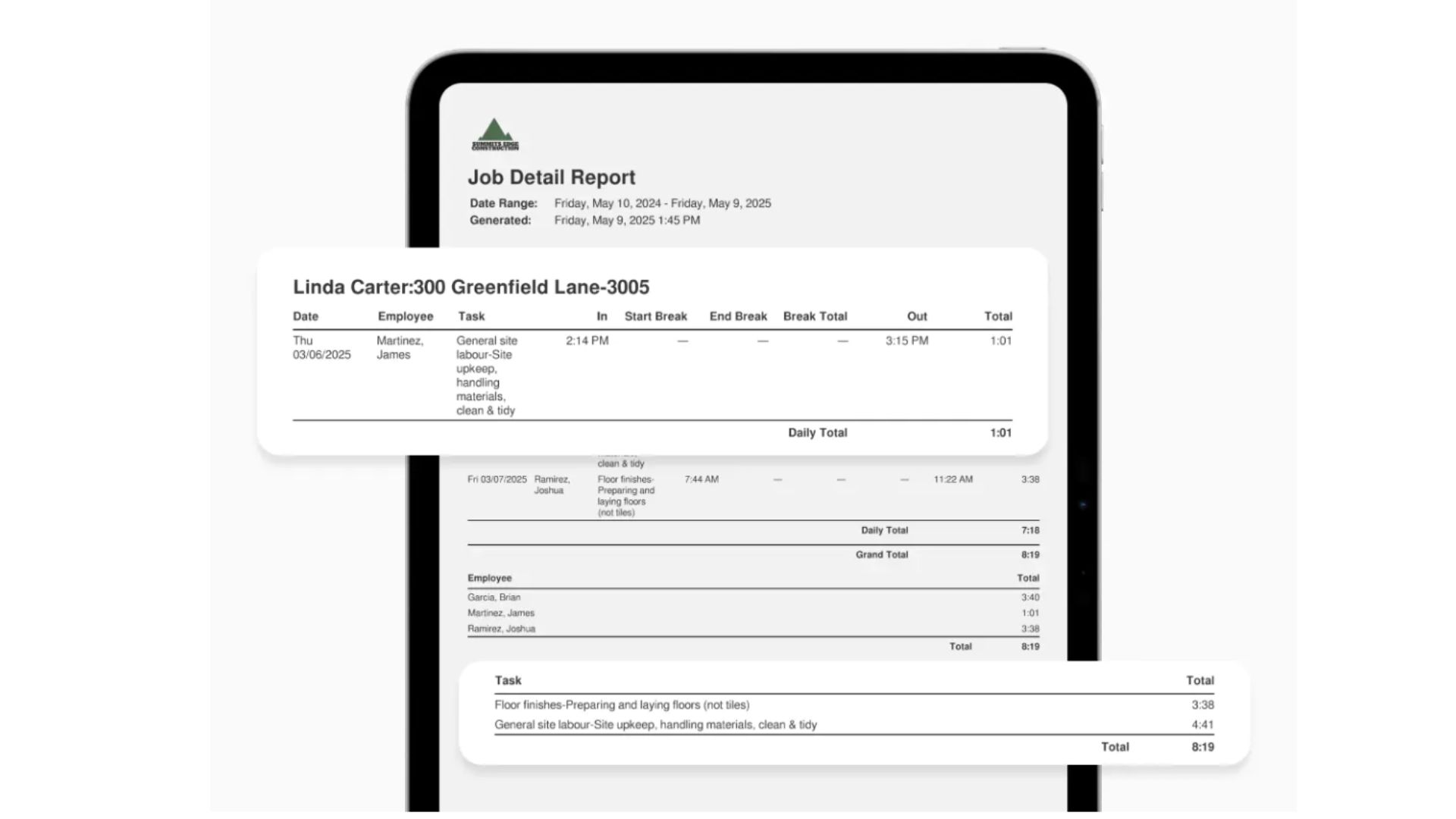
ClockShark offers basic project costing through its quote creation tool, which lets businesses attach line items to jobs. It works for simple estimates, but it isn’t built for detailed cost tracking.
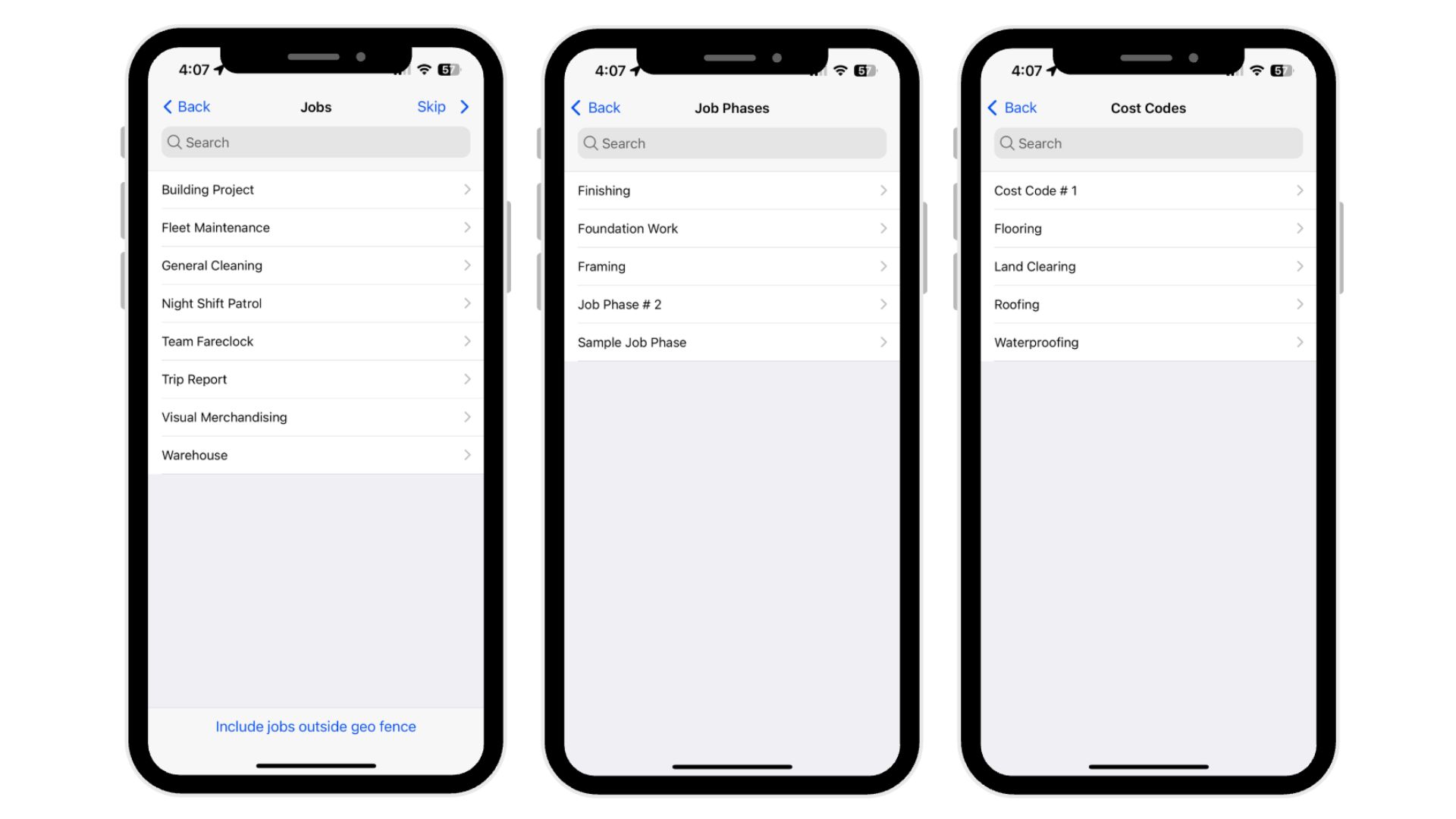
Fareclock supports job costing down to the phase and cost code level, giving businesses a more detailed breakdown of where labor hours and costs are going on each project. For companies that need granular job costing, Fareclock offers more depth here.
4. Quoting & Estimating - Winner:

Fareclock doesn’t include a built-in quoting or estimating tool, so businesses would need a separate system to handle that part of the workflow.
ClockShark lets users create quotes with line items directly in the platform, making it easier to move from estimate to job without switching tools. For businesses that want quoting built into their day-to-day workflow, ClockShark has the edge here.
Key Differences
The difference between Fareclock and ClockShark lies in their product focus and feature set.
Fareclock
- Secure attendance verification with facial recognition and liveness detection
- Multiple clock-in methods (Face, PIN, NFC, QR Code)
- Geofencing for site-based clock-in restrictions
- Offline time tracking with automatic synchronization
- Job costing with jobs, job phases, and cost codes
- Employee self-service for time-off, missed punches, and shift extensions
- Digital forms, credential tracking, and compliance monitoring
- Briefings for policy and safety acknowledgments
- Pay stub access for employees
- Real-time push notifications for schedule updates
ClockShark
- Standard clock-in and clock-out with break tracking
- Job and task switching during active shifts
- Map view with GPS tracking and real-time worker visibility
- Crew management with bulk actions (clock out, break, job switch)
- Timesheets with admin overrides and manual entry
- Job-level documentation with notes, photos, and attachments
- Quote creation with line items for basic project costing
Pros and Cons
Both have their advantages and trade-offs — here are the main pros and cons of Fareclock and ClockShark.
ClockShark
Pros
- Easy clock-in process
- Mobile job management
- Strong crew management tools
- Real-time GPS visibility
- Job-level documentation
Cons
- Limited attendance verification
- No facial recognition
- Limited job costing
- No compliance tracking
- No request-based features (time-off, missed punches)
Fareclock
Pros
- Secure attendance verification
- Multiple clock-in methods
- Advanced job costing
- Workforce compliance tools
- Offline time tracking with sync
Cons
- Basic cost analysis tools
- No built-in quoting or estimating
Customer Testimonials
ClockShark
“ClockShark has changed my way of seeing time-tracking software. It is powerful and easy to use. I like that it has its mobile application to use it in phones or on tablets. It works with integrated GPS and provides us with the easiest way to do administrative tasks for our employees.”
– Alexander A.
“Most reviewers report ease of use, with straightforward setup, minimal training, and simple daily operations.”
– Anonymous
More of ClockShark on Capterra
“Not good with the integration portion of their program and the feedback from staff was minimal.”
– Kayla J.
“There are many things I like about ClockShark, so it’s hard to pinpoint just one. Overall, we really appreciate how easy the app makes it to clock in and clock out. That said, I’m not sure the reminders work as well as they could, because there have been several times when the crew forgets to clock out at night or clock back in after lunch. The ability to clean up the timesheets as we go along in the week, get reports on projects and/or employees. The ease of entering holiday time or vacation time.”
– Debbie P.
More of ClockShark on G2
“Quite intuitive when navigating between pages. Clean look. Easy onboarding of our historical data when we started our account.”
– Anonymous
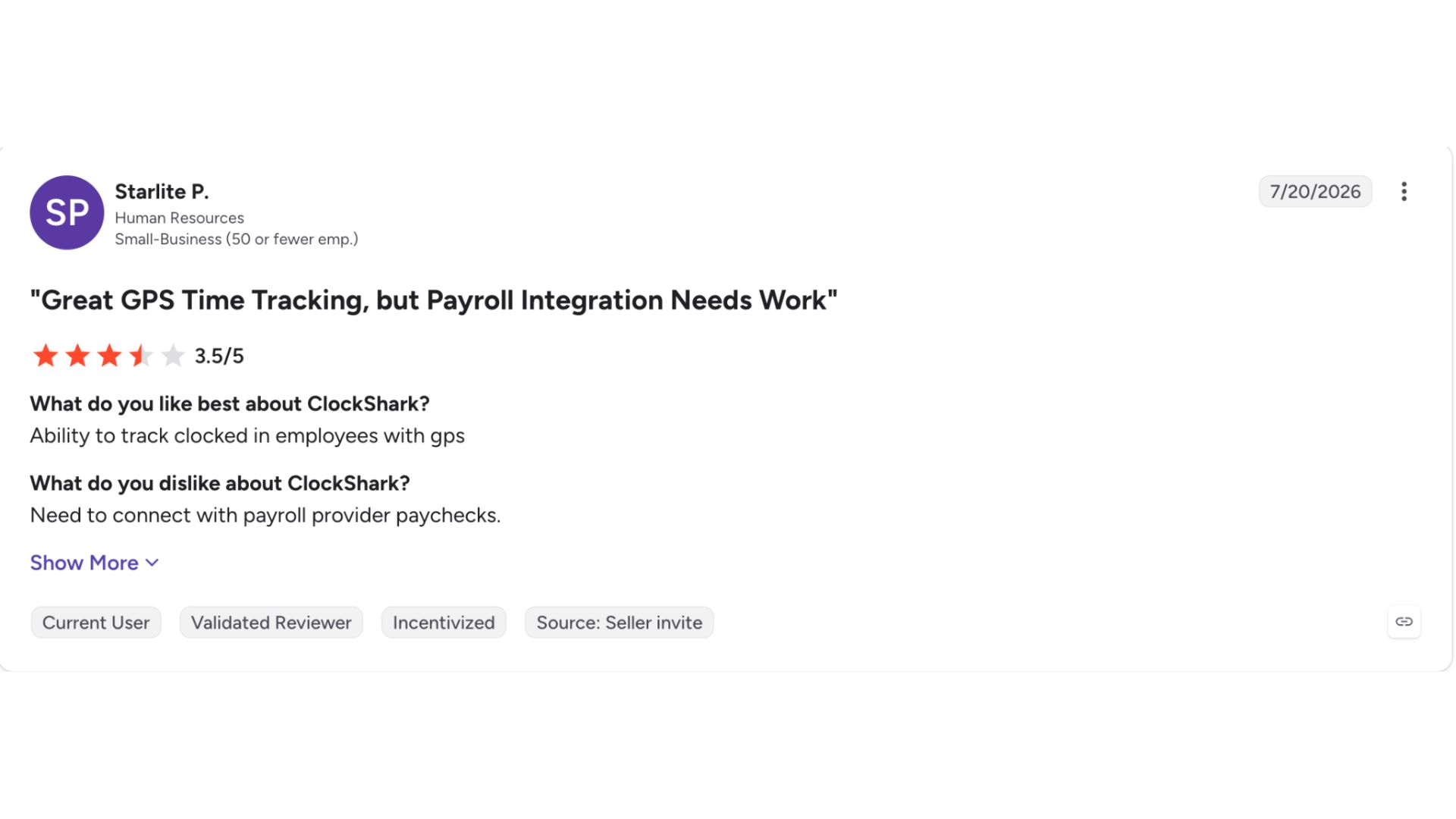
ClockShark on Apple Store : 3.0 / 5 Star Ratings
Clock Shark on Google Play Store : 3.5 / 5 Star Ratings
“I’ve been using ClockShark for my business for a few years. The old app worked okay, but it was pretty slow and had some bugs. This new version is much better. It runs faster and doesn’t crash. My crew finds it easy to clock in and out, which saves us time and keeps things simple.”
– Schlagwerk via Apple Store
Feedback Highlights:
The reviews of ClockShark describe the software as intuitive, and easy to use, particularly for clocking in and out, managing timesheets, tracking projects, and handling employee schedules. Users note its mobile app, GPS functionality, clean interface, and improved performance, though some have reported issues with integrations, reminders, and occasional bugs or slow performance.
Fareclock
“Fareclock keeps impressing us with its easy of use, both on the application and the management console. It can replace any time keeping solution that you may be using from paper timecards to the most sophisticated facial recognition devices.”
– Bradley F.
“My overall experience with Fareclock has been good. It is easy to use, convenient, and helpful for tracking attendance and working hours.”
– Lecill P.
More of Fareclock on Capterra
“I have been using it for over six years, and to date, it has been a great help and a unique experience.”
– Raynel L.
“What I appreciate most about Fareclock is its clean, intuitive user interface and how simple it makes daily time tracking for our hourly employees. The design is logical, fast, and easy for anyone to understand—even for those who aren’t tech-savvy. It drastically reduced the confusion and errors we used to see with manual time cards or outdated punch systems. I also like how it gives our team real-time visibility into attendance, helping us recapture lost office hours and maintain accountability. The app has clearly been built with the end user in mind, balancing function with simplicity.”
– Anonymous
More of Fareclock on G2
“Clear, simple platform that staff picked up instantly with minimal training across all projects now.”
– Danny R.
Fareclock on Apple App Store : 4.7 / 5 Star Ratings
Fareclock on Google Play Store : 4.7 / 5 Star Ratings
“I’ve been using Fareclock for 3 months and it’s very unique to clock in and out of work. You can track how many hours of work you have done. There is facial recognition, making it simple for you to use. Employers can use Fareclock as a way to track employees hours. This app tracks any overtime hours that may have been done.”
– Jason G.
Feedback Highlights:
According to its customers, Fareclock is simple, intuitive, and reliable, making it easy for workers to clock in and out, track working hours, and manage attendance with minimal training. Users particularly appreciate its clean interface, facial recognition, real-time attendance visibility, and ability to reduce errors and administrative work, with many noting that it provides a straightforward and effective alternative to traditional timekeeping systems.
Pricing
BETTER VALUE
Free Trial: Yes (30 days)
Pricing starts at:
$1.65
per user per month
Use Cases
Fareclock and ClockShark end up solving different problems, even though they both start with “track employee hours.”
Choose ClockShark if:
Your team is mostly in the field, moving between job sites, and you need something simple that handles job switching, crew management, and light job costing without a lot of setup. It’s built for construction and field service work where speed and mobility matter more than deep attendance controls.
Choose Fareclock if:
You need attendance tracking that actually holds up for payroll and compliance, not just hours logged. Facial recognition, geofencing, credential tracking, and time-off requests all live in one system, which matters if you’re managing shift workers, multiple locations, or industries like healthcare, security, or logistics where documentation isn’t optional.
At a high level: ClockShark is a field-friendly time clock with some job management built in. Fareclock is a workforce management platform where attendance is just the starting point.
Our Verdict
ClockShark holds up well for basic field time tracking and crew management, but Fareclock comes out ahead for businesses that need a fuller solution to handle attendance accuracy, compliance, and everyday workforce management.
Free Trial
Explore Fareclock’s features with a free trial and see how it fits your business.