

For every business and organization, tracking and managing worker certifications and credentials has become an essential part of their onboarding process and workforce management. This ensures that every employee they hire and deploy to a job site, store, warehouse, or project is properly trained, qualified, and up to date with the required skillsets, training, and certifications to perform their role safely and effectively.
However, keeping up with expiring credentials, renewal deadlines, and compliance requirements can become overwhelming. This pushes many business owners, managers, and team leaders to look for ways to simplify and automate the way they handle and manage worker certifications.
Fareclock addresses this challenge by combining attendance management with credential tracking in a single, integrated system, ensuring that no certification goes unnoticed, no document expires without action, and every employee remains compliant and job-ready.
In this article, we’ll explore Fareclock’s Credentialing feature and how it works alongside accurate attendance and workforce management to simplify operations and improve compliance.
Feature Spotlight: Fareclock’s Credentialing Feature
With Fareclock’s Credentialing feature — available on the Premium plan — businesses can efficiently manage, track, and enforce certifications and compliance requirements in one streamlined system.
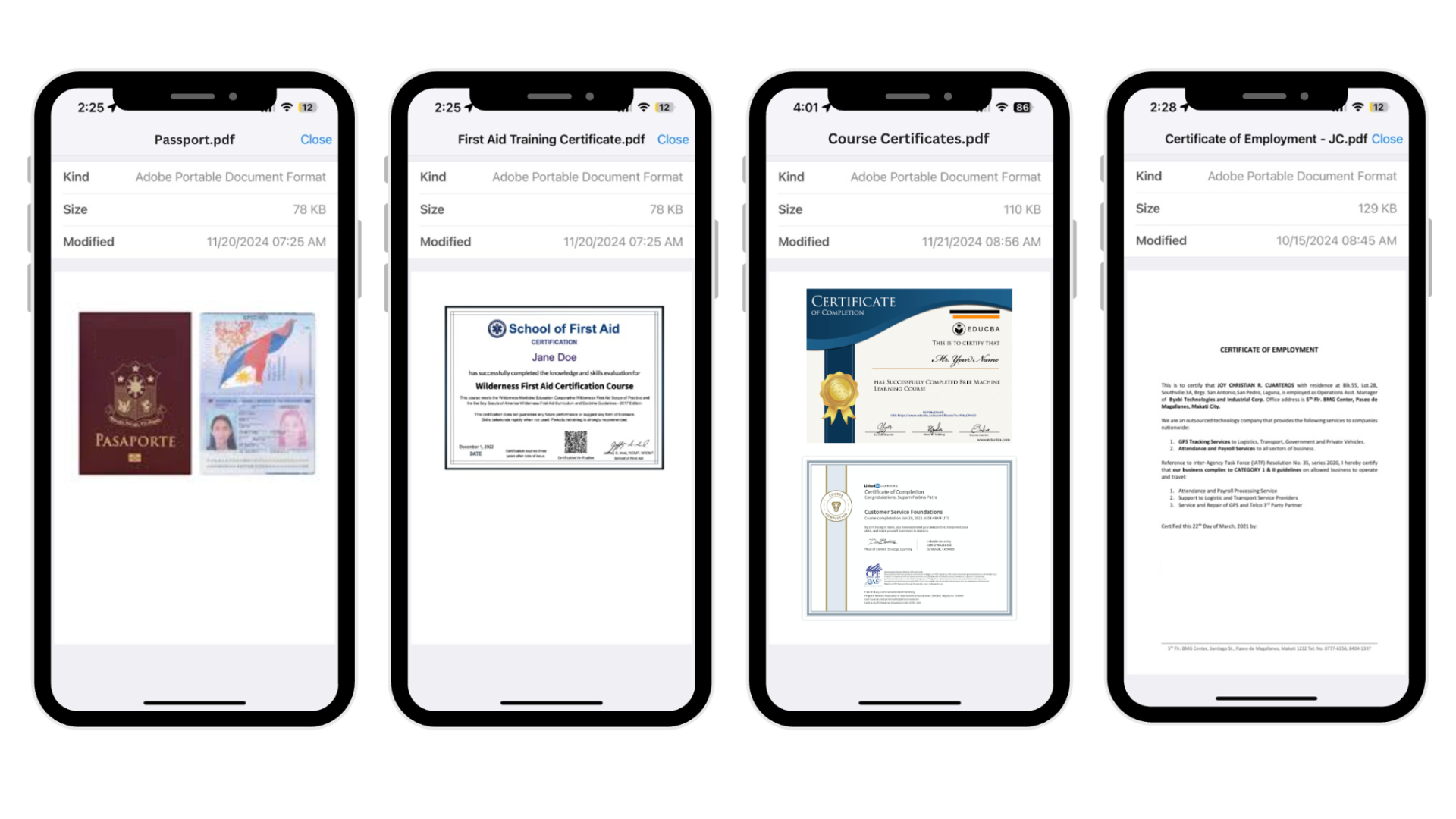
Feature: Sample worker credentials as seen on the Fareclock mobile application
- Track worker compliance with required documents
- Add credentials to worker profiles
- Upload supporting files
- Set and monitor expiration dates
- Flag expired credentials as invalid
- Generate credential reports
- Customize credential types
- Enable worker self-certification uploads
- Require admin approval for submissions
- Create and enforce credential policies
- Restrict clock-in for non-compliant workers
- Assign credential requirements by role or job
Credentialing Works for Any Workplace
- Construction Industry: Credential expiry tracking prevents unqualified personnel from operating heavy equipment to avoid accidents and ensuring compliance with safety regulations.
- Healthcare Sector: Hospitals and clinics can improve patient safety by tracking medical licenses, board certifications, and training records for doctors and staff.
- Logistics & Transportation: Clock-in restrictions tied to credentials ensure only qualified drivers with valid documents are allowed to operate vehicles.
- Manufacturing: Only trained personnel with operator certifications, equipment training, and safety clearances can handle specialized machinery.
- Energy & Utilities: Manage high-risk certifications such as electrical licenses, safety training, and site permits to avoid operational hazards caused by your workers.
- IT & Tech Services: Require your team members to provide professional certifications, project clearances, and compliance documents before assigning them with sensitive systems or projects.
- Facility Management: Monitor vendor contracts, maintenance certifications, and safety documents to ensure all personnel performing on-site work are qualified and compliant with building regulations.
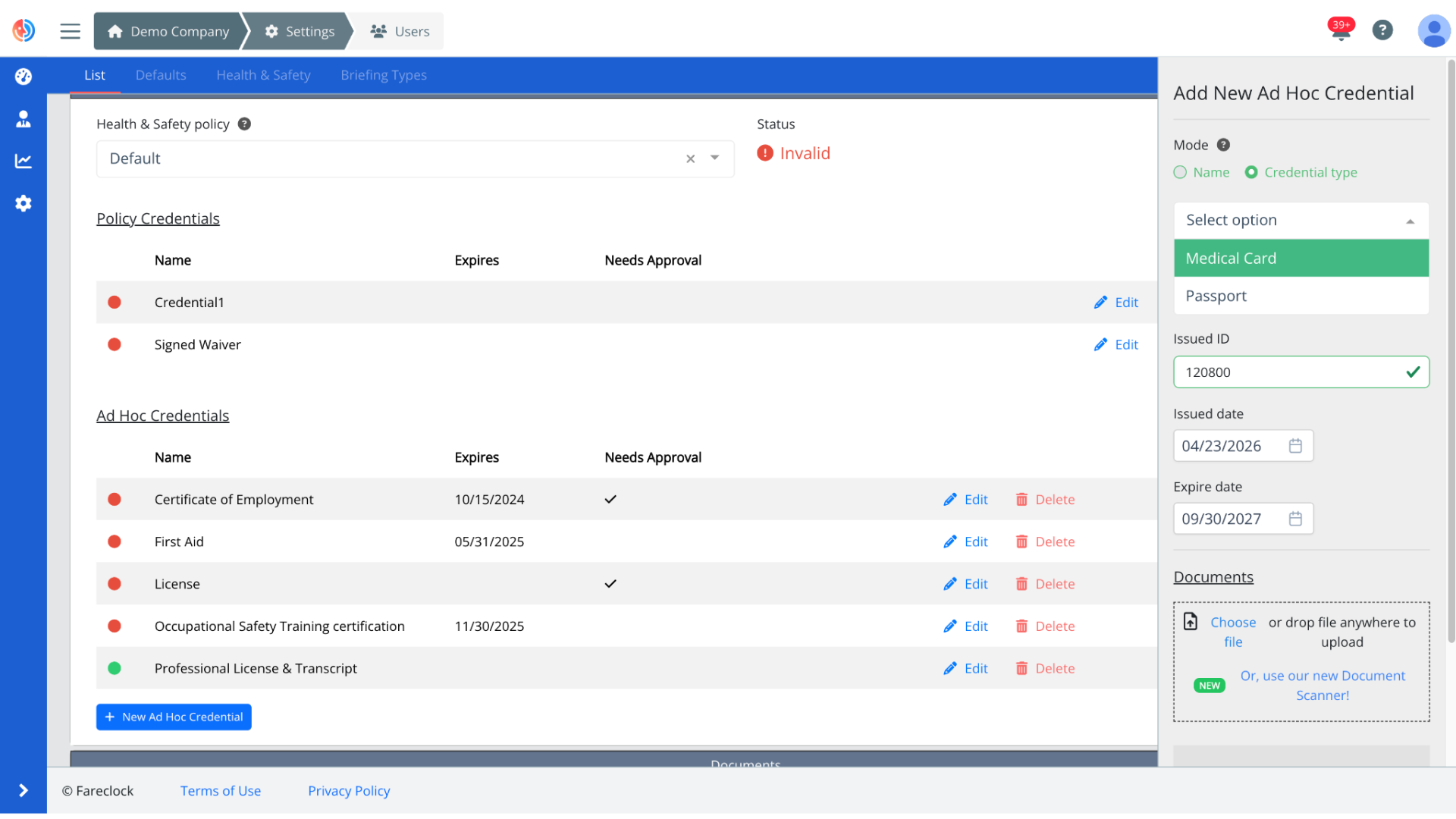
Feature: Add new worker Ad Hoc Credential
Monitor Credential Status and Expiry
The status of worker credentials are actively monitored, with credentials initially marked as “Valid” and automatically switching to “Invalid” once they expire. This avoids the risk of oversight because the automatic update offers clear, real-time visibility into every document status, ensuring that no expired credentials go unnoticed.
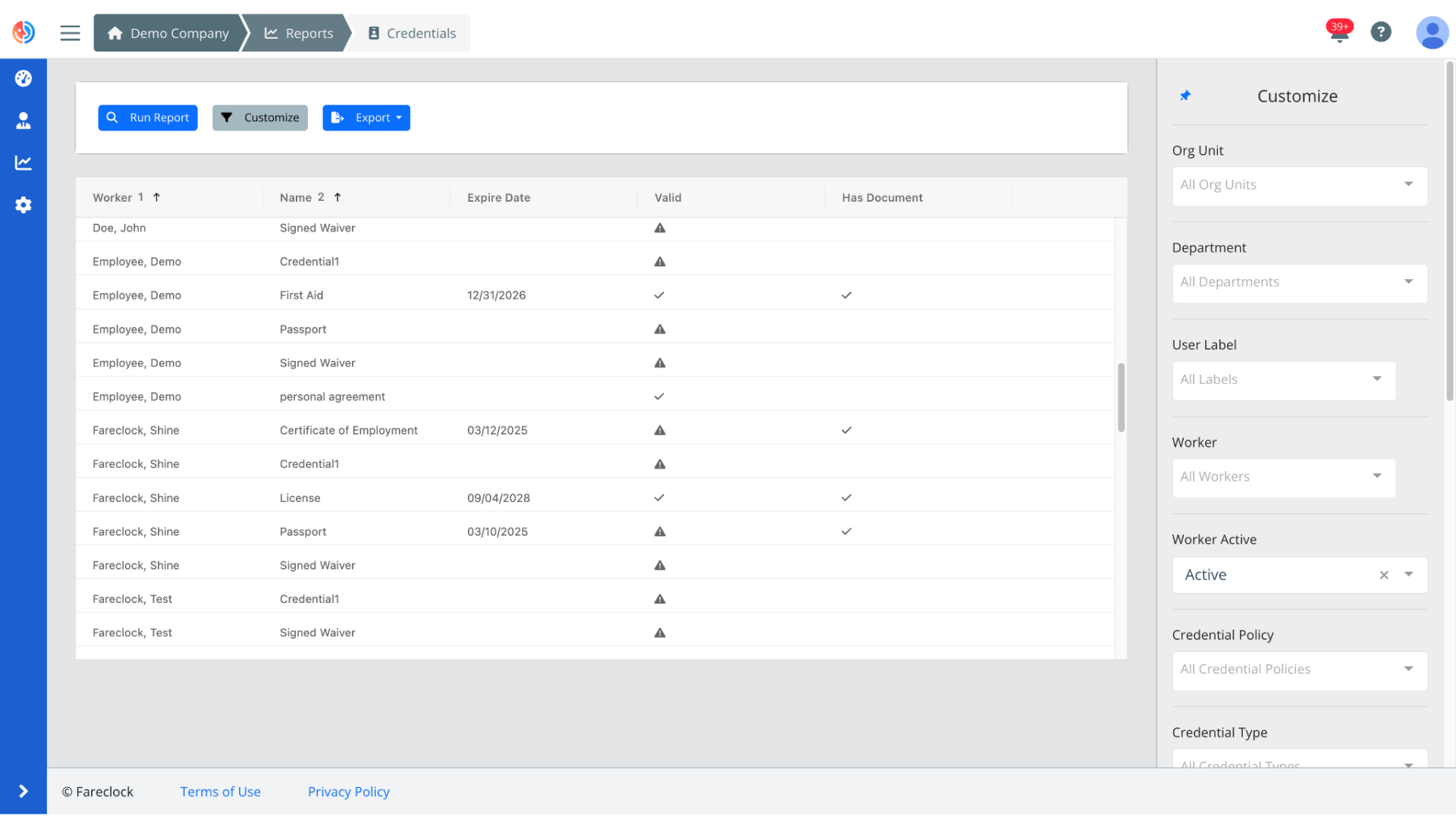
Feature: Credential Reports
Configure Credential Policies
You can define exactly which documents are required for each job. This will help you ensure that every worker you hire meets the necessary qualifications and documentation standards before they are deployed to perform their duties.
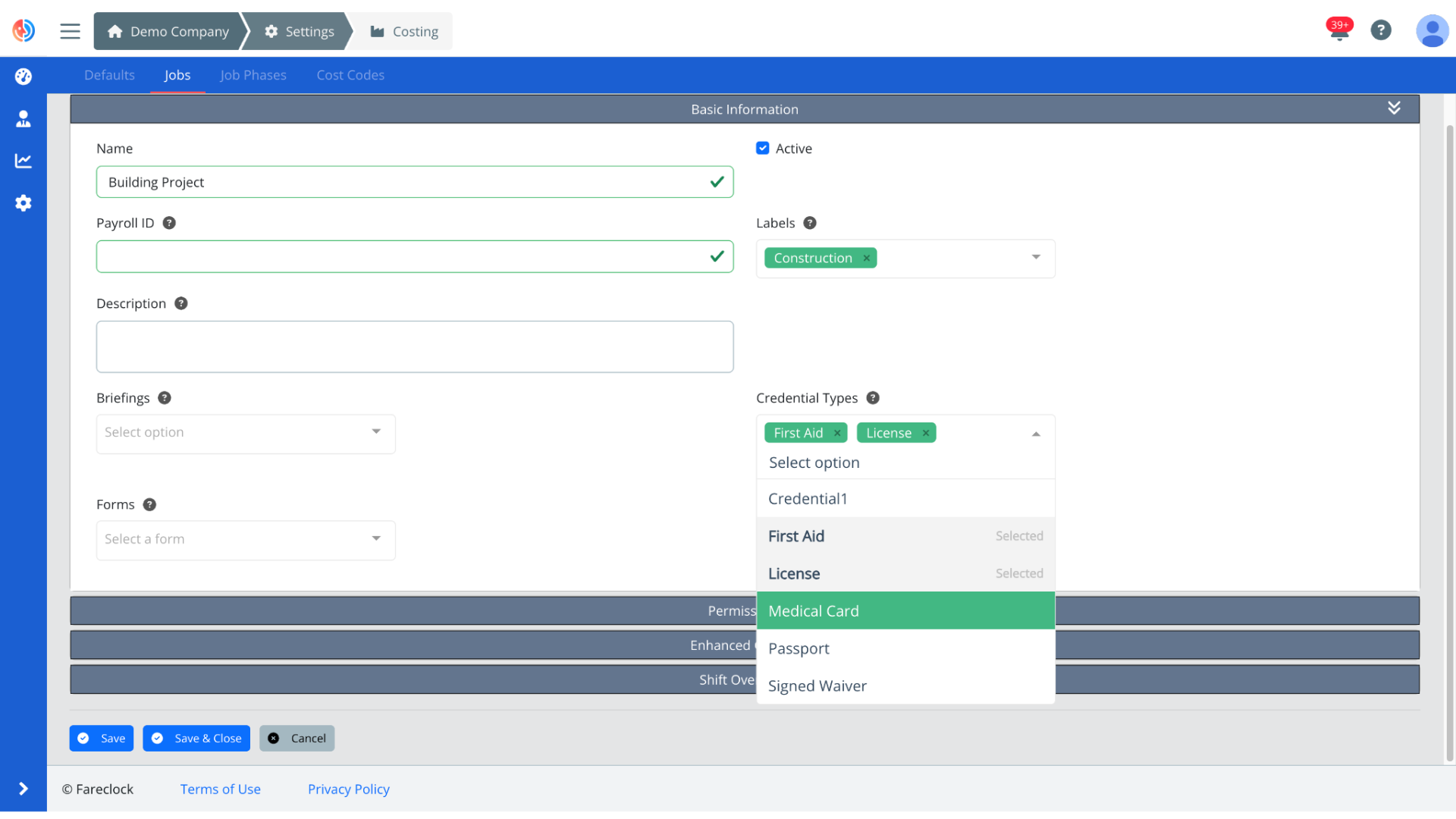
Feature: Define required credential types for specific jobs
Clock-in Restrictions
When a worker attempts to clock in with missing or invalid credentials, Fareclock can block the action, helping businesses prevent their workers from starting their shifts with incomplete documents, and ensuring that only fully qualified personnel are allowed to work.
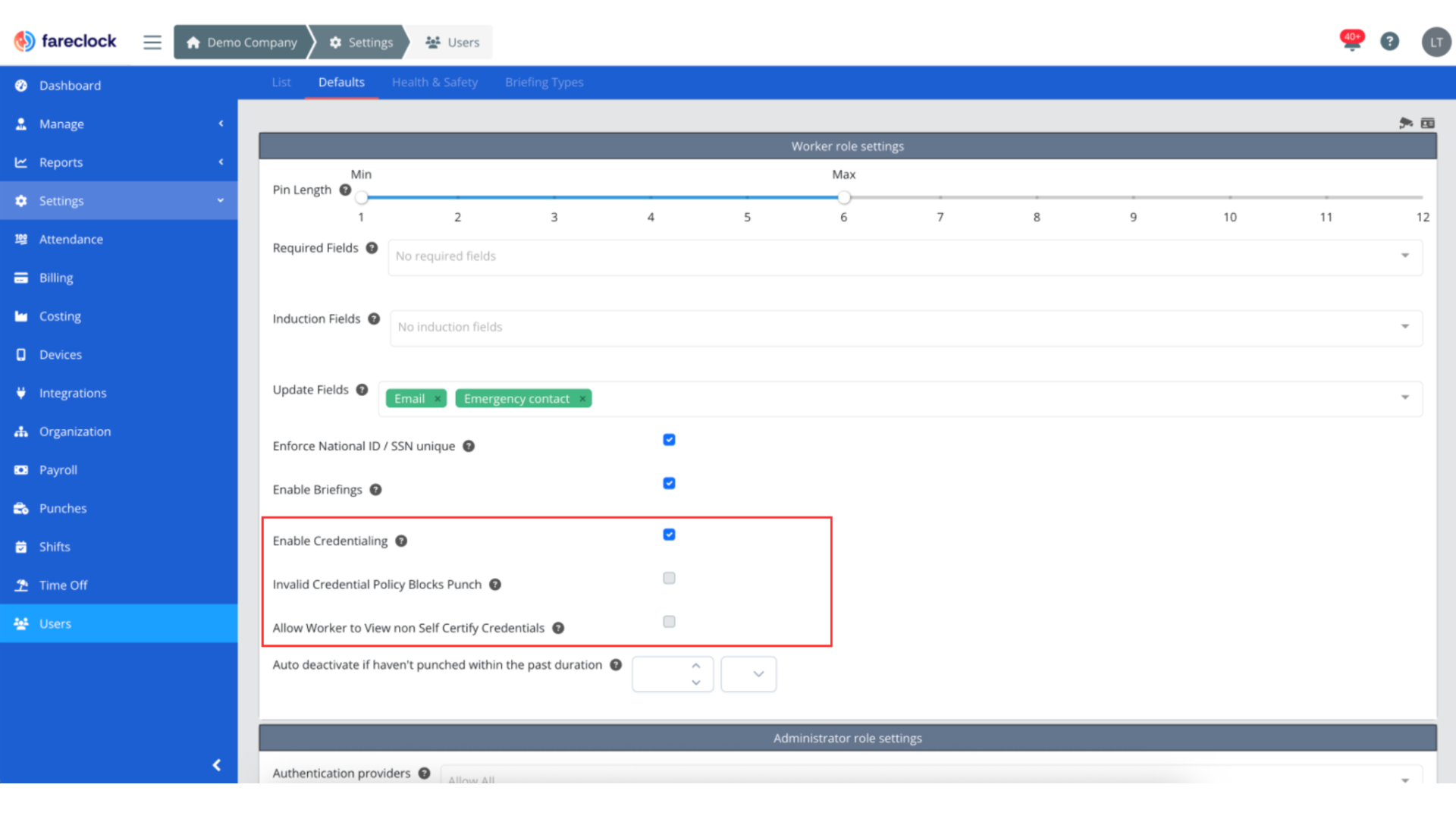
Feature: Enable Credentialing Settings on ser defaults
Automate and Strengthen Workforce Compliance with Fareclock
No matter what industry your business or organization belongs to, credential management takes on an important role in worker onboarding and workforce management. Every business is responsible for each worker they deploy on job sites, stores, and projects, which emphasizes the need to properly monitor and oversee that their workers meet the required standards for training, certification, and compliance.
With Fareclock in place, tracking these requirements becomes easy. Fareclock will centralize credential management, automate monitoring, and enforce compliance in real time.
Contact Fareclock today or Start your Free Trial to see for yourself how Fareclock’s Credentialing feature will help your organization gain greater visibility, control, and confidence over every worker.