
Modern construction companies like those based across Europe rarely operate from a single location nor deploy workers to just one project site. In reality, these businesses have projects that span across multiple cities, regions, and even national borders.
Watch | Fareclock for Construction | Time Tracking, Payroll & Compliance
As the number of active projects grows, management leaders spend more time correcting attendance data errors and aligning fragmented data. The issue here is not because of having multi-site operations, rather it’s the lack of a right system in place that provides real-time visibility, accurate data, and reliable automated processes – one that manual timekeeping practices cannot provide.
Why Accurate Site Data Matters in European Construction
European construction businesses experience cross-border operations, multiple labour regulations, and complex project schedules. This explains why a heavy reliance on paper sign-in sheets or written spreadsheets breeds chaos, dispute, and frustration over inaccurate attendance data entries and errors in payslips.
To achieve accuracy and control over crew attendance, payroll computations, and labour costs, construction businesses in Europe must consider investing in software tools like Fareclock to generate and produce correct and aligned data entries that support improved attendance reporting and honest pay calculations.
Centralize Multi-Site Operations
Fareclock is thoughtfully designed with features and functionalities that bring together attendance, jobs, project locations, and time data centrally into a single platform.
1. Workers can seamlessly switch between job sites in real time to ensure operational flexibility.
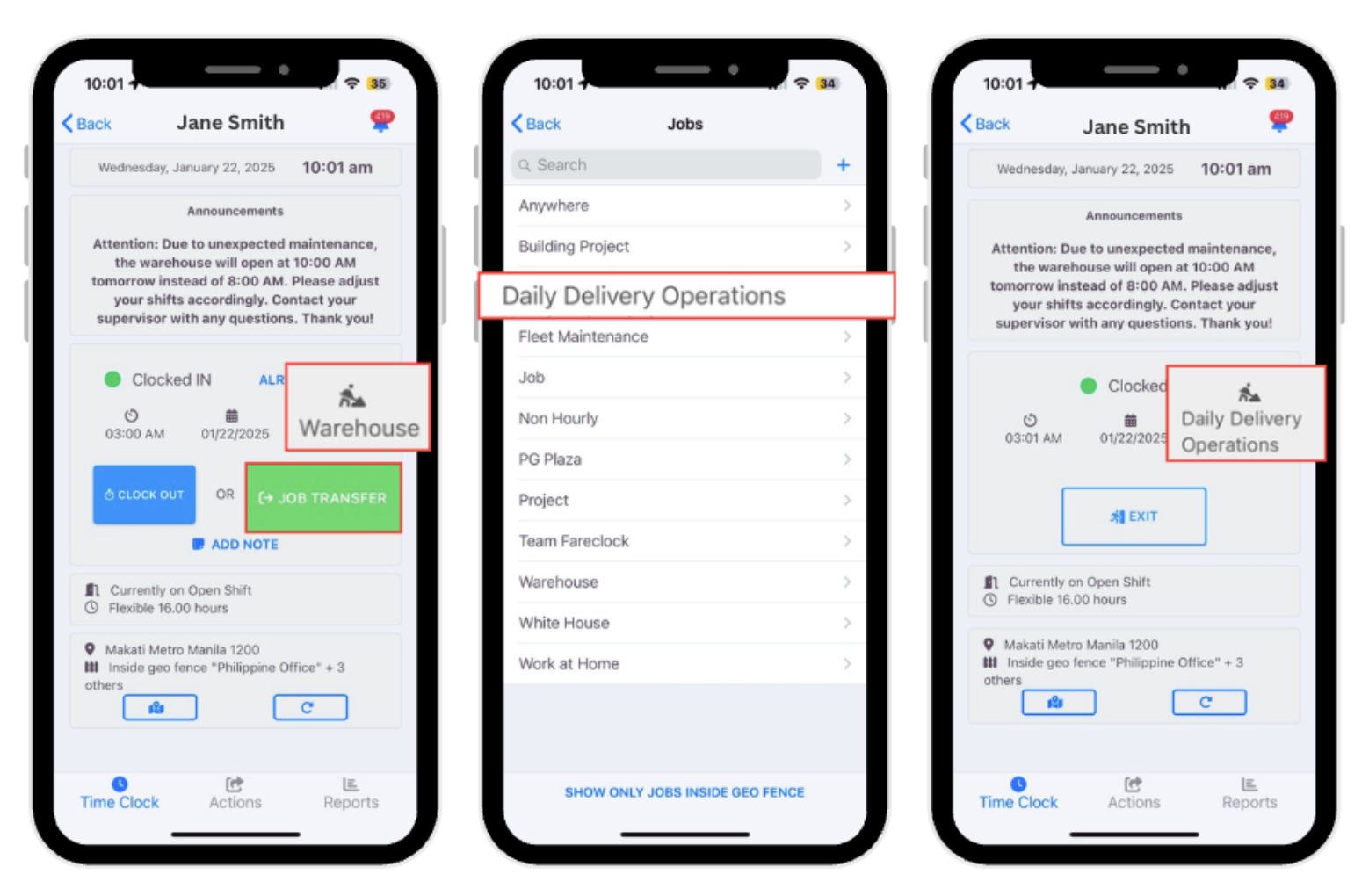
Worker Job Transfer as seen on the Fareclock Mobile Application
2. Oversee attendance across multiple job sites simultaneously.
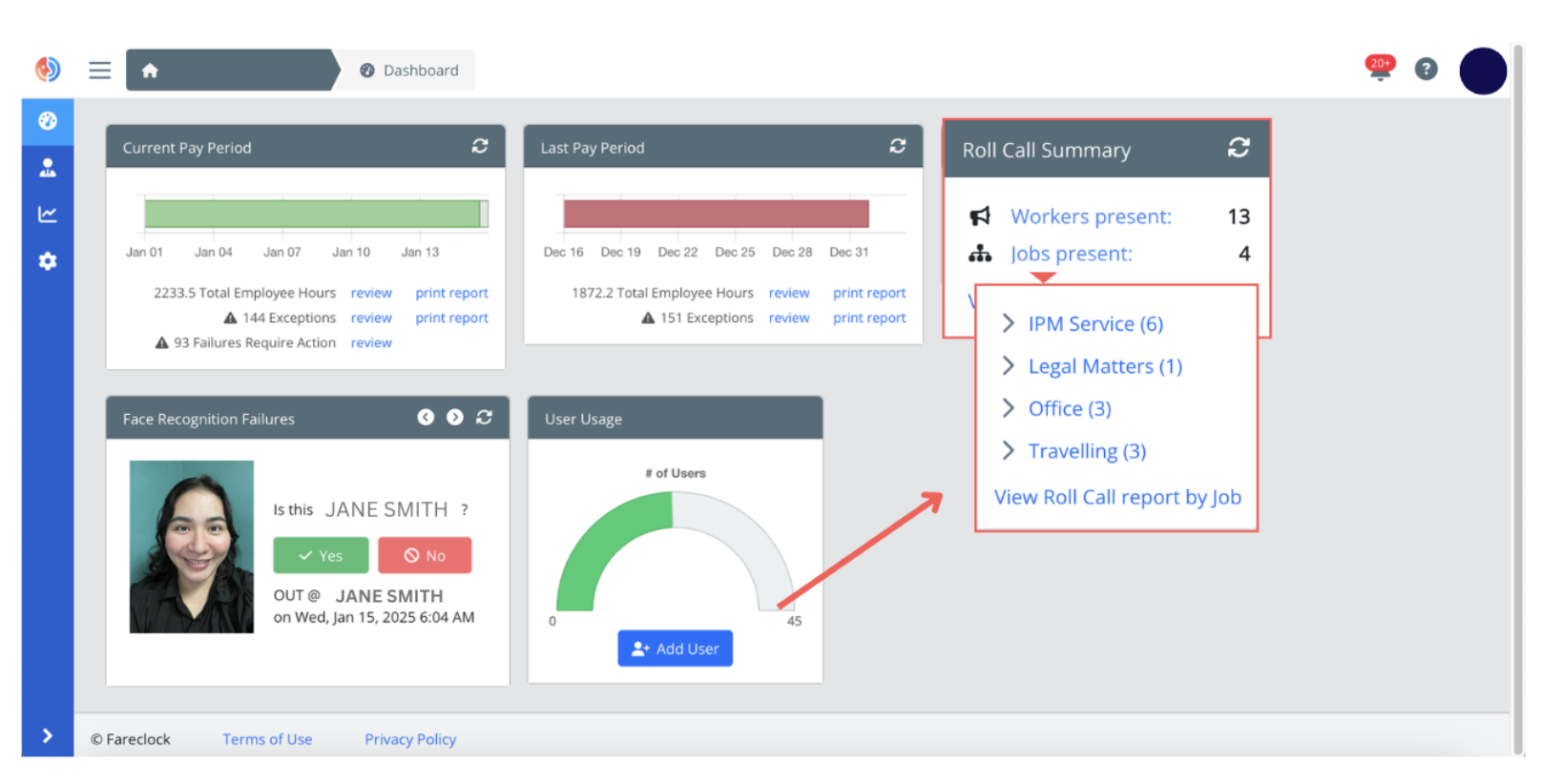
View Worker Roll Call Summary on the Administrator Console
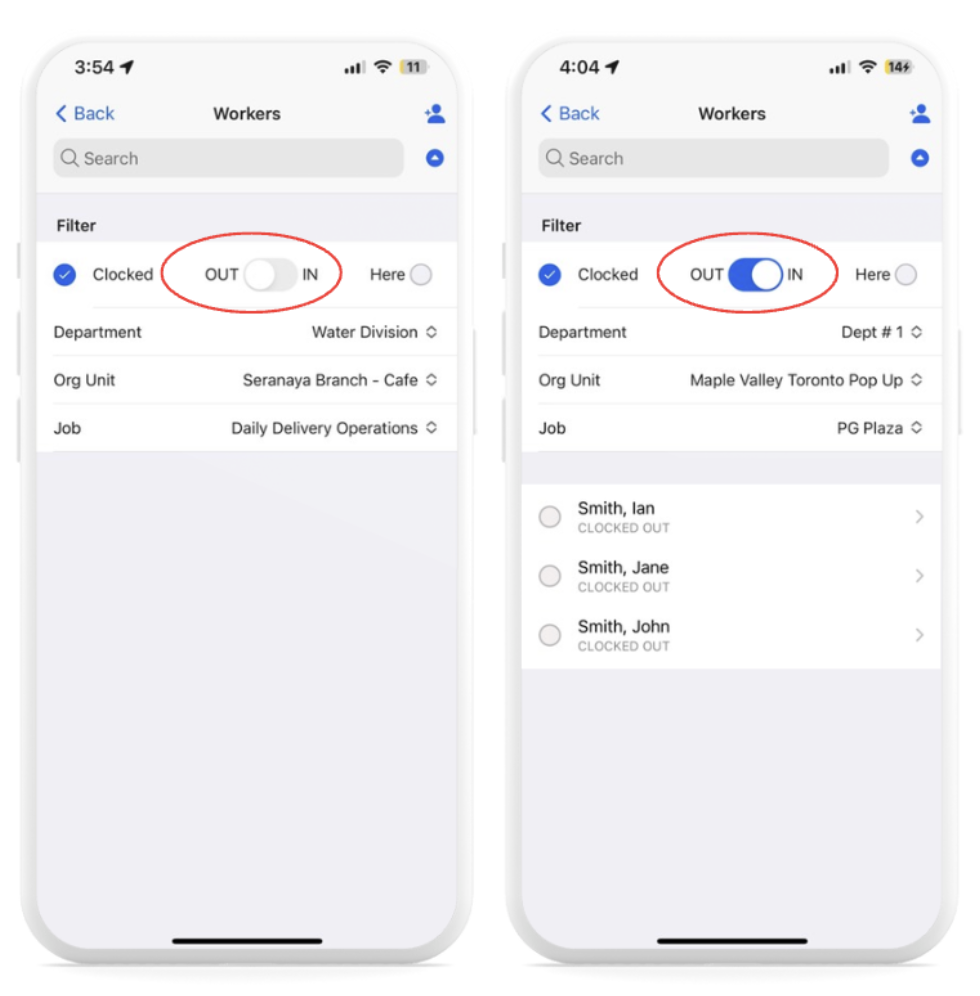
View Worker Attendance on the Fareclock Mobile App (Admin Access)
3. Build multiple, complex shifts tailored to your operational needs using advanced configuration settings.
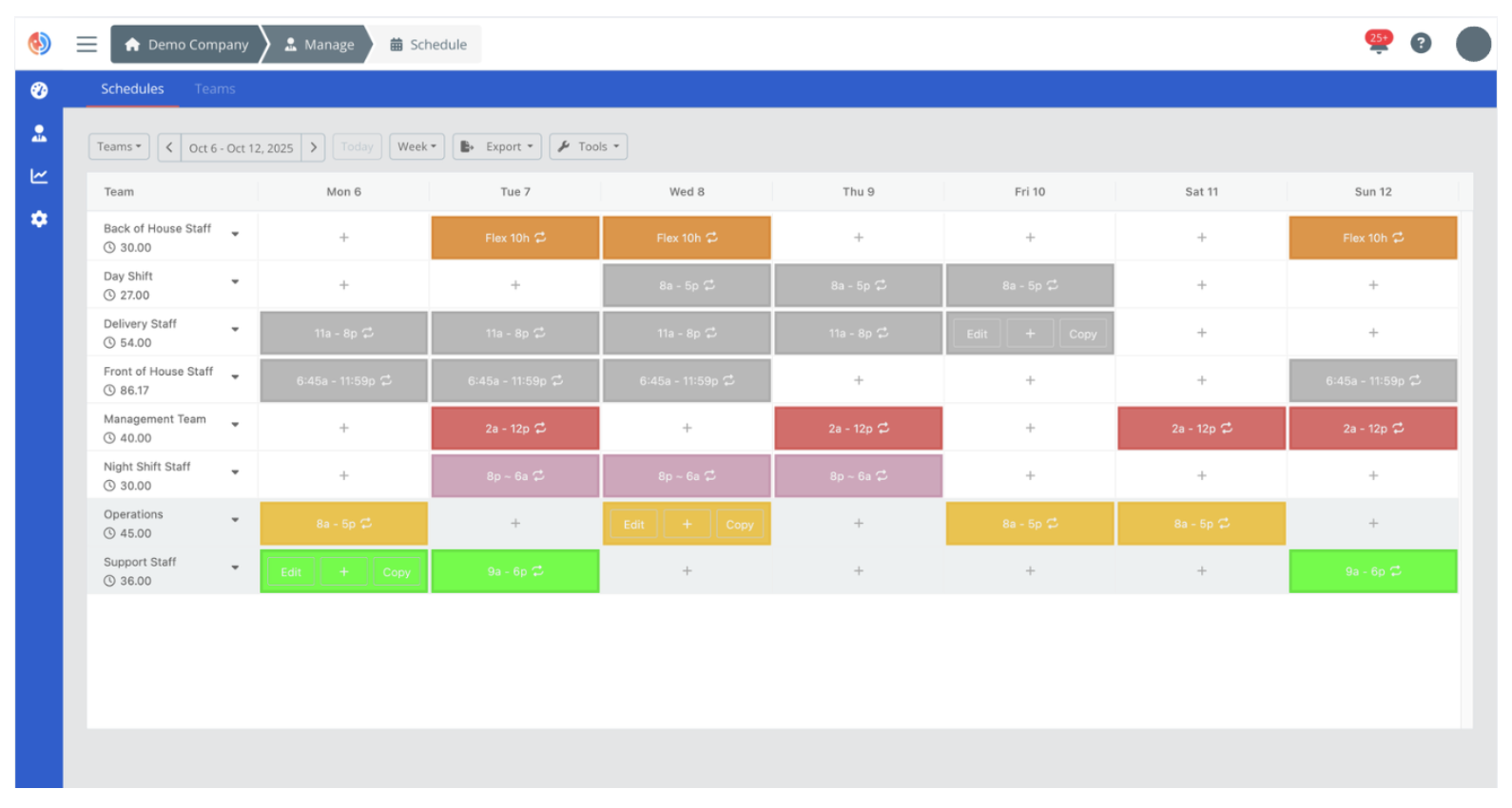
Manage Schedules on the Fareclock Administrator Console
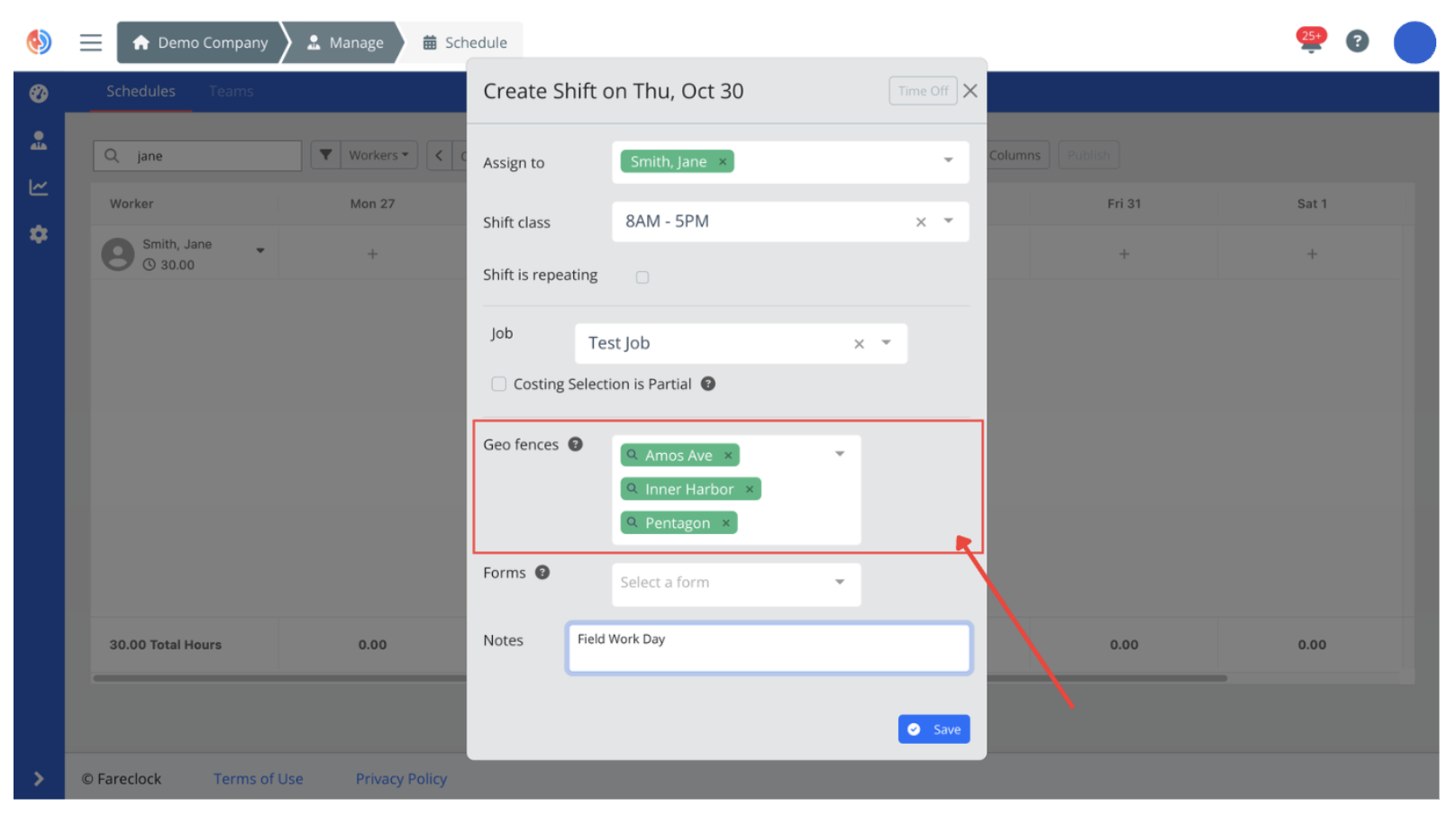
Link Geo Fences to Worker Shifts
4. Manage clock logs, attendance punches, job availability, and time data centrally on the administration console.
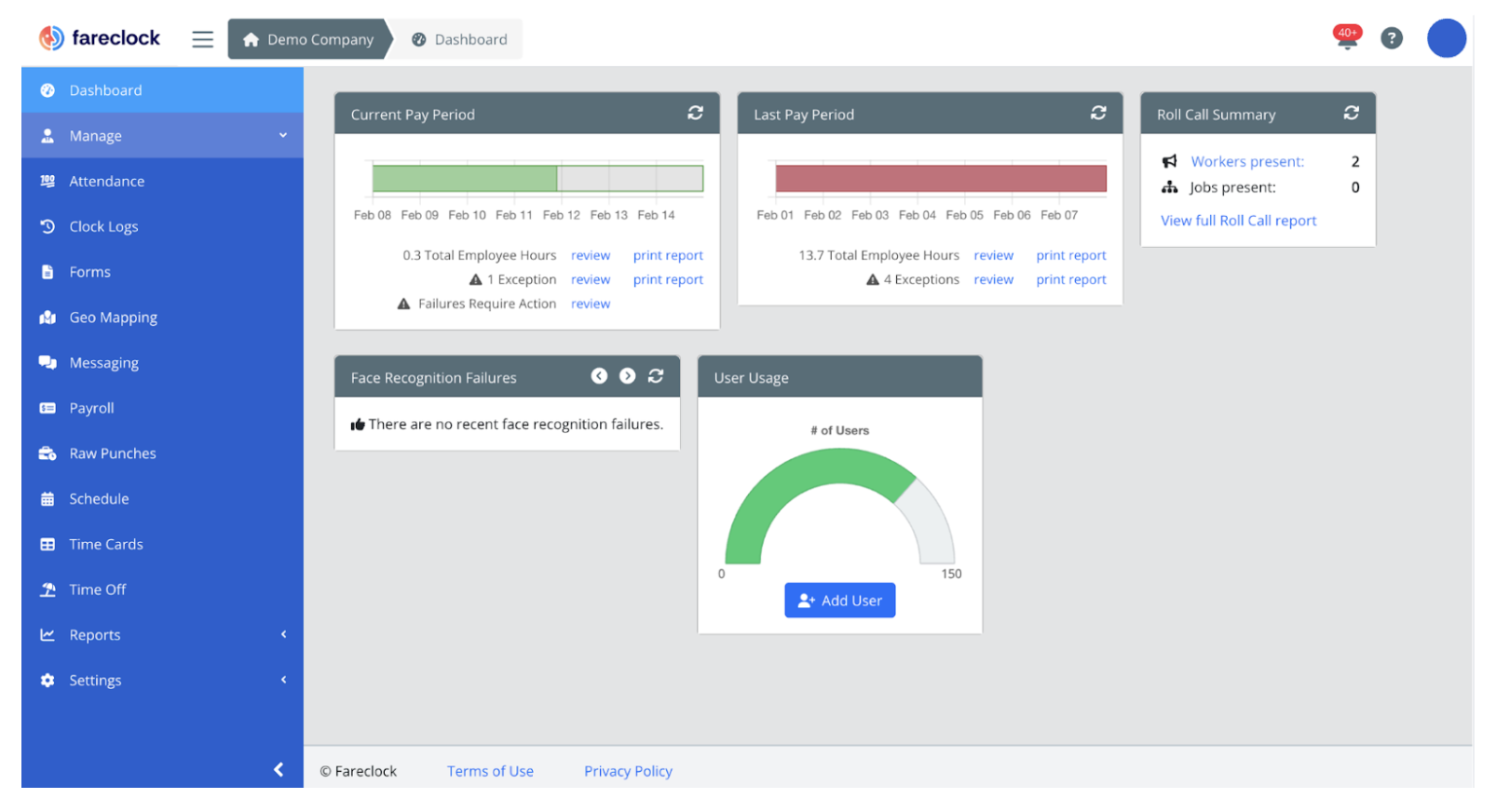
Fareclock Organization Dashboard Console
Achieve Real-Time, Location-Based Attendance
Experience immediate visibility across all active job locations by reviewing every log data that is tagged with GPS data and precise timestamps to ensure accuracy in worker attendance.
1. Workers clock in and out of their respective job sites via the Fareclock application.
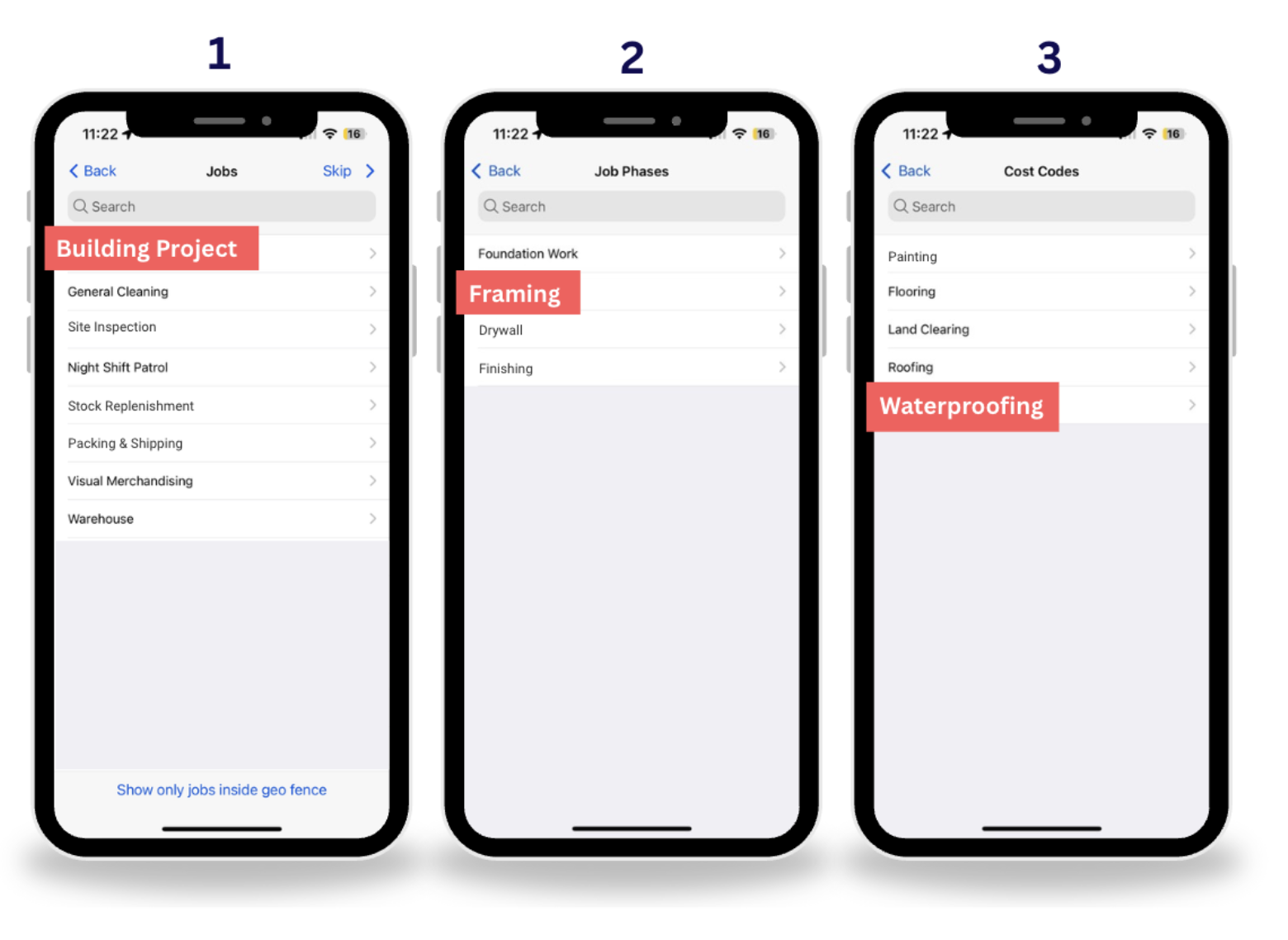
Sample Available Job Options as seen on the Fareclock Mobile Application
2. Set up geo fences to ensure that your workers are within the approved premises.
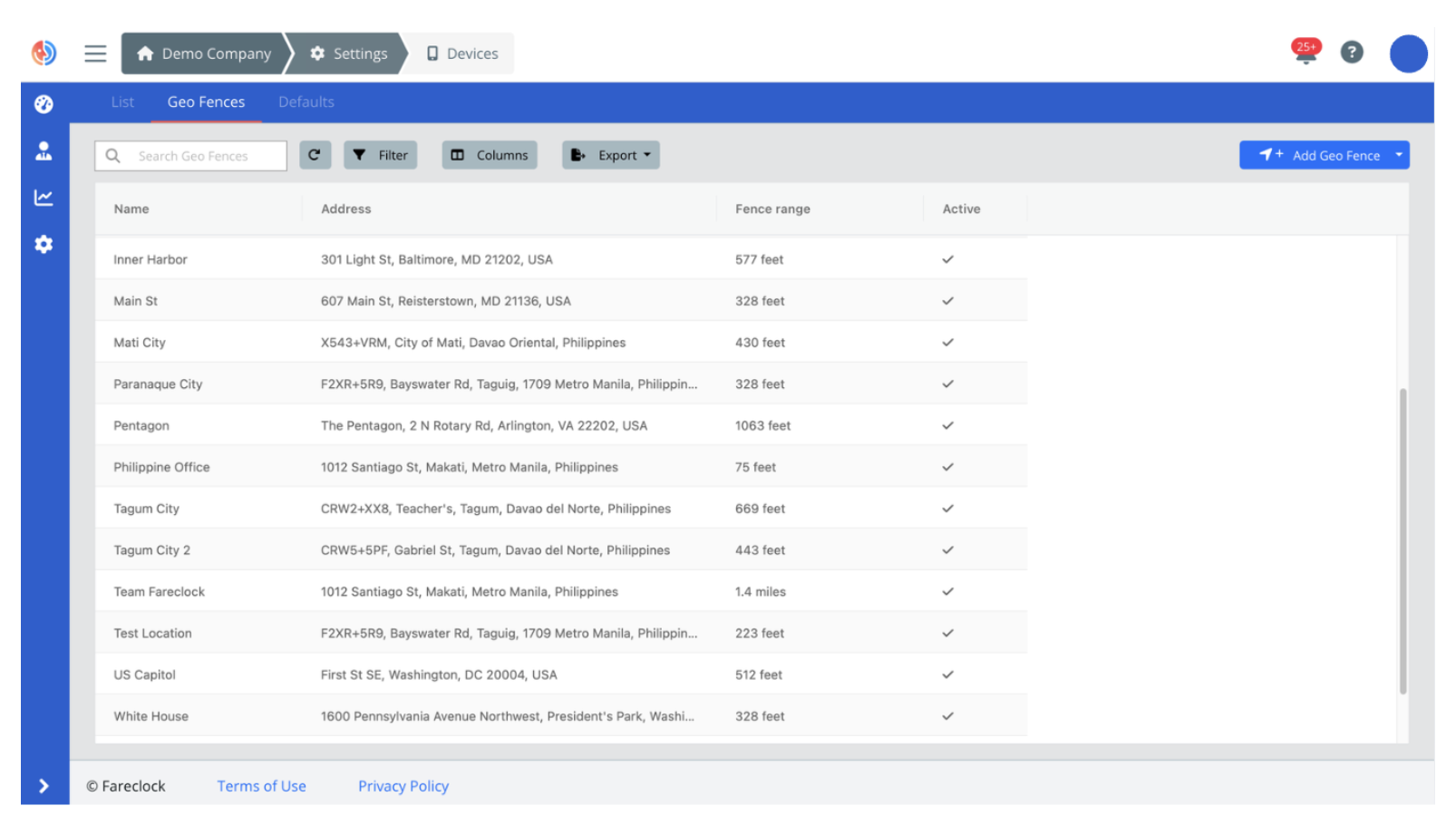
Sample Look of Approved Job Site Geo Fences
3. Enable live location tracking to gain a transparent monitoring of worker movement.
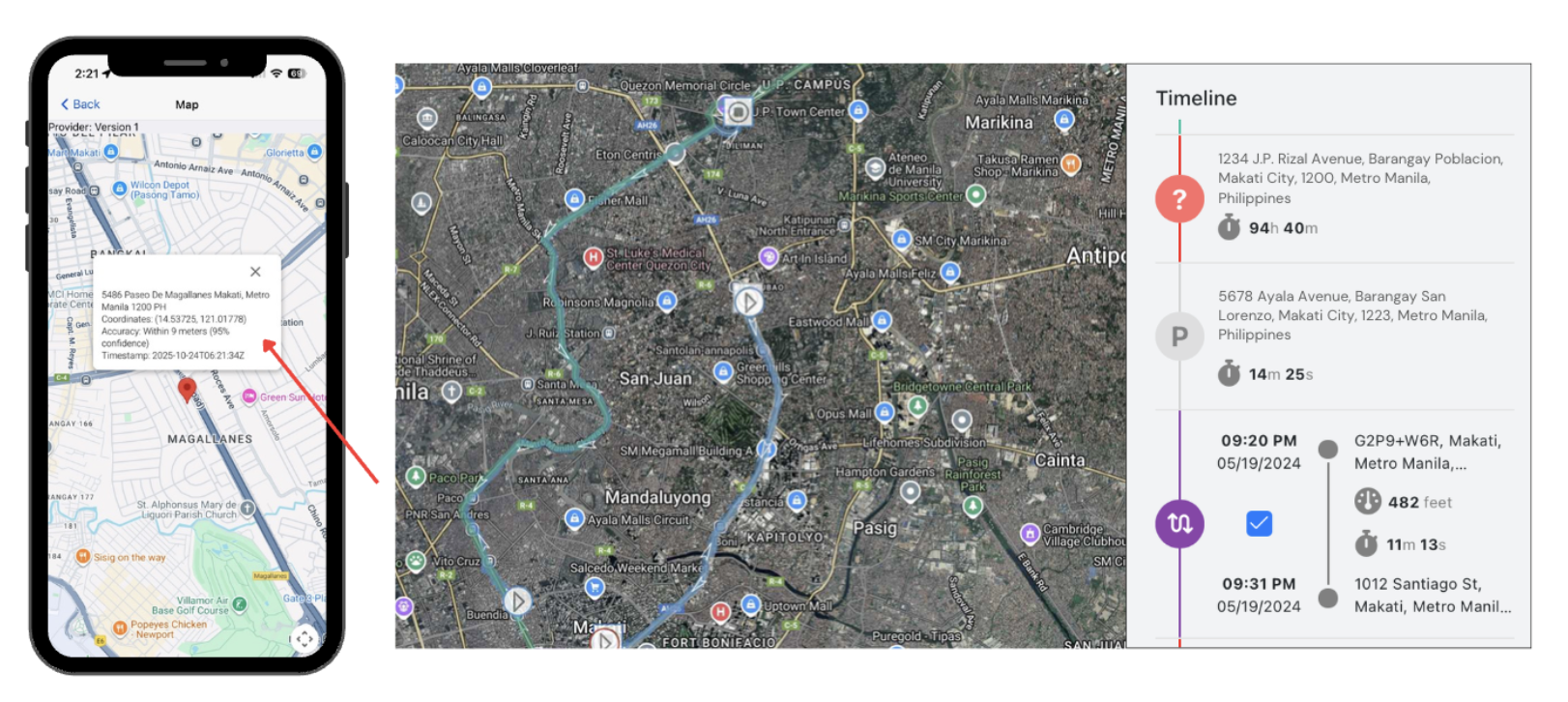
GPS Tagged Attendance Data (Left) Live Location Tracking (Right)
4. Configure tamper-proof device settings to avoid time fraud and data manipulation.
Generate Clean and Clear Data Reports
Say goodbye to site reporting delays with tools that support data collection from your crew members to simplify and streamline operations.
1. Centralize data and report generation with Fareclock’s wide option of attendance and payroll report templates available on the administrator console.
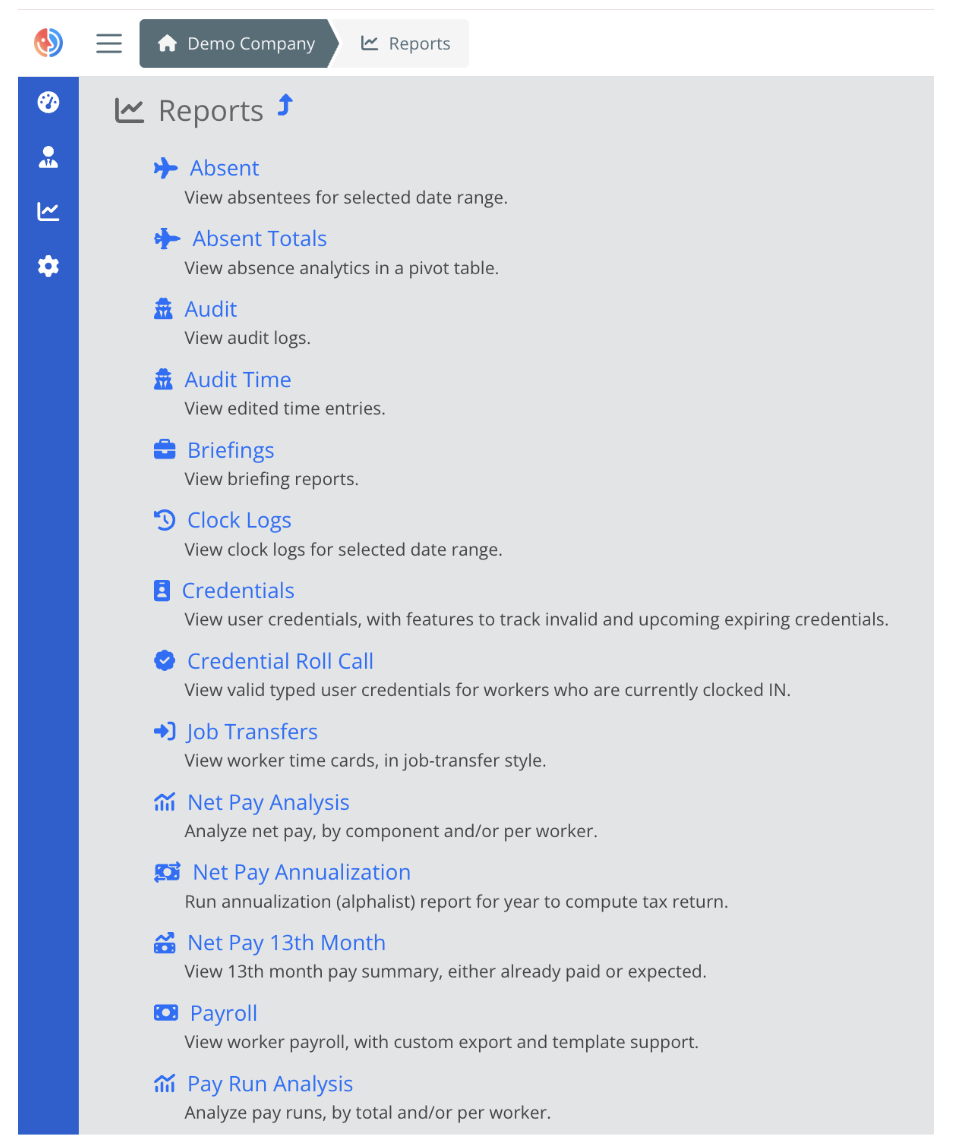
Incomplete List of Fareclock Reports as seen on the Administrator Console
2. Capture worker, shift, or punch details using Custom Fields tailored to your operational needs.
3. Collect rich, accurate, and detailed data effortlessly by building digital form templates with a comprehensive suite of field options that are available directly on the console.
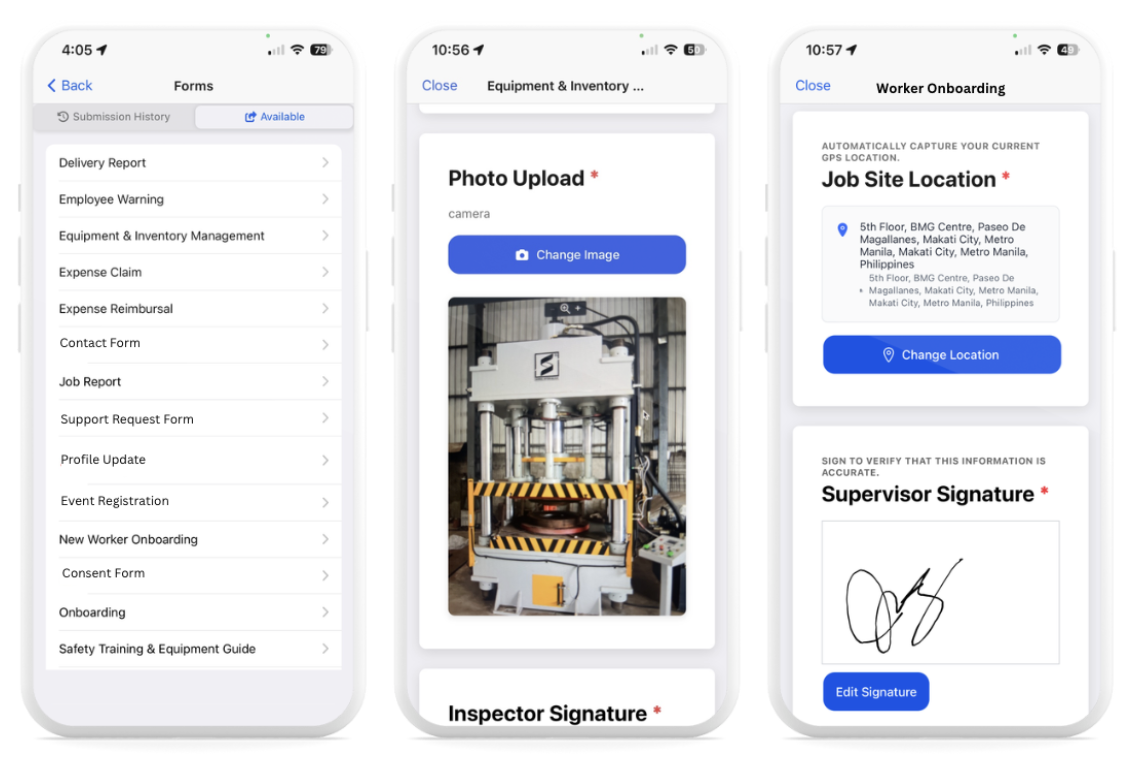
Fareclock Forms Feature as seen on the Fareclock Application
Fareclock for Every Construction Site
Fareclock is built specifically for multi-site construction businesses across Europe. Its advanced, comprehensive feature set is determined to scale with every construction business’s growth and expansion.
Contact Fareclock today to learn more about how our tools and features are built to support your construction team!