Paper timecards, attendance spreadsheets, and other paper-based workflows contribute to the inefficiencies faced by teams in time tracking, attendance, and payroll. HR staff, managers, and supervisors experience high administrative burden, lost working hours, and human error risks that take the efficiency out of their daily operations, slowing down processes that affect overall productivity.
Replace your manual outdated processes with Fareclock’s automated solution – where attendance time tracking and workforce management are carefully integrated into one smooth, powerful, intelligent platform.
Introducing Fareclock: Automating Processes from Start to Finish
Fareclock is a complete attendance and workforce management tool that is built to support your workforce monitoring needs from beginning to end. Features like (1) Automated time tracking, (2) Attendance rules and compliance, (3) Timecard editor, (4) Digital forms, and (5) Real-time dashboard and notifications are available on Fareclock to help your business, organization, or company achieve accuracy, efficiency, and compliance that improves overall team morale and productivity.
Watch | Fareclock Product Video
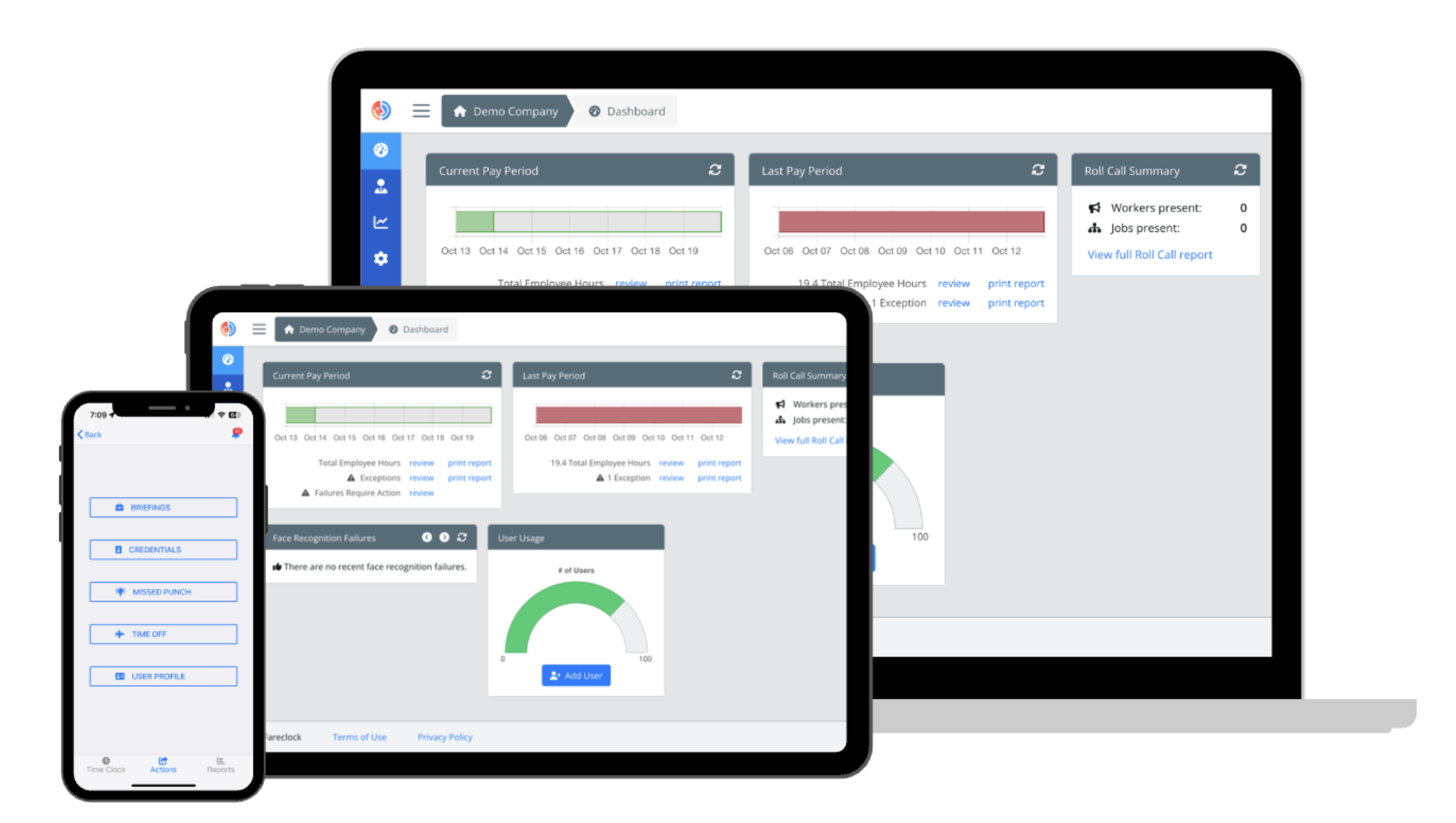
Fareclock Accessible on Desktop, Tablet, and Mobile
Fareclock Features Used Across Industries
1. Automated Time Tracking
Fareclock combines facial recognition, GPS verification, and geofencing to ensure workers are physically present at approved locations before their time and attendance is recorded. With this set of features working together, businesses can protect their labor budget, process reliable payroll data, gain instant workforce visibility, and reduce administrative overhead.
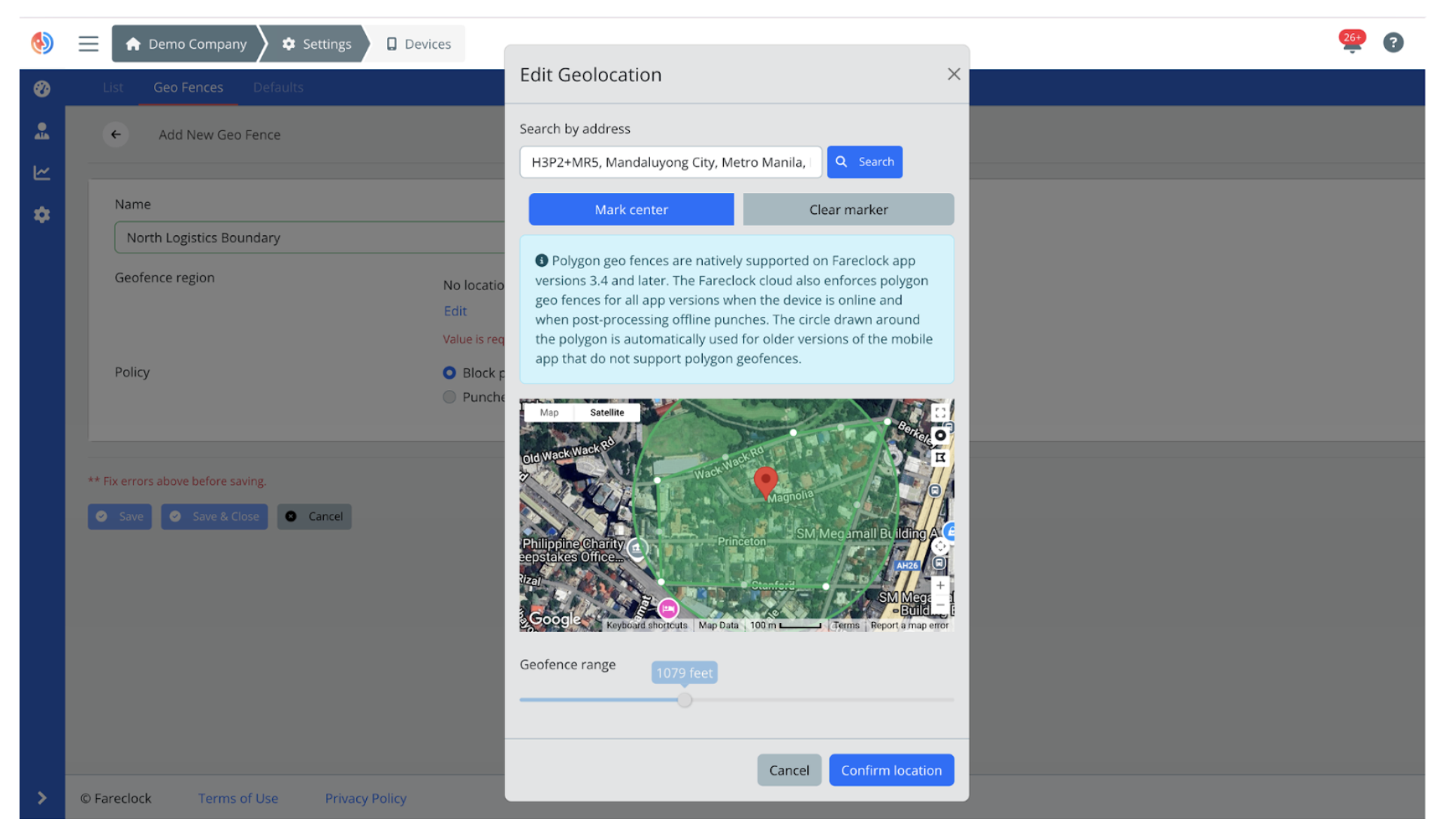
Edit Geolocation on the Fareclock Organization Console
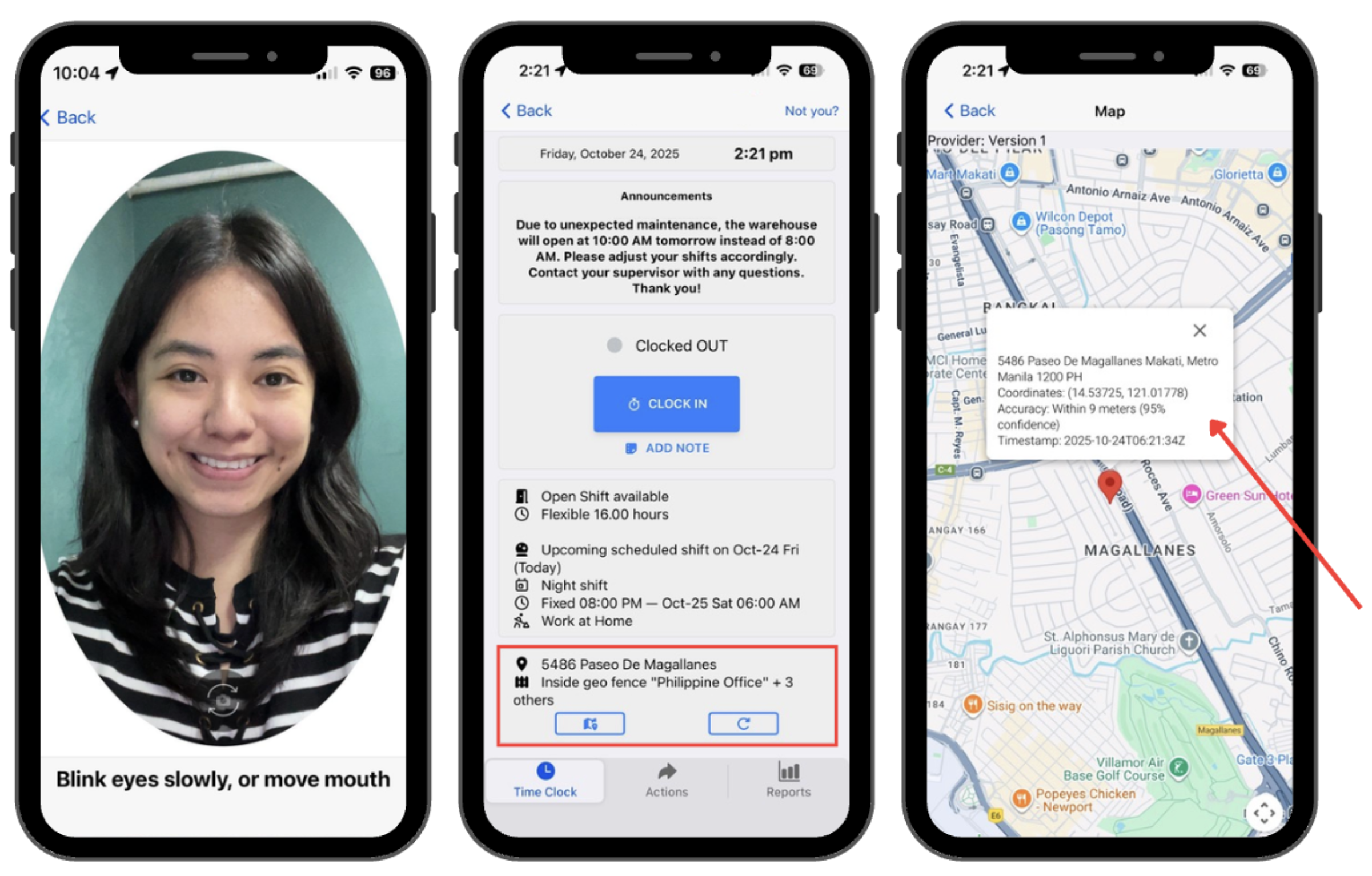
Facial Recognition (Left), GPS-enabled Punch Logs (Center), and Map View (Right)
Industry Use Case: Construction
Construction crews move constantly between job sites, making traditional manual time tracking difficult and error-prone for HR managers and project supervisors. With Fareclock, workers can simply clock in on-site with a quick face scan using their mobile device or a shared kiosk. The system will instantly validate their identity and location, eliminating disputes, preventing unauthorized clock-ins, and ensuring accurate job costing for labor reports.
Watch | Fareclock for Construction
2. Attendance Rules & Compliance
Flag violations, prevent early punches, and apply regulatory attendance policies consistently by automating complex attendance rules on the Fareclock console so your business and its HR managers and supervisors maintain a compliant workforce attendance without the tedious manual corrections.
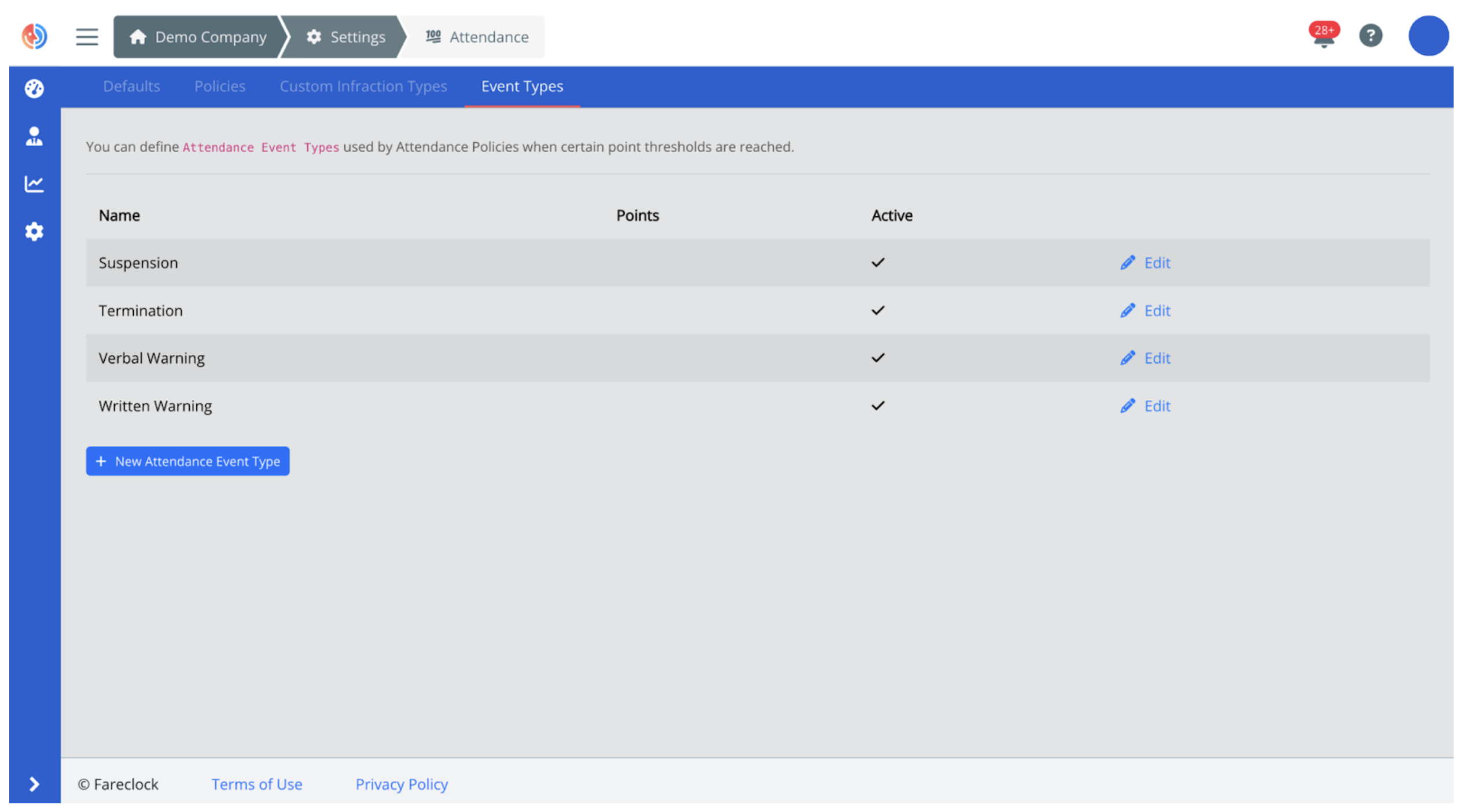
Set Up Attendance Infraction Events on Organization Console
Industry Use Case: Healthcare
Healthcare businesses like hospitals, clinics, and long-term care facilities rely on strict attendance staffing standards to enforce meal break requirements, overtime thresholds, shift differentials, grace periods, and other complex shift rotation rules. All of these can be configured on the Fareclock console to successfully manage your healthcare professionals’ attendance within required limits, ensuring smoother coordination and accurate payroll across multiple healthcare teams, roles, and departments.
Watch | Fareclock for Healthcare
3. Timecard Editor
Simplify the way your team accesses, reviews, and manages worker attendance with Fareclock’s intuitive timecard editor. All in one centralized dashboard, the Fareclock timecard editor makes it easy for HR managers and team supervisors to quickly view daily punches, breaks, job codes, location, and any flagged issues, ensuring attendance records are clean and compliant before the next payroll cycle.
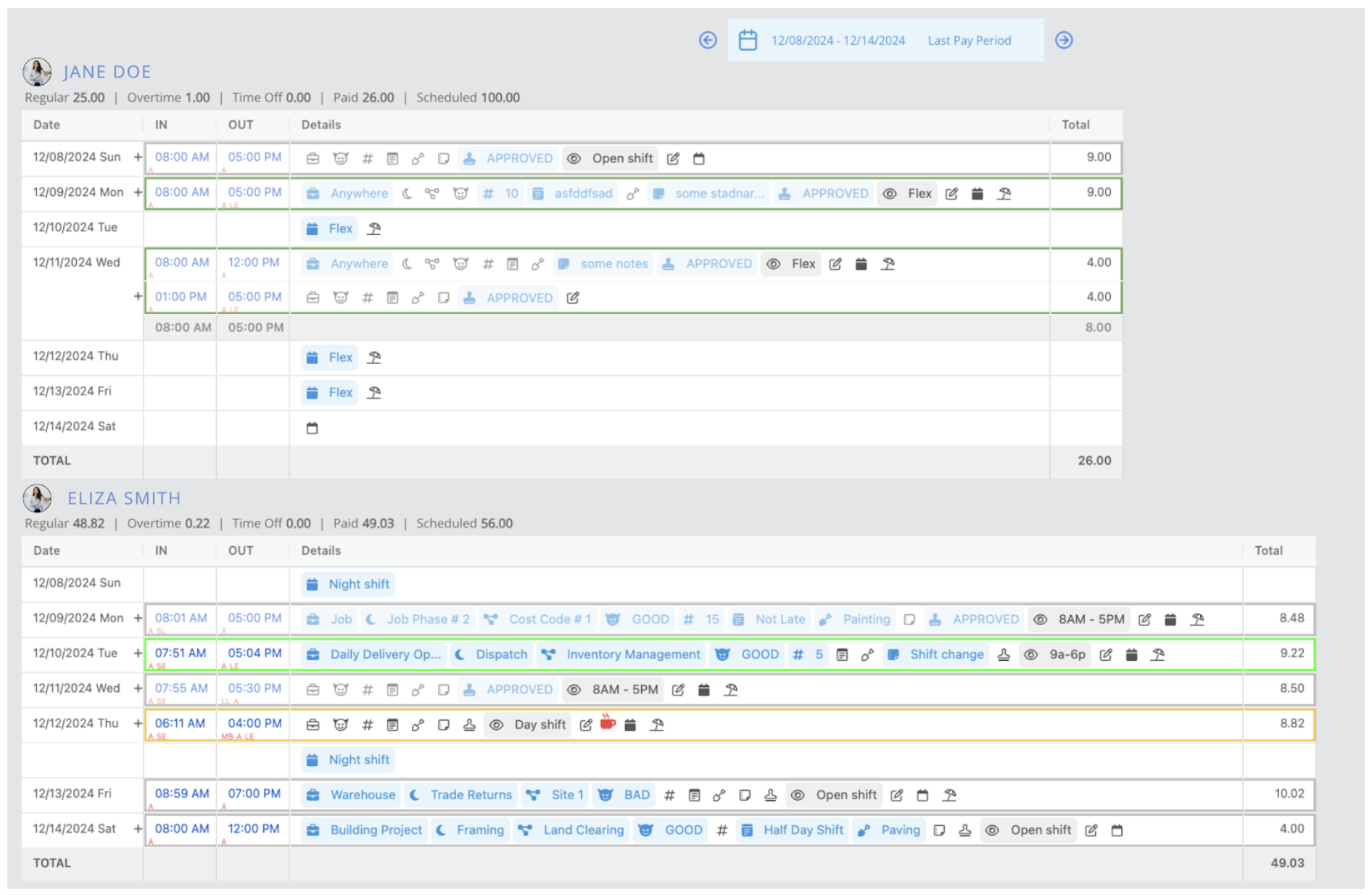
Timecard Editor on the Fareclock Organization Console
Industry Use Case: Manufacturing
Manufacturing operations rely on clean, validated timecards for precise labor tracking, accurate labor allocation, aligned production schedules, coordinated machine assignments, and managed shift rotations. The Fareclock timecard editor makes all of this possible with its detail-specific design that lets managers view every important detail for every worker shift.
Watch | Fareclock for Manufacturing
4. Digital Forms
Fareclock’s digital forms feature replaces paper-based workflows and communication with mobile-friendly submissions that sync instantly into the system in real-time. Workers can submit and report incident logs, expense receipts, job checklists, equipment updates, onboarding documents, safety acknowledgements, and more – all within the platform.

Forms Submission on the Fareclock Mobile App
Industry Use Case: Hospitality
Fast-paced work environments like hotels, restaurants, and resorts depend on efficient communication and accurate documentation. With Fareclock Forms, managers and team leads can collect photos, videos, signatures, audio recording, location stamps, and file attachments to ensure a complete and verified documentation of all processes. This feature improves operational flow as managers can review real-time submissions from their team to monitor completion status and monitor updates across multiple projects, jobs, and departments.
Watch | Fareclock for Hospitality
5. Real-Time Dashboards & Notifications
Managers and administrators can customize their alert notifications to receive geo alerts, shift reminders, attendance events, time tampering attempts, and more. This provides the management with instant workforce visibility that guides supervisors and managers to act quickly and adopt flexibly to changing staffing levels.
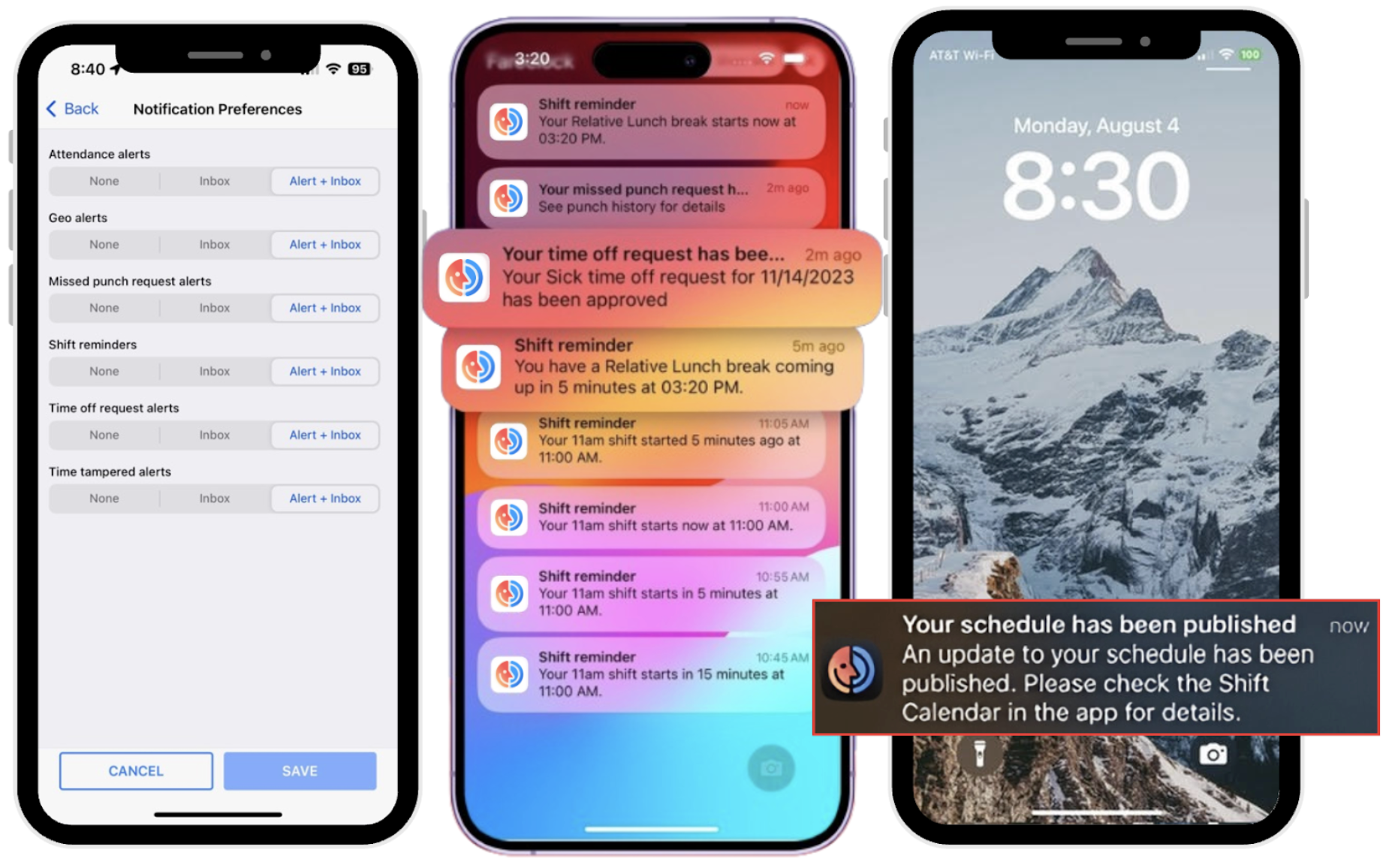
Fareclock Mobile Push Notifications
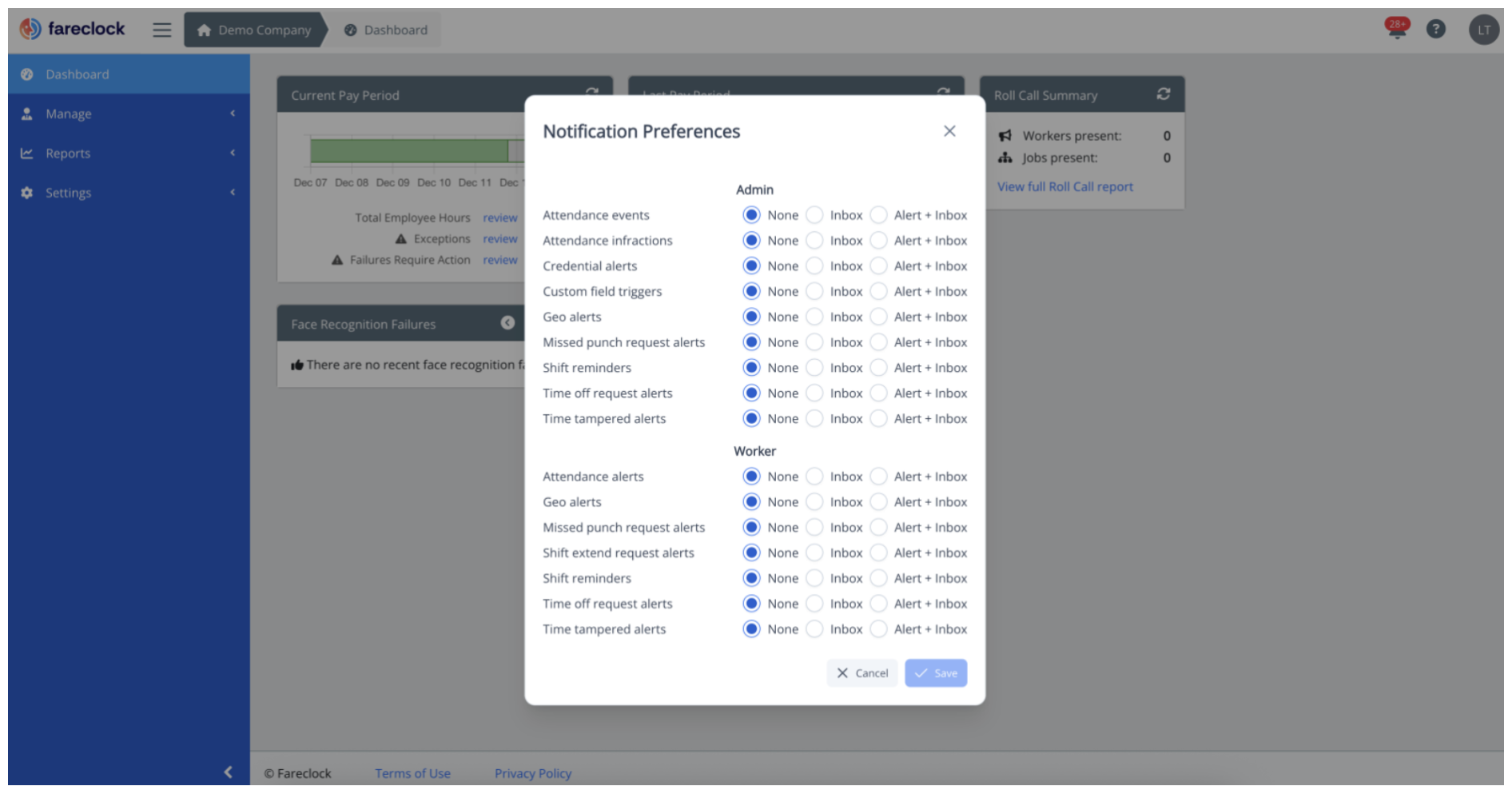
Industry Use Case: Field Service
Field service teams like those working in the engineering, cleaning, or contractual industries work independently across different areas, making real-time workforce oversight and management an essential tool. Fareclock provides employers and dispatchers with real-time reporting options to see exactly who is on-site, track job progress, and receive alerts when their workers complete tasks or encounter attendance issues. This instant real-time visibility improves scheduling accuracy, reduces downtime between jobs, and ensures a responsive, customer-focused service operation.
Transform Your Business with Fareclock
Automation of workflows is no longer a luxury or an add-on, but the foundation and baseline of a modern, efficient operational workflow. By replacing existing manual processes with Fareclock’s fully integrated timekeeping and workforce management platform, businesses and organizations empower their team towards higher-value strategic work that boost profitability and improve productivity.
Start your 30-day free trial today or contact Fareclock to begin automating your HR processes and give your team the tools they need to work smarter, faster, and more efficiently every single day!